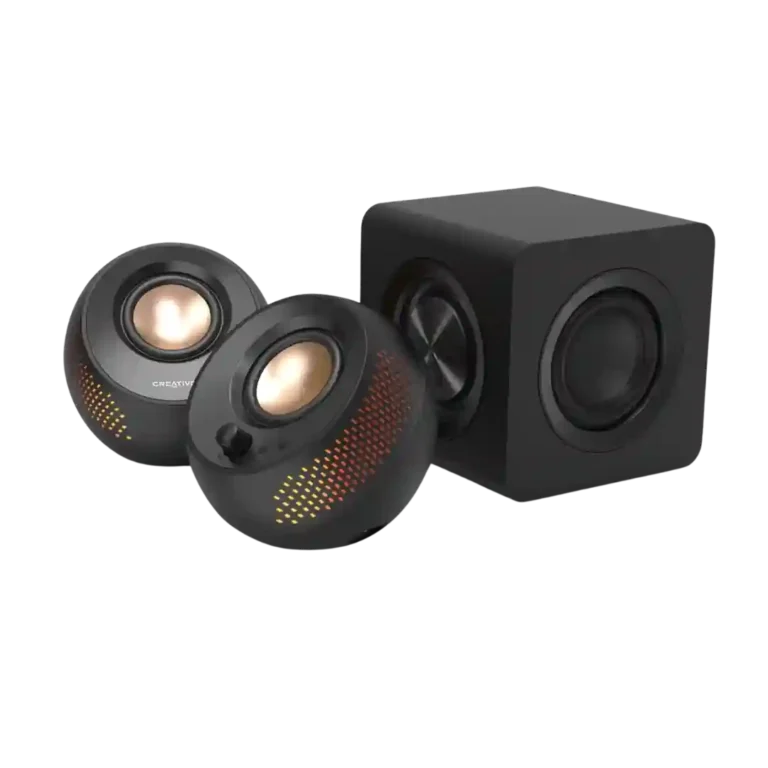
Choose the Creative Pebble X Plus if you want compact desktop speakers with RGB, strong volume, and subwoofer-backed bass. Skip it if you need deep sub-bass, clean cable management, advanced Bluetooth codecs, or full app/EQ control outside Windows.
Best for
Best for desk users who want a compact 2.1 speaker system with RGB lighting, flexible USB/AUX/Bluetooth inputs, clear vocals, and punchier bass than basic computer speakers.
Not for
Not for listeners who prioritize deep sub-bass, fully balanced treble detail, high-end Bluetooth codecs, tidy cable-free placement, or consistent app/EQ control across Mac and mobile.
Verdict
The Creative Pebble X Plus earns most of its praise as a compact desktop 2.1 system that sounds bigger than it looks. Reviewers repeatedly liked its clear vocals, strong volume, RGB lighting, flexible inputs, and subwoofer-assisted bass. The tradeoff is that the sub adds punch more than true deep rumble, and the overall tuning can lose treble detail or balance in complex tracks. The system is also more dependent on setup than it first appears: full output needs a separate USB-C PD adapter, the hard-wired cables can get messy, and app/EQ control varies sharply by platform.
Value for money: 4.1, 17 reviews, strong consensus
Value was broadly positive for a compact 2.1 desktop system, but not unanimous because some reviewers preferred cheaper Pebble models or saw platform-dependent value.
Loudness / maximum volume: 4.2, 13 reviews, strong consensus
Reviewers generally found the system loud for its compact size, with several saying it can get very loud, though a few noted limits near the top of the volume range.
Design and aesthetics: 4.2, 9 reviews, strong consensus
Design and aesthetics were usually praised for the compact, cute, tasteful, or good-looking Pebble style, with only minor reservations about plastic finish.
The subwoofer was the most discussed upgrade: reviewers often praised punch, boom, and better bass, but some still found sub-bass depth, integration, or headroom limited.
Wired input support was a strength overall, with reviewers praising broad audio-source support and USB/AUX options, though one noted limited additional connection methods.
App feedback was split: the app could detect or personalize the system, but several reviewers criticized limited mobile/Mac support, missing EQ, or Windows app issues.
EQ customization was highly platform-dependent: some reviewers praised Windows equalizer controls, while others criticized no EQ or limited controls in mobile/Mac apps.
Products reviewers directly compared with this model, grouped into quick takeaways.
pebble Pro
Worse: volume with equal settingsThe reviewer finds the Pebble Pro needs a volume bump under the same settings.
Better: value and cable simplicityPCMag says the Pebble Pro is the stronger value with fewer wires.
Pebble X
Worse: vocal and instrument separationTechJio prefers the Plus because vocals and instruments sound cleaner than on the Pebble X.
Worse: bass and overall performanceTechPowerUp finds the Plus a much better-performing choice than the regular Pebble X.
Creative Pebble Pro
Better: balanced soundTom's Guide says the cheaper Pebble Pro is better balanced across genres.
FAQ
Does the Creative Pebble X Plus have strong bass?
Reviewers generally say the subwoofer adds punch, thump, and better low-end body, especially for desktop use. Several also note that it still does not deliver truly deep sub-bass rumble.
Is the Creative Pebble X Plus loud enough?
Most reviewers found it loud for its size, with some saying it can fill a small or medium room. A few pushed it near maximum volume and wanted more headroom or noted quality loss at higher levels.
Do you need a separate power adapter?
Multiple reviewers treat a 30W or higher USB-C PD adapter as important for getting the best performance. Several complained that the adapter is not included.
Is Bluetooth performance good?
Bluetooth stability evidence is mostly positive where reviewers tested it, including stable playback and little or no lag. The main Bluetooth complaint is codec support, because reviewers repeatedly note SBC-only wireless audio.
How useful is the Creative app?
The app feedback is mixed. Reviewers liked Windows-based EQ, Acoustic Engine, and lighting control, but several criticized the mobile or Mac experience for limited audio controls.
Is the Pebble X Plus good for audiophiles?
The evidence points more toward casual desktop listening than audiophile use. Reviewers praised vocals and bass, but some criticized muted treble, lost micro-details, and imperfect balance.
Sample Expert Reviews We Analyzed
These are a few of the reviews included in our analysis.
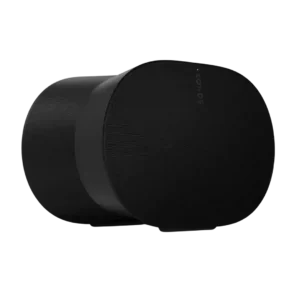
Choose the Sonos Era 300 for immersive spatial audio, loud room-filling sound, easy Sonos setup, and expandable home theater. Skip it if you rely on Google/Chromecast, need cheap stereo-only listening,...
Pros: Control button responsiveness, Smart features
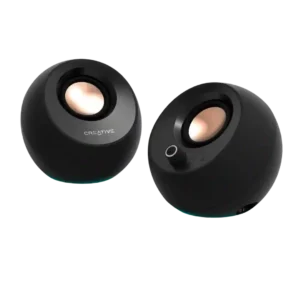
Choose these for clear, compact desktop sound, easy inputs, and standout value. Skip them if you need deep bass, room-filling volume, flawless USB/Bluetooth reliability, or a power adapter in the...
Pros: Battery life (if portable), Detail retrieval