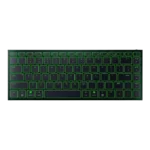
Razer Joro Feature Scores
Explore all 47 feature scores for Razer Joro, organized into pros and cons.
Scores by Feature
Summary
47 reviewed features-
Very positive 4.5-5.012 (26%)
-
Positive 3.5-4.422 (47%)
-
Neutral 2.5-3.411 (23%)
-
Negative 1.5-2.42 (4%)
Pros
Sort
-
Portability was the strongest consensus point: reviewers repeatedly praised the thin, light, bag-friendly body for travel and mobile work.
-
Build quality was one of the strongest themes, with reviewers repeatedly praising the rigid, sturdy construction despite the ultra-thin chassis.
-
Design reactions were strongly positive, with reviewers calling the Joro stunning, clean, minimalist, gorgeous, and premium-looking.
-
Compatibility was a major strength, especially for users switching between Windows, macOS, mobile devices, and multiple paired systems.
-
RGB lighting quality was widely praised as vibrant, beautiful, bright, colorful, and unusually polished for this kind of travel keyboard.
-
Frame rigidity was consistently praised, with multiple reviewers noting almost no flex or bending from the thin deck.
-
Typing feel was generally pleasant for a slim scissor-switch keyboard, though not all reviewers found it satisfying versus mechanical alternatives.
-
Connectivity was praised for easy pairing and device switching, but Bluetooth-only wireless and dongle omissions created caveats.
-
Noise level was a strength, with reviewers describing the Joro as quiet, restrained, and suitable for offices, shared spaces, or travel.
-
Gaming extras such as Snap Tap, NKRO, and gaming-mode features were appreciated, although they did not fully overcome the keyboard's travel-first limits.
-
Switch feel was divisive but often positive for scissor switches, with praise for crisp tactility offset by complaints of sluggishness from critics.
-
The slim, light form factor impressed reviewers, with hands-on comments emphasizing how thin and capable the keyboard felt.
-
Materials quality was mostly strong thanks to the aluminum top plate, though one reviewer found the plastic base comparatively cheap.
-
Reviewers liked how the compact 75% layout preserved useful controls while saving space and staying productivity-friendly.
-
Customization was often useful through Synapse, remapping, lighting, and profiles, though some reviewers found limits around remappable keys and software dependence.
-
Software quality was mixed: reviewers liked Synapse's growing Mac support and clearer layout, but some encountered availability or dependency frustrations.
-
Reliability was generally positive for device switching and daily use, with only isolated connection caveats.
-
Macro customization was useful where Synapse and onboard tools allowed it, but reviewers criticized the lack of on-the-fly macro recording and limited remap space.
-
Reviewers who discussed sound found the Joro's scissor switches pleasant, leaning deeper and subtly satisfying rather than loud or clicky.
-
RGB customization was considered useful through Synapse and onboard controls, though it remained constrained by single-zone behavior.
-
The included braided USB-C cable was generally appreciated as premium, though one reviewer noted practical limits from its short USB-C-to-C design.
-
Legend visibility was mostly positive thanks to readable fonts and illuminated legends, but one reviewer missed backlighting on secondary functions.
-
Profile management was helpful through onboard profiles, although one reviewer still found broader customization flexibility limited.
-
Key spacing drew mixed reactions: some reviewers liked the spacing and full-size keys, while others found the compact layout cramped or hard to navigate.
-
Battery impressions were split: several reviewers praised all-day or weeklong use with modest lighting, while others criticized short runtime with RGB enabled.
-
Typing comfort ranged from comfortable long writing sessions to fatigue and frustration, mostly depending on angle and layout tolerance.
-
PCMag found the typing feel consistent across the whole board, supporting a strong actuation-consistency score.
-
PCMag specifically found no wobble or mush in the keys, supporting a strong key-stability score.
-
One long-term tester found the Joro held up without visible wear after several weeks, supporting a positive durability score.
-
Macworld praised the ability to save function changes directly on the keyboard, supporting onboard memory usefulness.
-
Responsiveness varied by use case, with some reviewers reporting quick input while others found the keys slow or less responsive than mechanical alternatives.
-
GamesRadar found the RGB strong enough that half brightness still looked fantastic, though this was discussed alongside battery impact.
-
A wired 1,000Hz mode was praised as a useful fallback when battery or wireless gaming performance mattered.
-
PCWorld explicitly tied Snap Tap to rapid-trigger-style support, giving the Joro credit for that gaming feature.
Cons
Sort
-
Per-key lighting control was a recurring limitation because reviewers noted single-zone RGB and no individual key effects.
-
TechRadar specifically criticized the lack of dampening, saying the keys could feel harsh under heavier typing.
-
Switch options were a limitation because the Joro is not mechanical, which reviewers said may deter buyers who want that feel.
-
Latency was a key concern outside wired mode, with multiple reviewers calling out Bluetooth input delay or the lack of low-latency wireless support.
-
GamesRadar framed the Joro as missing the fancier analog-system actuation features found elsewhere in Razer's lineup.
-
Value for money was one of the weakest areas, with many reviewers calling the Joro expensive unless portability is the buyer's top priority.
-
Ergonomics were mixed to negative overall: some liked the flat angle, but many criticized the lack of adjustable feet and fatigue over time.
-
Wireless performance was mixed: Bluetooth was often stable for productivity, but sleep delays, input lag, and competitive-gaming limitations were repeated concerns.
-
Volume control opinions split: Macworld liked one-hand Fn access, while a comparison reviewer disliked the volume placement.
-
Gaming performance was context-dependent: reviewers found it acceptable or speedy for casual use, but weak for serious or PC-focused competitive gaming.
-
Media controls worked through function layers and were reachable for some, but other reviewers found their placement awkward or annoying.
-
Keycap feedback was mixed: reviewers liked smooth, comfortable caps and etched legends, but several complained about smudges, fingerprints, or clammy feel.
-
Layout opinions split sharply: some reviewers found the 75% layout efficient, while others disliked the small Shift, spacebar, or right-side key choices.