#1
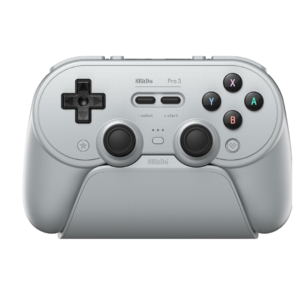
Start and Select preserve the soft retro feel, but many users find them mushy, cramped together, or awkwardly centered. They stand out as less immediate than the surrounding controls.
Pros: Hall effect stick performance, analog stick smoothness
Cons: cloud gaming compatibility, audio jack quality
#2

Rearranged Home, Capture, plus, and minus controls are a recurring annoyance on Switch models, causing repeated accidental presses until muscle memory adjusts.
Pros: analog stick precision, analog stick smoothness
Cons: Switch wake support, Amiibo/NFC support
#3

Start, Select, Menu, and mode functions provide useful shortcuts, but the layout can become crowded. The capture and macro controls beneath the D-pad are especially easy to trigger accidentally.
Pros: weight balance, face button responsiveness
Cons: firmware update support, customer support
#4
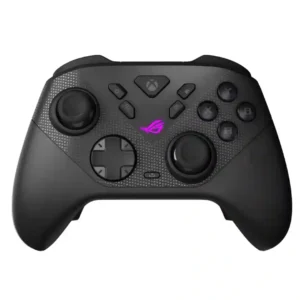
The extra ROG Ally shortcut keys repeatedly interfere with the usual Start/View layout. Several testers hit the wrong button or found the real menu controls awkward to reach.
Pros: face button travel, trigger responsiveness
Cons: Start and Select button design, button label visibility