Compare Logitech G413 SE vs Corsair K100 AIR

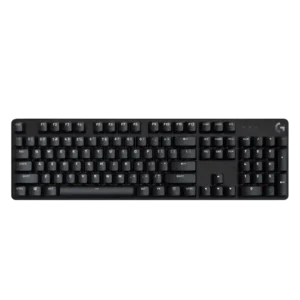
P1 Logitech G413 SE
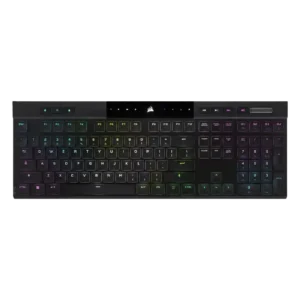
P2 Corsair K100 AIR

Comparison Takeaways

Logitech G413 SE

Where It Has the Edge

  • materials quality is 4.5 vs 3.5. The brushed aluminum or aluminum-magnesium top plate is repeatedly described as premium-feeling and sturdy.
  • keycap quality is 4.1 vs 3.3. PBT keycaps are a clear strength, with reviewers praising their texture, durability, and better-than-expected material quality for the...
  • sound dampening is 2.8 vs 2.0. Sound control is mixed, with one review calling out ping while another praised the lack of echo or...
  • backlight brightness is 4.3 vs 3.7. Reviewers consistently found the white backlight bright, with multiple brightness levels or intensity adjustment available.

Corsair K100 AIR

Where It Has the Edge

  • RGB customization is 5.0 vs 1.1. RGB customization is deep, with layered effects and extensive lighting control repeatedly praised.
  • onboard memory is 4.8 vs 1.0. Onboard storage is a strength, with support for many saved profiles and hardware-side customization.
  • per-key lighting control is 4.7 vs 1.0. Lighting control is flexible, with per-key or advanced programmable lighting support highlighted in the cited reviews.
  • profile management is 4.5 vs 1.0. Profile management is strong, with onboard profile storage and quick switching options.
Average score
Product 1: Logitech G413 SE
2.6
Product 2: Corsair K100 AIR
3.9
acoustics
Product 1: Logitech G413 SE
2.2

Sound impressions lean negative overall, with reviewers calling the keyboard unpleasant, scratchy, pingy, or only modestly refined.

Product 2: Corsair K100 AIR
2.7

Reviewers describe the keyboard’s sound as mixed but often louder than ideal, with only limited praise for how it sounds.

actuation consistency
Product 1: Logitech G413 SE
1.5

One review specifically found the tactile bump inconsistent from key to key, with some switches feeling lighter or heavier than others.

Product 2: Corsair K100 AIR
No score yet
backlight brightness
Product 1: Logitech G413 SE
4.3

Reviewers consistently found the white backlight bright, with multiple brightness levels or intensity adjustment available.

Product 2: Corsair K100 AIR
3.7

Backlight brightness is decent, but several reviews say it is less bright or vibrant than some competing or larger boards.

battery life
Product 1: Logitech G413 SE
No score yet
Product 2: Corsair K100 AIR
5.0

Battery life is a major strength, with repeated praise for long runtime and infrequent charging in real use.

build quality
Product 1: Logitech G413 SE
4.3

Across reviews, the board is described as solid, sturdy, and better built than many budget peers despite its stripped-down feature set.

Product 2: Corsair K100 AIR
4.2

The chassis usually feels sturdy and premium, though at least one reviewer expected better execution for the price.

cable quality
Product 1: Logitech G413 SE
1.8

The attached cable is repeatedly described as basic, non-detachable, and unbraided, which feels cheap for the price.

Product 2: Corsair K100 AIR
4.5

The included cable is described as braided or fabric-covered and generally feels well made.

compatibility
Product 1: Logitech G413 SE
1.0

Multiple reviews specifically highlight the lack of Logitech G Hub compatibility, limiting ecosystem integration.

Product 2: Corsair K100 AIR
4.5

Compatibility is broad across Windows, Mac, mobile, Xbox, and PlayStation, though Mac-specific labeling remains a drawback.

connectivity
Product 1: Logitech G413 SE
2.0

Reviews describe a wired, non-detachable connection that works but offers little flexibility.

Product 2: Corsair K100 AIR
4.8

Wired, Slipstream, and multi-device Bluetooth connectivity are consistently praised and easy to switch between.

customization options
Product 1: Logitech G413 SE
1.4

Reviewers consistently say customization is minimal, with little to no remapping, layout changes, or deeper tweaking available.

Product 2: Corsair K100 AIR
4.8

The K100 AIR offers extensive remapping, lighting, and software-driven customization across multiple reviews.

desk space efficiency
Product 1: Logitech G413 SE
4.3

The compact footprint, slim bezel design, and TKL option leave more room on the desk, especially for mouse movement.

Product 2: Corsair K100 AIR
4.3

Despite being full-size, the thin layout uses desk space efficiently and can fit into tighter setups than bulkier boards.

durability
Product 1: Logitech G413 SE
4.5

PBT caps and sturdy metal-backed construction are repeatedly framed as long-lasting, heat- and wear-resistant design choices.

Product 2: Corsair K100 AIR
4.8

Reviews indicate strong durability, with successful drop testing, good transit resilience, and solid long-term wear.

ease of switch replacement
Product 1: Logitech G413 SE
1.5

One reviewer notes switch replacement is not straightforward and would require tools or modification rather than simple user swapping.

Product 2: Corsair K100 AIR
1.5

Serviceability is a clear weakness because removing caps or accessing the switches can be difficult and risky.

ergonomics
Product 1: Logitech G413 SE
3.2

Ergonomics are mixed: some reviewers liked the low-profile angle and adjustable feet, while another found the board uncomfortable without a wrist rest.

Product 2: Corsair K100 AIR
4.3

Its low height, adjustable feet, and minimal need for a palm rest make the board comfortable to use ergonomically.

extra gaming features
Product 1: Logitech G413 SE
2.5

The keyboard covers basic gaming needs with anti-ghosting and six-key rollover, but reviewers repeatedly say its feature set is minimal and misses staples like game mode.

Product 2: Corsair K100 AIR
4.5

Gaming-focused extras such as PlayStation mode, streaming integration, and dedicated shortcut controls add useful functionality.

frame rigidity
Product 1: Logitech G413 SE
4.3

Reviews consistently report very little flex, giving the chassis a firm, rigid feel.

Product 2: Corsair K100 AIR
4.5

The ultra-thin chassis still feels impressively rigid, with little to no concerning flex in the cited reviews.

gaming performance
Product 1: Logitech G413 SE
3.2

In games, the board generally keeps up and registers commands well, but several reviewers say it lacks the richer gaming-focused feature set expected at this price.

Product 2: Corsair K100 AIR
4.7

Gaming performance is consistently strong, with fast response and accurate input across wired and wireless use.

hot-swappable switches
Product 1: Logitech G413 SE
1.0

Multiple reviews explicitly state the switches are not hot-swappable.

Product 2: Corsair K100 AIR
1.0

The keyboard is explicitly described as not hot-swappable.

keycap quality
Product 1: Logitech G413 SE
4.1

PBT keycaps are a clear strength, with reviewers praising their texture, durability, and better-than-expected material quality for the price.

Product 2: Corsair K100 AIR
3.3

Keycap quality is mixed: the shape helps finger placement, but the ABS material and surface quality draw criticism.

key responsiveness
Product 1: Logitech G413 SE
4.0

Reviews that addressed responsiveness say inputs register quickly and feedback is fast enough for gaming.

Product 2: Corsair K100 AIR
4.8

Keys are repeatedly described as quick, accurate, and highly responsive.

key spacing
Product 1: Logitech G413 SE
3.5

Reviewers describe the spacing as comfortable overall, though one noted the keys feel a bit narrower than typical.

Product 2: Corsair K100 AIR
4.0

One review specifically praises the extra spacing between keys for preserving familiar finger positioning.

key stability
Product 1: Logitech G413 SE
4.0

One reviewer found the spacebar stable with little wobble.

Product 2: Corsair K100 AIR
4.5

One reviewer highlights balanced keys with no spacebar wobble.

latency
Product 1: Logitech G413 SE
4.0

The few reviews that discussed response speed describe the board as nippy and fast enough for quick in-game inputs.

Product 2: Corsair K100 AIR
4.8

Latency is a standout strength, with very fast wired and wireless response highlighted across several reviews.

layout options
Product 1: Logitech G413 SE
2.8

Availability in both full-size and TKL is a plus, but one reviewer criticized the TKL layout for omitting expected keys.

Product 2: Corsair K100 AIR
3.0

The full-size layout works well for those who want everything onboard, but reviewers also wish smaller variants existed.

legend visibility
Product 1: Logitech G413 SE
1.5

Visibility is a weakness, with legends described as hard to see without the backlight and some function labels unlit.

Product 2: Corsair K100 AIR
3.8

Legend visibility is generally good through shine-through legends, though secondary symbols are not always fully illuminated.

macro customization
Product 1: Logitech G413 SE
1.0

Reviews consistently say macro creation is unavailable or effectively unsupported.

Product 2: Corsair K100 AIR
4.2

Macro support is flexible and well integrated, though some reviewers find the macro-key position less ideal in play.

materials quality
Product 1: Logitech G413 SE
4.5

The brushed aluminum or aluminum-magnesium top plate is repeatedly described as premium-feeling and sturdy.

Product 2: Corsair K100 AIR
3.5

Premium aluminum surfaces help the board feel upscale, but plastic elements and sharp edges reduce the overall impression.

media controls
Product 1: Logitech G413 SE
2.1

Media access is present mainly through Fn shortcuts, but reviewers frequently note the lack of dedicated controls.

Product 2: Corsair K100 AIR
4.7

Dedicated media controls are consistently praised as useful and well integrated.

noise level
Product 1: Logitech G413 SE
3.0

Noise impressions vary from moderate to fairly loud, but the board is generally not positioned as especially quiet.

Product 2: Corsair K100 AIR
2.7

Noise is divisive: some find it workable for general use, while others call it loud or rattly.

onboard memory
Product 1: Logitech G413 SE
1.0

One review says settings revert to default because there is no built-in memory.

Product 2: Corsair K100 AIR
4.8

Onboard storage is a strength, with support for many saved profiles and hardware-side customization.

passthrough features
Product 1: Logitech G413 SE
1.0

Multiple reviews call out the removal or absence of USB passthrough.

Product 2: Corsair K100 AIR
1.5

The K100 AIR lacks USB, headset, or similar passthrough connections.

per-key lighting control
Product 1: Logitech G413 SE
1.0

Reviewers say the lighting cannot be individually customized, even though the keys are backlit.

Product 2: Corsair K100 AIR
4.7

Lighting control is flexible, with per-key or advanced programmable lighting support highlighted in the cited reviews.

polling rate
Product 1: Logitech G413 SE
2.5

One review explicitly warns not to expect especially high polling rates.

Product 2: Corsair K100 AIR
5.0

Polling-rate capability is one of the board’s headline strengths, especially in wired mode.

portability
Product 1: Logitech G413 SE
4.3

The TKL version and relatively light build make the keyboard easy to carry and easier to fit into travel or event setups.

Product 2: Corsair K100 AIR
3.8

The thin design helps portability, but the long full-size footprint can still make transport awkward.

profile management
Product 1: Logitech G413 SE
1.0

One review specifically notes there is no way to create profiles.

Product 2: Corsair K100 AIR
4.5

Profile management is strong, with onboard profile storage and quick switching options.

reliability
Product 1: Logitech G413 SE
4.0

One reviewer praised the updated switches for avoiding the double-typing issue they associated with older keys.

Product 2: Corsair K100 AIR
4.7

The cited reviews describe reliable connections and stable long-term operation without major functional issues.

RGB customization
Product 1: Logitech G413 SE
1.1

Reviewers repeatedly note white-only lighting and no RGB options, so personalization is essentially absent.

Product 2: Corsair K100 AIR
5.0

RGB customization is deep, with layered effects and extensive lighting control repeatedly praised.

RGB lighting quality
Product 1: Logitech G413 SE
2.6

The white lighting is generally bright and clean-looking, with a few modes, but it remains limited for users who want richer effects.

Product 2: Corsair K100 AIR
4.0

RGB lighting quality is generally good, though it is not the brightest implementation in the segment.

size and form factor
Product 1: Logitech G413 SE
4.1

Reviewers repeatedly call the board compact for its class, with slim proportions and both full-size and TKL options.

Product 2: Corsair K100 AIR
5.0

The ultra-thin full-size form factor is one of the keyboard’s most distinctive and most praised traits.

software quality
Product 1: Logitech G413 SE
1.0

The dominant software story is negative: most reviews highlight no G Hub support or no companion software at all.

Product 2: Corsair K100 AIR
4.5

iCUE is widely viewed as powerful and feature-rich, even if some users may find it heavy or complex.

sound dampening
Product 1: Logitech G413 SE
2.8

Sound control is mixed, with one review calling out ping while another praised the lack of echo or reverb.

Product 2: Corsair K100 AIR
2.0

Sound dampening is weak in the cited evidence, with leakage through the chassis noted in one review.

stabilizer quality
Product 1: Logitech G413 SE
2.3

Stabilizer impressions are mixed but lean negative overall, with one review noting ticking and another noting only slight wobble on larger keys.

Product 2: Corsair K100 AIR
2.8

Stabilizer quality is inconsistent, with multiple complaints about looseness or rattle despite one positive stability note.

switch feel
Product 1: Logitech G413 SE
2.6

Switch feel is the product’s most divisive area, with many reviewers calling the switches mushy, stiff, clunky, or inconsistent, though a few found them smooth or acceptably light.

Product 2: Corsair K100 AIR
4.5

The low-profile tactile switches are widely praised for feeling fast, tactile, and satisfying.

switch options
Product 1: Logitech G413 SE
1.5

One review explicitly criticizes the board for offering only brown switches.

Product 2: Corsair K100 AIR
2.5

Switch choice appears limited on this board, with reviewers noting tactile-only availability or a lack of alternatives.

typing comfort
Product 1: Logitech G413 SE
3.7

Typing comfort is mixed; some reviewers found the board comfortable or fatigue-free, while others found it less comfortable than alternatives.

Product 2: Corsair K100 AIR
4.7

Typing comfort is a strong point once users adjust to the low-profile format.

typing feel
Product 1: Logitech G413 SE
3.3

Typing feel lands in the middle overall, with some reviewers enjoying the response and tactility but others describing dullness, mushiness, or friction.

Product 2: Corsair K100 AIR
4.5

Typing feel is generally described as enjoyable, fluid, and tactile.

value for money
Product 1: Logitech G413 SE
2.9

Value is mixed-to-negative overall: some reviewers appreciate the simple, sturdy package, but many argue the missing features and competition make the asking price hard to justify.

Product 2: Corsair K100 AIR
2.7

Value for money is mixed to poor because the feature set is strong but the premium price is hard to justify.

volume control
Product 1: Logitech G413 SE
3.3

Volume adjustment is available through Fn-layer shortcuts rather than dedicated hardware.

Product 2: Corsair K100 AIR
4.5

The dedicated volume wheel or roller is consistently well liked.

wireless performance
Product 1: Logitech G413 SE
No score yet
Product 2: Corsair K100 AIR
5.0

Wireless performance is a clear strength, with fast low-latency behavior and no meaningful lag reported.

wrist rest quality
Product 1: Logitech G413 SE
1.0

Reviews repeatedly note that there is no included wrist rest.

Product 2: Corsair K100 AIR
1.5

No wrist rest is included, and at least one reviewer calls that out as a miss at this price.