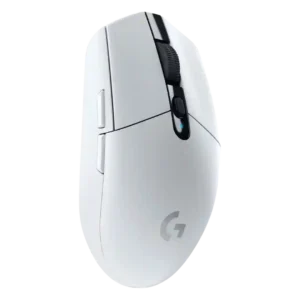
2.4GHz connectivity
P1
Product 1: Logitech G305 Lightspeed
4.3
Reviewers found the 2.4GHz Lightspeed dongle dependable over normal use distances, with strong gaming performance despite one note about the crowded band.
P2
Product 2: Razer Viper V4 Pro
4.8
Dongle-based wireless connectivity was praised for helpful indicators, strong signal, and improved convenience over older dongles.
acceleration control
P1
Product 1: Logitech G305 Lightspeed
2.0
Advanced acceleration-related tuning was a weak point because the G305 lacks the kind of sensor adjustment features some competitors offer.
P2
Product 2: Razer Viper V4 Pro
4.3
Dynamic sensitivity, rotation, and acceleration-style controls were valued by advanced users, but some reviewers framed them as niche tuning tools.
Accuracy and tracking precision
P1
Product 1: Logitech G305 Lightspeed
4.6
Tracking accuracy drew broad praise, with reviewers repeatedly calling the HERO sensor responsive, precise, smooth, and reliable, though one noted balance could affect precision.
P2
Product 2: Razer Viper V4 Pro
4.8
Reviewers consistently described tracking as highly precise and confidence-inspiring, with only a few saying gains are incremental at the very high end.
balance and weight distribution
P1
Product 1: Logitech G305 Lightspeed
2.0
Balance was one of the more consistent physical complaints, with reviewers calling the mouse back-heavy or unusually weighted because of the rear AA battery.
P2
Product 2: Razer Viper V4 Pro
5.0
Weight distribution was strongly praised, with reviewers describing the mouse as centered, balanced, and lighter-feeling in motion.
battery life
P1
Product 1: Logitech G305 Lightspeed
4.6
Battery life was one of the strongest points, with reviewers repeatedly validating or praising long AA runtime, even when they disliked disposable batteries.
P2
Product 2: Razer Viper V4 Pro
4.7
Battery life was one of the clearest upgrades, with broad praise for 180 hours at 1,000Hz and useful endurance even at 8,000Hz.
Bluetooth support
P1
Product 1: Logitech G305 Lightspeed
1.9
Bluetooth support was a recurring limitation because reviewers liked the dongle performance but disliked being unable to use Bluetooth or non-USB devices.
P2
Product 2: Razer Viper V4 Pro
1.5
Bluetooth support is absent, which reviewers treated as a limitation rather than a performance issue.
build quality
P1
Product 1: Logitech G305 Lightspeed
4.5
Build quality was usually praised as sturdy, tight, and well assembled, with only isolated caveats about batches or long-term issues.
P2
Product 2: Razer Viper V4 Pro
4.9
Build quality was a standout strength, with reviewers repeatedly noting rigidity, no creak, and premium construction.
button customization
P1
Product 1: Logitech G305 Lightspeed
4.2
Button customization was widely liked because the six buttons and DPI controls can be remapped easily in Logitech software.
P2
Product 2: Razer Viper V4 Pro
4.5
Button customization was consistently treated as flexible and easy through Synapse or Synapse Web.
button responsiveness
P1
Product 1: Logitech G305 Lightspeed
4.6
Button responsiveness was generally strong, with reviewers praising light, crisp, reactive clicks, though several warned that very light clicks can cause accidental presses.
P2
Product 2: Razer Viper V4 Pro
4.5
Button responsiveness was usually praised as crisp and quick, with one reviewer noting occasional stickiness under spam-clicking.
charging convenience
P1
Product 1: Logitech G305 Lightspeed
2.2
Charging convenience was weak because the mouse relies on replaceable AA batteries and lacks USB charging, wired use, or rechargeable convenience.
P2
Product 2: Razer Viper V4 Pro
3.4
Charging convenience was mixed: long battery life reduces the issue, but cable-only charging and stiff cables drew criticism.
claw grip comfort
P1
Product 1: Logitech G305 Lightspeed
4.3
Claw grip comfort was usually positive, especially for small to medium hands, though some large-hand users still found the mouse small.
P2
Product 2: Razer Viper V4 Pro
4.6
Claw grip comfort was a major strength, with many reviewers calling the Viper shape especially suited to claw users.
click latency
P1
Product 1: Logitech G305 Lightspeed
4.8
Click latency was consistently praised as low or effectively wired-like across reviews that tested responsiveness.
P2
Product 2: Razer Viper V4 Pro
4.7
Click and wireless latency were repeatedly judged excellent, with reviewers calling the mouse extremely fast and low-latency in real use.
click noise
P1
Product 1: Logitech G305 Lightspeed
2.6
Click noise was mixed to negative, ranging from average to noticeably loud or distracting depending on the reviewer and environment.
P2
Product 2: Razer Viper V4 Pro
2.6
Click noise was the most repeated sensory complaint; reviewers often liked the feel but called the optical switches loud or hollow.
connection stability
P1
Product 1: Logitech G305 Lightspeed
4.9
Connection stability was a standout strength, with reviewers reporting no dropouts, lag, freezes, or range problems in normal setups.
P2
Product 2: Razer Viper V4 Pro
4.8
Connection stability was a major positive thanks to the Gen-2 dongle, strong signal, and stable desk placement.
cross-platform compatibility
P1
Product 1: Logitech G305 Lightspeed
3.7
Cross-platform compatibility was mixed: reviewers liked PC/Mac or broad device support, but software and Linux limitations reduced flexibility.
P2
Product 2: Razer Viper V4 Pro
4.3
Cross-platform compatibility was helped by browser-based configuration across computers, though it is still browser/software dependent.
DPI range
P1
Product 1: Logitech G305 Lightspeed
4.0
The 12,000 DPI range was mostly considered enough for mainstream users, though reviewers noted it trails newer or higher-end gaming mice.
P2
Product 2: Razer Viper V4 Pro
3.9
The huge DPI range was seen as flexible and impressive, but several reviewers said the extreme 50K ceiling is more experimental than necessary.
durability over time
P1
Product 1: Logitech G305 Lightspeed
2.8
Durability over time was mixed: one long-term review found only minor cosmetic wear, while another reported click failure after a little over two years.
P2
Product 2: Razer Viper V4 Pro
4.5
Durability over time was supported mainly by one review's longer-lasting assessment rather than broad long-term testing.
ecosystem integration
P1
Product 1: Logitech G305 Lightspeed
4.3
Ecosystem integration was a plus for users in Logitech’s software and keyboard ecosystem, including G-Shift and app integrations.
P2
Product 2: Razer Viper V4 Pro
4.6
Ecosystem integration was positive where reviewers paired the Viper with Razer's mouse pad and software ecosystem.
ergonomic design
P1
Product 1: Logitech G305 Lightspeed
2.4
Ergonomics were mixed to weak, with reviewers praising the simple shape for some hands but criticizing the lack of palm or ergonomic support.
P2
Product 2: Razer Viper V4 Pro
4.1
Ergonomics were solid for a symmetrical esports mouse, but reviewers noted it lacks the contouring of more ergonomic shapes.
fingertip grip comfort
P1
Product 1: Logitech G305 Lightspeed
3.9
Fingertip grip comfort was usually favorable, especially for small or medium hands, but stock weight and balance hurt some fingertip users.
P2
Product 2: Razer Viper V4 Pro
4.5
Fingertip grip comfort was strong overall, though aggressive fingertip users were sometimes pointed toward smaller alternatives.
FPS gaming suitability
P1
Product 1: Logitech G305 Lightspeed
4.6
FPS suitability was a major strength thanks to low latency, strong tracking, quick movement, and repeated positive shooter-game impressions.
P2
Product 2: Razer Viper V4 Pro
4.7
FPS suitability was extremely strong, with many reviewers tying its speed, weight, accuracy, and responsiveness to shooter performance.
glide smoothness
P1
Product 1: Logitech G305 Lightspeed
4.0
Glide smoothness was mostly praised for PTFE feet and easy movement, though several reviewers disliked the stock skates or felt extra drag.
P2
Product 2: Razer Viper V4 Pro
4.8
Glide smoothness was widely praised, with skates and low weight making swipes feel smooth and fast.
grip texture
P1
Product 1: Logitech G305 Lightspeed
3.5
Grip texture was mixed: some liked the smooth or lightly textured finish, while others disliked the lack of side texture or sweat resistance.
P2
Product 2: Razer Viper V4 Pro
4.5
Grip texture and coating received strong praise for feeling matte, grippy, and secure, with one concern about long-term shine.
handedness options
P1
Product 1: Logitech G305 Lightspeed
2.9
Handedness was mixed because the shell is symmetrical, but left-side thumb buttons make it less useful for left-handed users.
P2
Product 2: Razer Viper V4 Pro
2.4
Handedness options were a repeated limitation because the mouse is effectively right-handed despite its symmetrical shell.
left and right click quality
P1
Product 1: Logitech G305 Lightspeed
3.8
Primary click quality was mostly strong, with praise for crisp, springy, satisfying clicks, offset by one long-term left-click failure report.
P2
Product 2: Razer Viper V4 Pro
4.6
Primary click quality was generally excellent, though one review found the left click less bouncy than preferred.
long-session comfort
P1
Product 1: Logitech G305 Lightspeed
3.2
Long-session comfort was mixed: light clicks reduced fatigue, but the small, flat body and side grip could become uncomfortable for some users.
P2
Product 2: Razer Viper V4 Pro
4.6
Long-session comfort was generally strong thanks to low weight and balanced shape, though vertical-mouse comfort fans may disagree.
materials quality
P1
Product 1: Logitech G305 Lightspeed
4.8
Materials quality was praised for solid plastics and high-quality plastic components that feel smooth and well fitted.
P2
Product 2: Razer Viper V4 Pro
4.8
Materials quality was praised for sturdy plastics and a premium-feeling coating, especially compared with cheaper ultralight shells.
MOBA gaming suitability
P1
Product 1: Logitech G305 Lightspeed
4.0
MOBA suitability was positive in limited evidence because reviewers connected the light mechanical clicks to repeated click-heavy games.
P2
Product 2: Razer Viper V4 Pro
4.2
MOBA suitability was only lightly supported through scroll-wheel reliability for weapon-wheel-style mechanics, so evidence is limited.
motion consistency
P1
Product 1: Logitech G305 Lightspeed
5.0
Motion consistency was praised, especially for smooth tracking, accurate stops, and the absence of smoothing or filtering.
P2
Product 2: Razer Viper V4 Pro
4.9
Motion consistency received strong praise in the few reviews that tested it directly, especially for smooth tracking and micro-adjustments.
onboard memory
P1
Product 1: Logitech G305 Lightspeed
4.3
Onboard memory was useful for travel and multi-PC use because settings can be stored on the mouse rather than only in software.
P2
Product 2: Razer Viper V4 Pro
4.4
Onboard memory/profile storage was praised where mentioned because browser-based changes can be saved directly to the mouse.
palm grip comfort
P1
Product 1: Logitech G305 Lightspeed
3.2
Palm grip comfort was highly hand-size dependent, with some reviewers comfortable but others finding palm support poor or awkward.
P2
Product 2: Razer Viper V4 Pro
3.8
Palm grip comfort was mixed: several reviewers could use it comfortably, but others preferred more ergonomic or vertical shapes.
polling rate
P1
Product 1: Logitech G305 Lightspeed
4.0
Polling-rate opinions were mostly positive for 500-1000Hz use, though reviewers saw higher modern rates as mostly unnecessary for average players.
P2
Product 2: Razer Viper V4 Pro
4.3
8,000Hz polling earned praise from competitive-focused reviewers, while others found the difference subtle or unnecessary for most players.
portability
P1
Product 1: Logitech G305 Lightspeed
4.4
Portability was consistently strong thanks to the compact body, wireless use, dongle storage, and laptop-bag friendliness.
P2
Product 2: Razer Viper V4 Pro
3.2
Portability was mixed because the desktop dongle improves wireless reliability but can be bulkier or less travel-friendly.
premium feel
P1
Product 1: Logitech G305 Lightspeed
4.3
Premium feel was positive for the price, with reviewers highlighting solid construction and a more substantive plastic case than expected.
P2
Product 2: Razer Viper V4 Pro
4.9
Premium feel was a major positive, with reviewers describing the mouse as refined, rigid, and quality-focused.
programmable buttons
P1
Product 1: Logitech G305 Lightspeed
3.6
Programmable button feedback was mixed: remapping was useful, but the small six-button layout left some reviewers wanting more controls.
P2
Product 2: Razer Viper V4 Pro
4.3
Programmable buttons were viewed as useful through Synapse customization, though the mouse remains a minimalist, low-button design.
RGB features
P1
Product 1: Logitech G305 Lightspeed
3.7
RGB features were mixed but often acceptable; many reviewers did not mind the lack of RGB because colors, simplicity, and battery life helped compensate.
P2
Product 2: Razer Viper V4 Pro
2.7
RGB support is minimal or absent; reviewers often accepted this as part of the focused esports design, but it limits desk-lighting appeal.
scroll wheel quality
P1
Product 1: Logitech G305 Lightspeed
4.3
Scroll wheel quality was mostly positive for tactile, crisp, or smooth scrolling, though one review found it merely average and another noted noise.
P2
Product 2: Razer Viper V4 Pro
4.6
The optical scroll wheel was one of the most consistently praised parts, with reviewers highlighting precision, tactility, and reliable steps.
sensor performance
P1
Product 1: Logitech G305 Lightspeed
4.7
Sensor performance was one of the strongest areas, with repeated praise for the HERO sensor’s precision, smoothness, and gaming readiness.
P2
Product 2: Razer Viper V4 Pro
4.8
The Focus Pro sensor was widely praised as elite, fast, and reliable, though some reviewers felt modern top sensors already feel close in practice.
shape comfort
P1
Product 1: Logitech G305 Lightspeed
3.8
Shape comfort was highly subjective: some reviewers loved the egg-like compact shape, while others found it too flat, narrow, short, or awkward.
P2
Product 2: Razer Viper V4 Pro
4.7
Shape comfort was widely positive for the familiar symmetrical Viper shell, though it remains preference-dependent.
side button quality
P1
Product 1: Logitech G305 Lightspeed
3.4
Side button quality was mixed, with praise for placement but criticism for non-swappability, extra resistance, or mushy feel.
P2
Product 2: Razer Viper V4 Pro
4.7
Side buttons were often praised as tactile, reachable, and top-tier, with a minor caveat that they are not always as satisfying as the main clicks.
software stability
P1
Product 1: Logitech G305 Lightspeed
4.0
Software stability had limited positive evidence from a reviewer who said Logitech had improved the once-buggy G Hub experience.
P2
Product 2: Razer Viper V4 Pro
3.9
Software stability was mixed: several reviewers had smooth experiences, but one reported a persistent web-app conflict with desktop Synapse.
software usability
P1
Product 1: Logitech G305 Lightspeed
4.2
Software usability was mostly positive, with reviewers calling G Hub or Logitech software easy, simple, and useful for remapping and profiles.
P2
Product 2: Razer Viper V4 Pro
4.6
Software usability was mostly strong, especially with Synapse Web reducing install friction, though Synapse still drew occasional caveats.
surface compatibility
P1
Product 1: Logitech G305 Lightspeed
4.1
Surface compatibility was generally good across pads, desks, and varied surfaces, but several reviewers noted weakness on glass.
P2
Product 2: Razer Viper V4 Pro
4.7
Surface compatibility was positive where tested, with lift-off and sensor tracking staying reliable across surfaces.
switch durability
P1
Product 1: Logitech G305 Lightspeed
3.0
Switch durability was mixed: rated switch life impressed one reviewer, another saw downgraded switch endurance, and one reported failure.
P2
Product 2: Razer Viper V4 Pro
4.7
Optical switch durability was viewed positively because reviewers cited longevity, reduced wear, and confidence under heavy use.
switch feel
P1
Product 1: Logitech G305 Lightspeed
4.0
Switch feel was generally positive for tactile, clicky, light switches, though some reviewers found them dull or overhyped.
P2
Product 2: Razer Viper V4 Pro
4.5
Switch feel drew mostly positive feedback for sharp tactile response, but some reviewers wished for newer rapid-trigger-style click tech.
value for money
P1
Product 1: Logitech G305 Lightspeed
4.4
Value for money was one of the strongest consensus points, with most reviewers calling it affordable, competitive, or unusually good for wireless performance.
P2
Product 2: Razer Viper V4 Pro
3.8
Value for money was mixed: reviewers admired the performance but repeatedly warned that the premium price is best justified for competitive users.
weight
P1
Product 1: Logitech G305 Lightspeed
3.5
Weight was divisive: many liked it for a wireless mouse, but others found it heavy for its size or too rear-loaded with the AA battery.
P2
Product 2: Razer Viper V4 Pro
4.8
The 49–50g weight was one of the strongest positives, making the mouse feel fast, effortless, and competitive.
wireless latency
P1
Product 1: Logitech G305 Lightspeed
4.9
Wireless latency was consistently excellent, with reviewers repeatedly describing lag-free or wired-like responsiveness.
P2
Product 2: Razer Viper V4 Pro
4.8
Wireless latency was widely praised as extremely low, with some reviewers citing noticeable responsiveness in games.
wireless performance
P1
Product 1: Logitech G305 Lightspeed
4.8
Wireless performance was consistently praised as reliable, fast, and suitable for gaming, often described as the mouse’s main appeal.
P2
Product 2: Razer Viper V4 Pro
4.9
Wireless performance was consistently described as fast, reliable, and comparable to wired use.