- Older model: overall upgrade The G410 is described as a major upgrade over the Aqara Smart Video Doorbell G4.
Aqara Smart Doorbell G410 Review
Bottom Line
Choose the Aqara G410 for sharp video, smarter alerts, local storage, and broad smart-home integration. Skip it if you need a slim, fully weatherproof doorbell or the simplest app experience.
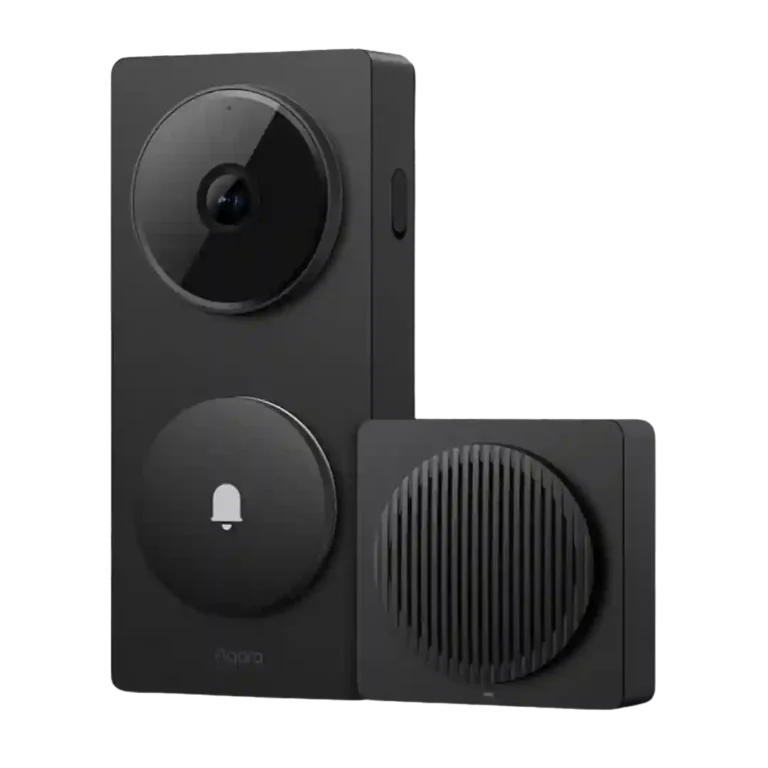
Best for HomeKit, Aqara, Home Assistant, or Matter-focused households that want a doorbell to double as a hub, local-storage camera, and automation trigger. It also suits buyers who want smarter alerts without relying only on cloud subscriptions.
Not for buyers who need a slim doorframe-friendly doorbell, fully exposed outdoor mounting, color night vision, or a very simple plug-and-play app. It is also less ideal if fast recording start and predictable battery reporting are top priorities.
The Aqara Smart Doorbell G410 comes across as a highly capable video doorbell that also works as a serious smart-home hub. Reviewers repeatedly praised its sharper 2K detail, taller field of view, mmWave motion detection, local storage choices, RTSP support, and broad HomeKit, Matter, Thread, Zigbee, Alexa, Google, and Home Assistant compatibility. The main tradeoff is that its ambitious feature set sits inside a bulky body with limited weather resistance, uneven battery reports, and some ecosystem limitations such as lower HomeKit resolution or RTSP restrictions on battery. It is strongest for smart-home-heavy setups, not for buyers who just want the smallest, simplest doorbell.
Compared in Reviews
Products reviewers directly compared with this model, grouped into quick takeaways.
G4
- Compared: size and upgrade tradeoff The reviewer says the G410 keeps the same chunky size as the G4.
- Older model: performance improvements The G410 is characterized as a large performance jump over the G4.
- Older model: overall upgrade The G410 is described as a significant upgrade from the G4.
Ring
- Better: compact fit The reviewer says Ring is smaller for tight door-frame installations.
- Better: recording start speed The reviewer says the G410 sometimes starts recording slower than a previous Ring doorbell.
Feature Scorecards
Summary
50 reviewed features- Very positive 4.5-5.0 34% 17 features
- Positive 3.5-4.4 52% 26 features
- Neutral 2.5-3.4 8% 4 features
- Negative 1.5-2.4 6% 3 features
- Very negative below 1.5 0% 0 features
Pros
-
Personalization is a major strength, especially custom alerts, ringtones, privacy settings, sensitivity controls, and notification choices.
-
The box contents were praised as a complete ready-to-install kit for wired or battery setups.
-
Family sharing had limited evidence, but one reviewer said inviting family members through the app was very easy.
-
Ongoing ownership costs were viewed positively where local or HomeKit storage meant a subscription was not required for basic footage storage.
-
System completeness was praised because the G410 covers doorbell basics, hub functions, storage choices, and smart-home features in one package.
-
Reviewers consistently praised the chime/hub architecture, treating the G410 as more than a doorbell because it can serve as a Matter, Thread, Zigbee, or Aqara hub.
-
Storage flexibility was repeatedly praised, especially microSD-in-chime storage, NAS, cloud, iCloud, and local options that reduce reliance on subscriptions.
-
The G410 is widely framed as a meaningful upgrade over the G4 thanks to better video, smarter sensors, and broader connectivity, though upgrades may be optional for current G4 owners.
-
Motion detection was one of the most consistent strengths, with mmWave presence detection repeatedly credited for cutting false alerts and improving reliability.
-
Notifications were widely praised for becoming more relevant, peaceful, or quick, especially when mmWave detection reduced unnecessary alerts.
-
Privacy evidence was positive around indoor microSD storage, encrypted storage, and keeping recordings safer from outdoor tampering.
-
Latency and live-view speed were mostly positive, with instant or subsecond responses reported, though Wi-Fi strength still affected performance.
-
Face recognition is a major attraction and often works well, especially for automation and named alerts, though setup and training can be harder than rival systems.
-
Automation flexibility is a standout when used with Aqara, Matter, or face-recognition triggers, though one Apple Home-focused review found the presence sensor less useful inside Apple’s camera workflow.
-
General reliability was mostly positive, with dependable connectivity and stable review-period performance, but one reviewer saw multi-view streaming strain.
-
The included angled accessory was praised because it helps position the camera more accurately for the best view.
-
One reviewer connected lingerer detection to real theft concerns and said it could help catch suspicious activity, supporting peace-of-mind value.
-
Video detail was broadly praised as sharp, crisp, and improved over 1080p, but some reviewers noted HomeKit resolution limits, missing HDR, or merely okay contrast.
-
Most reviewers recommended the G410 for HomeKit, Aqara, or smart-home users, while still noting it is not ideal for every installation or simplicity-first buyer.
-
Audio was generally rated positively, with clear two-way talk and strong recorded audio, though one reviewer only called the speaker and microphone reasonable.
-
The wider/taller framing was one of the strongest upgrades, helping capture people and sometimes packages better than the earlier 16:9 design.
-
Power flexibility is a strength for buyers who need either battery or wired installation, though one reviewer reported hardwiring compatibility could be hit or miss.
-
Smart-home integration was one of the G410’s strongest differentiators, with broad HomeKit, Alexa, Google, Matter, Thread, Zigbee, and Home Assistant support, despite some ecosystem limits.
-
Value was generally positive at the price because the G410 combines a doorbell, hub, storage flexibility, and smart-home features, though one review called the price high and another saw value as use-case dependent.
-
Controls and indicators were viewed positively because the illuminated button and status colors help visitors understand the doorbell is active.
-
Pre-recorded or custom audio features were liked as useful and fun, especially for visitors, delivery scenarios, or voice-changing responses.
-
Installation was usually described as easy, quick, or straightforward, but there were caveats around adhesive mounting, front-door setup issues, size, and occasional software pairing friction.
-
Connectivity improved through dual-band Wi-Fi and some reviewers praised fast or stable connections, though signal placement could still require care.
-
The included chime is usually a strength, with several reviewers calling it loud or pleasant, though one disliked that it could not match a traditional mechanical chime.
-
RTSP support was valued by advanced users and Home Assistant users, but it is limited when the doorbell runs only on battery power.
-
Color choice earned mild positive evidence because the available finishes were described as useful for matching home décor.
-
One reviewer considered the 2K sensor more bandwidth-efficient than higher-resolution options while still useful for a doorbell.
-
Quiet-time scheduling had narrow evidence, but Do Not Disturb was called handy in the Aqara app.
-
Security ecosystem integration worked well in Home Assistant for button events, video, and battery monitoring, though Matter exposure remained incomplete.
-
The tamper siren evidence was limited but suggests the alarm is loud and attention-getting.
-
Tamper protection had limited but positive evidence, with the alarm and red flashing described as useful against theft attempts.
-
Video sharing evidence was limited but positive because one reviewer said clips can be downloaded easily to a phone.
-
The software drew split reactions: several reviewers found setup, menus, live view, and customization easy, while others criticized the Aqara app as messy or not beginner-friendly.
-
Design opinions were split: some reviewers liked the clean or sleek look, while others called it cheap, plasticky, chunky, or not especially sleek.
-
Night vision was serviceable but not universally impressive: reviewers liked the monochrome infrared detail in some cases, while others wanted color night vision or better low-light clarity.
-
Subscription opinions were mixed: reviewers liked that subscriptions are not mandatory for core storage, but criticized reduced free cloud storage and paid premium AI/cloud features.
-
AI detection is useful but not uniformly top-tier: reviewers found it accurate in daylight and workable, while noting sophistication and night consistency limits.
-
Object and person detection had limited but mixed support: package/person detection was seen as useful, while fast passersby could still be hard to capture clearly.
Cons
-
Battery feedback was mixed: some reviewers saw strong early battery performance or liked battery-plus-wired backup, while others reported fast drain, inconsistent reporting, or a one-month real-world runtime.
-
Recording drew mixed reactions: continuous local recording is a major plus when hardwired, but short clips and slow recording start were common caveats.
-
Zones and activity areas had mixed evidence: range tuning helped reduce false detections, but one reviewer wanted finer adjustment by feet or height.
-
Size/form factor was a recurring compromise; reviewers repeatedly noted the device is bulky or large, even when the design itself was acceptable.
-
Package monitoring improved through the taller field of view, but reviewers still warned that the lack of a dedicated package camera can limit package visibility.
-
Weather resistance was a repeated concern; reviewers frequently warned that IPX3 or limited water resistance makes covered installation important.
-
Phone-call style integration was a weakness in the limited evidence, because the doorbell sends a notification rather than a direct call.
Compared With Category Average
Compared with other Video Doorbells, this product is above average in Face recognition, RTSP stream availability, Storage, below average in Phone call integration, Weather and temperature tolerance, Delivery package monitoring.
Summary
8 compared features- Above average 0.4+ pts higher 50% 4 features
- Same as average within 0.3 pts 0% 0 features
- Below average 0.4+ pts lower 50% 4 features
| Attribute | This product | Category average | Difference |
|---|---|---|---|
| Phone call integration | 2.0 | 4.2 | -2.2 |
| Weather and temperature tolerance | 2.2 | 4.0 | -1.8 |
| Face recognition | 4.6 | 3.0 | +1.6 |
| RTSP stream availability | 4.0 | 2.6 | +1.4 |
| Storage | 4.8 | 3.6 | +1.3 |
| Ongoing ownership costs | 5.0 | 3.6 | +1.4 |
| Delivery package monitoring | 2.3 | 3.5 | -1.3 |
| Zones and activity areas | 3.0 | 4.2 | -1.2 |
FAQ
Does the Aqara G410 work well with Apple HomeKit?
Reviewers repeatedly highlighted HomeKit support, including HomeKit Secure Video. The main caveat is that video resolution is reduced in Apple Home compared with full 2K use inside Aqara’s app.
Do reviewers think the G410 requires a subscription?
No. Several reviewers liked that local microSD, NAS, HomeKit/iCloud, or other storage options reduce the need for Aqara’s cloud plan, though premium AI and longer cloud storage can require a subscription.
How good is the motion detection?
Motion detection is one of the strongest points. Reviewers repeatedly credited the mmWave sensor with cutting false alerts from cars, shadows, pets, or passersby.
Is the Aqara G410 good for packages?
The taller 4:3 view and wider field of view help with doorstep framing and can make packages easier to see. However, reviewers noted it lacks a dedicated package camera, so package visibility still depends on placement.
How is the app experience?
The app is powerful and highly customizable, but reactions were mixed. Some reviewers found it straightforward and responsive, while others called it disorganized, slow, or less beginner-friendly.
Can the G410 be used outdoors in rain?
Reviewers repeatedly warned about limited weather resistance. The product is better suited to covered or semi-covered installation rather than a fully exposed wall or gatepost.
Who gets the most value from the built-in hub?
Smart-home users get the most value, especially those using Aqara devices, Matter, Thread, Zigbee, HomeKit, or Home Assistant. Reviewers saw less value for buyers who only want a basic doorbell.
Sample Expert Reviews We Analyzed
These are a few of the reviews included in our analysis.
Video Reviews
Article Reviews
- Review score
- 4.3/5
Consider This Instead
If you want better Delivery package monitoring
Choose Nest Doorbell Battery. It scores 4.9 vs 2.3 for Delivery package monitoring, with a 4.0 overall score.
If you want better Phone call integration
Choose Arlo Doorbell 2K (2nd Gen), AVD4001. It scores 4.7 vs 2.0 for Phone call integration, with a 3.9 overall score.
If you want better Weather and temperature tolerance
Choose Tapo D210 Doorbell. It scores 4.5 vs 2.2 for Weather and temperature tolerance, with a 4.1 overall score.
If you want better Zones and activity areas
Choose Nest Doorbell Wired, 2nd Gen. It scores 5.0 vs 3.0 for Zones and activity areas, with a 4.2 overall score.
Overall Top Video Doorbells Alternatives
Good if you want sharp video, local storage and no required subscription. Skip it if you need 24/7 recording, flawless AI alerts, broad smart-home support or true six-month battery life.
Pros: Ongoing ownership costs, Privacy
Cons: Controls and indicators, Smart-home integration (Alexa
Good if you want an easy, no-fee doorbell with wired/battery power, local storage, and solid 2K coverage. Skip it if you need premium video bitrates, effortless chime coexistence, or built-in...
Pros: Wi-Fi range and stability, Ongoing ownership costs
Cons: Smart-home integration (Alexa, Google
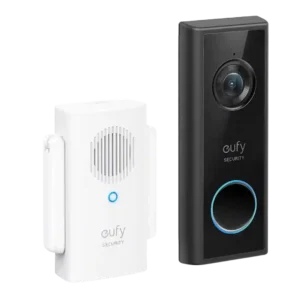
Choose the Eufy C210 if you want a no-fee, battery-friendly doorbell with local storage and good 1080p video. Skip it if you need hardwired charging, HomeKit, or consistently instant motion...
Pros: Ongoing ownership costs, Subscription
Cons: Wi-Fi range and stability, Chime
Choose it if you want sharp HDR video, excellent smart alerts, Google Home integration and flexible zones. Skip it if subscription costs, a narrow horizontal view, wiring work or weaker...
Pros: Motion detection, Object and person detection
Cons: Storage, Field of view and framing