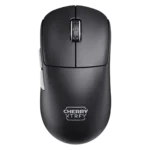
Cherry M68 Pro Feature Scores
Explore all 42 feature scores for Cherry M68 Pro, organized into pros and cons.
Scores by Feature
Summary
42 reviewed features-
Very positive 4.5-5.014 (33%)
-
Positive 3.5-4.418 (43%)
-
Neutral 2.5-3.47 (17%)
-
Negative 1.5-2.43 (7%)
Pros
Sort
-
The Pixart sensor drew broad praise for responsive, accurate tracking, with several reviewers calling it wonderful, snappy, or beautiful in use.
-
Reviewers strongly agreed the mouse is impressively light and easy to move, with the 55g class weight repeatedly praised.
-
Build quality was consistently strong, with reviewers describing the shell as sturdy, solid, well-constructed, or tank-like.
-
The low-front ergonomic design was widely credited with improving control, grip security, and comfort.
-
Reviewers consistently found tracking precise and confidence-inspiring, from accurate desktop movement to flawless aim adjustments in games.
-
Wireless performance was praised across reviews for smooth operation, reliable tracking, and no obvious hiccups.
-
Motion consistency was a major strength, with reviewers reporting no inconsistencies, no hiccups, and flawless wireless tracking.
-
Wireless latency impressions were excellent, with reviewers reporting instantaneous responsiveness, no lag, and no delays.
-
FPS suitability was a major strength, with reviewers praising precise, responsive performance in shooters such as Counter-Strike, Valorant, and CS:GO.
-
Shape comfort was the most polarizing area: several reviewers loved the low, controlled feel, while others found it cramped, wide, or odd.
-
Connection stability was strong, especially over 2.4GHz, with repeated reports of no hiccups, lag, or stuttering.
-
The 8K polling rate impressed some reviewers with smooth responsiveness, while others found little detectable difference and noted battery tradeoffs.
-
Claw grip support was a clear strength, with multiple reviewers saying the low-front shape suits relaxed or claw-style control.
-
Left and right clicks were generally solid, easy, and satisfying, though one reviewer noted the M68 felt a little stiffer than the M64.
-
Glide was usually smooth and easy, though reviewers noted skates, hard surfaces, or the missing center foot could affect feel.
-
Battery life was good in standard or lower polling modes, but 8K/Pro modes shortened runtime and battery warnings were a recurring weakness.
-
Switch feel was mostly praised as excellent or snappy, with one early-look reviewer finding the implementation only okay.
-
The scroll wheel was generally smooth, controlled, and pleasant, with a few reviewers describing it as merely okay or not ideal for repeated clicks.
-
The mouse was described as well-balanced by reviewers who focused on weight distribution and in-hand balance.
-
Cable impressions were mixed: reviewers liked the flexible braided/EZcord cables, but side-cable movement could feel encumbered.
-
Side buttons received positive notes for feedback and positioning, but some criticism appeared around travel and feel.
-
Button responsiveness was usually praised for quick actuation and reset, though one reviewer treated the buttons as merely fine in-game.
-
Primary clicks were described as quick, responsive, and swift to reset, supporting low-latency-feeling inputs in the reviewed units.
-
Premium feel was mostly positive due to a solid, non-hollow shell, though one reviewer felt some details were not top-tier.
-
The 2.4GHz connection was praised directly as fast and reliable in competitive use.
-
Long-session comfort had limited but strong support, with one reviewer reporting no hand fatigue over extended gaming.
-
Click noise was acceptable to positive for some reviewers, but another found the buttons pretty loud.
-
Grip texture was mixed: several reviewers liked the traction or rubber grip, while the black coating drew fingerprint complaints.
-
Firmware reliability had limited evidence, but one reviewer found the dongle and mouse firmware update easy.
-
Surface compatibility was solid on pads and several non-glass surfaces, but reviewers still recommended a mouse pad or adjusted LOD on hard surfaces.
-
DPI/CPI coverage was useful for preset users, but reviewers criticized the lack of granular software tuning for non-preset sensitivities.
-
Debounce customization had enough increments for preferences in one review, but broader setup friction remained tied to no software.
Cons
Sort
-
Software usability was the most repeated complaint: no software meant awkward manuals, color LEDs, and button-combo setup.
-
Button customization was limited by the software-free design, especially for remapping and fine adjustments.
-
Programmable-button support was weak because reviewers noted that buttons could not be reprogrammed without software.
-
Palm grip comfort was limited for larger hands, with one reviewer specifically calling it cramped in palm grips.
-
Durability-over-time evidence was mixed-negative, centered on coating residue and concern about click wobble rather than failures.
-
Charging convenience was sharply mixed: quick charging and flexible cables helped, but the side USB-C placement annoyed many reviewers.
-
Fingertip grip support was less certain, with one reviewer saying a G Pro X was probably the safer fingertip option.
-
Lift-off options were adequate but not standout, and one reviewer had to raise LOD on hard surfaces.
-
Materials quality was good but imperfect, combining useful traction and durable plastic with residue and fingerprint concerns.
-
Value was mixed: reviewers liked the performance and shape, yet several thought the price was hard to justify against rivals.