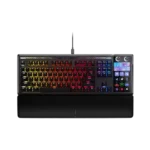
Corsair Galleon 100 SD Feature Scores
Explore all 52 feature scores for Corsair Galleon 100 SD, organized into pros and cons.
Scores by Feature
Summary
52 reviewed features-
Very positive 4.5-5.015 (29%)
-
Positive 3.5-4.422 (42%)
-
Neutral 2.5-3.47 (13%)
-
Negative 1.5-2.48 (15%)
Pros
Sort
-
Macro customization is the star feature, with Stream Deck keys, profiles, pages, plugins, and multi-actions offering a huge amount of control. Streamers, creators, sim players, and productivity users get the most out of it.
-
Customization is exceptionally broad, spanning Stream Deck actions, widgets, profiles, RGB, plugins, and key assignments. Positive owners often describe it as endless or unmatched.
-
The MLX Pulse switches are widely described as smooth, satisfying, and premium, with several reviewers calling out their pre-lubed feel. A few buyers simply say the keys feel wonderful or smooth to press.
-
Build quality is broadly praised, especially the aluminum construction, cohesive integration, and premium feel. Customer experiences are split by a few defect reports, but the physical chassis itself is usually considered strong.
-
Hot-swap support is a well-liked enthusiast feature, with compatibility for 3-pin and 5-pin mechanical switches. Reviewers appreciate being able to change the feel without soldering.
-
The keyboard's sound is a standout positive, often described as deep, thocky, clean, or pleasant. Owners who like mechanical keyboard sound tend to be very happy with it.
-
Extra gaming features include SOCD/FlashTap, game mode, profiles, and Stream Deck controls for complex games. They are useful, but the lack of Hall-effect features keeps it from being a pure competitive-gaming specialist.
-
The 8,000Hz polling rate is repeatedly treated as a premium gaming feature, especially for competitive play. Several reviewers note that most people may not feel the difference, but it supports the keyboard's high-end positioning.
-
The frame is repeatedly described as solid, rigid, and low-flex. Reviewers like that the large hybrid design still feels cohesive rather than flimsy.
-
Typing feel is one of the strongest areas, with reviewers describing it as smooth, soft, thocky, and satisfying. Even some critical owners say the keyboard itself feels good apart from software or reliability problems.
-
Materials come across as premium, with aluminum, PBT caps, and a sturdy overall finish getting frequent praise. The hardware generally looks and feels high-end.
-
A handful of owners give broad praise even when they do not call out one specific feature. Positive short reviews describe it as a great or favorite keyboard, while one says the hardware is held back by software.
-
Most reviewers like the textured PBT keycaps, shine-through legends, and durable feel. A few criticize the caps as the weaker part of the package or not premium enough for the price.
-
The dual dials are frequently praised for volume and audio control, especially for streamers and multitaskers. Owners like being able to manage separate audio sources directly from the keyboard.
-
Sound dampening is consistently appreciated, with several reviewers noting the multi-layer damping and echo-free feel. It helps the board sound fuller and less pingy than older gaming keyboards.
-
Media controls are convenient through the Stream Deck, dials, and hardware shortcuts. Reviewers call out Spotify, playback, audio controls, and quick-access shortcuts as everyday benefits.
-
The design is usually viewed as premium, sleek, and visually distinctive, especially with the screen, RGB, and integrated Stream Deck. A few reviewers dislike the top light bar or dial styling.
-
The included magnetic wrist rest is usually seen as comfortable, cushioned, and a welcome premium accessory. A minority find it too high, chalky, or not comfortable enough for their hands.
-
Typing comfort is strong, with reviewers praising the cushioned/gasket feel, light keys, and reduced fatigue. The board works well for long typing sessions despite its gaming focus.
-
Gaming impressions are positive for casual, sim, strategy, and control-heavy games, helped by profiles, SOCD, and Stream Deck shortcuts. Competitive FPS players may prefer smaller or Hall-effect boards.
-
Profiles and pages are a major strength once configured, including app-specific setups and hardware-mode fallbacks. Setup takes some time, but reviewers like the flexibility.
-
RGB lighting is generally vivid and eye-catching, especially with the mood bar and integrated Stream Deck screens. A few note diffusion or style quirks, but the visual impact is a strength.
-
Noise is generally controlled rather than silent. Reviewers say it avoids metallic ping and is not overly loud, while still sounding like a mechanical keyboard.
-
Per-key RGB is available and appreciated as part of the premium feature set. Reviewers mention it mainly as a customization strength rather than a central buying reason.
-
Stabilizers are praised by the reviewers who discuss them, with tuned PCB-mount stabilizers and no loose or rattly feel. This supports the keyboard's strong typing reputation.
-
Lighting customization can be deep, with Web Hub controls, effects, themes, and aesthetic changes. Customer complaints focus on software failures that leave them stuck with default colors or unable to save lighting changes.
-
Key stability is generally positive where discussed, with firm keycaps and limited stem wobble. The better-tuned examples feel stable rather than loose or rattly.
-
Reviewers like the low-latency promise of 8,000Hz polling and shorter hand travel to the Stream Deck controls. One reviewer did notice input delay on the Stream Deck side during rapid use.
-
Brightness controls are available for the keyboard and display, and the LCD/lighting elements are considered clear enough in normal rooms. The control is useful, though not a major focus.
-
Cable feedback is generally positive when reviewers mention the included braided or decent USB-C cables. The drawback is cable clutter when passthrough is used.
-
Opinions split on desk space: the integrated Stream Deck can reduce separate-device clutter, but the keyboard itself is wide. It saves room only if it replaces a standalone deck you would otherwise keep nearby.
-
Onboard memory helps the keyboard retain settings and offer useful hardware modes without the full Stream Deck app running. It makes the board more usable on secondary or managed computers.
-
Switch replacement is described as quick and easy thanks to hot-swap functionality. This makes the keyboard friendlier to buyers who want to tune the typing feel later.
-
Main key legends and Stream Deck icons are often readable and bright, but viewing angle matters. Some reviewers and owners find the Stream Deck labels harder to see from a normal seated angle.
-
Ergonomics are context-dependent. Some users like having controls closer to their hands, while others find the Stream Deck angle or keyboard legs less comfortable for visibility and reach.
-
Key spacing gets limited but positive feedback. One reviewer found the spacing better than a smaller keyboard and said the keys felt light and soft.
-
The Stream Deck numpad mode can cover calculator-style number entry, and one reviewer says it is ready without extra setup. It is useful as a fallback, not a full replacement for a physical numpad.
Cons
Sort
-
Reliability is sharply mixed. Some reviewers had no issues, but customer reviews include freezes, bricking, defective units, stuck keys, failed recognition, and connection failures.
-
Response-time praise appears in one short owner review, but several customers report serious key response defects such as chatter, non-responding Stream Deck keys, and unintended paired key presses.
-
The keyboard does not deliver analog switch behavior, and multiple reviewers call that out as a limitation. This matters most for buyers who expect adjustable actuation or analog-style gaming controls.
-
Rapid Trigger is one of the clearest missing gaming features. Reviewers say the mechanical switch design is good for feel, but the lack of Hall-effect-style rapid trigger limits top competitive appeal.
-
The main switches are praised for smooth, even actuation, but customer defect reports are the big caution. Some owners describe shift, caps lock, stuck-key, or cross-key activation problems.
-
Durability feedback is mixed because the core keyboard can feel well built while some owners report weak feet or easy breakage. One owner praises the build, but another warns about fragile stand legs.
-
Compatibility is mixed: the keyboard can work across several devices, but Web Hub, iCUE separation, and managed-machine limitations create friction. Corsair ecosystem users may find the split especially annoying.
-
Portability is weak. Reviewers describe the keyboard as heavy, wired, and better suited to a permanent desk or sim rig than travel or quick device switching.
-
Value depends almost entirely on whether you will use the Stream Deck deeply. Reviewers see the price as high but defensible for the right workflow, while several customers say software and defects make it hard to justify.
-
Software is the most repeated pain point. Reviewers like parts of Web Hub and Stream Deck, but many complain about two-app setup, bugs, iCUE separation, recognition failures, and firmware trouble.
-
The layout is one of the biggest tradeoffs: the Stream Deck replaces the numpad and can mimic it, but not everyone likes that compromise. Heavy numpad users are the most likely to be frustrated.
-
Out of the box, the switch choice is limited to the MLX Pulse linear switch. Hot-swap support softens that limitation because buyers can install compatible mechanical switches later.
-
This is a large, desk-dominating keyboard despite the TKL-like main cluster. Reviewers like the all-in-one concept, but many warn that it is wide, heavy, and not for small setups.
-
USB-C passthrough is useful in theory but divisive in practice. Reviewers like the idea, yet several complain about extra cables, USB 2.0 limits, recessed ports, or poor implementation.
-
Connectivity is mostly wired and functional, with some reviewers liking the stability and single-cable operation for basic use. Customer defect reports about failed connections and recognition problems are the caution.