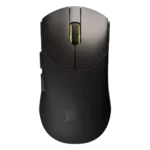
Corsair Sabre V2 Pro Feature Scores
Explore all 51 feature scores for Corsair Sabre V2 Pro, organized into pros and cons.
Scores by Feature
Summary
51 reviewed features-
Very positive 4.5-5.08 (16%)
-
Positive 3.5-4.421 (41%)
-
Neutral 2.5-3.48 (16%)
-
Negative 1.5-2.412 (24%)
-
Very negative below 1.52 (4%)
Pros
Sort
-
Weight was the clearest strength: reviewers repeatedly emphasized the 36g body as astonishingly light, effortless, wrist-friendly, and central to the mouse's appeal.
-
Sensor performance was one of the strongest areas: most reviewers reported flawless, consistent, or top-tier tracking, while one technical review rated it good overall.
-
FPS suitability was very strong overall, with reviewers repeatedly recommending it for competitive shooters and fast twitch movements despite one latency-based objection.
-
Reviewers consistently described the Sabre V2 Pro as smooth, precise, and accurate in games and everyday use, with no repeated tracking complaints.
-
Glide smoothness was mostly positive, especially with larger or replacement skates, though some reviewers found the stock feet slower, rougher, or less smooth on glass.
-
Long-session comfort was a strength because reviewers linked the extreme lightness and comfortable shape to less fatigue over longer use.
-
Build quality split reviewers sharply: many found the shell sturdy or excellent for the weight, while others reported flex, flimsy feel, or cheap impressions.
-
Shape comfort was mostly positive thanks to the safe symmetrical shape, though some reviewers still found the design basic or dependent on hand size.
-
Value was divided: many reviewers saw $100 as competitive or attractive for the specs, but technical latency and cheaper rivals hurt the case for others.
-
The 8K polling rate impressed some reviewers and supported fast play, but several saw it as overkill, battery-hungry, or less stable at higher wireless rates.
-
Scroll wheel quality varied by reviewer: some praised smoothness, tactility, or rasterization, while others found it stiff, noisy, or poor as a middle click.
-
Button responsiveness was generally usable and easy to spam, but some reviewers noted mushiness, pre-travel, or post-travel that kept it from feeling truly crisp.
-
Switch feel was mixed: several reviewers liked the light, spam-friendly switches, while technical and enthusiast reviewers found the main clicks somewhat mushy or not especially crisp.
-
Button customization was viewed positively when discussed, with remapping and button mapping available through Web Hub, though the five-button layout limits what can be customized.
-
Grip texture was generally usable and grippy, but sweat, dust, slippery plastic, and the need for grip tape created mixed impressions.
-
Palm grip comfort was viable for some medium, small, and even larger-handed reviewers, but it was not the universal best grip style.
-
Motion consistency was praised in practical and technical testing, with reviewers reporting no stutter and no general tracking issues.
-
Left and right clicks were usually considered good or responsive, though a few reviewers criticized softness, hollow sound, or mushiness.
-
Materials quality was often described as sturdy or excellent, but one enthusiast review found the plastic soft and less rigid.
-
Balance and weight distribution were praised indirectly through extremely low inertia and stable lateral aim freedom, making the mouse feel easy to control.
-
Wireless performance was mostly solid in normal use, but technical testing found missed polls at high wireless polling rates.
-
Connection stability had limited but strong evidence, with one reviewer reporting no wireless issues during testing.
-
Fingertip grip comfort was supported for larger hands and by one reviewer who found the mouse almost exclusively suited to fingertip grip.
-
Skate durability was a minor positive because UPE was described as longer-lasting, even if it trades away some glide speed.
-
Ergonomics were mixed: some reviewers found it comfortable and credible, while others disliked the large-hand fit or button-height choices.
-
The DPI range was praised as impressive and more than enough for most gamers, though broader DPI convenience concerns were covered under profile switching.
-
Macro support was available and useful in Web Hub, but reviewers also noted that the small button count limits how much macro use makes sense.
-
Claw grip comfort had limited but positive evidence, with the shape recommended for medium and small hands using palm or claw.
-
Surface compatibility had limited evidence: cloth pads felt good, while glass pads were rougher and louder though still usable.
Cons
Sort
-
Bluetooth support was a repeated drawback; reviewers often understood the weight-saving reason but still found the lack inconvenient for travel or multi-device use.
-
Click latency drew the harshest technical criticism because reviewers tied high latency to fixed debounce behavior and called it uncompetitive for high-end gaming.
-
Cable flexibility was a clear weakness, with multiple reviewers calling the cable stiff, restrictive, or anchor-like when used wired or charging.
-
Profile switching was a recurring weakness because there is no dedicated profile/DPI button and the shortcut or software workflow was called slow or convoluted.
-
Debounce customization was a clear technical gap because reviewers said the mouse was stuck at an 8 ms debounce or lacked a public adjustment option.
-
Portability was weak because reviewers linked travel inconvenience to the lack of Bluetooth, cabled dongle, and fragile-feeling ultra-light shell.
-
Charging convenience suffered from the combination of regular charging reminders and a stiff cable that reviewers disliked for wired play.
-
2.4GHz connectivity was stable enough in some testing, yet the cabled receiver/dongle setup was frequently described as cumbersome or strange.
-
Lift-off distance customization was called out as missing, especially by reviewers expecting more advanced tuning options from a performance mouse.
-
Onboard memory was repeatedly criticized because reviewers found only one profile could be stored or carried on the mouse.
-
Ecosystem integration was weak where discussed, because the Web Hub and iCUE split prevented unified Corsair device management.
-
Durability over time was a concern in reviews that described the plastic as fragile, delicate, or traded off against weight savings.
-
Programmable-button evidence was limited but negative-to-mixed because reviewers repeatedly framed the mouse as barebones and short on extra buttons.
-
Cross-platform compatibility was criticized because firmware updating appeared Windows-only despite the mouse being used across Mac and Linux contexts.
-
RGB was mostly absent, which some reviewers accepted as part of the weight-saving design while others listed it among missing features.
-
Side buttons were the most common button-quality complaint, with repeated notes about extra travel, mushiness, or buttons sinking into the shell despite some positive placement feedback.
-
Software stability was cautiously mixed, with one reviewer saying Web Hub worked fine and another warning that hosted web-driver dependence is not ideal.
-
Click noise varied: some reviewers disliked elevated, hollow, or noisy feedback, while one saw muted buttons as a benefit for quiet use.
-
Wireless latency evidence was mixed: one reviewer measured fast results, while others criticized 2.4GHz latency or noted weaker 1000Hz wireless behavior.
-
Battery life was one of the most mixed areas: acceptable at 1000Hz for some, but subpar or frustrating for others and much worse at 8K.
-
Premium feel was polarizing, with some reviewers calling it premium despite the weight and others saying it felt flimsy, cheap, or compromised.
-
Software usability was highly mixed: reviewers liked the clean lightweight web hub, but disliked online dependence, sparse options, iCUE friction, and limited tuning.