If you want better macro support
Choose 8BitDo Pro 3. It scores 3.9 vs 1.8 for macro support, with a 3.6 overall score.
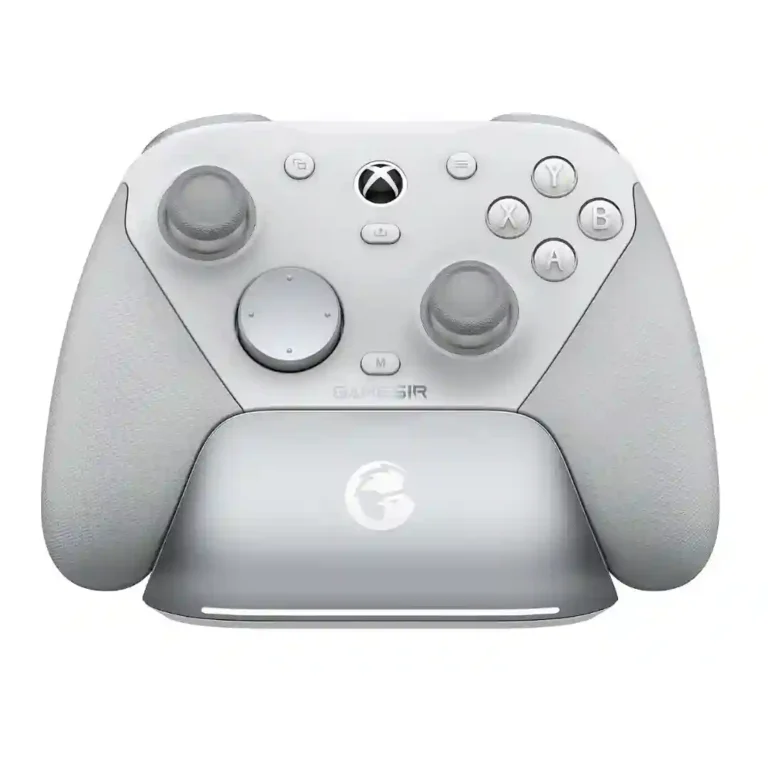
Choose the G7 Pro for precise TMR sticks, excellent trigger stops, deep customization, and strong PC value. Skip it if you need wireless Xbox on the standard model, a consistently great D-pad, or proven long-term trigger durability.
PC players and multi-device gamers who want precise sticks, fast triggers, programmable controls, and pro-style features without moving into $150–$200 controller pricing. It also suits competitive players who are comfortable tuning profiles in software.
Xbox couch players who require wireless support from the standard model, heavy D-pad users who want universally crisp directional control, or buyers who prioritize macro/turbo functions and proven long-term trigger durability.
The GameSir G7 Pro earns its strongest praise on PC, where reviewers consistently highlight precise TMR sticks, responsive trigger stops, comfortable grips, extensive remapping, and unusually strong value for an $80-class controller. Wireless 2.4GHz performance is usually fast and stable, and the included dock makes its merely average battery life easier to live with. The tradeoffs are real: D-pad feel is sharply divided, Nexus can be awkward or unstable, and the standard model’s wired-only Xbox requirement frustrates couch players. Most reviews still rate the controller highly, but two longer-term or especially critical videos raise more serious trigger and material-durability concerns. It is a feature-rich, high-performance pad whose value is strongest for PC players comfortable with software tuning and less compelling for Xbox users expecting premium wireless convenience.
Compared with other Video Game Controller, this product is above average in brand software support, upgrade value, cloud gaming compatibility, near average in overall satisfaction, overall comfort, below average in compatibility with PlayStation, paddle quality, macro support.
| Attribute | This product | Category average | Difference |
|---|---|---|---|
| compatibility with PlayStation | 1.0 | 3.3 | -2.3 |
| brand software support | 5.0 | 2.9 | +2.1 |
| paddle quality | 2.2 | 4.0 | -1.8 |
| macro support | 1.8 | 3.4 | -1.6 |
| compatibility with Nintendo Switch | 2.0 | 3.6 | -1.6 |
| upgrade value | 5.0 | 3.5 | +1.5 |
| motion control accuracy | 3.0 | 4.3 | -1.3 |
| analog stick tension | 2.5 | 3.8 | -1.3 |
Choose 8BitDo Pro 3. It scores 3.9 vs 1.8 for macro support, with a 3.6 overall score.
Choose Asus ROG Raikiri II. It scores 5.0 vs 2.2 for paddle quality, with a 4.3 overall score.
Choose GameSir G7 Pro 8K. It scores 4.2 vs 2.0 for compatibility with Nintendo Switch, with a 4.2 overall score.
Choose GameSir G8 Plus MFi. It scores 5.0 vs 1.0 for compatibility with PlayStation, with a 4.2 overall score.
Products reviewers directly compared with this model, grouped into quick takeaways.
The standard version covered by many reviews requires a wired Xbox connection. Some special editions add Xbox wireless support, but reviewers note that those versions cost more.
They are one of the clearest strengths. Reviewers repeatedly praise their fine aiming, smooth response, low deadzones, and resistance to stick drift.
Most hands-on estimates fall around 8–13 hours per charge. Reviewers generally call that adequate, and the included charging dock makes it easy to top up between sessions.
Opinions are sharply split. Some reviewers liked the mechanical click and alternate caps, while many others found the D-pad mushy, wobbly, imprecise, or prone to accidental directions.
Basic play and some on-controller mapping work without constant app use, but Nexus is important for deeper tuning, 1,000Hz polling, profiles, gyro setup, deadzones, and vibration settings.
Most reviewers consider it excellent value around the $80 tier because it combines TMR sticks, trigger stops, extra inputs, wireless PC support, and a dock. The value is less convincing for buyers limited by wired Xbox play.
Macro and turbo support is limited or absent in the licensed configuration described by several reviewers. Players who depend on those functions should treat that as a meaningful restriction.
These are a few of the reviews included in our analysis.



Overall positive reception of the GameSir G7 Pro, with emphasis on its innovative Mag-Res (TMR) sticks, Hall Effect triggers, multiple back...
The time has finally come to get your hands on the latest G7 update with the Pro. Now sporting optical mech switches on the face buttons...
With its TMR sticks, removable faceplate, switchable triggers, charging dock, Xbox compatibility, and more, the G7 Pro is incredible value.
The GameSir G7 Pro doesn’t cost nearly as much as other high-end controllers, but it brings everything to the table and largely succeeds.
The GameSir G7 Pro is a highly customizable controller for Xbox and PC, and it’s one of the brand’s best to date.
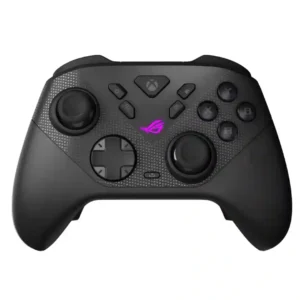
Best for precise TMR sticks, fast trigger stops, low-latency 2.4GHz play, and deep tuning. Skip it if you want a cheaper all-rounder, softer buttons for long sessions, or painless console-only...
Pros: face button travel, trigger responsiveness
Cons: Start and Select button design, button label visibility
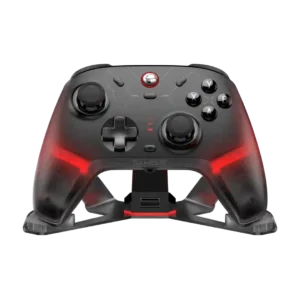
Choose the GameSir Cyclone 2 if you want a low-cost PC/Switch/mobile controller with precise sticks, deep customization, and a dock. Skip it if Xbox/PS5 support, premium buttons, or flawless dock/battery...
Pros: hand fatigue over long sessions, macro support
Cons: compatibility with Xbox, compatibility with PlayStation
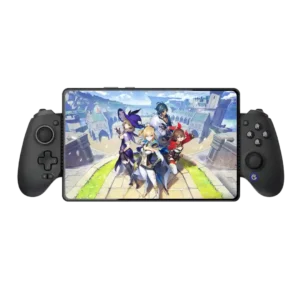
Best for console-like comfort, precise Hall controls, reliable wired play, and iPhone or iPad mini support. Skip it if you need pocketable hardware, Switch compatibility, polished software, or dependable mobile...
Pros: d-pad accuracy, analog stick precision
Cons: gyro aiming performance, brand software support
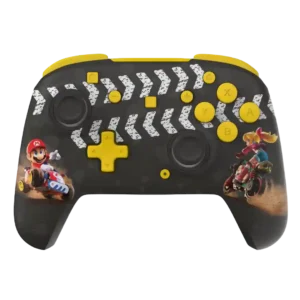
Best for bold styling, comfort, long wireless battery life, or strong budget wired value. Skip it if you need consistent premium materials, quiet buttons, Switch wake support, or full rumble/NFC...
Pros: analog stick precision, analog stick smoothness
Cons: Switch wake support, Amiibo/NFC support