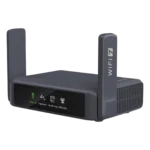
GL.iNet GL-BE3600 Slate 7 Feature Scores
Explore all 100 feature scores for GL.iNet GL-BE3600 Slate 7, organized into pros and cons.
Scores by Feature
Summary
100 reviewed features-
Very positive 4.5-5.065 (65%)
-
Positive 3.5-4.416 (16%)
-
Neutral 2.5-3.410 (10%)
-
Negative 1.5-2.46 (6%)
-
Very negative below 1.53 (3%)
Pros
Sort
-
Dual 2.5GbE ports are one of the Slate 7’s clearest hardware advantages, enabling fast wired WAN and LAN links in a travel-sized device. Multiple tests found the ports genuinely useful rather than decorative.
-
Multi-WAN failover is one of the most useful travel features, switching among Ethernet, repeater Wi‑Fi and tethered cellular sources. It is repeatedly praised for keeping remote-work connections resilient.
-
VPN client support is a standout strength, especially WireGuard, which commonly lands around 400–540Mbps in the supplied tests. Broad provider support and quick toggles make secure travel use unusually convenient.
-
Basic setup is a consistent strength, with guided flows, QR codes and straightforward Wi‑Fi configuration making the router quick to deploy. Even fairly advanced travel setups can be brought online with little friction.
-
Reliability is generally excellent, including a three-day stress test with no disconnects and many successful travel deployments. A few firmware/WISP quirks exist, but core connections are usually dependable.
-
Security is a major reason to buy the Slate 7: VPNs, WPA3, firewalling, network isolation and DNS-level protections are all available. The travel use case of creating a private network on public Wi‑Fi is especially compelling.
-
Power draw is consistently low, typically around single-digit watts in several tests. That makes USB-C power banks and laptop power practical for travel use.
-
Compact dimensions are a major travel strength: it slips into bags easily and, in some accounts, is small enough to call pocketable. A few comparisons note it is slightly larger than older travel models, but still highly portable.
-
Value is generally strong when the Slate 7 is discounted, especially for buyers who will use its VPN, multi-WAN and dual-2.5GbE features. At full price, some felt older travel routers deliver enough for less.
-
Peak Wi‑Fi speed is a clear strength at close range, with gigabit-class results and top-tier performance in several tests. The absence of 6GHz and long-range drop-off keep it below full-size flagship Wi‑Fi 7 routers.
-
Wired performance is consistently excellent, with the 2.5GbE ports handling near-line-rate traffic and making the router useful for laptops, docks and small wired setups.
-
Once configured, the Slate 7 is usually a very stable travel network, with MLO and wired options helping in difficult environments. Stress and family-travel tests were especially positive.
-
Wireless performance is strong for a compact travel router, particularly at close and moderate range. It can rival larger home routers in some tests, though distance and missing 6GHz limit the ceiling.
-
Latency is generally low and benefits from Wi‑Fi 7 efficiency features, making the router suitable for calls and gaming at practical distances. Very high connection counts can still push latency upward.
-
The router handles many simultaneous clients well in typical travel use, including family trips and multi-device work setups. Extremely high client loads can expose limits.
-
The main interface is typically quick and responsive, with settings applying without the sluggish delays common to some router UIs. Touchscreen shortcuts also make frequent actions fast to reach.
-
The 5GHz band is the Slate 7’s wireless sweet spot, with strong real-world throughput and good stability at practical travel distances. Several tests reached gigabit-class speeds or better nearby.
-
OpenWRT-based customization, LuCI access and plugins give the Slate 7 unusually deep expandability for a travel router. Plugin quality is uneven in some firmware versions, so the breadth is stronger than the polish.
-
Build quality is solid and travel-friendly, with sturdy plastics, strong antenna hinges and a compact chassis. It feels durable enough for bags and regular travel, though it is not ruggedized or weather-rated.
-
The understated black industrial design is widely liked, with fold-flat antennas and a clean professional look that suits travel. It is functional without drawing much attention.
-
MLO provides some stability and congestion benefits, but gains are not consistently dramatic without 6GHz and full multi-radio operation. It is useful, just not a reason by itself to buy the router.
-
The web interface is one of the stronger parts of the experience, balancing approachable dashboards with access to deeper OpenWRT settings. Advanced areas can still feel dated or technical.
-
Multi-gig wired networking is a defining strength, with real transfers above 2Gbps in testing. Few travel routers pair that level of wired performance with such a small chassis.
-
Separate SSIDs, VLANs and client isolation give the Slate 7 strong segmentation options for travel and IoT use. These controls are useful for keeping personal devices separated from guests or less-trusted clients.
-
Tailscale and GoodCloud give the Slate 7 useful remote-access and management options. Tailscale is especially praised for securely reaching home resources without complex port forwarding.
-
The USB 3.0 port is unusually versatile, supporting tethering, cellular modems, storage and even printer sharing. Its storage throughput is limited, but the port’s range of uses is a major advantage.
-
Connected clients are easy to see and manage, with blocking and rate-limiting available from the main interface. This is unusually capable for a compact travel router.
-
Regular updates are a meaningful strength, and one later firmware release fixed a major touchscreen privacy flaw. Long-term software maintenance adds value beyond the initial hardware.
-
In crowded Wi‑Fi environments, MLO and newer scheduling features help the Slate 7 hold throughput better than expected. Without 6GHz, it still cannot escape congestion as effectively as a full tri-band design.
-
Wizards and network guides make common setup tasks easy to follow. Guidance becomes thinner for advanced VPN, DNS and LuCI-level configuration.
-
Close-range performance is excellent, with Wi‑Fi reaching high gigabit-class rates in several tests and wired links exceeding 2Gbps. The router is fastest when clients stay nearby.
-
Dual-WAN and multi-WAN flexibility is excellent, with wired, repeater and tethered sources available for redundancy or load balancing. This is especially valuable for remote workers.
-
AdGuard Home can block known malicious domains before traffic reaches connected devices. The protection runs at the router, so it covers clients without separate software.
-
Monitoring is useful and accessible through dashboards and the touchscreen, including real-time speeds and AdGuard blocking statistics. Some display metrics depend on acceleration settings.
-
The standard GL.iNet interface organizes common controls well, while LuCI exposes much deeper options. Some advanced storage and networking tasks still require digging into the less-friendly OpenWRT layer.
-
Download throughput is strong on both wired and wireless links, and WireGuard often preserves most practical travel bandwidth. Fast upstream connections can expose the router’s VPN ceiling.
-
The companion app is useful for joining public networks and changing common settings without opening the full browser interface. Its accessible controls make travel setup easier.
-
The front touchscreen is more informative than a simple status light, showing connection mode, traffic and other live information. It proved genuinely useful rather than merely decorative.
-
The Slate 7 can also act as a VPN server, extending its usefulness beyond protecting outbound travel traffic. That makes secure remote access to a home network possible without another appliance.
-
Range is good for a travel router and can cover a hotel room, small apartment or even long outdoor line-of-sight distances. Through walls and at longer indoor distances, speed falls more quickly.
-
The Slate 7 handles typical multi-client and filtering workloads well, including heavy wireless use and direct media streaming. One 16-user stress scenario produced connection issues, showing it is not a miniature enterprise router.
-
160MHz channels can provide a large speed boost, with one test reaching about 1.3Gbps. Dynamic availability and interference conditions mean the gain is environment-dependent.
-
Claimed client capacity is high and normal family/work loads are handled comfortably. A heavier 16-user synthetic-style test exposed connection issues, so practical capacity depends on workload rather than count alone.
-
Separate guest networks are available and easy to configure, helping keep visitors or temporary devices away from the primary LAN.
-
OFDMA helps efficiency and latency, particularly in crowded environments, but it does not eliminate congestion on its own. Its value is supportive rather than transformative.
-
Per-client blocking is available directly in the interface, giving users quick control over who stays connected. It pairs well with the broader device-management tools.
-
Reusing a familiar SSID lets family devices reconnect automatically, reducing setup work at each new location. That “set it once” behavior is a practical travel advantage.
-
Per-client rate limits are straightforward to apply from the interface. That gives travelers practical control when several devices share a limited hotel or mobile connection.
-
Bandwidth management is practical through client-level rate limits and broader multi-WAN controls. It is well suited to rationing constrained travel connections.
-
DNS-over-TLS/HTTPS support adds another strong privacy layer for users who want encrypted name resolution. It complements AdGuard Home and VPN features.
-
Having two Ethernet ports, both at 2.5GbE, is unusually generous for a travel router. It lets the Slate 7 maintain a fast wired WAN and a fast local wired device without an extra switch.
-
Initial installation is quick: power up, join the router, set credentials and choose an internet source. The basic path can be completed in minutes.
-
The 2.5Gbps LAN port is a real performance advantage rather than a paper specification. Short-range testing showed over-2Gbps wired throughput and a clear edge over a rival with slower LAN.
-
Outdoor line-of-sight coverage can be surprisingly long; one test maintained the link all the way to the end of a roughly 400-foot route. That makes it promising for temporary outdoor streaming setups.
-
Individual clients can be rate-limited directly, helping prevent one device from consuming a constrained uplink. The control is easy to reach in the standard interface.
-
The included adapter is compact and travel-friendly while still providing enough power for full performance. Interchangeable regional plugs further improve its usefulness on the road.
-
GL.iNet’s long update history is a positive sign, with older devices cited as still receiving security fixes. That matters for a router designed to sit between personal devices and public networks.
-
The programmable hardware button is more useful than it looks, letting frequent travelers toggle VPN or other modes without opening an app or browser. That shortcut can become a major time saver.
-
The 2.5GbE WAN port is more than enough for most hotel and travel internet sources and performed better than expected in testing. It also leaves headroom for fast home or office links.
-
Browser-based onboarding is straightforward and guided, making the web interface a strong primary setup path. Advanced configuration is available later without complicating the first-run flow.
-
Thermals are generally controlled, with some units becoming warm but not concerning and fan controls available in software. Reports differ on whether the fan runs often, but noise is described as minimal.
-
Firmware quality is mixed: core routing can be very stable, while some builds show buggy WISP behavior, plugin crashes or beta-like polish. Later updates fixed at least one major touchscreen/security issue.
-
AdGuard Home provides detailed statistics on blocked queries, giving useful visibility into what the router is filtering. The reporting is more security/privacy focused than a full parental activity log.
-
App-assisted setup worked smoothly in a real coffee-shop scenario, helping the router join the public network before all personal devices connected behind it.
-
AdGuard Home provides basic adult-content filtering at the DNS level across connected devices. It is useful and free, though not a full-featured parental-control platform.
-
The dashboard clearly shows which clients are connected to each network, making device identification and basic management easy. Deeper naming and profiling options are available for organization.
-
Despite lacking 6GHz, the 2.4GHz/5GHz dual-band implementation performs very well for travel. It delivers broad compatibility and high 5GHz speed, but cannot match full tri-band Wi‑Fi 7 flexibility.
-
Firewall capability is part of a strong security stack, including IPv6 protections and deeper OpenWRT controls. It gives advanced users more flexibility than typical travel-router firmware.
-
Through-floor performance can remain respectable in a typical home, including one test that beat an existing full-size router downstairs. Heavy construction will still reduce speed.
-
Low latency and strong local throughput make the Slate 7 suitable for online gaming on the road. The benefit still depends heavily on the upstream hotel or mobile connection.
-
DNS-level parental controls can block adult content across all connected devices, which is useful for family travel. Some acceleration modes can disable certain client-control features, so configuration matters.
-
The USB port can be used for printer sharing in addition to tethering and storage. That flexibility adds value for temporary office or travel setups.
-
Upload speeds are similarly strong in direct tests, including multi-gig internet scenarios. VPN use can reduce the maximum, but remains more than adequate for most remote-work tasks.
-
Real-world wireless throughput at normal working distances is comfortably sufficient for video calls and remote-work productivity. The router is not specifically tuned only for conferencing, but it handles the workload well.
-
The router can cover a small home or apartment surprisingly well, and one downstairs test beat an existing router. It is still designed first for travel, not large-house blanket coverage.
-
Wi‑Fi 6 clients still perform well, which matters because many travel devices will not be Wi‑Fi 7 capable. The router remains useful even when its newest radio features go unused.
-
Backward compatibility is solid, with older Wi‑Fi 5 and Wi‑Fi 6 clients performing well. The standard mix is broad even though the Wi‑Fi 7 implementation lacks 6GHz.
-
WPA3 is included as part of the router’s modern security toolkit. It reinforces the Slate 7’s focus on protecting devices on unfamiliar networks.
-
The 2.4GHz band is serviceable rather than exceptional, with tests showing roughly expected travel-router speeds. It is useful for compatibility and range, while 5GHz is the performance band.
-
Repeater/WISP mode is a core travel function and usually works well, including on captive-portal networks. One test did encounter random failures to connect, so it is not flawless across firmware and environments.
-
Channel-width flexibility can improve throughput, especially at 160MHz, but the benefit depends on local interference. The missing 320MHz mode remains the larger limitation.
Cons
Sort
-
The router does not support 320MHz channels, one of Wi‑Fi 7’s headline bandwidth features. That materially caps peak wireless potential and contributes to the sense that its Wi‑Fi 7 implementation is partial.
-
The biggest Wi‑Fi 7 caveat is the complete lack of a 6GHz radio. That omission repeatedly limits the router’s peak-speed and congestion advantages versus fuller Wi‑Fi 7 or Wi‑Fi 6E designs.
-
Mesh is a notable weakness: the Slate 7 does not mesh with other GL.iNet routers in the tested firmware. That prevents the smooth roaming and extension role some buyers may expect.
-
Without true mesh support, the Slate 7 cannot deliver the seamless handoff expected when moving between it and another router. Repeater mode is available, but it is not equivalent.
-
The absence of an internal battery is a recurring portability compromise. USB-C makes external power easy, but buyers still need a laptop, charger or power bank to run it.
-
The Slate 7 is not tri-band because it lacks a 6GHz radio. That is one of the main reasons its Wi‑Fi 7 implementation falls short of higher-end models.
-
Long-range speed is the tradeoff for the compact antennas. Performance can degrade quickly indoors and through obstructions, even though outdoor line-of-sight range can be impressive.
-
The router can use USB tethering or an external cellular modem, but there is no built-in SIM slot. That keeps it compact while making cellular travel setups less self-contained.
-
Privacy transparency is a concern around vendor-tied services such as DDNS and cloud features. GL.iNet’s initial answers about data handling were described as unclear, even after later clarification.
-
The Slate 7 includes real Wi‑Fi 7 features such as MLO and newer modulation, but its implementation is incomplete. Missing 6GHz and 320MHz support makes the branding feel ahead of the actual radio capability.
-
Custom DNS is available, but advanced DNS configuration is less beginner-friendly than the basic interface. Manual setup and limited guidance make this more of a power-user feature.
-
Hardware reliability is mostly good, but a nonstandard Nintendo Switch USB-C power supply triggered freezes in one test. With appropriate power, the broader reliability picture is much stronger.
-
Most clients work normally, but some IoT devices had trouble connecting under certain WPA2/802.11W settings. Compatibility may require security-setting adjustments for older smart-home gear.
-
Mid-range performance is adequate but can fall quickly as distance and obstructions build. The router is much stronger at close range than across larger indoor spaces.
-
Smart-home compatibility is mixed because some cameras and other IoT devices struggled under default security settings. Buyers with older devices may need to tune WPA2/management-frame options.
-
Walls are a clear limit for the compact antenna system: speeds drop noticeably through floors and heavier construction. Keep the router relatively close for the best results.
-
Latency is usually good, but it rises when connection counts become extremely high. Typical travel loads are far less demanding than that stress condition.
-
Privacy tools are extensive, but the touchscreen can expose network details if left unlocked. Firmware-added PIN and display controls substantially improve that weakness, while AdGuard and VPN options strengthen day-to-day privacy.
-
USB storage sharing works and can turn the router into a basic mini-NAS, but transfer speeds often plateau around 130–140MB/s. It is handy for travel file sharing, not a substitute for a high-speed NAS.