Google Nest Indoor Camera (Wired), 2nd Generation Review
Bottom Line
Choose the Nest Indoor Cam (Wired) if you live in Google Home and want fast, accurate alerts in a cute, solid little camera; Skip it if you want meaningful free video history or local storage without paying for Nest Aware.
Google Home households that want quick, accurate person/pet/vehicle alerts and a discreet indoor cam they can also view on Nest/Google smart displays.
Anyone who wants meaningful free history, local microSD/NVR recording, or broad smart-home compatibility beyond Google, especially if they want to avoid ongoing subscription fees.
Google’s Nest Indoor Cam (Wired) 2nd Gen is at its best in a Google-first home: setup is quick, the Google Home app offers flexible zones and notification controls, and on-device detection is consistently strong. Video is clean 1080p with usable HDR and solid night vision, and most reviewers found two-way audio clear. The tradeoff is storage and openness: the free three-hour history is widely viewed as too short for real security, and there’s no microSD/NVR option, pushing you toward Nest Aware for longer history and 24/7 recording. If you want a polished, reliable Google-integrated cam, it fits; value seekers and tinkerers will find better-spec’d alternatives for less.
Scored Features
Pros
-
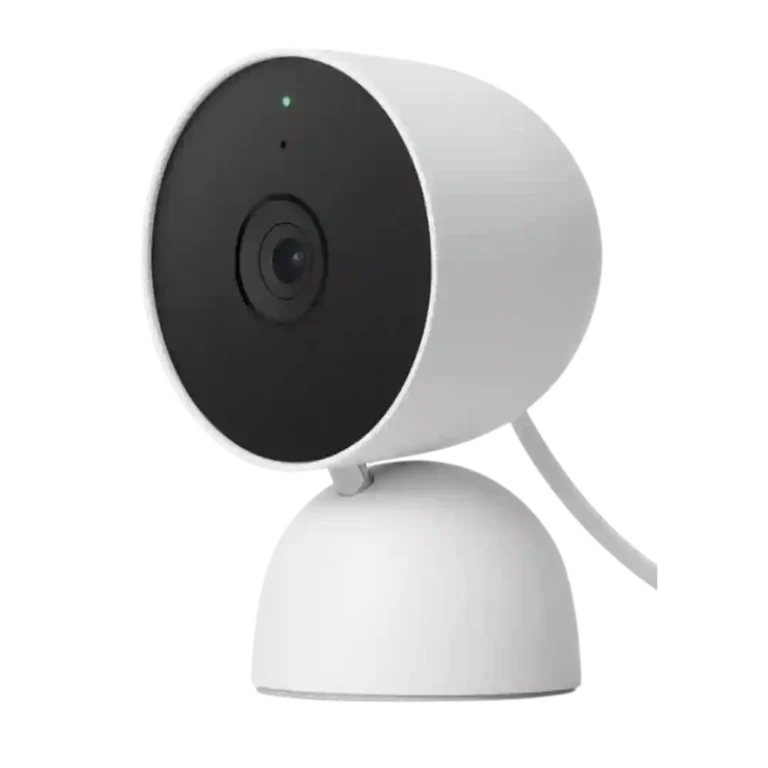
The camera’s small, unobtrusive footprint and friendly design are repeatedly praised, making it easy to place in living spaces without looking overly industrial.
-
On-device AI/ML is widely praised for fast, accurate categorization and improved privacy (less dependence on cloud processing for recognition), and it underpins many of the camera’s smarter alerts.
-
Detection is a highlight: the camera can distinguish people, animals, and vehicles with high accuracy in most tests; familiar face identification exists but is tied to Nest Aware in multiple reviews.
-
Filtering and browsing history by ‘what was seen’ (people/animals/vehicles) is widely viewed as useful, and familiar-face labeling (with Nest Aware) can further improve search and triage.
-
The front status light is a clear privacy cue (recording/viewing), and some reviews mention you can adjust its brightness in settings.
-
Setup is typically quick (scan code, add in Google Home, connect Wi-Fi) and mounting is straightforward with the built-in bracket, though a few reports mention QR-scan friction or placement constraints caused by needing an outlet nearby.
-
Dual-band Wi-Fi performance is a strength in testing, with reviewers reporting stable connections on both 2.4GHz and 5GHz and few dropouts when signals are adequate.
-
Alert delivery is typically very fast, often arriving within seconds or near-instantly in testing; however, one review reports cooldown behavior that can suppress rapid repeat notifications.
-
The platform scales well if you plan multiple Nest devices: subscriptions can cover multiple cameras, and the Google Home UI supports browsing and filtering across a multi-camera setup.
-
Build quality is frequently described as premium for the price class, with a sturdy base and solid materials that feel more substantial than many budget indoor cams.
-
Durability impressions are positive for indoor use (stable stand, solid feel), but it’s not designed for weather exposure and lacks battery backup for outages.
-
Activity/motion zones are flexible and useful (and available without a subscription), helping cut unwanted alerts, but at least one review says the path to create them isn’t obvious in the app.
-
1080p at 30fps is standard and consistently seen as smooth enough for indoor monitoring and event playback.
-
Sound-based alerts (such as smoke/CO alarm detection) are treated as a useful add-on feature in reviews and demos, though availability is sometimes tied to subscription tiers.
-
Daytime colors are generally described as natural and accurate, helped by HDR in bright/contrast-heavy scenes.
-
Live view and clip playback are usually stable and responsive, but some users note brief delays when reopening the feed or reconnecting.
-
False alerts are usually well-controlled, especially when paired with zones and event-type filtering, but some reviewers saw occasional mislabels (for example, a pet flagged as a person) and one noted missed back-to-back events.
-
Night vision is generally bright and crisp in black-and-white, often cited as usable to around 15 ft; downsides include no color night vision and occasional IR reflections/brightness issues depending on positioning.
-
Included extras are generally adequate: power adapter, mounting screws/anchors, and basic documentation, supporting either shelf or wall installs out of the box.
-
Indoor detection and IR illumination are commonly described as effective across typical room distances, with multiple sources citing roughly 15 ft as a practical night-vision/detection reference point.
-
Most reviews report minimal distortion in normal use, though some mild fish-eye at the edges is noted due to the wide field of view.
-
24/7 continuous recording is available only with higher-tier Nest Aware (Plus) in the reviews; without it, the camera is primarily event-based with a short free lookback.
-
Two-way audio is usually described as clear and usable, with several calling it surprisingly good; a minority report echo in large spaces or intermittent two-way talk issues, and one notes audio recording may need to be enabled in settings.
-
The 135-degree view covers a wide area and is often seen as a sweet spot, though a few reviewers observe mild fish-eye distortion typical of wide lenses.
-
Reliability is generally strong for daily viewing and clip review, though a few reviews report glitchy first-time setup, brief reconnect delays, and occasional feature hiccups (notably two-way talk in some tests).
-
Footage is generally clear 1080p with HDR, good enough for typical indoor monitoring, but reviewers note it’s not class-leading versus 2K/4K competitors and detail drops quickly when you crop or rely on digital zoom.
-
Low-light performance is generally strong for an indoor cam thanks to HDR and IR night mode, with reviewers describing usable detail in dark areas; a few caveats include black-and-white night footage and occasional IR glare depending on placement.
-
Google Home gives deep controls for events, zones, privacy, and device toggles, but several reviewers call the UI dense or unintuitive (some settings feel buried) while others describe it as polished and straightforward once configured.
-
Integration is strongest with Google Assistant and Google smart displays; several reviews explicitly note missing Alexa and Apple ecosystem support, making this best for Google-centric homes.
-
Speaker output is typically loud and clear for two-way talk; a few note it can be louder than needed for close-range monitoring.
-
You can shelf-mount, wall-mount, or ceiling-mount with included hardware, but because it’s wired-only, placement flexibility ultimately depends on outlet locations and cable concealment.
-
Physical articulation (tilt/swivel via stand/ball joint) is helpful for aiming, but range can feel limited in some wall-mount scenarios and there’s no motorized movement.
-
Noise cancellation and full-duplex talk are often praised, but real-world acoustics (like garages) can still introduce echo or background noise in some setups.
-
Connectivity is Wi-Fi-based (2.4/5GHz) and commonly paired with Bluetooth LE for setup; lack of Ethernet/PoE means performance depends on your wireless coverage.
-
The operating range suits typical indoor environments, but one reviewer flags a freezing-point minimum as a concern for unheated cabins or winterized-off spaces.
Cons
-
The 6x digital zoom is handy for quick checks, but multiple reviews note a noticeable loss of detail at distance or when heavily zoomed.
-
Value is polarizing: some call it one of the best Nest bargains (especially on sale) because smart alerts and short history are free, while others say it’s overpriced versus cheaper cams with higher resolution or better storage options.
-
The permanently attached power cable (often cited as 10 ft/3 m) helps reach outlets but is not user-replaceable, and hiding/colour-matching the cord is a recurring annoyance; some setups benefit from routing the cable through the base.
-
Microphone pickup is strong and can capture sounds beyond the immediate area, though some reviewers dislike that it can also capture a lot of background noise without strong filtering.
-
The free three-hour cloud history is viewed as too short for real security by many reviewers; Nest Aware extends event history (30/60 days) and adds features like familiar faces and sound alerts, but the ongoing fee is a common complaint.
-
Event capture is generally reliable within the short free window, yet cooldown behavior and the three-hour retention limit can make it easy to miss what happened if you don’t check promptly. Most reviewers found recording dependable, but at least one hands-on test reports missed recordings due to cooldown timing between events.
-
There’s no microSD/NVR option, limiting local storage; one review highlights up to about an hour of onboard buffering during internet outages before uploading, but most still view local storage convenience as a weak point.
-
Because the camera is wired, it offers no battery runtime or backup; in a power outage it stops, and ‘battery life’ becomes more about how long your phone/tablet can stay active while monitoring.
-
Power is plug-in only, with no battery mode, which simplifies maintenance but limits placement and eliminates backup during outages.
-
Reviews consistently note there is no Apple HomeKit support.
-
Reviews that discuss automation note no IFTTT support.
-
There is no motorized pan/tilt/zoom; you can’t remotely move the camera’s viewpoint, so PTZ responsiveness is effectively not available.
FAQ
Does it record 24/7 all the time?
It can, but continuous recording and longer retention are tied to Nest Aware Plus in multiple reviews. Without that plan, it primarily records event clips with a short free lookback window.
How much video history do you get for free?
Most reviews describe a free three-hour rolling event history. After that, clips are deleted unless you subscribe to Nest Aware for longer storage.
Can I store footage locally on a microSD card or NVR?
No microSD/NVR recording is mentioned; the camera is built around cloud history. One review notes it can buffer up to about an hour locally during an internet outage and upload later, but local storage is still limited.
Does it work with Alexa or Apple HomeKit?
Reviews consistently note it’s best inside the Google ecosystem (Google Home app, Google Assistant, and Nest/Google smart displays). Support for Alexa, HomeKit, and IFTTT automation is not offered.
Is the power cable replaceable?
Several reviewers highlight the permanently attached cable as a downside for cable management and replacements. The length helps reach outlets, but you can’t simply swap it for a longer or color-matched cord.
Video Reviews
Article Reviews
Best Surveillance Cameras Alternatives
Choose the S4 Max for fast PoE reliability, local AI search, and cross-camera tracking; Skip if you cannot run Ethernet or need HomeKit or ONVIF flexibility.
Pros: Cloud storage plan value, PoE), Dual-camera design, Recording start-time lag, Event recording reliability, Cross-camera tracking, Articulation range
Cons: ONVIF/RTSP support, IFTTT/automation compatibility, HomeKit integration
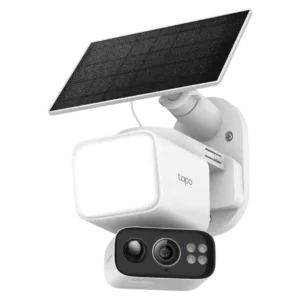
Choose the Tapo C675D for wide dual-4K outdoor coverage with solar power and local storage. Skip it if you need direct HomeKit/RTSP support or polished alert controls.
Pros: Field of view, Event recording reliability, Dual-stream recording, Power options (solar panel), Dual-camera design, Local storage option convenience, Video resolution and detail
Cons: Echo/noise cancellation, HomeKit integration, Notification management, Size and footprint
Choose the EufyCam S3 Pro for subscription-free 4K footage and standout color night vision; Skip it if you need smoother high-fps motion or can’t guarantee strong Wi-Fi and...
Pros: Weather resistance rating (IP code), Recording start-time lag, Installation ease, Durability, Video resolution &, detail, Included accessories
Cons: Cloud storage plan value, Frame rate, Connectivity options
Choose the Tapo C615F Kit if you want a low-cost, wire-free floodlight camera with solar charging, PTZ tracking, and local storage. Skip it if you need premium AI,...
Pros: wired, Power options (solar panel), Customizable motion zones, Price value, On-device processing (AI), Event recording reliability, Hub requirement
Cons: Optical zoom performance, False alert filter effectiveness, Continuous recording capability, Dual-band (2.4/5GHz) performance, Connectivity options