If you want better touchscreen responsiveness
Choose ecobee Smart Thermostat Essential. It scores 4.7 vs 3.2 for touchscreen responsiveness, with a 4.1 overall score.
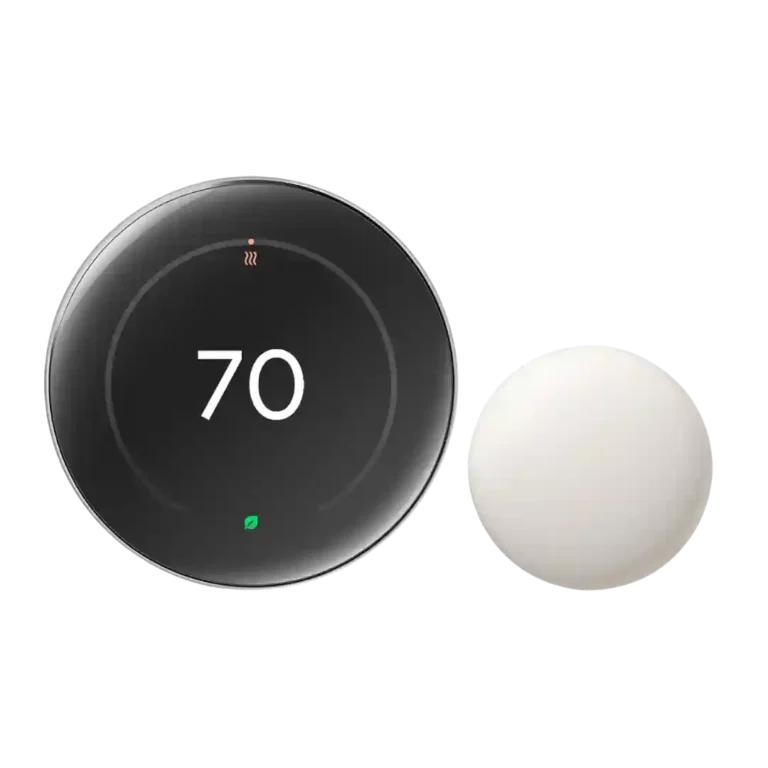
Choose it if you want a premium-looking thermostat with Matter, strong learning, room sensors, and polished controls. Skip it if the price, Google-account dependence, or occasional setup/presence-sensing hiccups outweigh the smart features.
Best for smart-home users who want a premium wall display, Matter/Apple Home flexibility, Google Home control, learning automation, and room-sensor comfort tuning. It especially fits buyers willing to let the thermostat adapt over time.
Not for budget-focused buyers, people avoiding Google Home or a Google account, or homes where precise manual schedules matter more than learning automation. It is also less compelling if presence sensing or setup issues would be deal-breakers.
Reviewer evidence points to a premium smart thermostat that earns its reputation mostly through design, learning features, Matter support, and the included room sensor. The strongest praise centers on the polished display, satisfying dial controls, easy Google Home scheduling, and the way sensors and AI can adjust comfort across rooms. The tradeoff is that some reviewers ran into setup friction, Wi-Fi/account requirements, or presence sensing that was less reliable unless phone location was used. Value is also context-dependent: several reviewers felt the features and finish justified the cost, while others called it spendy or unnecessary if you will not use the advanced automation.
Compared with other Smart Thermostats, this product is above average in Matter support, HVAC system compatibility depth, multi-room balancing effectiveness, near average in design and finish quality, display readability, below average in touchscreen responsiveness, occupancy detection accuracy, humidity sensing.
| Attribute | This product | Category average | Difference |
|---|---|---|---|
| touchscreen responsiveness | 3.2 | 4.6 | -1.4 |
| Matter support | 4.7 | 3.5 | +1.3 |
| HVAC system compatibility depth | 4.4 | 3.4 | +1.0 |
| multi-room balancing effectiveness | 4.5 | 3.7 | +0.8 |
| occupancy detection accuracy | 3.4 | 4.2 | -0.9 |
| C-wire requirement flexibility | 4.5 | 3.6 | +0.9 |
| Room Sensor | 4.6 | 3.9 | +0.7 |
| wall-mount fit and footprint | 4.4 | 3.6 | +0.8 |
Choose ecobee Smart Thermostat Essential. It scores 4.7 vs 3.2 for touchscreen responsiveness, with a 4.1 overall score.
Choose ecobee Smart Thermostat Enhanced. It scores 5.0 vs 3.4 for Wi-Fi stability, with a 4.3 overall score.
Choose Ecobee Smart Thermostat Premium. It scores 4.5 vs 3.0 for shared household access, with a 4.5 overall score.
Choose Aqara Hub W200. It scores 4.5 vs 3.4 for occupancy detection accuracy, with a 4.1 overall score.
Products reviewers directly compared with this model, grouped into quick takeaways.
Most reviewers found installation straightforward with app guidance, visual aids, and wiring prompts. One reviewer had a much worse experience with opaque errors and a setup that took hours, so installation confidence may depend on the home and account setup.
Yes, reviewers highlighted Apple Home support through Matter as a major upgrade. One Apple-focused reviewer found Apple Home control reliable and fast, though Nest room sensors did not appear in Apple Home.
Reviewers repeatedly treated the Room Sensor as a standout feature. It helps the thermostat account for rooms away from the main device, supports room-based scheduling, and can improve whole-home temperature balance.
Reviewers generally said the learning and smart schedule features worked well, adapting to manual adjustments, routines, weather, and other conditions. Some still preferred suggestion or manual modes for more control.
Yes. One reviewer liked automatic away behavior, but another found Away mode slow at first, and a different reviewer said thermostat-only motion sensing could switch to eco while someone was still home.
Reviewers were split by use case. It was considered worth it for buyers who value the design, Matter support, learning features, room sensors, and automation, but several reviewers described the price as high or only justified for premium-feature users.
These are a few of the reviews included in our analysis.


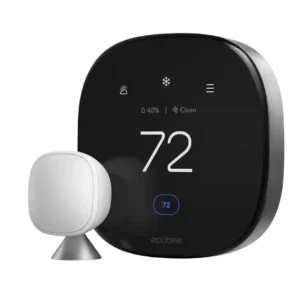
Best for polished design, easy controls, strong sensors, and useful energy data. Skip it if you want the cheapest thermostat or do not need premium extras like air quality, voice...
Pros: conventional HVAC compatibility, touchscreen responsiveness
Cons: presence-based automation
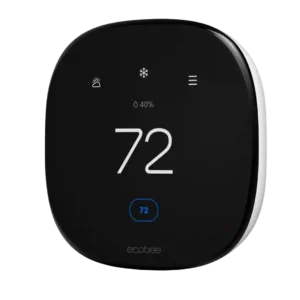
Good if you want an easy, clear smart thermostat with strong app, display, scheduling, and ecosystem support. Skip it if you need Premium-only sensors, built-in Alexa, air-quality monitoring, or deeper...
Pros: Wi-Fi stability, Apple Home/HomeKit support
Cons: utility demand-response support, HVAC system compatibility depth
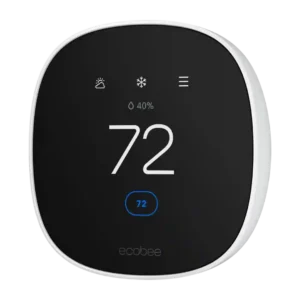
Best for easy controls, strong smart-home support, and budget value. Skip it if you need Matter, bundled room sensors, advanced learning, or a no-C-wire install without extra parts.
Pros: temperature accuracy, humidity sensing
Cons: included C-wire adapter, Matter support
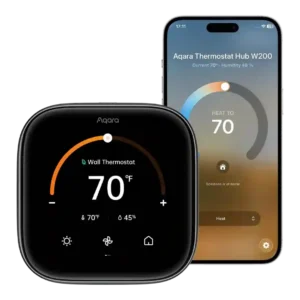
Choose the Aqara W200 if you want Apple Home-first climate automation, Matter hub extras, easy installation, and strong value. Skip it if you need advanced heat-pump controls, multi-sensor averaging, included...
Pros: comfort consistency, privacy controls
Cons: heat pump compatibility, included C-wire adapter