If you want better Light adjustability
Choose Aqara G4 Video Doorbell. It scores 4.5 vs 2.3 for Light adjustability, with a 3.8 overall score.
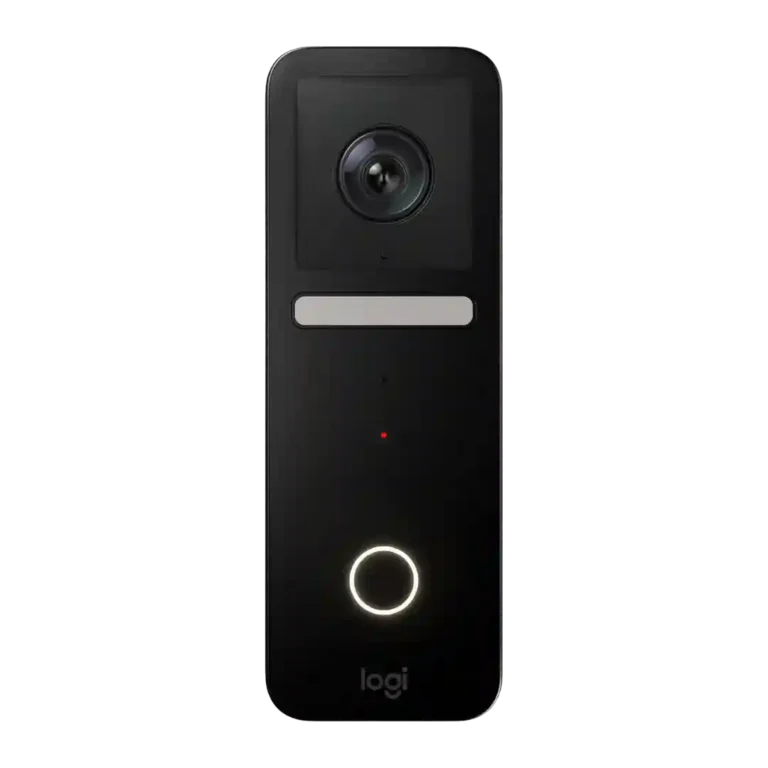
Choose it if your home runs on Apple HomeKit and you value private iCloud recording, crisp portrait video, and Apple TV/HomePod alerts. Skip it if you need Android/Alexa support, package detection, simpler setup, or proven heat reliability.
Best for Apple HomeKit households that already use HomePod or Apple TV and want encrypted iCloud recording, Apple-device alerts, and a slim portrait-view doorbell. It especially fits users who value privacy and HomeKit integration over broad platform support.
Not for Android, Alexa, or Google-centered homes, or buyers who need package detection, battery power, local storage, or a doorbell proven in hot/direct-sun installs. It is also risky if you want a simple no-fuss setup without compatible wiring.
Reviewers treat the Logitech Circle View Doorbell as a specialized Apple-first doorbell rather than a universal best buy. Its strongest evidence centers on sharp HDR portrait video, strong color night vision, encrypted HomeKit Secure Video, and excellent Apple-device alerts through HomePod, Apple TV, Apple Watch, iPhone, and the Home app. The tradeoff is narrow compatibility and uneven real-world durability: several reviewers loved the design and responsiveness, while others criticized confusing wiring/setup steps, missing package detection, the need for Apple hardware and iCloud, easy removal, and heat-related dropouts. The result is a compelling HomeKit product with clear ecosystem boundaries and reliability caveats.
Compared with other Video Doorbells, this product is above average in Face recognition, Privacy, Chime, near average in Recommendation for new buyers, Field of view and framing, below average in Warranty and Support, Light adjustability, Theft and Tamper.
| Attribute | This product | Category average | Difference |
|---|---|---|---|
| Warranty and Support | 1.5 | 4.6 | -3.1 |
| Face recognition | 4.4 | 3.0 | +1.4 |
| Light adjustability | 2.3 | 3.7 | -1.5 |
| Theft and Tamper | 2.2 | 3.6 | -1.3 |
| Weather and temperature tolerance | 2.7 | 4.0 | -1.3 |
| Privacy | 4.9 | 3.8 | +1.0 |
| Color options | 2.2 | 3.4 | -1.2 |
| Price and value | 3.2 | 4.2 | -1.1 |
Choose Aqara G4 Video Doorbell. It scores 4.5 vs 2.3 for Light adjustability, with a 3.8 overall score.
Choose Ecobee Smart Doorbell Camera. It scores 5.0 vs 1.5 for Warranty and Support, with a 3.7 overall score.
Choose Tapo D225 Smart Video Doorbell Camera with Chime. It scores 4.8 vs 2.5 for Delivery package monitoring, with a 4.2 overall score.
Choose Blink Video Doorbell. It scores 4.5 vs 3.1 for Reliability (general), with a 3.6 overall score.
Products reviewers directly compared with this model, grouped into quick takeaways.
Yes. Reviewers repeatedly praised its HomeKit Secure Video support, Home app control, HomePod chimes, Apple TV pop-ups, and Apple Watch/iPhone notifications.
No. Reviews consistently describe it as Apple-only, which is a strength for HomeKit users but a major limitation for Android, Alexa, or Google households.
Most reviewers praised the HDR portrait video, head-to-toe framing, and color night vision, though one negative review found the footage grainy and unimpressive.
Reviewers say it can show some packages thanks to the portrait view, but it does not offer true package detection, and several reviews called that a meaningful omission.
It depends on your wiring and comfort level. Some reviewers found Logitech’s guided instructions easy, while others called the setup confusing, chime wiring tricky, or likely electrician-worthy.
Yes. Some reviewers reported solid cold-weather reliability and stable HomeKit connections, while others reported overheating, dropouts, and missed or sporadic notifications.
Recorded video requires a qualifying iCloud plan and a HomeKit hub. Reviewers liked that HomeKit recordings do not count against iCloud storage, but the Apple plan and hardware requirements still matter.
These are a few of the reviews included in our analysis.
![A Homekit Video Doorbell [Logitech Circle Video Doorbell Review]](https://servicedig.com/wp-content/uploads/2026/02/16279_thumb-150x150.webp)
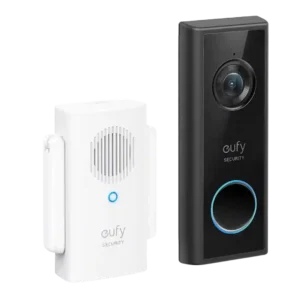
Choose the Eufy C210 if you want a no-fee, battery-friendly doorbell with local storage and good 1080p video. Skip it if you need hardwired charging, HomeKit, or consistently instant motion...
Pros: Ongoing ownership costs, Subscription
Cons: Wi-Fi range and stability, Chime
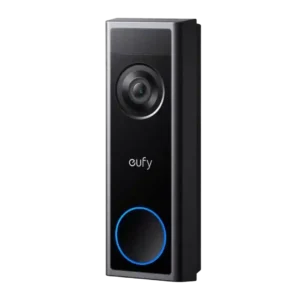
Good if you want an easy, no-fee doorbell with wired/battery power, local storage, and solid 2K coverage. Skip it if you need premium video bitrates, effortless chime coexistence, or built-in...
Pros: Wi-Fi range and stability, Ongoing ownership costs
Cons: Smart-home integration (Alexa, Google
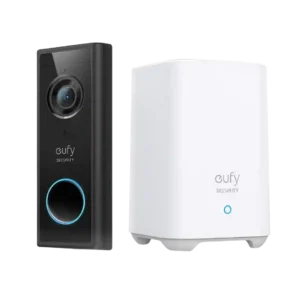
Good if you want sharp video, local storage and no required subscription. Skip it if you need 24/7 recording, flawless AI alerts, broad smart-home support or true six-month battery life.
Pros: Ongoing ownership costs, Privacy
Cons: Controls and indicators, Smart-home integration (Alexa
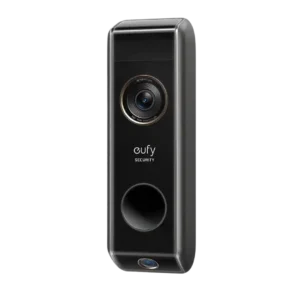
Choose the Eufy S330 if package monitoring, local storage, and no subscription matter most. Skip it if you need slim hardware, HomeKit, consistently fast live view, or stronger night vision.
Pros: Ongoing ownership costs, Subscription
Cons: Wi-Fi range and stability, Law enforcement policy transparency