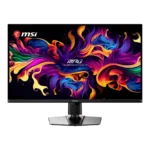
MSI MPG 322UR QD-OLED X24 Feature Scores
Explore all 50 feature scores for MSI MPG 322UR QD-OLED X24, organized into pros and cons.
Scores by Feature
Summary
50 reviewed features-
Very positive 4.5-5.031 (62%)
-
Positive 3.5-4.414 (28%)
-
Neutral 2.5-3.42 (4%)
-
Negative 1.5-2.42 (4%)
-
Very negative below 1.51 (2%)
Pros
Sort
-
Black levels are a major strength, with true pixel-off blacks and noticeably less purple lift in brighter rooms than older QD-OLED panels. DarkArmor does not eliminate ambient-light tint completely, but it makes the improvement easy to see.
-
Motion is exceptionally clear and fluid at 240Hz, with near-instant OLED transitions making moving targets easy to follow. Black-frame insertion can improve clarity at lower frame rates but adds setup complexity and some lag.
-
Near-instant 0.03ms-class pixel response keeps action clean and smooth without conventional trailing. Reviewers consistently rank the speed among the monitor’s strongest gaming qualities.
-
Factory calibration is excellent in the accurate color modes, with several reviewers measuring near-professional results. The default wide-gamut presentation can look oversaturated for unmanaged SDR content, and a slight warm bias may remain.
-
HDR is the monitor’s headline strength, combining true blacks, vivid color, and bright highlights for a striking cinematic image. True Black 500, Peak 1000, and EOTF Boost each trade brightness against accuracy, so no single mode is ideal for every scene.
-
Full-screen SDR brightness is now strong enough for normal office and gaming use, and dynamic mode can push smaller highlights higher. HDR remains bright for a monitor, though it still cannot match the searing output of premium OLED televisions or bright mini-LED displays.
-
Per-pixel illumination produces effectively infinite contrast with no blooming around bright objects. Reviewers consistently describe the contrast as dramatically better than LCD alternatives.
-
The large 4K OLED panel excels in atmospheric, colorful, and story-driven games, where its deep blacks and HDR highlights create a highly cinematic image. Reviewers repeatedly preferred it for RPGs and narrative titles.
-
DarkArmor substantially reduces the purple tint and improves perceived blacks in bright rooms while retaining a sharp glossy image. Direct light can still reveal some tint and reflections, so darker placement remains ideal.
-
4K pixel density and the glossy coating produce crisp text and fine detail. The triangular subpixel layout can create faint fringing at very close range, but most reviewers found it negligible at normal distance.
-
Full-bandwidth DisplayPort 2.1a supports uncompressed 4K at 240Hz and is the preferred PC connection. Reviewers praised MSI for avoiding bandwidth compromises.
-
Color and luminance uniformity are near-flawless, with only minor measured deviation across the panel. The default corner-uniformity setting should be left at its highest level.
-
QD-OLED delivers near-complete DCI-P3 coverage and strong HDR color volume. The wide gamut is excellent for games, movies, and some creative work, especially when the correct color-space mode is selected.
-
The stand provides smooth height, tilt, and swivel adjustment and feels unusually sturdy for a 32-inch display. Rotation is limited and full portrait orientation is not available.
-
The central joystick makes the on-screen menu quick and intuitive to navigate. MSI’s menus are praised for useful controls and easy access to the most important settings.
-
The panel performance, sturdy stand, connectivity, and feature set create a convincingly premium package. The ordinary-looking exterior plastics are the main visual exception.
-
The 32-inch 4K workspace, crisp text, USB-C power delivery, and KVM make it useful for office work as well as gaming. Several reviewers felt it could replace separate work and entertainment monitors.
-
Reviewers generally consider the monitor strong value within the premium OLED category because it undercuts some same-panel rivals and includes extensive connectivity. It is still expensive, and cheaper trimmed-down models or discounted older QD-OLEDs may be better bargains.
-
The understated black design, thin bezels, and restrained RGB are widely liked. The overall look is clean rather than flashy, though one reviewer thought the dark plastics appeared too ordinary.
-
Per-pixel local dimming produces precise highlights without halos or blooming. Reviewers consider it fundamentally superior to even full-array local-dimming LCDs for dark HDR scenes.
-
The fourth-generation Penta Tandem QD-OLED panel is the core attraction, delivering richer color, deeper blacks, and higher usable brightness than older 32-inch QD-OLED models. Reviewers see it as one of the closest approaches yet to an ideal flat-panel display.
-
The port selection is comprehensive and premium, with DisplayPort 2.1a, two HDMI 2.1 inputs, USB-C power delivery, USB-A ports, KVM support, and a headphone jack.
-
OLED viewing angles remain excellent, with consistent image quality from off-center positions. Reviewers found the picture exceptional from virtually any normal angle.
-
The stand and chassis generally feel sturdy and premium, with especially strong praise for the improved stand. A few reviewers still found the exterior plastics visually cheaper than the panel’s price suggests.
-
At 4K, 240Hz is considered a practical upper limit because few systems can exceed it in modern games. It is smooth enough for competitive play while preserving the detail needed for cinematic titles.
-
Two full-bandwidth HDMI 2.1 inputs provide proper 4K/120Hz support for current Xbox and PlayStation consoles.
-
The monitor is exceptionally well suited to high-end PCs through DisplayPort 2.1a, USB-C, KVM support, and broad VRR compatibility. Reviewers also reported flawless MacBook use over USB-C.
-
The 3840×2160 resolution is exceptionally sharp at 32 inches and clearly more detailed than 27-inch QHD displays. It also demands a powerful GPU for high-refresh gaming.
-
The 240Hz refresh rate, fast response, and low native lag make competitive games look and feel excellent. Dedicated esports players may still prefer a smaller 27-inch, lower-resolution monitor with a higher refresh rate.
-
Adaptive Sync works across Nvidia and AMD graphics cards and generally keeps gameplay tear-free. Flicker can still appear in darker scenes when frame rates fluctuate or cross the low-framerate compensation boundary.
-
OLED Care features, presence sensing, pixel shifting, panel refresh routines, and a three-year burn-in warranty improve confidence. Burn-in remains the main long-term uncertainty, especially for heavy static desktop use.
-
The two-port USB hub and built-in KVM make it easy to share a keyboard and mouse between systems. USB-C also supports a practical single-cable laptop connection.
-
Native 240Hz input lag is extremely low and competitive with the fastest gaming displays. Some testing found more noticeable delay at 60Hz and when motion-blur reduction is enabled.
-
The 32-inch screen creates strong immersion and provides useful desktop space without becoming an ultrawide. Its size is excellent for cinematic games, though some esports players may prefer a smaller panel.
-
Gaming Intelligence, the remote app, firmware updates, and AI Care controls provide extensive customization. Some promised features were not available during testing, and a few mode settings are not remembered independently.
-
Modern consoles receive strong 4K/120Hz, VRR, HDMI 2.1, and CEC support. Black-frame insertion cannot be used from a 120Hz console signal, and Dolby Vision is absent.
-
The OLED panel has no conventional backlight, so it avoids IPS glow and backlight bleed entirely.
-
OLED response eliminates visible ghosting across the refresh range. There are no LCD-style overdrive artifacts to manage.
-
The panel does not require overdrive tuning because OLED transitions are already fast across the refresh range. That removes the overshoot and profile-selection compromises common to LCD monitors.
-
The quick-release stand can be removed for a standard 100×100mm VESA arm or wall mount, giving buyers an easy alternative to the stock stand.
-
VRR works with compatible Nvidia and AMD hardware across a broad 48–240Hz range. Like other OLEDs, the monitor can show brightness flicker during unstable frame rates, though reviewers generally found it mild.
-
A low-blue-light mode and uniform-luminance control can make long text sessions more comfortable. At maximum output, large white windows may still feel harsh on the eyes.
-
AI Vision can lift shadow detail without raising the black floor, helping players see into dark areas while preserving OLED blacks.
-
Selectable screen-size modes and a forced 4:3 option give competitive players extra flexibility. The feature is useful for shrinking the active image without changing monitors.
-
Picture-in-picture and picture-by-picture are included alongside the KVM and multi-input controls, strengthening the monitor’s multi-system flexibility.
Cons
Sort
-
There are no built-in speakers, so buyers need headphones, a soundbar, or separate desk speakers.
-
This is a flat 32-inch display, so it will not satisfy buyers seeking a curved, wraparound presentation. Reviewers point curved-screen fans toward other models.
-
The accurate color modes are excellent, but several game-themed presets are not recommended because they distort color.
-
The standard 16:9 screen is less effective than an ultrawide for expansive multitasking or wraparound immersion. Buyers prioritizing a wider field of view should consider a 34-inch ultrawide instead.
-
USB-C can reduce clutter in a desktop-and-laptop setup, but the physical cable-routing grommet does not prevent sag. The hanging power cable is particularly difficult to hide.