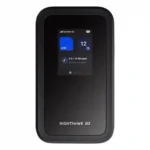
Netgear Nighthawk M7 Feature Scores
Explore all 68 feature scores for Netgear Nighthawk M7, organized into pros and cons.
Scores by Feature
Summary
68 reviewed features-
Very positive 4.5-5.034 (50%)
-
Positive 3.5-4.422 (32%)
-
Neutral 2.5-3.47 (10%)
-
Negative 1.5-2.44 (6%)
-
Very negative below 1.51 (1%)
Pros
Sort
-
The strongest differentiator is flexible eSIM use: travelers can buy plans in-app, load third-party eSIMs, keep a physical SIM, and switch networks without hunting for local cards. Netgear’s own plans can be pricey or limited.
-
Cellular performance is a major strength: the M7 works across 4G/5G networks, can switch among SIM options, and often holds a stronger, more useful connection than phones. Weak local coverage still sets the ceiling.
-
Reliability is one of the M7’s best traits in decent coverage, with repeated reports of stable sessions, few drops, and dependable travel use.
-
The app-led onboarding is a standout strength: scanning the code, linking the hotspot, and activating a SIM or eSIM are generally fast and smooth.
-
The M7 handles several active devices comfortably, and one stress test ran 27 devices at once without falling apart.
-
Getting online is consistently quick and uncomplicated, with QR-code onboarding and SIM activation often taking only minutes.
-
For a full mobile router, the phone-like M7 is impressively easy to carry in a bag or jacket pocket, though a few testers still found it chunky.
-
Battery life usually covers a workday under light or moderate use, with some tests running much longer. Heavy multi-device use shortens runtime, and the non-removable battery is a recurring compromise.
-
Most testers found the chassis solid, rugged, and travel-ready, but the easily marked front panel is a notable blemish.
-
Strong 5G locations regularly provide plenty of download headroom for streaming, calls, and work, with direct USB-C often going faster still.
-
A private hotspot, firewall, filtering, hidden-SSID options, WPA3, and firmware updates make the M7 a reassuring alternative to exposing devices directly to public Wi-Fi.
-
Wireless speeds are strong enough for streaming, calls, and general work in good coverage, but results fall sharply when the cellular connection is weak.
-
Uploads are consistently capable enough for work files, presentations, calls, and media, especially on strong 5G or wired connections.
-
USB-C tethering and Ethernet adapters work well and can deliver faster, steadier connections than Wi-Fi, though wired use depends on extra hardware.
-
The Netgear app is mostly clean, capable, and easy to use, especially for SIM management. A few menu quirks, account requirements, and app-only tasks keep it from feeling flawless.
-
The 32-device ceiling is more than marketing for typical travel use; testing with large client counts showed the hotspot can handle busy groups.
-
The rectangular, phone-like design is generally sleek and ergonomic, with a premium feel. One tester found the glossy front panel scratches very easily.
-
Even under sustained or heavy use, the M7 only became mildly warm and avoided uncomfortable heat.
-
Overall wireless performance is good for travel and daily work, but it is more impressive for reliability and flexibility than for maximum local Wi-Fi throughput.
-
Video calls are a comfortable workload for the M7 in good coverage, even while other devices and tasks are active.
-
Normal sessions are very stable, though changing between internet sources can cause a temporary client disconnect.
-
Wi-Fi 7 is a real feature, but the experience is mixed: some testers praised its modern performance while others found the implementation too limited to show the standard’s full potential.
-
Netgear’s travel data can be purchased without long contracts, which is convenient for short trips. The flexibility is better than the pricing, since short-term eSIM packages can cost a lot per gigabyte.
-
Adapters and the optional cradle can add Ethernet, charging, and failover features, but the lack of built-in ports and external antenna connectors limits out-of-box flexibility.
-
The M7 can intelligently favor available Wi-Fi or stronger cellular options, but one test found source changes briefly restart the Wi-Fi network.
-
The browser interface is useful for deeper settings that the app does not expose, and it is generally straightforward to navigate.
-
Compatible physical SIMs can configure themselves automatically, reducing the amount of manual network setup needed.
-
The cradle can combine fixed broadband and cellular as primary and backup internet paths, making the M7 more useful at a desk.
-
A heavy mixed-client test that included smart speakers ran cleanly alongside phones, tablets, and laptops.
-
With the optional cradle, the M7 can automatically take over when fixed broadband fails, creating a strong backup-internet setup.
-
Opening the local browser interface and getting to advanced settings is simple and self-explanatory.
-
Packing Wi-Fi 7 into a pocket-sized hotspot is a genuine strength, even if this implementation does not exploit every high-end Wi-Fi 7 capability.
-
Value depends heavily on how often you travel. Frequent travelers can justify the premium through flexibility and multi-device use, while occasional users may struggle to make the $499 price worthwhile.
-
A third-party USB-C 2.5GbE adapter worked successfully, giving the M7 a practical path to faster wired networking.
-
MAC filtering, URL filtering, and hidden-SSID options give travelers useful control over who and what can use the hotspot.
-
Automatic firmware updates help keep the hotspot current without manual intervention.
-
The app makes it easy to see who is connected and react quickly if an unexpected device appears.
-
URL filtering adds another layer of control when the M7 is being used as a private gateway on top of public Wi-Fi.
-
Connected-device visibility is clear enough to serve as a useful security check in public places.
-
The built-in firewall is part of a broader security stack that makes public-network use feel substantially safer.
-
Hands-on testing did not uncover hardware problems, and the ruggedized body adds confidence for travel use.
-
Physical SIM installation is refreshingly simple and feels much like inserting a SIM into a smartphone.
-
A wired gaming test ran without noticeable stutter or lag.
-
Wired gaming remained steady enough to avoid stutters or lag during the test.
-
At roughly ten meters with multiple walls in the path, performance remained impressively close to the short-range result.
-
Multi-gig Ethernet is possible through USB-C adapters rather than a built-in port, and tested 2.5GbE hardware worked without issue.
-
Wi-Fi Offload keeps clients behind the M7’s own private network rather than exposing them directly to the upstream public hotspot.
-
Ongoing automatic firmware updates are a useful security safeguard for a device intended to travel across many networks.
-
WPA3 encryption strengthens the M7’s private hotspot protection when it is rebroadcasting cellular or public Wi-Fi connections.
-
5GHz can be fast enough for normal work, but its 80MHz ceiling keeps peak local throughput below what many buyers will expect from Wi-Fi 7.
-
Under strong network conditions, the M7 can stay fast with many clients, but weak-signal environments become much more vulnerable to heavier loads.
-
Even in a crowded network environment, everyday performance remained usable, though cleaner spectrum could produce better speeds.
-
Casual gaming works well, and wired play can be smooth, but intensive gaming is better with an Ethernet adapter than over hotspot Wi-Fi alone.
-
Data and device visibility are useful, though physical-SIM usage reporting may be less accurate than Netgear eSIM reporting.
-
Moderate workloads use roughly a workday’s worth of battery, while heavier multi-device sessions increase power draw noticeably.
-
USB-C is genuinely useful for charging, tethering, and Ethernet adapters, but it cannot host USB storage.
Cons
Sort
-
The M7 does not deliver 160MHz operation on 5GHz, a limitation that materially holds back its Wi-Fi 7 performance.
-
The 80MHz maximum on 5GHz is a major technical constraint and directly limits local Wi-Fi throughput.
-
The M7 falls far short of Wi-Fi 7’s 320MHz potential, with its 5GHz radio topping out at 80MHz.
-
At the most demanding far-range location, the Wi-Fi signal failed entirely, showing the limits of this compact hotspot.
-
The M7 is not designed to replace a conventional whole-home router; long-range household coverage is a clear limitation.
-
There is no built-in Ethernet jack, so wired networking requires a USB-C adapter or cradle. That keeps the body compact but adds cost and accessories.
-
Dual-band operation is available, but enabling 2.4GHz can reduce 5GHz performance enough to make the implementation feel compromised.
-
The 2.4GHz band works, but it is slower and does not consistently add the range benefit users might expect.
-
The app is mostly uncluttered, but some settings are buried deeply enough that their locations take time to remember.
-
Typical interior walls are manageable, but a difficult external wall defeated the signal in testing.
-
Range is adequate to very good for a mobile hotspot, especially in a hotel room or small office, but it is not a substitute for a full home router and can weaken quickly through distance or difficult walls.
-
The simple button-driven screen works well for basic status on some units, but several testers found app dependence and single-button navigation awkward.