If you want better 160 MHz support
Choose GL.iNet GL-BE3600 Slate 7. It scores 4.2 vs 1.3 for 160 MHz support, with a 4.5 overall score.
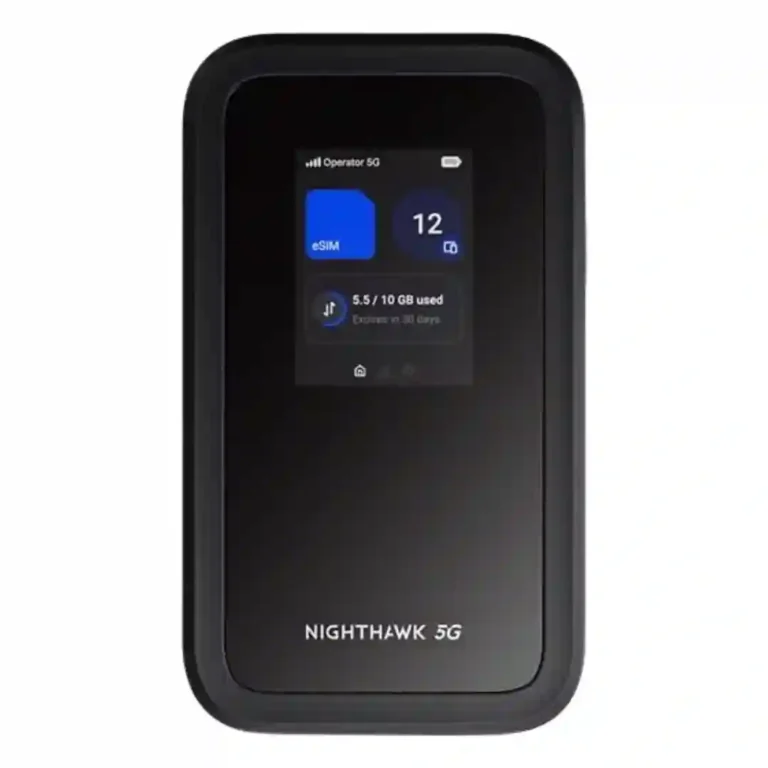
Choose the M7 if you travel often and want flexible eSIM/physical-SIM connectivity, strong multi-device reliability, and workday battery life. Skip it if $499 feels steep, you need built-in Ethernet or wide home-router coverage, or you expect top-tier Wi-Fi 7 throughput.
Frequent travelers, remote workers, and small groups that need a private 4G/5G connection across several devices benefit most from its eSIM flexibility, portability, and workday battery life.
Occasional hotspot users, buyers seeking whole-home Wi-Fi coverage, or anyone expecting built-in Ethernet and maximum Wi-Fi 7 throughput should look elsewhere.
The Nighthawk M7 is strongest as a travel-first hotspot rather than a miniature replacement for a premium home router. Its eSIM flexibility, unlocked cellular options, dependable multi-device performance, easy setup, and workday battery life make it unusually convenient for frequent travelers and remote workers. In strong 5G areas, it can be genuinely fast and stable, and USB-C or an Ethernet adapter adds useful wired performance. The tradeoff is that its $499 price is substantial, Netgear’s eSIM packages can be expensive, and the local Wi-Fi 7 implementation is constrained by 80MHz 5GHz operation in testing. Range is adequate for rooms and small workspaces, not whole-home coverage, and built-in Ethernet and a removable battery are missing.
Compared with other Wi-Fi Routers, this product is above average in content filtering, automatic configuration, app setup quality, near average in connection reliability, download performance, below average in whole-home coverage, 320 MHz support, Ethernet port count.
| Attribute | This product | Category average | Difference |
|---|---|---|---|
| whole-home coverage | 2.0 | 4.8 | -2.8 |
| 320 MHz support | 1.5 | 3.8 | -2.3 |
| Ethernet port count | 2.7 | 4.8 | -2.1 |
| content filtering | 4.5 | 3.0 | +1.5 |
| wall penetration | 3.0 | 4.3 | -1.3 |
| automatic configuration | 5.0 | 3.7 | +1.3 |
| 2.4 GHz performance | 2.8 | 4.0 | -1.3 |
| value for money | 3.5 | 4.3 | -0.8 |
Choose GL.iNet GL-BE3600 Slate 7. It scores 4.2 vs 1.3 for 160 MHz support, with a 4.5 overall score.
Choose MSI Roamii BE Pro. It scores 5.0 vs 1.5 for 320 MHz support, with a 4.3 overall score.
Choose D-Link Aquila Pro AI R95. It scores 5.0 vs 1.5 for long-range speed, with a 4.8 overall score.
Products reviewers directly compared with this model, grouped into quick takeaways.
Yes. Its strongest use case is travel, with physical SIM support, multiple eSIM options, third-party eSIM loading, and Netgear plans covering many countries. Netgear’s own short-term plans can be expensive.
In strong 5G areas, testing commonly reached roughly 150–250 Mbps or better, while weak-signal locations could fall below 10–20 Mbps. Performance depends heavily on the local cellular network.
Most testing supports a full light-to-moderate workday, often around 6–10 hours, with one test lasting more than 14 hours. Heavy multi-device use drains it faster.
Yes. The M7 is rated for up to 32 devices, and one stress test ran 27 devices while maintaining more than 90 Mbps.
There is no built-in Ethernet port. Wired networking works through USB-C adapters or the optional cradle, which adds cost but can also enable fixed-broadband failover.
Not really. It supports Wi-Fi 7, but multiple tests criticized the 5GHz radio’s 80MHz channel limit, so local Wi-Fi throughput can trail what buyers may expect from higher-end Wi-Fi 7 routers.
No. Setup is consistently described as quick, with QR-code onboarding and straightforward SIM or eSIM activation, although much of the configuration depends on the Netgear app.
These are a few of the reviews included in our analysis.



The unlocked Nighthawk 5G M7 hotspot provides fast, reliable internet access, connecting seamlessly to AT&T and T-Mobile in the US, as well...
Not everyone needs a mobile router, but frequent travelers or multi-device users will appreciate the strong range of NETGEAR's Nighthawk 5G M7.
Portability and a reliable connection for remote workers and travelers.
The global eSIM makes this a convenient choice for global travellers looking for wifi security.
For frequent travelers and digital nomads, staying connected globally often involves a patchwork of solutions: local SIM cards, expensive...
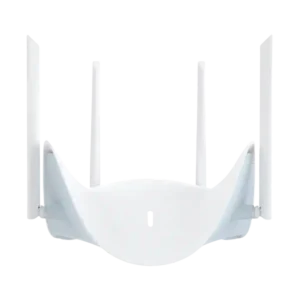
Choose the R95 for a busy home that needs fast Wi-Fi 7, strong range, multi-gig ports, and low-lag gaming. Skip it for a small, lightly connected space or if advanced...
Pros: wireless performance, Wi-Fi speed
Cons: content filtering
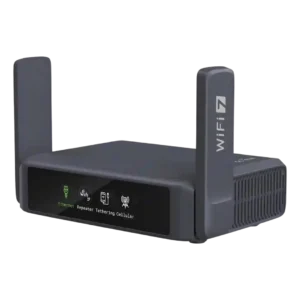
Best for frequent travel, fast VPNs, dual 2.5GbE and resilient multi-WAN. Skip it if you need full 6GHz/320MHz Wi‑Fi 7, mesh, or desktop-class USB storage and long-range indoor coverage.
Pros: Wi-Fi speed, close-range speed
Cons: mesh performance, seamless handoff
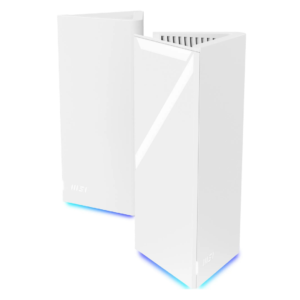
Best for affordable tri-band Wi-Fi 7, abundant 2.5GbE ports, and deep free controls. Skip it if you need consistently strong garden coverage, foolproof app setup, or proven top-tier speeds across...
Pros: close-range speed, download performance
Cons: automatic configuration, interface responsiveness