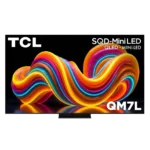
TCL QM7L Feature Scores
Explore all 94 feature scores for TCL QM7L, organized into pros and cons.
Scores by Feature
Summary
94 reviewed features-
Very positive 4.5-5.044 (47%)
-
Positive 3.5-4.436 (38%)
-
Neutral 2.5-3.410 (11%)
-
Negative 1.5-2.44 (4%)
Pros
Sort
-
Brightness is a defining strength, with measured peaks around 2,400 to 3,300 nits and plenty of output for bright rooms. The highest peaks may be brief rather than consistently sustained.
-
TCL's Game Bar is consistently praised for fast access to VRR, frame-rate data, presets, crosshairs, shadow controls, and other gaming tools.
-
Five mainstream sizes from 55 to 98 inches make the QM7L unusually flexible for bedrooms, living rooms, and large home theaters.
-
The QM7L is usually a standout value, delivering bright HDR, rich color, and premium features below flagship pricing. Its value falls sharply for buyers who encounter severe motion or blooming problems.
-
The thin frame, minimal bezels, glossy screen, and centered pedestal give the QM7L a clean, premium look that exceeds its price positioning.
-
The QM7L is usually an excellent bright-room TV thanks to high full-screen output and vivid color. Direct sunlight can still wash out darker detail in some environments.
-
The QM7L usually produces vivid, premium-looking images with strong detail and depth. Its default picture can also appear washed out and unattractive, making careful mode selection important.
-
HDR is usually bright, colorful, and detailed, with impactful highlights and broad format support. Clipping, overbrightening, blooming, and unstable brightness remain possible drawbacks.
-
Quick settings, picture controls, and inputs are easy to reach without interrupting content for long.
-
Most two-person installations are quick and straightforward, including stand assembly and Google TV setup. The pedestal and repeated setup prompts can still feel needlessly awkward.
-
Halo control and numerous dimming zones usually keep highlights tight and blacks deep. Dark rooms and off-axis seats can shift the result from excellent control to obvious fog and leakage.
-
The QM7L supports 4K/144Hz for PC gaming, and the feature is repeatedly praised as a strong value at this tier.
-
The separate eARC connection preserves both high-bandwidth gaming inputs, a layout repeatedly praised for console-and-soundbar setups.
-
Google TV is a consistent strength, with an organized interface, broad content access, and useful settings integration.
-
VRR works effectively across consoles and prevents visible tearing during supported gameplay.
-
Blooming is often minimal from a centered seat during real movies and games. Pitch-black rooms, subtitles, and wide angles can still expose severe halos on some content.
-
The backlit remote is comfortable, practical, and more premium than many competitors include, though the cheaper finish trails TCL's higher-end models.
-
Measured input lag is excellent, dropping to roughly 7 ms at 4K/120Hz and making controls feel immediate.
-
Feature support, low lag, and vivid HDR make gaming a major strength for many users. Slow pixel response can also produce enough blur and smearing to make fast games unpleasant.
-
Highlights have plenty of intensity and often preserve detail rather than clipping. The QM8L is visibly brighter side by side, while the QM7L's highest output may not remain stable.
-
Processing is a major improvement, adding restrained detail, effective upscaling, and solid motion control. It approaches premium competitors without fully matching the best Sony processing.
-
Menus and apps feel snappy and responsive, with no major slowdowns reported during normal use.
-
SQD color delivers strong saturation and separation without routinely looking overdone. A minority view found the improvement familiar rather than revolutionary and criticized the claimed advantage.
-
Most configurations are described as having two full-bandwidth gaming ports plus separate eARC, which is sufficient for many setups. Conflicting port descriptions make the exact high-bandwidth count worth confirming.
-
Most panels looked impressively clean with few smudges or blotches. A couple of samples showed darker patches or noticeable unevenness, suggesting some unit variation.
-
4K/120Hz gaming combines low measured lag with Dolby Vision support on compatible consoles.
-
Modern consoles receive smooth 4K playback, broad HDR compatibility, and responsive controls.
-
Google TV provides nearly every major streaming app along with multiple free and live-TV options.
-
PC players can reach 4K/144Hz or 1080p/288Hz, providing unusually flexible high-refresh options for a television.
-
Tone mapping generally preserves bright detail while maintaining contrast, and game-mode controls allow substantial customization between dynamic mapping and HGIG.
-
Upscaling has improved into a genuine TCL strength and can look close to higher-tier models. Results still depend heavily on the quality and bitrate of the original signal.
-
Most experiences describe deep blacks and dark letterbox bars with OLED-like impact for an LED TV. Others saw weaker micro-contrast or severe leakage in difficult scenes.
-
Measured BT.2020 results ranged from about 79% to nearly 98%, which most considered excellent for the class. One critic strongly objected to the gap between measured coverage and TCL's 100% marketing claim.
-
Dirty-screen artifacts are usually minor or invisible during normal content, but some panels show noticeable uneven areas during uniform-screen checks.
-
Contrast is generally strong for a midrange Mini-LED, creating punchy images and convincing depth. It still trails OLED and premium Mini-LED sets, and can look merely average in difficult scenes.
-
Strong brightness often overpowers room light, and the coating can work very well. Direct sunlight and dark scenes remain problematic in less favorable rooms.
-
SQD Mini-LED usually delivers brighter, richer color and impressive black levels for the price. A dissenting take argues the technology falls well short of its marketing and offers little meaningful advancement.
-
HDR10+ content produces bright, striking specular highlights and complements the TV's equally strong Dolby Vision support.
-
Voice commands are recognized quickly and usually trigger the requested changes almost instantly.
-
Google TV and Gemini make it easy to resume shows, discover content, and request personalized suggestions, though the AI can feel intrusive to some.
-
Dolby Vision presets offer flexible choices for bright and dark rooms and usually look excellent. Contrast can drop sharply when local dimming is not configured correctly.
-
Film, sports, and games often look smooth with sensible settings, yet motion is highly inconsistent. Some fast scenes stay clean and responsive, while others show severe smearing and ghosting.
-
Debanding and posterization control are usually excellent, though visible banding can appear in some demo backgrounds.
-
Judder controls work well at restrained settings, improving 24-frame-per-second material while preserving a natural film look.
-
A centered pedestal fits narrower furniture better than widely spaced feet, although one long base still required substantial console depth.
-
Slim or minimal bezels keep attention on the image and help the set look modern.
-
Gemini adds conversational search, news briefs, artwork, and direct picture or sound adjustments by voice.
-
The QM7L offers many presets and picture controls, making it easy to tailor SDR, HDR, Dolby Vision, and gaming. Default accuracy varies enough that some owners may need significant adjustment.
-
The glossy screen divides opinion: some found its anti-reflective treatment highly effective, while another saw significant reflections even in low light.
-
Built-in sound is generally clear, balanced, and better than average, with enough detail for everyday use. A soundbar remains worthwhile, especially for stronger bass and a larger presentation.
-
Dolby Atmos support makes it easy to expand beyond the built-in speakers, although the TV lacks upward-firing drivers for a full spatial effect on its own.
-
AirPlay 2 provides easy wireless playback from Apple devices.
-
Casting from phones and tablets is simple and reliable.
-
Built-in Chromecast makes Android and cross-platform casting straightforward.
-
Dialogue remains clear and easy to follow without frequent volume adjustments.
-
FreeSync Premium Pro is part of a gaming package described as checking nearly every important box.
-
Game presets retain bright color and strong contrast while leaving many picture controls available for customization.
-
Transitions from dark to bright look smooth and clean, without obvious stepping.
-
The high-bandwidth HDMI connections deliver the fast 4K signals needed for modern gaming.
-
Four HDMI inputs provide enough flexibility for consoles, media players, and audio equipment.
-
Dolby Vision, HDR10, HDR10+, and HLG provide unusually complete HDR compatibility for this price tier.
-
Lower-resolution material benefits from strong upscaling, though the cleanest results still require a reasonably good input signal.
-
Native 4K material looks noticeably sharper, more detailed, and better defined than lower-resolution content.
-
Phone and tablet content can be shared to the TV with minimal setup.
-
The center pedestal feels sturdy once assembled.
-
Major streaming services are widely available, making external players optional for most households.
-
Dark scenes preserve useful texture and fine detail, though the balance between inky blacks and shadow visibility can vary by content and mode.
-
Low settings can smooth film without an obvious soap-opera look, but stronger processing introduces artifacts, excessive smoothness, or a darker image.
-
The television itself is lightweight and presentable, but stand materials can feel thin or cheap. Overall construction is acceptable rather than luxurious.
-
Core controls are generally easy to reach, but the odd mute-button placement and menu-based brightness adjustment create minor frustration.
-
Full-screen and accurate-mode brightness can remain strong, but output may drop quickly after the brightest short-window peaks.
-
Google TV includes many recommendations but was described as organized and not excessively ad-heavy.
-
Apps and interface features ran smoothly without major glitches during extended use.
-
ALLM contributes to quick, responsive gaming without requiring manual mode changes.
-
The stand cover helps conceal the power cord and keeps the rear setup tidier.
-
The fast native refresh rate handles sports and games well, helping high-speed content stay clear.
-
Gemini voice search works well and improves on the older Google Assistant experience.
-
Filmmaker Mode and other presets can look natural and accurate, but several units showed cool, magenta, or washed-out tendencies before adjustment. Out-of-box accuracy ranges from very good to disappointing depending on settings and perspective.
-
Rear woofers add more weight than typical thin-TV speakers, but bass remains modest and cannot replace a soundbar or subwoofer.
-
The VESA mounting position sits lower than usual but remains practical and leaves room for the speaker system.
Cons
Sort
-
Google TV setup requires substantial terms and data prompts, and some mandatory agreements cannot be skipped even in a basic setup.
-
Fast content can remain clean, but blur, ghosting, smearing, and interpolation artifacts appear often enough to make motion clarity a major uncertainty.
-
Automatic firmware updates may change features unexpectedly, so cautious owners may prefer to research each update before installing it.
-
The lack of ATSC 3.0 is a notable drawback for antenna users who want NextGen TV broadcasts.
-
Many tracking and location options can be declined, but the volume of prompts and Gemini's broader presence may bother privacy-conscious buyers.
-
Pixel response ranges from very good for Mini-LED to extremely slow in fast games. Buyers sensitive to trailing or smearing should treat this as a major concern.
-
Wi-Fi 5 works for normal streaming but feels dated beside newer Wi-Fi 6 and 6E televisions.
-
Minor sputter and stutter appear in some low-frame-rate scenes, though higher-speed content often remains acceptable.
-
The HVA Mini-LED panel offers decent straight-on performance, but its off-axis limitations keep it from feeling fully premium.
-
White balance is acceptable but inconsistent, with cool or blue-leaning defaults appearing repeatedly. The bias is usually described as correctable through picture controls.
-
Off-axis performance is inconsistent and usually only average for a VA-based Mini-LED. Color and brightness commonly fade at wider angles, though some seating positions hold up well.
-
The center stand can feel sturdy and easy to use, but some units feel flimsy, cheap, or annoying to assemble.
-
Deep blacks and controlled halos can look excellent from a centered seat. Fog, blooming, and weaker micro-contrast can still make OLED a safer choice for demanding nighttime viewing.
-
Color can look rich, lifelike, and accurate in the better presets, but blue, red, green, and magenta biases appear in different modes. Default settings can also look pale and washed out.