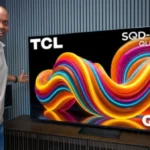
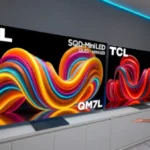
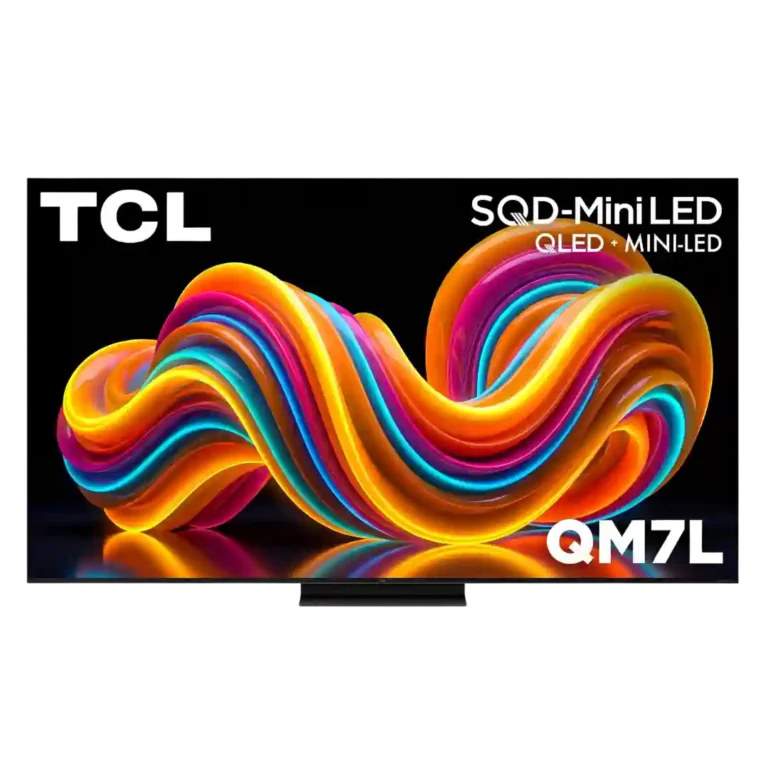
Choose the QM7L for bright-room HDR, vivid color, low input lag, and big-screen value. Skip it if you are sensitive to motion smearing, need wide seating angles, or expect OLED-like dark-room precision.
Best for
Bright-room viewers who want impactful HDR, large screen choices, low input lag, and premium gaming features without flagship pricing.
Not for
Motion-sensitive gamers, very wide seating arrangements, and dark-room purists who expect OLED-like pixel precision and consistently clean shadow transitions.
Verdict
The TCL QM7L delivers unusually bright HDR, rich SQD color, strong black levels, and a polished Google TV experience at a price most sources consider excellent. Its low input lag, 4K/144Hz support, VRR, and excellent Game Bar create an impressive gaming feature set, while the center stand and broad size range improve everyday practicality. The tradeoff is inconsistency. Viewing angles are usually narrow, the glossy screen can reflect room light, and motion quality ranges from clean and responsive to severely smeared in the harshest tests. Blooming and default color accuracy are similarly disputed. It is a compelling bright-room value, but motion-sensitive gamers and demanding dark-room viewers should approach it more cautiously.
Tone mapping generally preserves bright detail while maintaining contrast, and game-mode controls allow substantial customization between dynamic mapping and HGIG.
Processing is a major improvement, adding restrained detail, effective upscaling, and solid motion control. It approaches premium competitors without fully matching the best Sony processing.
Brightness is a defining strength, with measured peaks around 2,400 to 3,300 nits and plenty of output for bright rooms. The highest peaks may be brief rather than consistently sustained.
The QM7L is usually a standout value, delivering bright HDR, rich color, and premium features below flagship pricing. Its value falls sharply for buyers who encounter severe motion or blooming problems.
daytime viewing performance: 4.5, based on 6 reviews
The QM7L is usually an excellent bright-room TV thanks to high full-screen output and vivid color. Direct sunlight can still wash out darker detail in some environments.
Most two-person installations are quick and straightforward, including stand assembly and Google TV setup. The pedestal and repeated setup prompts can still feel needlessly awkward.
The backlit remote is comfortable, practical, and more premium than many competitors include, though the cheaper finish trails TCL's higher-end models.
Upscaling has improved into a genuine TCL strength and can look close to higher-tier models. Results still depend heavily on the quality and bitrate of the original signal.
Dolby Vision presets offer flexible choices for bright and dark rooms and usually look excellent. Contrast can drop sharply when local dimming is not configured correctly.
Dolby Atmos support makes it easy to expand beyond the built-in speakers, although the TV lacks upward-firing drivers for a full spatial effect on its own.
The QM7L usually produces vivid, premium-looking images with strong detail and depth. Its default picture can also appear washed out and unattractive, making careful mode selection important.
HDR is usually bright, colorful, and detailed, with impactful highlights and broad format support. Clipping, overbrightening, blooming, and unstable brightness remain possible drawbacks.
local dimming performance: 4.2, based on 9 reviews
Halo control and numerous dimming zones usually keep highlights tight and blacks deep. Dark rooms and off-axis seats can shift the result from excellent control to obvious fog and leakage.
Highlights have plenty of intensity and often preserve detail rather than clipping. The QM8L is visibly brighter side by side, while the QM7L's highest output may not remain stable.
Blooming is often minimal from a centered seat during real movies and games. Pitch-black rooms, subtitles, and wide angles can still expose severe halos on some content.
Feature support, low lag, and vivid HDR make gaming a major strength for many users. Slow pixel response can also produce enough blur and smearing to make fast games unpleasant.
SQD color delivers strong saturation and separation without routinely looking overdone. A minority view found the improvement familiar rather than revolutionary and criticized the claimed advantage.
Most configurations are described as having two full-bandwidth gaming ports plus separate eARC, which is sufficient for many setups. Conflicting port descriptions make the exact high-bandwidth count worth confirming.
Most panels looked impressively clean with few smudges or blotches. A couple of samples showed darker patches or noticeable unevenness, suggesting some unit variation.
SQD Mini-LED usually delivers brighter, richer color and impressive black levels for the price. A dissenting take argues the technology falls well short of its marketing and offers little meaningful advancement.
Most experiences describe deep blacks and dark letterbox bars with OLED-like impact for an LED TV. Others saw weaker micro-contrast or severe leakage in difficult scenes.
Measured BT.2020 results ranged from about 79% to nearly 98%, which most considered excellent for the class. One critic strongly objected to the gap between measured coverage and TCL's 100% marketing claim.
Dirty-screen artifacts are usually minor or invisible during normal content, but some panels show noticeable uneven areas during uniform-screen checks.
Contrast is generally strong for a midrange Mini-LED, creating punchy images and convincing depth. It still trails OLED and premium Mini-LED sets, and can look merely average in difficult scenes.
Strong brightness often overpowers room light, and the coating can work very well. Direct sunlight and dark scenes remain problematic in less favorable rooms.
The QM7L offers many presets and picture controls, making it easy to tailor SDR, HDR, Dolby Vision, and gaming. Default accuracy varies enough that some owners may need significant adjustment.
The glossy screen divides opinion: some found its anti-reflective treatment highly effective, while another saw significant reflections even in low light.
Film, sports, and games often look smooth with sensible settings, yet motion is highly inconsistent. Some fast scenes stay clean and responsive, while others show severe smearing and ghosting.
The television itself is lightweight and presentable, but stand materials can feel thin or cheap. Overall construction is acceptable rather than luxurious.
Built-in sound is generally clear, balanced, and better than average, with enough detail for everyday use. A soundbar remains worthwhile, especially for stronger bass and a larger presentation.
Low settings can smooth film without an obvious soap-opera look, but stronger processing introduces artifacts, excessive smoothness, or a darker image.
Filmmaker Mode and other presets can look natural and accurate, but several units showed cool, magenta, or washed-out tendencies before adjustment. Out-of-box accuracy ranges from very good to disappointing depending on settings and perspective.
Color can look rich, lifelike, and accurate in the better presets, but blue, red, green, and magenta biases appear in different modes. Default settings can also look pale and washed out.
Deep blacks and controlled halos can look excellent from a centered seat. Fog, blooming, and weaker micro-contrast can still make OLED a safer choice for demanding nighttime viewing.
Off-axis performance is inconsistent and usually only average for a VA-based Mini-LED. Color and brightness commonly fade at wider angles, though some seating positions hold up well.
White balance is acceptable but inconsistent, with cool or blue-leaning defaults appearing repeatedly. The bias is usually described as correctable through picture controls.
Pixel response ranges from very good for Mini-LED to extremely slow in fast games. Buyers sensitive to trailing or smearing should treat this as a major concern.
Fast content can remain clean, but blur, ghosting, smearing, and interpolation artifacts appear often enough to make motion clarity a major uncertainty.
The lack of ATSC 3.0 is a notable drawback for antenna users who want NextGen TV broadcasts.
Compared With Category Average
Compared with other TVs, this product is above average in advertising intrusiveness, Dolby Atmos support, size options, near average in sound quality, peak brightness, below average in overall image accuracy, motion clarity, contrast ratio.
Summary
65 compared features
Above average0.4+ pts higher
18(28%)
Same as averagewithin 0.3 pts
27(42%)
Below average0.4+ pts lower
20(31%)
Largest category differences
Attribute
This product
Category average
Difference
advertising intrusiveness
4.5
2.7
+1.8
Dolby Atmos support
4.3
2.5
+1.8
size options
5.0
3.3
+1.7
overall image accuracy
3.5
4.8
-1.3
setup ease
4.4
3.2
+1.2
motion clarity
2.4
3.6
-1.2
glare resistance
3.9
2.8
+1.1
reflection handling
3.9
2.7
+1.1
Consider This Instead
If you want better tuner support
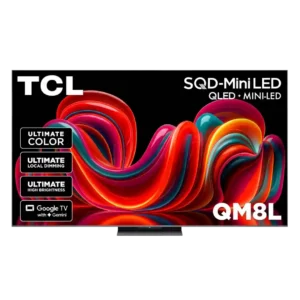
Choose TCL QM8L. It scores 4.0 vs 2.0 for tuner support, with a 4.4 overall score.
Products reviewers directly compared with this model, grouped into quick takeaways.
QM7K
Older model: brightness and vibrancyThe QM7L is described as a clear brightness and vibrancy upgrade over the QM7K.
Worse: color vibrancy and accuracyThe QM7L improves vibrancy and accuracy over the QM7K.
Older model: overall performanceThe QM7L is positioned as a worthy successor to the QM7K.
QM8L
Better: peak brightness and image refinementThe QM8L is brighter and more refined, but costs more.
Better: color gamutThe QM7L measures slightly below the QM8L in color gamut, but the gap is small.
2024 QM7
Better: gaming motionGaming motion is described as a major regression from the 2024 QM7.
FAQ
Is the TCL QM7L good for bright rooms?
Usually, yes. Its high brightness often overpowers ambient light, though direct sunlight and the glossy screen can still obscure dark scenes.
Is it a good gaming TV?
It has excellent input lag, 4K/120Hz and 4K/144Hz support, VRR, and a highly useful Game Bar. Motion response is disputed, with some tests seeing smooth play and others reporting heavy smearing.
How are the black levels and blooming?
Most testing found deep blacks and minimal blooming from a centered seat. Dark rooms, subtitles, and off-axis viewing can reveal fog or halos on some units.
Does the built-in sound need a soundbar?
The Bang & Olufsen-tuned system is generally clear and fuller than typical TV audio. A soundbar still adds stronger bass, scale, and surround impact.
Is Google TV fast and easy to use?
The interface is generally snappy, organized, and rich in apps. Setup includes extensive terms and tracking prompts, though many optional data settings can be declined.
Is the QM8L worth paying more for?
The QM8L offers higher brightness, wider viewing angles, and more refined image quality. The QM7L remains the stronger value when those upgrades do not justify the added cost.
Sample Expert Reviews We Analyzed
These are a few of the reviews included in our analysis.
Choose the QM8L for a big, brilliantly bright TV with vivid HDR, deep mini-LED blacks, low input lag, and four HDMI 2.1 ports. Skip it if you need OLED-clean motion,...
Best for excellent OLED gaming, deep blacks, and a polished smart platform. Skip it at full launch pricing if the cheaper B5 remains available, or if you need strong bright-room...
Choose the C6 for outstanding OLED picture quality, four-port gaming support, and fast webOS. Skip it at full launch price if a discounted C5 is available, or if bright-room reflections...