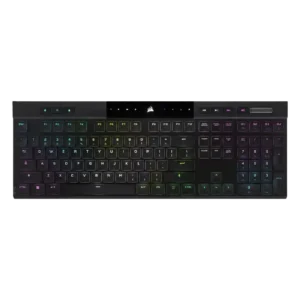
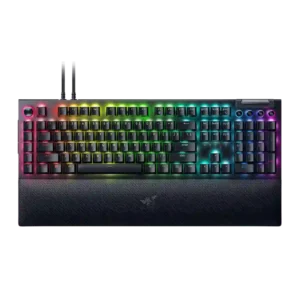
Compare Corsair K100 AIR vs Razer BlackWidow V4 Pro

P1 Corsair K100 AIR
P2 Razer BlackWidow V4 Pro

Comparison Takeaways

Corsair K100 AIR

Where It Has the Edge

  • size and form factor is 4.7 vs 2.5. The ultra-thin form factor was one of the most admired traits, repeatedly described as shockingly thin or remarkable.
  • compatibility is 4.2 vs 2.0. Compatibility evidence was positive overall, with reviewers noting successful use across PCs, consoles, Mac, and mobile devices, though...
  • battery life is 4.4 vs 2.3. Battery life was one of the clearest strengths, with many reviewers reporting days, a week, or longer between...
  • cable quality is 4.5 vs 2.8. Only one reviewer evaluated the included cable, calling the supplied cable and dongle great.

Razer BlackWidow V4 Pro

Where It Has the Edge

  • ease of switch replacement is 5.0 vs 1.9. Switch replacement was excellent on hot-swap 75% variants, where reviewers found swapping solid or easy, but it was...
  • sound dampening is 4.6 vs 1.5. Sound dampening was generally effective, with reviewers crediting foam, tape mods, and damping for reduced ping, reverb, and...
  • stabilizer quality is 3.6 vs 1.7. Stabilizer quality ranged from peaceful and low-rattle to merely acceptable or needing work, especially on some 75% and...
  • hot-swappable switches is 3.6 vs 2.0. Hot-swap support depended on variant: 75% boards were praised for easy switch changes, while full-size models were criticized...
Average score
Product 1: Corsair K100 AIR
3.8
Product 2: Razer BlackWidow V4 Pro
3.8
acoustics
Product 1: Corsair K100 AIR
2.4

Sound impressions were mixed to negative: one reviewer liked the regular switch sound but called out the spacebar, while another criticized a loud, rattly clank.

Product 2: Razer BlackWidow V4 Pro
3.6

Reviewers varied by switch and model: some praised muted, clacky or lower-pitched sound, while others heard plasticky clicks, dinging, or a weaker stock sound.

actuation consistency
Product 1: Corsair K100 AIR
4.8

Reviewers who discussed input registration were very positive, citing correct multi-key registration, N-key rollover, and no ghosting.

Product 2: Razer BlackWidow V4 Pro
4.3

Actuation balance was described positively where reviewers noted accidental strokes were avoided and productivity work was not littered with misinputs.

backlight brightness
Product 1: Corsair K100 AIR
5.0

The two direct brightness judgments were strongly positive, with reviewers calling the RGB bright or much brighter than expected.

Product 2: Razer BlackWidow V4 Pro
4.0

Backlighting was generally viewed as focused and granular, with reviewers noticing improved brightness control and stronger LED presentation.

battery life
Product 1: Corsair K100 AIR
4.4

Battery life was one of the clearest strengths, with many reviewers reporting days, a week, or longer between charges and generally validating the 50-hour RGB claim.

Product 2: Razer BlackWidow V4 Pro
2.3

Battery evidence was split by model and settings, ranging from good light-use results to severe drain when RGB, OLED or wireless polling were active.

build quality
Product 1: Corsair K100 AIR
4.4

Build quality was widely praised for solidity and premium feel, though a few reviewers noted flex, average supporting parts, or plastic elements.

Product 2: Razer BlackWidow V4 Pro
4.4

Build quality was broadly praised on the full-size model for solidity and premium feel, though one 75% Pro reviewer criticized the case quality for the price.

cable quality
Product 1: Corsair K100 AIR
4.5

Only one reviewer evaluated the included cable, calling the supplied cable and dongle great.

Product 2: Razer BlackWidow V4 Pro
2.8

Cabling drew mixed reactions: braided or detachable hardware felt solid, but two cables, non-coiled cabling, and a chunky dongle hurt desk neatness.

compatibility
Product 1: Corsair K100 AIR
4.2

Compatibility evidence was positive overall, with reviewers noting successful use across PCs, consoles, Mac, and mobile devices, though one Mac layout caveat remained.

Product 2: Razer BlackWidow V4 Pro
2.0

Compatibility evidence was limited but negative where Mac support was described as lacking for the keyboard.

connectivity
Product 1: Corsair K100 AIR
4.4

Connectivity was consistently praised for quick switching, Bluetooth and Slipstream flexibility, easy pairing, and stable multi-device use.

Product 2: Razer BlackWidow V4 Pro
2.9

Connectivity was a recurring tradeoff: wired operation helped latency and passthrough, but reviewers missed wireless or noted cable-dependent clutter.

customization options
Product 1: Corsair K100 AIR
3.7

Software and lighting customization were strong, but physical customization was a major limitation because the thin design restricts keycap and switch changes.

Product 2: Razer BlackWidow V4 Pro
4.5

Customization was one of the strongest themes, especially around remapping, the Command Dial, Chroma, and multi-layer programmability, with some Synapse limits.

design aesthetics
Product 1: Corsair K100 AIR
4.5

Reviewers overwhelmingly liked the slim, premium, modern look, often describing the keyboard as sleek, stylish, gorgeous, or stunning.

Product 2: Razer BlackWidow V4 Pro
4.3

Design reactions were mostly positive for premium, high-end styling and RGB-heavy looks, though one reviewer found the shine-through gamer look tacky.

desk space efficiency
Product 1: Corsair K100 AIR
3.9

The ultra-thin body helped desk fit, but the full-size layout still took noticeable room for some reviewers.

Product 2: Razer BlackWidow V4 Pro
2.6

Desk-space efficiency was weak on the full-size board because its macro column and wrist rest make it huge, while the 75% variants earned better space praise.

durability
Product 1: Corsair K100 AIR
4.8

Durability evidence was strong, including drop-test survival, sturdy aluminum construction, and long-term reports of no degradation.

Product 2: Razer BlackWidow V4 Pro
3.3

Durability evidence centered on a sturdy frame and repair/mod potential, offset by one reviewer’s concern about keycap wear from a prior BlackWidow generation.

ease of switch replacement
Product 1: Corsair K100 AIR
1.9

Repairability was a repeated weakness: reviewers warned that keycap removal could damage switches and wanted easier user serviceability.

Product 2: Razer BlackWidow V4 Pro
5.0

Switch replacement was excellent on hot-swap 75% variants, where reviewers found swapping solid or easy, but it was not a strength of the full-size board.

ergonomics
Product 1: Corsair K100 AIR
2.8

Ergonomic feedback was mixed: concave caps and low height helped comfort, but sharp edges, kickstand issues, and rough frame edges drew criticism.

Product 2: Razer BlackWidow V4 Pro
2.9

Ergonomics were mixed: wrist comfort and long-use ergonomics could be excellent, but side buttons and the extra left column caused accidental presses or reach issues.

extra gaming features
Product 1: Corsair K100 AIR
4.3

Reviewers liked the rich gaming feature set, including Stream Deck-style extras and gamer-focused controls.

Product 2: Razer BlackWidow V4 Pro
4.3

Extra gaming features were praised most by macro-heavy and Snap Tap users, with reviewers highlighting benefits for tinkerers, strafing, and command-heavy games.

frame rigidity
Product 1: Corsair K100 AIR
4.3

Most reviewers found the frame impressively rigid for its thinness, though a few detected minor flex.

Product 2: Razer BlackWidow V4 Pro
4.5

Frame rigidity was praised where reviewers described the chassis and top plate as robust, solid, and free of noticeable creaking.

gaming performance
Product 1: Corsair K100 AIR
4.1

Gaming performance was generally praised for responsiveness and speed, but some reviewers felt the shallow switches or laptop-style feel were not ideal for serious gaming.

Product 2: Razer BlackWidow V4 Pro
4.8

Gaming performance was consistently strong, with reviewers reporting smooth play, no stutter or delay, top-tier responsiveness, and macro advantages in games.

hot-swappable switches
Product 1: Corsair K100 AIR
2.0

Hot-swap capability was scored poorly because reviewers explicitly noted the switches or keycaps are not meant to be swapped.

Product 2: Razer BlackWidow V4 Pro
3.6

Hot-swap support depended on variant: 75% boards were praised for easy switch changes, while full-size models were criticized for locking users into one switch choice.

keycap quality
Product 1: Corsair K100 AIR
3.4

Keycap quality was mixed: some liked the shape and long-term appearance, while others criticized ABS material, texture, wear risk, and limited thickness.

Product 2: Razer BlackWidow V4 Pro
3.7

Keycap quality was mixed: texture, shine-through and feel earned praise, but ABS material, PBT comparisons, sound, and wear concerns lowered confidence.

key responsiveness
Product 1: Corsair K100 AIR
4.7

Key responsiveness was a standout positive, with reviewers describing immediate, accurate, or highly responsive inputs.

Product 2: Razer BlackWidow V4 Pro
4.7

Key responsiveness was a major strength, with reviewers citing instant, smooth, accurate, and sensitive keypresses across gaming and productivity.

key spacing
Product 1: Corsair K100 AIR
4.0

Only one review directly judged spacing, positively noting that extra space between keys helped finger positioning.

Product 2: Razer BlackWidow V4 Pro
4.3

Key spacing evidence was positive, with reviewers saying the spacing reduced errors and let them play without looking down.

key stability
Product 1: Corsair K100 AIR
4.5

Key stability was praised where discussed, with reviewers citing balanced keys and very little wobble.

Product 2: Razer BlackWidow V4 Pro
5.0

Key stability evidence was positive but limited, with one reviewer praising the switches for practically zero wobble.

latency
Product 1: Corsair K100 AIR
4.1

Latency was generally strong for wired and Slipstream use, though Bluetooth drew a lower judgment in one review.

Product 2: Razer BlackWidow V4 Pro
4.7

Latency was praised on the wired full-size board, especially alongside high polling, where reviewers reported zero lag, smoothness, and low-latency gaming.

layout options
Product 1: Corsair K100 AIR
3.0

Reviewers liked aspects of the full-size layout, but several wanted smaller TKL or compact versions.

Product 2: Razer BlackWidow V4 Pro
4.5

Layout evidence favored the 75% layout as a useful, welcome middle ground while the full-size layout drew space and adjustment complaints.

legend visibility
Product 1: Corsair K100 AIR
3.7

Main legends were generally visible and evenly lit, while secondary legends lacking backlight hurt the score.

Product 2: Razer BlackWidow V4 Pro
2.6

Legend visibility was mixed: keycap shine-through could be clean and even, but media-key legends were criticized as hard to read or unlit.

macro customization
Product 1: Corsair K100 AIR
3.7

Macro support was useful and programmable, but several reviewers disliked the less-accessible placement above the numpad.

Product 2: Razer BlackWidow V4 Pro
4.6

Macro customization was one of the best-supported positives, with reviewers praising the eight macros, creative freedom, productivity shortcuts, and game advantages.

materials quality
Product 1: Corsair K100 AIR
3.9

Materials drew mixed-to-positive reactions: aluminum felt premium, but some reviewers wanted a more complete metal chassis.

Product 2: Razer BlackWidow V4 Pro
4.8

Materials quality was praised through aluminum, premium finishes, and strong material choices across several full-size reviews.

media controls
Product 1: Corsair K100 AIR
4.1

Dedicated media controls were well received as handy, convenient, and welcome.

Product 2: Razer BlackWidow V4 Pro
4.3

Media controls were mostly liked for convenience and productivity, though some reviewers disliked the awkward height or difficult-to-see legends.

noise level
Product 1: Corsair K100 AIR
3.2

Noise was polarizing: some found it relatively quiet, while others called it louder than expected.

Product 2: Razer BlackWidow V4 Pro
3.2

Noise level varied heavily by switch: Green switches were often loud, while Yellow or damped variants were quieter or satisfying rather than distracting.

onboard memory
Product 1: Corsair K100 AIR
4.3

Onboard memory was praised for storing many profiles and allowing settings to travel without relying on iCUE.

Product 2: Razer BlackWidow V4 Pro
3.0

Onboard memory was useful for profiles but limited by Synapse dependency, especially where custom dial modes did not carry over.

passthrough features
Product 1: Corsair K100 AIR
2.0

The only opinionated passthrough-related evidence was negative, with one reviewer calling the lack of extra ports a shame.

Product 2: Razer BlackWidow V4 Pro
3.2

Passthrough was viewed as useful but limited, especially by USB 2.0 speeds, voltage constraints, and the need for a second cable.

per-key lighting control
Product 1: Corsair K100 AIR
4.0

The one direct per-key lighting judgment was positive, with the reviewer appreciating configurable per-key RGB.

Product 2: Razer BlackWidow V4 Pro
No score yet
polling rate
Product 1: Corsair K100 AIR
3.4

High polling was appreciated as advanced tech, but several reviewers said it was overkill or hard to notice.

Product 2: Razer BlackWidow V4 Pro
3.5

Polling rate impressed some reviewers with speed or snappiness, while others considered 8,000Hz niche or hard to notice on a keyboard.

portability
Product 1: Corsair K100 AIR
4.0

Thinness helped portability, but the full-size length made transport less practical for some reviewers.

Product 2: Razer BlackWidow V4 Pro
3.0

Portability was variant-dependent: the 75% board was bag-friendly, while the full-size board was problematic for transport and mouse space.

profile management
Product 1: Corsair K100 AIR
4.0

One reviewer praised profile management because settings could travel between systems without being reset.

Product 2: Razer BlackWidow V4 Pro
4.0

Profile management was useful for switching setups and game-linked profiles, though some functions still depended on Synapse or required manual management.

reliability
Product 1: Corsair K100 AIR
4.2

Reliability evidence was positive overall, especially in long-term use, though one reviewer expressed concern about future switch longevity.

Product 2: Razer BlackWidow V4 Pro
2.6

Reliability concerns included one LED hiccup, app binding failures, an OLED darkening issue, and reported orange-switch problems on one 75% Pro review.

RGB customization
Product 1: Corsair K100 AIR
4.3

RGB customization was praised for layered effects, deep controls, and playful flexibility.

Product 2: Razer BlackWidow V4 Pro
4.3

RGB customization was a consistent Razer strength, with reviewers praising complex-to-simple controls, Chroma syncing, and game-reactive lighting.

RGB lighting quality
Product 1: Corsair K100 AIR
4.0

RGB quality was mostly positive, with bright and rich lighting praised, though some reviewers found it less vibrant, tame, or uneven.

Product 2: Razer BlackWidow V4 Pro
4.6

RGB lighting quality was heavily praised for brightness, underglow, flawless implementation, and desk-filling visual impact, with minor visibility caveats.

size and form factor
Product 1: Corsair K100 AIR
4.7

The ultra-thin form factor was one of the most admired traits, repeatedly described as shockingly thin or remarkable.

Product 2: Razer BlackWidow V4 Pro
2.5

Size and form factor were a frequent concern on the full-size version, which reviewers called very large, while compact variants helped portability.

software quality
Product 1: Corsair K100 AIR
4.1

iCUE was usually praised for power and depth, but a few reviewers found it complex, resource-heavy, or not ideal.

Product 2: Razer BlackWidow V4 Pro
3.4

Software quality was polarizing: Synapse could be intuitive and reliable, but reviewers often disliked needing it open for advanced functions.

sound dampening
Product 1: Corsair K100 AIR
1.5

Sound dampening scored poorly because one reviewer said there was no way to tame the switches or stabilizers.

Product 2: Razer BlackWidow V4 Pro
4.6

Sound dampening was generally effective, with reviewers crediting foam, tape mods, and damping for reduced ping, reverb, and a more refined sound.

stabilizer quality
Product 1: Corsair K100 AIR
1.7

Stabilizer quality was a repeated complaint, especially rattly or loose stabilizers and a poor-sounding spacebar.

Product 2: Razer BlackWidow V4 Pro
3.6

Stabilizer quality ranged from peaceful and low-rattle to merely acceptable or needing work, especially on some 75% and Yellow-switch units.

switch feel
Product 1: Corsair K100 AIR
4.2

Switch feel was generally liked for tactile, fast, and satisfying feedback, but a minority found the shallow switches uncomfortable or gaming-limited.

Product 2: Razer BlackWidow V4 Pro
4.5

Switch feel was broadly strong, with praise for Yellow, Green, and Orange variants, though some reviewers wanted more checkout options or different stock switches.

switch options
Product 1: Corsair K100 AIR
2.5

Switch options scored low because a long-term reviewer wanted a linear version and felt limited to the tactile switches.

Product 2: Razer BlackWidow V4 Pro
2.5

Switch options were a recurring weakness where reviewers wanted tactile, linear, or more checkout choices, especially on expensive or Pro models.

typing comfort
Product 1: Corsair K100 AIR
4.1

Typing comfort was usually strong, with many reviewers saying it was comfortable for long sessions, though some needed adjustment or felt fatigue initially.

Product 2: Razer BlackWidow V4 Pro
4.2

Typing comfort was generally strong when switches and wrist rest suited the reviewer, though one Green-switch reviewer wanted more cushioning for long writing.

typing feel
Product 1: Corsair K100 AIR
4.3

Typing feel was a major strength for many reviewers, especially those who liked chiclet or low-profile boards, but not universally loved.

Product 2: Razer BlackWidow V4 Pro
4.7

Typing feel was one of the clearest positives, with several reviewers calling the board satisfying, fast, or fantastic to type on.

value for money
Product 1: Corsair K100 AIR
3.0

Value was the most divided area: some reviewers said it was worth the premium, while many said the price was hard to justify.

Product 2: Razer BlackWidow V4 Pro
3.5

Value was divided: many full-size reviewers felt the $230 price was justified by features, while 75% Pro reviewers objected strongly to $300 pricing.

volume control
Product 1: Corsair K100 AIR
4.5

The volume roller/knob was consistently praised as smooth, convenient, satisfying, or even flawless.

Product 2: Razer BlackWidow V4 Pro
3.9

Volume control was usually convenient and tactile, though some reviewers wanted a press-to-mute wheel or found dial-based volume less convenient.

wireless performance
Product 1: Corsair K100 AIR
4.6

Wireless performance was strongly praised for Slipstream reliability, low latency, and lack of noticeable lag.

Product 2: Razer BlackWidow V4 Pro
3.4

Wireless performance evidence came from 75% Pro reviews and was mixed: wireless controls and performance were useful, but battery tradeoffs reduced appeal.

wrist rest quality
Product 1: Corsair K100 AIR
No score yet
Product 2: Razer BlackWidow V4 Pro
4.5

Wrist rest quality was a consistent highlight on full-size reviews for plushness, comfort and RGB integration, with a few fit or height complaints.