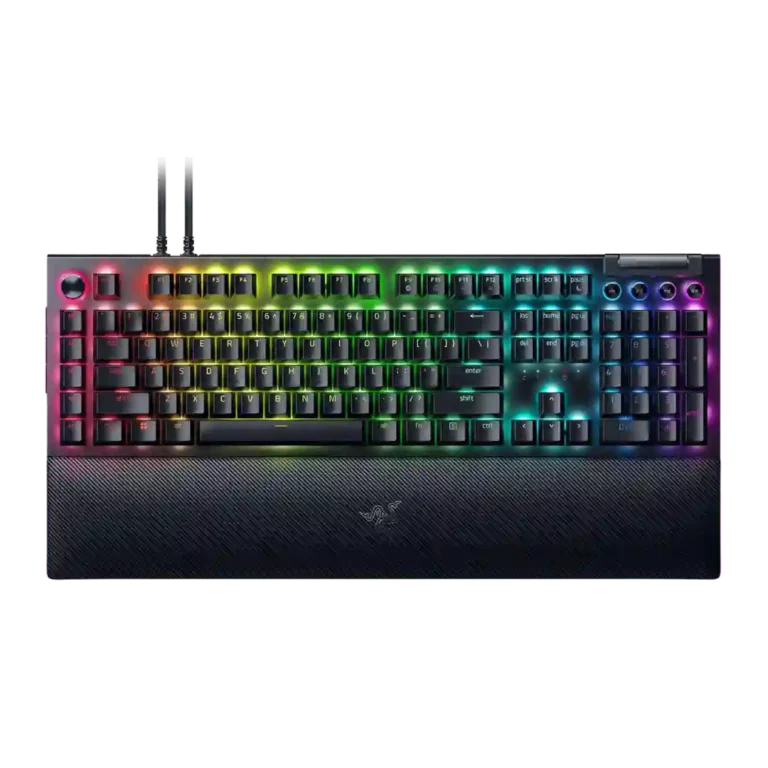
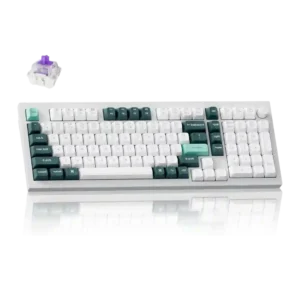
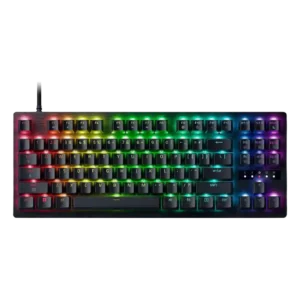
Choose it for a feature-packed, responsive Razer keyboard with strong macros, RGB and comfort. Skip it if desk space, quiet typing, wireless freedom, low software reliance or price matter more.
Best for
Best for gamers, creators and productivity users who will actually use dedicated macros, the Command Dial, media controls, RGB profiles and a plush wrist rest on a large desk.
Not for
Not for small desks, quiet shared spaces, wireless-first setups, or buyers who dislike Synapse dependency or do not need many extra controls.
Verdict
Reviewers frame the Razer BlackWidow V4 Pro as a maximalist command-center keyboard rather than a minimalist gaming board. Its strongest evidence is around macro depth, the Command Dial, vivid RGB, sturdy construction, wrist-rest comfort and fast, smooth gaming response. The tradeoff is equally clear: the full-size board is huge, louder switch options can be disruptive, and many advanced controls lean heavily on Synapse. Value depends on whether the buyer will actually use the macros, dial, passthrough and lighting; reviewers who did often found the price fair, while 75% Pro coverage was much harsher on battery life and $300 pricing.
Gaming performance was consistently strong, with reviewers reporting smooth play, no stutter or delay, top-tier responsiveness, and macro advantages in games.
Macro customization was one of the best-supported positives, with reviewers praising the eight macros, creative freedom, productivity shortcuts, and game advantages.
RGB lighting quality was heavily praised for brightness, underglow, flawless implementation, and desk-filling visual impact, with minor visibility caveats.
Switch feel was broadly strong, with praise for Yellow, Green, and Orange variants, though some reviewers wanted more checkout options or different stock switches.
Latency was praised on the wired full-size board, especially alongside high polling, where reviewers reported zero lag, smoothness, and low-latency gaming.
ease of switch replacement: 5.0, 3 reviews, strong consensus
Switch replacement was excellent on hot-swap 75% variants, where reviewers found swapping solid or easy, but it was not a strength of the full-size board.
Customization was one of the strongest themes, especially around remapping, the Command Dial, Chroma, and multi-layer programmability, with some Synapse limits.
Build quality was broadly praised on the full-size model for solidity and premium feel, though one 75% Pro reviewer criticized the case quality for the price.
Typing comfort was generally strong when switches and wrist rest suited the reviewer, though one Green-switch reviewer wanted more cushioning for long writing.
Actuation balance was described positively where reviewers noted accidental strokes were avoided and productivity work was not littered with misinputs.
extra gaming features: 4.3, 2 reviews, limited evidence
Extra gaming features were praised most by macro-heavy and Snap Tap users, with reviewers highlighting benefits for tinkerers, strafing, and command-heavy games.
Profile management was useful for switching setups and game-linked profiles, though some functions still depended on Synapse or required manual management.
Hot-swap support depended on variant: 75% boards were praised for easy switch changes, while full-size models were criticized for locking users into one switch choice.
Reviewers varied by switch and model: some praised muted, clacky or lower-pitched sound, while others heard plasticky clicks, dinging, or a weaker stock sound.
desk space efficiency: 2.6, 4 reviews, low consensus
Desk-space efficiency was weak on the full-size board because its macro column and wrist rest make it huge, while the 75% variants earned better space praise.
Reliability concerns included one LED hiccup, app binding failures, an OLED darkening issue, and reported orange-switch problems on one 75% Pro review.
Ergonomics were mixed: wrist comfort and long-use ergonomics could be excellent, but side buttons and the extra left column caused accidental presses or reach issues.
Noise level varied heavily by switch: Green switches were often loud, while Yellow or damped variants were quieter or satisfying rather than distracting.
Wireless performance evidence came from 75% Pro reviews and was mixed: wireless controls and performance were useful, but battery tradeoffs reduced appeal.
Durability evidence centered on a sturdy frame and repair/mod potential, offset by one reviewer’s concern about keycap wear from a prior BlackWidow generation.
Compared With Category Average
Compared with other Gaming Keyboards, this product is above average in wrist rest quality, ease of switch replacement, passthrough features, near average in value for money, gaming performance, below average in compatibility, battery life, size and form factor.
Summary
49 compared features
Above average0.4+ pts higher
10(20%)
Same as averagewithin 0.3 pts
20(41%)
Below average0.4+ pts lower
19(39%)
Largest category differences
Attribute
This product
Category average
Difference
compatibility
2.0
3.9
-1.9
battery life
2.3
4.0
-1.7
size and form factor
2.5
4.1
-1.6
desk space efficiency
2.6
4.2
-1.6
wrist rest quality
4.5
3.3
+1.2
ease of switch replacement
5.0
3.7
+1.3
onboard memory
3.0
4.1
-1.1
durability
3.3
4.4
-1.2
Consider This Instead
If you want better size and form factor
Choose Corsair K65 PRO Mini. It scores 4.8 vs 2.5 for size and form factor, with a 4.2 overall score.
Compared: programmability and macro supportGamesRadar presented the Corsair K70 RGB Pro as a lower-cost programmable alternative.
FAQ
Is the Razer BlackWidow V4 Pro good for gaming?
Yes. Reviewers repeatedly praised its responsiveness, low-latency wired behavior, high polling option, and macro advantages in games.
Is it comfortable for long typing sessions?
Mostly yes, especially with the plush wrist rest and Yellow or smoother switch options. Some reviewers found Green switches loud or less cushioned for long writing.
Does it take up a lot of desk space?
Yes. The full-size layout, macro column and large wrist rest were repeatedly called big, hefty, or unsuitable for limited desk space.
How important is Razer Synapse for this keyboard?
Synapse is important for advanced customization, custom Command Dial modes, macros and profiles. Several reviewers liked the interface, but others criticized the software dependency.
Are the switches hot-swappable?
The supplied reviews show a split by variant: full-size V4 Pro reviewers criticized the lack of hot-swap, while 75% variants were praised for easy switch replacement.
Is the RGB lighting a strength?
Yes. Reviewers frequently praised the bright Chroma lighting, underglow, wrist-rest lighting and customization depth, though a few wished for finer brightness or more visible media legends.
Is it worth the price?
For the full-size model, many reviewers thought the feature set justified the premium if used fully. For 75% Pro reviews, the $300 price and battery tradeoffs drew much more criticism.
Sample Expert Reviews We Analyzed
These are a few of the reviews included in our analysis.
Good if you want a premium 96% Hall Effect keyboard for work and gaming with excellent build, sound, and customization. Skip it if you need cheaper esports-first speed, 8,000Hz polling,...
Good if you want a premium, quiet TKL Hall Effect keyboard for typing and gaming. Skip it if price, portability, 8,000Hz polling, or broad switch choice matters most.
Good if you want a premium full-size Hall Effect keyboard with smooth switches, quiet sound, and deep customization. Skip it if you need a portable, budget-friendly board or broad switch...