Compare Corsair K100 AIR vs Corsair Vanguard Air 99

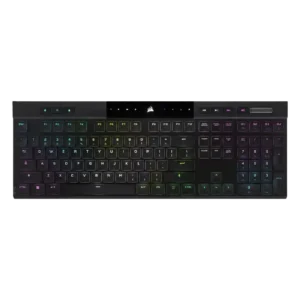
P1 Corsair K100 AIR
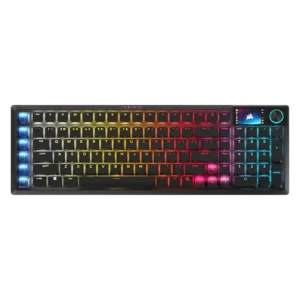
P2 Corsair Vanguard Air 99

Comparison Takeaways

Corsair K100 AIR

Where It Has the Edge

  • per-key lighting control is 4.0 vs 2.0. The one direct per-key lighting judgment was positive, with the reviewer appreciating configurable per-key RGB.
  • reliability is 4.2 vs 2.6. Reliability evidence was positive overall, especially in long-term use, though one reviewer expressed concern about future switch longevity.
  • key spacing is 4.0 vs 2.6. Only one review directly judged spacing, positively noting that extra space between keys helped finger positioning.
  • battery life is 4.4 vs 3.0. Battery life was one of the clearest strengths, with many reviewers reporting days, a week, or longer between...

Corsair Vanguard Air 99

Where It Has the Edge

  • stabilizer quality is 5.0 vs 1.7. The screw-in stabilizers feel exceptionally solid and resist movement, helping larger keys sound and feel controlled.
  • sound dampening is 4.8 vs 1.5. Five internal dampening layers and gasket mounting soften bottom-out, reduce vibration, and give the board a polished sound...
  • acoustics is 4.8 vs 2.4. The board has an unusually refined low-profile sound: muted, deep, and smooth rather than hollow or plasticky. Its...
  • layout options is 4.7 vs 3.0. Included Windows and Mac keycaps plus a physical OS switch make the board unusually accommodating across desktop platforms.
Average score
Product 1: Corsair K100 AIR
3.8
Product 2: Corsair Vanguard Air 99
4.0
acoustics
Product 1: Corsair K100 AIR
2.4

Sound impressions were mixed to negative: one reviewer liked the regular switch sound but called out the spacebar, while another criticized a loud, rattly clank.

Product 2: Corsair Vanguard Air 99
4.8

The board has an unusually refined low-profile sound: muted, deep, and smooth rather than hollow or plasticky. Its restrained thock suits both gaming setups and shared workspaces.

actuation consistency
Product 1: Corsair K100 AIR
4.8

Reviewers who discussed input registration were very positive, citing correct multi-key registration, N-key rollover, and no ghosting.

Product 2: Corsair Vanguard Air 99
4.7

OPX optical switches register evenly and reliably, with reviewers repeatedly describing their response as immediate and consistent across typing and gaming.

analog input support
Product 1: Corsair K100 AIR
No score yet
Product 2: Corsair Vanguard Air 99
1.3

The fixed optical switches do not provide analog input or adjustable actuation. Buyers seeking Hall Effect-style control will need another keyboard.

backlight brightness
Product 1: Corsair K100 AIR
5.0

The two direct brightness judgments were strongly positive, with reviewers calling the RGB bright or much brighter than expected.

Product 2: Corsair Vanguard Air 99
4.7

RGB output is bright and clearly visible even under strong room or video lighting, yet the white model can keep the glow soft rather than harsh.

battery life
Product 1: Corsair K100 AIR
4.4

Battery life was one of the clearest strengths, with many reviewers reporting days, a week, or longer between charges and generally validating the 50-hour RGB claim.

Product 2: Corsair Vanguard Air 99
3.0

Battery life is the main hardware compromise. Moderate settings can stretch toward the quoted 55 hours, but bright RGB and the LCD commonly reduce real use to roughly 20–30 hours.

build quality
Product 1: Corsair K100 AIR
4.4

Build quality was widely praised for solidity and premium feel, though a few reviewers noted flex, average supporting parts, or plastic elements.

Product 2: Corsair Vanguard Air 99
4.8

Construction is a standout strength, with a rigid aluminum-accented frame, tight assembly, and premium finish. Reviewers found little to no flex, creaking, or cheapness.

cable quality
Product 1: Corsair K100 AIR
4.5

Only one reviewer evaluated the included cable, calling the supplied cable and dongle great.

Product 2: Corsair Vanguard Air 99
3.8

The included braided cable feels soft and well made, though the USB-C-to-USB-A arrangement is less flexible than a native USB-C cable with an adapter.

compatibility
Product 1: Corsair K100 AIR
4.2

Compatibility evidence was positive overall, with reviewers noting successful use across PCs, consoles, Mac, and mobile devices, though one Mac layout caveat remained.

Product 2: Corsair Vanguard Air 99
4.7

Windows and macOS support is strong, and the keyboard also works with PlayStation and Xbox under the appropriate connection mode. Included Mac keycaps and a hardware OS switch make platform changes straightforward.

connectivity
Product 1: Corsair K100 AIR
4.4

Connectivity was consistently praised for quick switching, Bluetooth and Slipstream flexibility, easy pairing, and stable multi-device use.

Product 2: Corsair Vanguard Air 99
4.8

Tri-mode connectivity is excellent, offering fast Slipstream 2.4GHz, Bluetooth, and detachable USB-C wired use. Switching modes is easy and the wireless link generally behaves like a wired connection.

customization options
Product 1: Corsair K100 AIR
3.7

Software and lighting customization were strong, but physical customization was a major limitation because the thin design restricts keycap and switch changes.

Product 2: Corsair Vanguard Air 99
4.3

Web Hub exposes broad control over remapping, macros, lighting, profiles, polling, FlashTap, the dial, and display. Some reviewers still found advanced lighting, screen, or dial options more limited than the hardware suggests.

design aesthetics
Product 1: Corsair K100 AIR
4.5

Reviewers overwhelmingly liked the slim, premium, modern look, often describing the keyboard as sleek, stylish, gorgeous, or stunning.

Product 2: Corsair Vanguard Air 99
4.7

The slim aluminum-edged body looks clean, modern, and premium without excessive gaming styling. Black and white versions fit equally well on a work desk or gaming setup.

desk space efficiency
Product 1: Corsair K100 AIR
3.9

The ultra-thin body helped desk fit, but the full-size layout still took noticeable room for some reviewers.

Product 2: Corsair Vanguard Air 99
4.5

The 99% layout keeps a numpad and function row while using less horizontal space than a conventional full-size board. It frees meaningful mouse room without abandoning productivity keys.

durability
Product 1: Corsair K100 AIR
4.8

Durability evidence was strong, including drop-test survival, sturdy aluminum construction, and long-term reports of no degradation.

Product 2: Corsair Vanguard Air 99
4.6

The rigid frame, double-shot keycaps, firm feet, and contactless optical switches inspire strong long-term confidence. Regional ABS keycaps are the main materials caveat.

ease of switch replacement
Product 1: Corsair K100 AIR
1.9

Repairability was a repeated weakness: reviewers warned that keycap removal could damage switches and wanted easier user serviceability.

Product 2: Corsair Vanguard Air 99
1.5

The switches are not designed for convenient user replacement, so future repairs or experimentation are far less accessible than on a hot-swap board.

ergonomics
Product 1: Corsair K100 AIR
2.8

Ergonomic feedback was mixed: concave caps and low height helped comfort, but sharp edges, kickstand issues, and rough frame edges drew criticism.

Product 2: Corsair Vanguard Air 99
3.7

The low height and adjustable feet can reduce wrist strain, but the compressed clusters and left-side SD keys divide users. Some adapted quickly; others remained uncomfortable or misaligned after days of use.

extra gaming features
Product 1: Corsair K100 AIR
4.3

Reviewers liked the rich gaming feature set, including Stream Deck-style extras and gamer-focused controls.

Product 2: Corsair Vanguard Air 99
3.2

FlashTap, Game Mode, the LCD, and Stream Deck controls add real capability, but their usefulness varies sharply. FlashTap is widely liked, while the screen is often criticized as limited or battery-hungry.

frame rigidity
Product 1: Corsair K100 AIR
4.3

Most reviewers found the frame impressively rigid for its thinness, though a few detected minor flex.

Product 2: Corsair Vanguard Air 99
4.9

The chassis is exceptionally rigid, resisting twisting, center pressure, and edge pressure without noticeable flex or creaking.

gaming performance
Product 1: Corsair K100 AIR
4.1

Gaming performance was generally praised for responsiveness and speed, but some reviewers felt the shallow switches or laptop-style feel were not ideal for serious gaming.

Product 2: Corsair Vanguard Air 99
4.7

Fast optical switches, N-key rollover, FlashTap, and low-latency wireless produce excellent gaming performance. Inputs feel immediate, and several reviewers noticed cleaner movement in competitive titles.

hot-swappable switches
Product 1: Corsair K100 AIR
2.0

Hot-swap capability was scored poorly because reviewers explicitly noted the switches or keycaps are not meant to be swapped.

Product 2: Corsair Vanguard Air 99
1.3

The OPX switches are not hot-swappable, a major limitation for buyers who want easy repairs, alternate switch feels, or future upgrades.

keycap quality
Product 1: Corsair K100 AIR
3.4

Keycap quality was mixed: some liked the shape and long-term appearance, while others criticized ABS material, texture, wear risk, and limited thickness.

Product 2: Corsair Vanguard Air 99
4.5

PBT double-shot caps on supported regional versions feel solid, resist shine, and show little oil or fingerprint buildup. Some regions receive ABS instead, and the mixed translucent styling is subjective.

key responsiveness
Product 1: Corsair K100 AIR
4.7

Key responsiveness was a standout positive, with reviewers describing immediate, accurate, or highly responsive inputs.

Product 2: Corsair Vanguard Air 99
4.8

Short 1.5mm actuation and light force make keypresses exceptionally quick without feeling uncontrollably sensitive. Responsiveness remains strong in both games and everyday typing.

key spacing
Product 1: Corsair K100 AIR
4.0

Only one review directly judged spacing, positively noting that extra space between keys helped finger positioning.

Product 2: Corsair Vanguard Air 99
2.6

The compressed 99% arrangement is the most repeated usability complaint. Close clusters and the extra left column can cause wrong-key presses, mistyped words, and a meaningful learning curve.

key stability
Product 1: Corsair K100 AIR
4.5

Key stability was praised where discussed, with reviewers citing balanced keys and very little wobble.

Product 2: Corsair Vanguard Air 99
5.0

The stabilized keys feel firmly anchored with no noticeable movement or wobble.

latency
Product 1: Corsair K100 AIR
4.1

Latency was generally strong for wired and Slipstream use, though Bluetooth drew a lower judgment in one review.

Product 2: Corsair Vanguard Air 99
4.9

Wired and Slipstream wireless latency is effectively imperceptible. Reviewers reported no lag in competitive play, with sub-millisecond behavior and reliable rapid inputs.

layout options
Product 1: Corsair K100 AIR
3.0

Reviewers liked aspects of the full-size layout, but several wanted smaller TKL or compact versions.

Product 2: Corsair Vanguard Air 99
4.7

Included Windows and Mac keycaps plus a physical OS switch make the board unusually accommodating across desktop platforms.

legend visibility
Product 1: Corsair K100 AIR
3.7

Main legends were generally visible and evenly lit, while secondary legends lacking backlight hurt the score.

Product 2: Corsair Vanguard Air 99
4.7

Sharp shine-through legends remain crisp and readable under RGB lighting, with little unwanted bleed around most keys.

macro customization
Product 1: Corsair K100 AIR
3.7

Macro support was useful and programmable, but several reviewers disliked the less-accessible placement above the numpad.

Product 2: Corsair Vanguard Air 99
3.9

The six SD keys can launch apps, run macros, control media, and access Stream Deck plugins. They are powerful for creators, though separate software, static legends, and occasional persistence issues reduce polish.

materials quality
Product 1: Corsair K100 AIR
3.9

Materials drew mixed-to-positive reactions: aluminum felt premium, but some reviewers wanted a more complete metal chassis.

Product 2: Corsair Vanguard Air 99
4.6

Aluminum accents and PBT keycaps give the board a premium tactile impression. The plastic lower shell does not materially undermine its solid feel.

media controls
Product 1: Corsair K100 AIR
4.1

Dedicated media controls were well received as handy, convenient, and welcome.

Product 2: Corsair Vanguard Air 99
4.0

The rotary dial is useful for volume and other incremental actions, while secondary media functions remain accessible. The lack of a full dedicated media-key bank may disappoint some users.

noise level
Product 1: Corsair K100 AIR
3.2

Noise was polarizing: some found it relatively quiet, while others called it louder than expected.

Product 2: Corsair Vanguard Air 99
4.7

The keyboard is impressively quiet for a gaming board, making late-night use and shared offices practical. Its sound stays muted and controlled rather than clicky or obnoxious.

onboard memory
Product 1: Corsair K100 AIR
4.3

Onboard memory was praised for storing many profiles and allowing settings to travel without relying on iCUE.

Product 2: Corsair Vanguard Air 99
4.5

Onboard storage preserves key assignments, lighting, and at least one hardware profile, making configured settings portable across computers and consoles.

overall satisfaction
Product 1: Corsair K100 AIR
No score yet
Product 2: Corsair Vanguard Air 99
4.0

Most reviewers consider it an excellent premium low-profile keyboard, especially for mixed gaming and productivity. Enthusiasm drops when price, battery life, software roughness, or the compressed layout matter more than its feel.

passthrough features
Product 1: Corsair K100 AIR
2.0

The only opinionated passthrough-related evidence was negative, with one reviewer calling the lack of extra ports a shame.

Product 2: Corsair Vanguard Air 99
No score yet
per-key lighting control
Product 1: Corsair K100 AIR
4.0

The one direct per-key lighting judgment was positive, with the reviewer appreciating configurable per-key RGB.

Product 2: Corsair Vanguard Air 99
2.0

Although every key is illuminated, the current controls lack truly granular per-key combinations of color and effect, limiting advanced custom lighting designs.

polling rate
Product 1: Corsair K100 AIR
3.4

High polling was appreciated as advanced tech, but several reviewers said it was overkill or hard to notice.

Product 2: Corsair Vanguard Air 99
3.9

8,000Hz works over wired and 2.4GHz connections and supports very low latency. Several reviewers called the practical gain over 1,000Hz small while noting added battery and system cost.

portability
Product 1: Corsair K100 AIR
4.0

Thinness helped portability, but the full-size length made transport less practical for some reviewers.

Product 2: Corsair Vanguard Air 99
4.7

Despite retaining a numpad, the slim chassis weighs under a kilogram and fits into a full backpack more easily than many premium full-size keyboards.

profile management
Product 1: Corsair K100 AIR
4.0

One reviewer praised profile management because settings could travel between systems without being reset.

Product 2: Corsair Vanguard Air 99
4.5

Up to five profiles and hardware storage support switching between gaming, work, and other systems. Browser-based management is convenient when local software cannot be installed.

rapid trigger support
Product 1: Corsair K100 AIR
No score yet
Product 2: Corsair Vanguard Air 99
1.3

Rapid trigger is absent, leaving the keyboard behind modern Hall Effect competitors for reset-point tuning and advanced competitive input control.

reliability
Product 1: Corsair K100 AIR
4.2

Reliability evidence was positive overall, especially in long-term use, though one reviewer expressed concern about future switch longevity.

Product 2: Corsair Vanguard Air 99
2.6

Core wireless input is usually stable, but some testers encountered wake failures or Stream Deck recognition and persistence problems. Firmware maturity may determine whether these edge cases improve.

RGB customization
Product 1: Corsair K100 AIR
4.3

RGB customization was praised for layered effects, deep controls, and playful flexibility.

Product 2: Corsair Vanguard Air 99
3.4

Lighting effects, layers, brightness, and Game Mode colors offer useful personalization, but effect creation and truly granular per-key control are more restricted than expected at this price.

RGB lighting quality
Product 1: Corsair K100 AIR
4.0

RGB quality was mostly positive, with bright and rich lighting praised, though some reviewers found it less vibrant, tame, or uneven.

Product 2: Corsair Vanguard Air 99
4.6

RGB illumination is bright, even, and attractive, with sharp legend transmission and limited bleed. The translucent arrow and SD caps create a stronger glow that may not suit every taste.

size and form factor
Product 1: Corsair K100 AIR
4.7

The ultra-thin form factor was one of the most admired traits, repeatedly described as shockingly thin or remarkable.

Product 2: Corsair Vanguard Air 99
4.5

The slim 99% chassis is an effective middle ground for users who need a numpad but want less bulk. It is narrower than full size, though still larger than TKL and 75% alternatives.

software quality
Product 1: Corsair K100 AIR
4.1

iCUE was usually praised for power and depth, but a few reviewers found it complex, resource-heavy, or not ideal.

Product 2: Corsair Vanguard Air 99
3.4

Web Hub is clean and avoids heavy background software, but launch-period support remains uneven. Slow loading, split Stream Deck management, firmware friction, and missing controls keep the software behind the hardware.

sound dampening
Product 1: Corsair K100 AIR
1.5

Sound dampening scored poorly because one reviewer said there was no way to tame the switches or stabilizers.

Product 2: Corsair Vanguard Air 99
4.8

Five internal dampening layers and gasket mounting soften bottom-out, reduce vibration, and give the board a polished sound uncommon among thin keyboards.

stabilizer quality
Product 1: Corsair K100 AIR
1.7

Stabilizer quality was a repeated complaint, especially rattly or loose stabilizers and a poor-sounding spacebar.

Product 2: Corsair Vanguard Air 99
5.0

The screw-in stabilizers feel exceptionally solid and resist movement, helping larger keys sound and feel controlled.

switch feel
Product 1: Corsair K100 AIR
4.2

Switch feel was generally liked for tactile, fast, and satisfying feedback, but a minority found the shallow switches uncomfortable or gaming-limited.

Product 2: Corsair Vanguard Air 99
4.9

The pre-lubed OPX low-profile switches are the product’s clearest success: smooth, light, cushioned, and satisfying with enough travel to avoid a laptop-keyboard feel.

switch options
Product 1: Corsair K100 AIR
2.5

Switch options scored low because a long-term reviewer wanted a linear version and felt limited to the tactile switches.

Product 2: Corsair Vanguard Air 99
1.8

Only fixed OPX optical switches are offered, with no Hall Effect, alternate feel, or adjustable-actuation option for buyers who want deeper switch choice.

typing comfort
Product 1: Corsair K100 AIR
4.1

Typing comfort was usually strong, with many reviewers saying it was comfortable for long sessions, though some needed adjustment or felt fatigue initially.

Product 2: Corsair Vanguard Air 99
4.3

Most reviewers found the low height, light force, and cushioned bottom-out comfortable for long sessions. Comfort can fall sharply for users who never adapt to the compressed layout.

typing feel
Product 1: Corsair K100 AIR
4.3

Typing feel was a major strength for many reviewers, especially those who liked chiclet or low-profile boards, but not universally loved.

Product 2: Corsair Vanguard Air 99
4.7

Typing is consistently described as smooth, refined, and among the best available on a low-profile board. Gasket mounting and dampening add substance without sacrificing speed.

USB dongle storage
Product 1: Corsair K100 AIR
No score yet
Product 2: Corsair Vanguard Air 99
4.6

The magnetic receiver bay is easy to reach and gives the 2.4GHz dongle a secure home during travel or wired use.

value for money
Product 1: Corsair K100 AIR
3.0

Value was the most divided area: some reviewers said it was worth the premium, while many said the price was hard to justify.

Product 2: Corsair Vanguard Air 99
2.5

At roughly $260, value is highly conditional. The price makes sense only for buyers who will use the low-profile feel, wireless 8K, numpad, LCD, and Stream Deck controls together.

volume control
Product 1: Corsair K100 AIR
4.5

The volume roller/knob was consistently praised as smooth, convenient, satisfying, or even flawless.

Product 2: Corsair Vanguard Air 99
4.5

The textured rotary dial has clear steps and makes volume changes fast and precise. It can also be reassigned for brightness, scrolling, or zoom.

wireless performance
Product 1: Corsair K100 AIR
4.6

Wireless performance was strongly praised for Slipstream reliability, low latency, and lack of noticeable lag.

Product 2: Corsair Vanguard Air 99
4.9

Slipstream wireless is a major strength, delivering stable, responsive, high-polling operation with virtually no perceived compromise versus wired mode.

wrist rest quality
Product 1: Corsair K100 AIR
No score yet
Product 2: Corsair Vanguard Air 99
1.5

No wrist rest is included. The low chassis reduces the need for one, but at least one reviewer still considered its absence a notable omission.