Average score
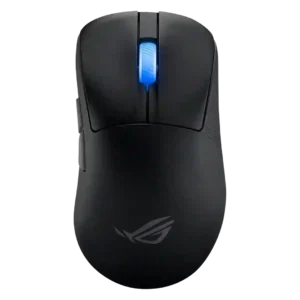
ASUS ROG Keris II Ace
4.2
Logitech G309 Lightspeed
4.1
balance and weight distribution
ASUS ROG Keris II Ace
4.7
Weight distribution was usually praised as well balanced, though one reviewer found the mouse slightly forward-balanced.
Logitech G309 Lightspeed
2.5
Weight distribution was a recurring concern, especially with the AA battery, though one review found the center-rear balance acceptable.
lift-off distance
ASUS ROG Keris II Ace
3.8
Lift-off distance was mixed: one reviewer liked the low setting, while another found low too low and high too high.
Logitech G309 Lightspeed
2.0
Lift-off related customization was criticized only in TechRadar's review, which noted the lack of lift-off adjustment among missing advanced tweaks.
profile switching
ASUS ROG Keris II Ace
3.3
Profile switching was mixed, with praise for onboard switching but criticism of the underside DPI/profile button placement.
Logitech G309 Lightspeed
4.8
Profile switching was viewed favorably, especially for on-the-fly sensitivity changes and multiple profile support.
weight
ASUS ROG Keris II Ace
4.9
Weight was consistently praised as very light, impressive, and control-friendly.
Logitech G309 Lightspeed
3.5
Weight was the most divided attribute: PowerPlay or battery-free use made it feel light, but the AA setup felt heavy or back-heavy to several reviewers.
software usability
ASUS ROG Keris II Ace
2.9
Software usability was the clearest weakness, with repeated complaints about Armoury Crate being bloated, slow, or needing improvement.
Logitech G309 Lightspeed
4.2
Software usability was generally positive for G Hub customization and clarity, though some reviewers found remapping merely usable or basic.
polling rate
ASUS ROG Keris II Ace
4.4
Polling rate support was widely praised, especially 4K wireless and included booster access, with some debate over 8K usefulness.
Logitech G309 Lightspeed
3.1
Polling rate drew mixed reactions: 1,000Hz was treated as standard and adequate by some, while several reviewers noted it trails higher-end competitive mice.
MMO gaming suitability
ASUS ROG Keris II Ace
4.0
MMO suitability had limited but positive evidence from FFXIV/raid use and button mapping comments.
Logitech G309 Lightspeed
2.8
MMO gaming suitability was limited because reviewers felt the six-button layout lacked enough extra buttons for MMORPG play.
RGB features
ASUS ROG Keris II Ace
4.4
RGB was generally appreciated as a rare lightweight-mouse touch, though a few reviewers disliked the implementation.
Logitech G309 Lightspeed
3.2
RGB opinions were mixed: some reviewers missed RGB or found the mouse plain, while one reviewer liked not worrying about lighting.
click noise
ASUS ROG Keris II Ace
4.2
Click noise impressions were mixed, from quiet and pleasant to fairly loud, depending on reviewer and switch comparison.
Logitech G309 Lightspeed
3.0
Click noise was only judged in one review, which found the clicks somewhat loud but not as loud as a pricier Logitech model.
skate durability
ASUS ROG Keris II Ace
4.0
Skate durability had limited evidence, but one reviewer said the skates held up well on glass.
Logitech G309 Lightspeed
5.0
Skate durability had one strong positive review, with the feet holding up well after testing on a hard desk surface.
surface compatibility
ASUS ROG Keris II Ace
4.9
Surface compatibility was strongly praised, including glass, mouse pads, tables, and varied surfaces.
Logitech G309 Lightspeed
4.0
Surface compatibility was mixed: one reviewer recommended padded surfaces due to thin skates, while another praised performance on different surfaces.
long-session comfort
ASUS ROG Keris II Ace
4.8
Long-session comfort was strongly positive where reviewers mentioned low strain, no hand pain, or reduced fatigue.
Logitech G309 Lightspeed
4.0
Long-session comfort was mostly positive for work and gaming, though one negative review reported fatigue during a long session.
wireless latency
ASUS ROG Keris II Ace
4.1
Wireless latency was praised in 2.4GHz mode but Bluetooth was criticized as too latent for competitive gaming.
Logitech G309 Lightspeed
4.9
Wireless latency was a strength in gaming impressions, with reviewers praising low-latency or no-latency wireless response.
premium feel
ASUS ROG Keris II Ace
3.5
Premium feel was mixed: some found the mouse premium, while others felt the coating or hollow shell hurt the premium impression.
Logitech G309 Lightspeed
2.8
Premium feel was mixed to weak overall: a few found the unboxing or shape premium, but several called the design generic, boring, or not high-profile.
2.4GHz connectivity
ASUS ROG Keris II Ace
4.5
Reviewers discussed the 2.4GHz receiver mainly as part of the broader wireless setup, with praise for low-latency use when paired with the booster.
Logitech G309 Lightspeed
3.8
2.4GHz connectivity was useful for low-latency performance, though one reviewer disliked needing separate Lightspeed receivers.
fingertip grip comfort
ASUS ROG Keris II Ace
3.3
Fingertip grip comfort was mixed; some found it possible, while others found the ergonomic shell awkward for fingertip use.
Logitech G309 Lightspeed
4.0
Fingertip comfort was generally usable to good, with reviewers noting the smaller shape and fingertip-oriented handling, but not universally ideal.
switch feel
ASUS ROG Keris II Ace
4.1
Switch feel was mixed but often positive, with some crisp/punchy praise and some dull or mushy complaints.
Logitech G309 Lightspeed
4.7
Switch feel was broadly praised as light, crisp, tactile, smooth, and satisfying, with only minor differences from pricier Logitech switches noted.
glide smoothness
ASUS ROG Keris II Ace
4.6
Glide smoothness was consistently praised across stock PTFE feet and multiple surfaces.
Logitech G309 Lightspeed
4.0
Glide smoothness was mostly positive, with several reviewers praising low resistance and smooth movement, while one strongly disliked the skates.
charging convenience
ASUS ROG Keris II Ace
3.8
Charging and dongle convenience were mixed: USB-C and cable placement helped, but the booster/dongle setup could feel chunky.
Logitech G309 Lightspeed
4.4
Charging convenience was strongest with PowerPlay or AA swapping, though one review disliked the lack of USB-C charging.
sensor performance
ASUS ROG Keris II Ace
4.9
Sensor performance was one of the best-reviewed areas, repeatedly described as accurate, top-tier, or flawless.
Logitech G309 Lightspeed
4.3
Sensor feedback was mostly positive, with reviewers calling the Hero 25K reliable, accurate, and easy with quick swipes, though one review called it snappy without standing out.
click latency
ASUS ROG Keris II Ace
4.5
Click latency was praised as very low or competitive, including measured or perceived fast response.
Logitech G309 Lightspeed
5.0
Click latency impressions were strong where tested, with reviewers describing immediate response and quick mouse input reaction in games.
handedness options
ASUS ROG Keris II Ace
2.0
Handedness scored low because reviewers repeatedly noted the right-handed ergonomic shape and lack of a left-handed option.
Logitech G309 Lightspeed
2.5
Handedness options were weak despite the symmetrical shell, because reviewers noted the left-side buttons make it right-hand favored.
ecosystem integration
ASUS ROG Keris II Ace
4.5
Ecosystem integration was praised where reviewers used the Omni receiver or Aura Sync-style setup without delays.
Logitech G309 Lightspeed
4.0
Ecosystem integration was supported by TechRadar's positive take on G Hub integration working as intended.
side button quality
ASUS ROG Keris II Ace
3.8
Side button quality was mixed: several reviewers praised crisp placement, while others found them small, high, or stiff.
Logitech G309 Lightspeed
4.2
Side button quality was mixed: several reviewers found them responsive and easy to hit, while others called them merely OK, mushy, or less crisp.
portability
ASUS ROG Keris II Ace
4.5
Portability was supported by dongle storage, Bluetooth, and multi-device/travel use.
Logitech G309 Lightspeed
4.1
Portability was generally good thanks to Bluetooth, battery power, and dongle storage, though one reviewer had a travel problem after leaving the receiver behind.
battery life
ASUS ROG Keris II Ace
4.2
Battery life was generally praised as good to excellent, with caveats that high polling rates and active use drain it faster.
Logitech G309 Lightspeed
4.6
Battery life was one of the clearest strengths, with reviewers repeatedly praising 300-hour AA use, Bluetooth endurance, or PowerPlay's unlimited runtime.
FPS gaming suitability
ASUS ROG Keris II Ace
4.8
FPS suitability was one of the strongest areas, with repeated praise for competitive aiming, speed, and esports performance.
Logitech G309 Lightspeed
4.5
FPS gaming suitability was mostly positive, with reviewers reporting good performance in shooters, though some said it does not stand out for esports.
DPI range
ASUS ROG Keris II Ace
4.0
The DPI ceiling was seen as technically impressive, but one reviewer found very high DPI practically unusable.
Logitech G309 Lightspeed
4.3
DPI range was viewed as useful for presets and micro-adjustments, especially by reviewers who valued sensitivity control for gaming and desktop precision.
left and right click quality
ASUS ROG Keris II Ace
4.2
Left and right click quality was mostly positive, with praise for consistency and similar actuation between sides.
Logitech G309 Lightspeed
4.5
Main click quality was generally strong: reviewers liked the front buttons' responsiveness, satisfying feel, and snappy actuation.
Accuracy and tracking precision
ASUS ROG Keris II Ace
4.5
Reviewers consistently praised tracking accuracy and precision, with only one reviewer warning that extreme DPI values became irregular.
Logitech G309 Lightspeed
4.8
Reviewers consistently found tracking accurate and precise, from PCMag saying it nailed precision to gaming and editing tests that reported quick, accurate movement.
build quality
ASUS ROG Keris II Ace
4.5
Build quality was mostly strong, with repeated praise for rigidity and lack of flex, though one reviewer reported average build with creaking.
Logitech G309 Lightspeed
4.7
Build quality was consistently praised, with reviewers calling the shell sturdy, professional, well-built, or tank-like.
switch durability
ASUS ROG Keris II Ace
4.5
Switch durability was scored where reviewers linked optical switches to double-click prevention, hot-swapping, or durability.
Logitech G309 Lightspeed
4.3
Switch durability evidence was limited but positive, with reviewers noting no double-click or creaking issues during their testing.
materials quality
ASUS ROG Keris II Ace
4.5
Materials quality was scored through reviewer judgments about the nylon/PBT shell, coating, and perceived premium or slippery feel.
Logitech G309 Lightspeed
4.3
Materials quality was positive but not luxurious; reviewers described sturdy plastic and materials that combined appearance with function.
onboard memory
ASUS ROG Keris II Ace
4.8
Onboard control and memory features were praised when reviewers could change settings or avoid software.
Logitech G309 Lightspeed
5.0
Onboard memory was praised by one reviewer for saving sensitivity profiles to the mouse and using them on a computer without G Hub.
grip texture
ASUS ROG Keris II Ace
3.4
Grip texture was the most divided attribute, ranging from non-slip praise to strong complaints about slippery coating.
Logitech G309 Lightspeed
3.6
Grip texture was mixed: included grip tape helped a lot, but the smooth sides or coating were criticized for slipperiness and ordinary feel.
palm grip comfort
ASUS ROG Keris II Ace
4.2
Palm grip comfort was positive for average or compatible hands, though not universal for larger hands.
Logitech G309 Lightspeed
4.0
Palm grip comfort was mixed, with some noting improved or accommodating palm support and others finding the mouse smaller or more claw-oriented.
button customization
ASUS ROG Keris II Ace
4.0
Customization was considered adequate to strong where reviewers described remapping, DPI, and profile tools as straightforward or sufficient.
Logitech G309 Lightspeed
4.2
Button customization was considered useful through G Hub, with remapping and binding flexibility praised even when advanced depth was limited.
button responsiveness
ASUS ROG Keris II Ace
4.8
Button responsiveness was praised for snappy, reliable, and fast actuation in several reviews.
Logitech G309 Lightspeed
4.9
Button responsiveness was a repeated strength, with many reviewers praising quick rebound, light actuation, satisfying clicks, and fast response in games.
claw grip comfort
ASUS ROG Keris II Ace
4.4
Claw-grip comfort was generally positive, especially relaxed claw, though hand size affected comfort.
Logitech G309 Lightspeed
4.2
Claw grip comfort was generally stronger than palm feedback, with reviewers calling the shape claw-friendly, though one claw-grip assessment was negative.
connection stability
ASUS ROG Keris II Ace
5.0
Connection stability was strongly praised, with reviewers reporting no dropouts, hiccups, or interference.
Logitech G309 Lightspeed
4.8
Connection stability was strong where tested, with reviewers reporting trouble-free gaming connections, easy connectivity, and no hiccups or lag.
wireless performance
ASUS ROG Keris II Ace
4.8
Wireless performance was repeatedly praised as low-latency, stable, and responsive.
Logitech G309 Lightspeed
4.7
Wireless performance was consistently strong, with reviewers reporting robust performance, no noticeable latency, and no wireless signal problems.
cross-platform compatibility
ASUS ROG Keris II Ace
4.8
Cross-platform use was praised through Bluetooth multi-device pairing and easy movement between PCs, laptops, tablets, and handhelds.
Logitech G309 Lightspeed
4.8
Cross-platform compatibility was strong in the few reviews that tested it, with use across gaming rigs, work laptops, Chrome OS, Android, and iPad-style scenarios.
scroll wheel quality
ASUS ROG Keris II Ace
3.6
Scroll wheel quality was mixed, ranging from excellent and distinct to average, light, or prone to overscrolling.
Logitech G309 Lightspeed
3.6
Scroll wheel feedback was divided, with some praising tactile scrolling and others criticizing stiffness, heavy middle-click feel, wide ratchet steps, or lack of free-wheel scrolling.
value for money
ASUS ROG Keris II Ace
3.6
Value was mixed: reviewers praised the feature set but often called the price expensive or hard to justify.
Logitech G309 Lightspeed
3.6
Value was highly split: some reviewers called it affordable or well-priced, while others found it average, PowerPlay-dependent, or hard to recommend.
shape comfort
ASUS ROG Keris II Ace
4.2
Shape comfort was generally praised, especially for right-handed ergonomic users, but hand size and finger length created caveats.
Logitech G309 Lightspeed
4.3
Shape comfort ranged from excellent to merely safe; several reviewers found it comfortable, while others considered it generic or not ideal for their preferred grip.
Bluetooth support
ASUS ROG Keris II Ace
4.5
Bluetooth was viewed as a useful convenience for work, travel, and multi-device use, not as the preferred competitive mode.
Logitech G309 Lightspeed
4.5
Bluetooth support was widely appreciated for dual-device use, easy pairing, travel, and work-and-gaming flexibility.
ergonomic design
ASUS ROG Keris II Ace
4.5
The ergonomic design was broadly praised for right-handed comfort, while left-handed users were consistently excluded.
Logitech G309 Lightspeed
4.5
Ergonomics were mostly positive where discussed, especially for comfort and control placement, though one reviewer wanted more curves.
motion consistency
ASUS ROG Keris II Ace
4.5
Motion consistency was praised through comments about precise recognition, consistent tracking, and polling stability.
Logitech G309 Lightspeed
4.5
Motion consistency was praised in Tom's Hardware's sensor testing, which described movement as precise, consistent, and accurate.
programmable buttons
ASUS ROG Keris II Ace
4.0
Programmable buttons were considered competitive and sufficient for this class, though not extensive like MMO mice.
Logitech G309 Lightspeed
4.0
Programmable button usefulness was adequate but limited by the six-button layout; reviewers liked remapping but noted there is not much to remap.
acceleration control
ASUS ROG Keris II Ace
4.5
The acceleration spec was only scored where a reviewer connected the 50g capability to confident fast maneuvers in FPS play.
Logitech G309 LightspeedNo score yet
cable flexibility
ASUS ROG Keris II Ace
4.5
The cable was usually praised as flexible, free-flowing, and low-friction, with one reviewer calling it a bit stiff.
Logitech G309 LightspeedNo score yet
debounce customization
ASUS ROG Keris II AceNo score yet
Logitech G309 Lightspeed
2.0
Debounce customization was criticized only where advanced software tweaks were discussed, with TechRadar noting debounce time adjustment was absent.
dock compatibility
ASUS ROG Keris II AceNo score yet
Logitech G309 Lightspeed
4.3
Dock compatibility was a clear advantage for PowerPlay owners, with reviewers calling it a strong pairing and a path to unlimited battery life.
durability over time
ASUS ROG Keris II Ace
4.0
Long-term durability was not directly tested, but switch durability and repairability evidence supported limited durability scoring.
Logitech G309 LightspeedNo score yet
firmware reliability
ASUS ROG Keris II AceNo score yet
Logitech G309 Lightspeed
3.5
Firmware reliability was mixed: one reviewer completed a wireless firmware update easily, while another was blocked from customization until updating through the receiver.
macro support
ASUS ROG Keris II AceNo score yet
Logitech G309 Lightspeed
4.0
Macro support was positively noted in one review through G Hub, where the reviewer highlighted the ability to create macros.
MOBA gaming suitability
ASUS ROG Keris II AceNo score yet
Logitech G309 Lightspeed
3.2
MOBA gaming suitability was mixed: DOTA and League testing was positive, but multiple reviews wanted more buttons for MOBA-style play.
software stability
ASUS ROG Keris II Ace
4.0
Software stability had limited evidence, with Armoury Crate Gear praised for not affecting system performance.
Logitech G309 LightspeedNo score yet
weight tuning
ASUS ROG Keris II AceNo score yet
Logitech G309 Lightspeed
4.4
Weight tuning was praised when PowerPlay, battery swaps, or other changes reduced weight, but one reviewer disliked needing modifications to improve it.