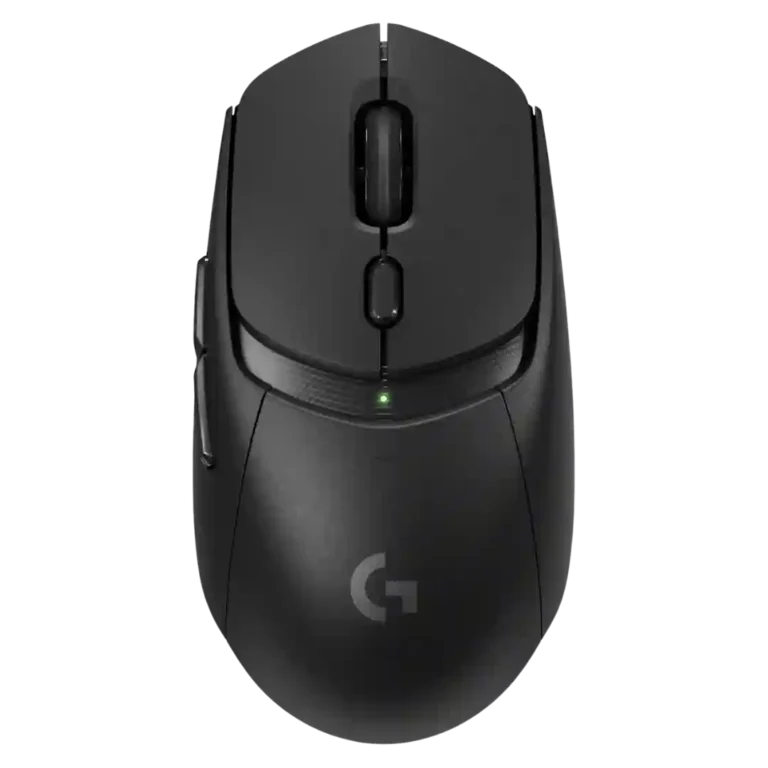
- Better: looks and sensor resolution The Asus ROG Keris II Ace is presented as a more capable step-up with better looks and a higher-resolution sensor.
Logitech G309 Lightspeed Review
Bottom Line
Choose the Logitech G309 Lightspeed for accurate wireless tracking, strong battery life, responsive clicks, and PowerPlay-friendly lightweight use. Skip it if you want standout value without PowerPlay, higher polling rates, richer ergonomics, RGB, or a lighter default AA setup.
Best for casual to mainstream gamers who want accurate wireless performance, long battery life, Bluetooth flexibility, and useful G Hub customization. It is especially attractive for reviewers who already use or plan to use PowerPlay.
Not ideal for buyers who want the lightest default setup, higher polling rates, rich RGB, premium ergonomics, or lots of MMO buttons. Several reviewers also questioned its value without PowerPlay.
Across the reviews, the G309 Lightspeed comes across as a capable but context-dependent wireless gaming mouse. Reviewers repeatedly praised its precise Hero 25K tracking, responsive Lightforce clicks, long battery life, and useful Bluetooth/Lightspeed flexibility. The tradeoff is that its best version depends on PowerPlay: without the AA battery it becomes much lighter and effectively battery-free, but that adds cost. With the default AA setup, several reviewers found the weight or rear balance less impressive, and some called the design generic or boring. Software, profiles, and button remapping are useful, though advanced tweaks and high polling rates are limited. It lands strongest as a practical everyday gaming mouse, not as a top esports or feature-packed MMO option.
Compared in Reviews
Products reviewers directly compared with this model, grouped into quick takeaways.
- Compared: sub-$100 value competition The G309 faces strong similarly priced competition from the Corsair Katar Elite Wireless.
- Compared: weight The G309 is compared with the Logitech G Pro X Superlight 2 on weight when used without a battery.
Feature Scorecards
Summary
55 reviewed features- Very positive 4.5-5.0 33% 18 features
- Positive 3.5-4.4 49% 27 features
- Neutral 2.5-3.4 15% 8 features
- Negative 1.5-2.4 4% 2 features
- Very negative below 1.5 0% 0 features
Pros
-
Click latency impressions were strong where tested, with reviewers describing immediate response and quick mouse input reaction in games.
-
Onboard memory was praised by one reviewer for saving sensitivity profiles to the mouse and using them on a computer without G Hub.
-
Skate durability had one strong positive review, with the feet holding up well after testing on a hard desk surface.
-
Button responsiveness was a repeated strength, with many reviewers praising quick rebound, light actuation, satisfying clicks, and fast response in games.
-
Wireless latency was a strength in gaming impressions, with reviewers praising low-latency or no-latency wireless response.
-
Connection stability was strong where tested, with reviewers reporting trouble-free gaming connections, easy connectivity, and no hiccups or lag.
-
Cross-platform compatibility was strong in the few reviews that tested it, with use across gaming rigs, work laptops, Chrome OS, Android, and iPad-style scenarios.
-
Reviewers consistently found tracking accurate and precise, from PCMag saying it nailed precision to gaming and editing tests that reported quick, accurate movement.
-
Profile switching was viewed favorably, especially for on-the-fly sensitivity changes and multiple profile support.
-
Build quality was consistently praised, with reviewers calling the shell sturdy, professional, well-built, or tank-like.
-
Wireless performance was consistently strong, with reviewers reporting robust performance, no noticeable latency, and no wireless signal problems.
-
Switch feel was broadly praised as light, crisp, tactile, smooth, and satisfying, with only minor differences from pricier Logitech switches noted.
-
Battery life was one of the clearest strengths, with reviewers repeatedly praising 300-hour AA use, Bluetooth endurance, or PowerPlay's unlimited runtime.
-
Bluetooth support was widely appreciated for dual-device use, easy pairing, travel, and work-and-gaming flexibility.
-
FPS gaming suitability was mostly positive, with reviewers reporting good performance in shooters, though some said it does not stand out for esports.
-
Main click quality was generally strong: reviewers liked the front buttons' responsiveness, satisfying feel, and snappy actuation.
-
Ergonomics were mostly positive where discussed, especially for comfort and control placement, though one reviewer wanted more curves.
-
Motion consistency was praised in Tom's Hardware's sensor testing, which described movement as precise, consistent, and accurate.
-
Charging convenience was strongest with PowerPlay or AA swapping, though one review disliked the lack of USB-C charging.
-
Weight tuning was praised when PowerPlay, battery swaps, or other changes reduced weight, but one reviewer disliked needing modifications to improve it.
-
Sensor feedback was mostly positive, with reviewers calling the Hero 25K reliable, accurate, and easy with quick swipes, though one review called it snappy without standing out.
-
DPI range was viewed as useful for presets and micro-adjustments, especially by reviewers who valued sensitivity control for gaming and desktop precision.
-
Shape comfort ranged from excellent to merely safe; several reviewers found it comfortable, while others considered it generic or not ideal for their preferred grip.
-
Dock compatibility was a clear advantage for PowerPlay owners, with reviewers calling it a strong pairing and a path to unlimited battery life.
-
Materials quality was positive but not luxurious; reviewers described sturdy plastic and materials that combined appearance with function.
-
Switch durability evidence was limited but positive, with reviewers noting no double-click or creaking issues during their testing.
-
Software usability was generally positive for G Hub customization and clarity, though some reviewers found remapping merely usable or basic.
-
Button customization was considered useful through G Hub, with remapping and binding flexibility praised even when advanced depth was limited.
-
Claw grip comfort was generally stronger than palm feedback, with reviewers calling the shape claw-friendly, though one claw-grip assessment was negative.
-
Side button quality was mixed: several reviewers found them responsive and easy to hit, while others called them merely OK, mushy, or less crisp.
-
Portability was generally good thanks to Bluetooth, battery power, and dongle storage, though one reviewer had a travel problem after leaving the receiver behind.
-
Glide smoothness was mostly positive, with several reviewers praising low resistance and smooth movement, while one strongly disliked the skates.
-
Long-session comfort was mostly positive for work and gaming, though one negative review reported fatigue during a long session.
-
Palm grip comfort was mixed, with some noting improved or accommodating palm support and others finding the mouse smaller or more claw-oriented.
-
Fingertip comfort was generally usable to good, with reviewers noting the smaller shape and fingertip-oriented handling, but not universally ideal.
-
Programmable button usefulness was adequate but limited by the six-button layout; reviewers liked remapping but noted there is not much to remap.
-
Surface compatibility was mixed: one reviewer recommended padded surfaces due to thin skates, while another praised performance on different surfaces.
-
Ecosystem integration was supported by TechRadar's positive take on G Hub integration working as intended.
-
Macro support was positively noted in one review through G Hub, where the reviewer highlighted the ability to create macros.
-
2.4GHz connectivity was useful for low-latency performance, though one reviewer disliked needing separate Lightspeed receivers.
-
Value was highly split: some reviewers called it affordable or well-priced, while others found it average, PowerPlay-dependent, or hard to recommend.
-
Grip texture was mixed: included grip tape helped a lot, but the smooth sides or coating were criticized for slipperiness and ordinary feel.
-
Scroll wheel feedback was divided, with some praising tactile scrolling and others criticizing stiffness, heavy middle-click feel, wide ratchet steps, or lack of free-wheel scrolling.
-
Firmware reliability was mixed: one reviewer completed a wireless firmware update easily, while another was blocked from customization until updating through the receiver.
-
Weight was the most divided attribute: PowerPlay or battery-free use made it feel light, but the AA setup felt heavy or back-heavy to several reviewers.
Cons
-
MOBA gaming suitability was mixed: DOTA and League testing was positive, but multiple reviews wanted more buttons for MOBA-style play.
-
RGB opinions were mixed: some reviewers missed RGB or found the mouse plain, while one reviewer liked not worrying about lighting.
-
Polling rate drew mixed reactions: 1,000Hz was treated as standard and adequate by some, while several reviewers noted it trails higher-end competitive mice.
-
Click noise was only judged in one review, which found the clicks somewhat loud but not as loud as a pricier Logitech model.
-
Premium feel was mixed to weak overall: a few found the unboxing or shape premium, but several called the design generic, boring, or not high-profile.
-
MMO gaming suitability was limited because reviewers felt the six-button layout lacked enough extra buttons for MMORPG play.
-
Weight distribution was a recurring concern, especially with the AA battery, though one review found the center-rear balance acceptable.
-
Handedness options were weak despite the symmetrical shell, because reviewers noted the left-side buttons make it right-hand favored.
-
Debounce customization was criticized only where advanced software tweaks were discussed, with TechRadar noting debounce time adjustment was absent.
-
Lift-off related customization was criticized only in TechRadar's review, which noted the lack of lift-off adjustment among missing advanced tweaks.
Compared With Category Average
Compared with other Gaming Mice, this product is above average in weight tuning, skate durability, Bluetooth support, below average in lift-off distance, balance and weight distribution, debounce customization.
Summary
8 compared features- Above average 0.4+ pts higher 50% 4 features
- Same as average within 0.3 pts 0% 0 features
- Below average 0.4+ pts lower 50% 4 features
| Attribute | This product | Category average | Difference |
|---|---|---|---|
| lift-off distance | 2.0 | 3.9 | -1.9 |
| weight tuning | 4.4 | 2.8 | +1.6 |
| balance and weight distribution | 2.5 | 4.1 | -1.6 |
| debounce customization | 2.0 | 3.7 | -1.7 |
| premium feel | 2.8 | 4.1 | -1.3 |
| skate durability | 5.0 | 3.7 | +1.3 |
| Bluetooth support | 4.5 | 3.5 | +1.0 |
| onboard memory | 5.0 | 3.9 | +1.1 |
FAQ
Is the Logitech G309 Lightspeed accurate for shooters?
Yes. Multiple reviewers praised its tracking, responsiveness, and FPS performance, though some noted it does not stand out like higher-end esports mice.
Does the G309 Lightspeed need PowerPlay?
No, it can run on a single AA battery. However, several reviewers felt it is most compelling with PowerPlay because that drops weight and removes battery worries.
How is the battery life?
Battery life was one of the strongest points. Reviews repeatedly cited long AA runtime, strong Bluetooth endurance, and effectively unlimited use with PowerPlay.
Is the mouse lightweight?
It depends on setup. Reviewers liked the 68g PowerPlay configuration, but many found the default AA setup heavier or back-heavy.
Is G Hub useful with this mouse?
Generally yes. Reviewers liked profiles, DPI settings, remapping, and macros, but some criticized the lack of advanced tweaks and called remapping only basic.
Is it good for MMO or MOBA games?
It can work for MOBA play, but reviewers were mixed. For MMORPGs and button-heavy play, the six-button layout was repeatedly seen as limited.
Sample Expert Reviews We Analyzed
These are a few of the reviews included in our analysis.

Video Reviews
- Review score
- 4.2/5
Article Reviews
- Review score
- 4.3/5
- Review score
- 4.9/5
- Review score
- 4.4/5
- Review score
- 4.4/5
Consider This Instead
If you want better lift-off distance
Choose Razer Basilisk V3 Pro 35K. It scores 5.0 vs 2.0 for lift-off distance, with a 4.2 overall score.
If you want better debounce customization
Choose Turtle Beach Kone II Air. It scores 4.8 vs 2.0 for debounce customization, with a 4.3 overall score.
If you want better balance and weight distribution
Choose Razer Viper V4 Pro. It scores 5.0 vs 2.5 for balance and weight distribution, with a 4.2 overall score.
If you want better premium feel
Choose Turtle Beach Burst II Pro. It scores 4.8 vs 2.8 for premium feel, with a 4.3 overall score.
Overall Top Gaming Mice Alternatives
Choose the ROG Harpe II Ace for ultralight FPS play, precise tracking, smooth glide, and web-based tuning. Skip it if you need palm-grip support, MMO buttons, onboard profiles, or long...
Pros: acceleration control, wireless latency
Cons: onboard memory, MMO gaming suitability

Best for MMO/MOBA control, swappable panels, strong wireless performance, and long battery life. Skip it if you want a light FPS mouse, low price, or no Synapse quirks.
Pros: sensor performance, click latency
Cons: software stability, Bluetooth support
Choose the Aerox 3 Wireless Gen 2 if you want a light, fast wireless FPS mouse with strong software and battery life. Skip it if you dislike honeycomb shells, need...
Pros: click latency, motion consistency
Cons: palm grip comfort, fingertip grip comfort
Choose the Kone II if you want a large, ergonomic mouse with deep customization and strong sensor performance. Skip it if you have small hands, need an ambidextrous mouse, or...
Pros: click latency, motion consistency
Cons: handedness options, portability