2.4GHz connectivity
P1
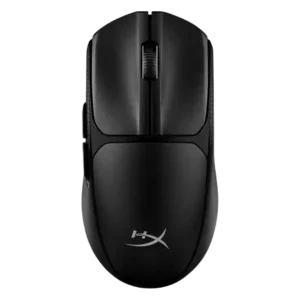
Product 1: HyperX Pulsefire Fuse
4.2
2.4GHz performance was widely treated as reliable and responsive, with reviewers repeatedly noting dongle support and standard 1000Hz operation.
P2
Product 2: ASUS ROG Strix Impact III...
4.5
Reviewers consistently report working 2.4GHz wireless through the ROG Omni receiver, with SpeedNova called out as the performance-focused mode.
Accuracy and tracking precision
P1
Product 1: HyperX Pulsefire Fuse
4.5
The strongest tracking evidence is positive, with precise tracking reported across fast FPS and broader game genres.
P2
Product 2: ASUS ROG Strix Impact III...
4.7
Reviewers agree the mouse tracks accurately and translates movement precisely, especially for quick aiming and fast cursor control.
balance and weight distribution
P1
Product 1: HyperX Pulsefire Fuse
4.0
Weight balance is lightly covered: one review noted a rear battery bias without handling harm, while another called the mouse well-balanced.
P2
Product 2: ASUS ROG Strix Impact III...
4.0
Only one review directly discussed balance, finding the AA setup normal while noting balance depends on battery choice.
battery life
P1
Product 1: HyperX Pulsefire Fuse
4.2
Battery life is a consistent strength, with multiple reviewers citing up to 85 hours and practical multi-session or multi-week use.
P2
Product 2: ASUS ROG Strix Impact III...
4.6
Battery life is a major strength, with reviewers citing 450-hour 2.4GHz claims and real-world use showing little or no drain.
Bluetooth support
P1
Product 1: HyperX Pulsefire Fuse
4.0
Bluetooth adds useful device flexibility, though one review found its latency unsuitable for fast-paced games.
P2
Product 2: ASUS ROG Strix Impact III...
4.5
Bluetooth is consistently supported as the battery-saving wireless mode and a practical alternative to the 2.4GHz receiver.
build quality
P1
Product 1: HyperX Pulsefire Fuse
3.1
Build quality is divisive: some reviewers found a solid shell or practical design, while others criticized cheap components and one sample’s wobble.
P2
Product 2: ASUS ROG Strix Impact III...
4.7
Build quality is praised across reviews, with sturdy construction, tight fitment, and little wobble despite the removable shell.
button customization
P1
Product 1: HyperX Pulsefire Fuse
3.6
Button customization is present through NGENUITY, but opinions range from straightforward remapping to too few options to justify the app.
P2
Product 2: ASUS ROG Strix Impact III...
4.5
Button customization is well supported through Armoury Crate and onboard controls, including remapping, functions, and profiles.
button responsiveness
P1
Product 1: HyperX Pulsefire Fuse
4.1
Button response is generally positive, with several reviewers calling the clicks tactile, reliable, responsive, or satisfying.
P2
Product 2: ASUS ROG Strix Impact III...
4.5
Button response is described as crisp, accurate, and dependable, with reviewers highlighting clear actuation and reliable click registration.
charging convenience
P1
Product 1: HyperX Pulsefire Fuse
3.8
The replaceable AAA battery is usually framed as convenient because the cover opens easily and batteries can be swapped quickly.
P2
Product 2: ASUS ROG Strix Impact III...
4.0
Power convenience is mixed: AA/AAA batteries are easy to replace, but some reviewers disliked the lack of a rechargeable internal battery.
claw grip comfort
P1
Product 1: HyperX Pulsefire Fuse
2.0
Claw grip evidence is negative and limited to one reviewer, who found the low-profile shape caused wrist drag even in claw grip.
P2
Product 2: ASUS ROG Strix Impact III...
4.2
Claw grip is generally a good fit, especially for smaller hands and users who prefer the mouse’s compact, low profile shape.
click latency
P1
Product 1: HyperX Pulsefire Fuse
4.5
Latency evidence is positive in 2.4GHz mode, with wired-like response and no noticeable lag reported during gameplay.
P2
Product 2: ASUS ROG Strix Impact III...
4.8
Click latency is considered excellent thanks to minimal pre-travel, tight button tensioning, and wireless responsiveness close to wired.
click noise
P1
Product 1: HyperX Pulsefire Fuse
3.4
Click noise is mixed: one review warned the clicks are not quiet, while another said they are not overly loud.
P2
Product 2: ASUS ROG Strix Impact III...
4.1
Click noise is moderate to quiet depending on the reviewer; it is audible but not usually described as loud.
connection stability
P1
Product 1: HyperX Pulsefire Fuse
4.1
Connection stability is mostly positive, with stable multi-device use and smooth wireless operation reported.
P2
Product 2: ASUS ROG Strix Impact III...
4.7
Connection stability is a strong point, with reviewers reporting no signal breaks and reliable 2.4GHz radio communication.
cross-platform compatibility
P1
Product 1: HyperX Pulsefire Fuse
4.1
Cross-platform use is supported by Bluetooth and multi-device positioning, with one review explicitly describing the mouse as multi-platform.
P2
Product 2: ASUS ROG Strix Impact III...
4.2
Cross-device use is supported by onboard memory, Bluetooth device switching, and replaceable or multi-device ROG receiver support.
DPI range
P1
Product 1: HyperX Pulsefire Fuse
4.0
The 12,000 DPI ceiling is consistently documented and usually treated as enough, though one reviewer considered it too sensitive for most users.
P2
Product 2: ASUS ROG Strix Impact III...
4.8
DPI range is a standout specification, with reviewers repeatedly citing the 100-to-36,000 DPI sensor range.
durability over time
P1
Product 1: HyperX Pulsefire Fuse
3.8
Long-term durability evidence is limited to switch ratings, with Kailh switches cited at 20 million clicks.
P2
Product 2: ASUS ROG Strix Impact III...
4.4
Long-term durability is supported by hotswappable switches, durable click ratings, and reviewers valuing the ability to replace worn parts.
ecosystem integration
P1
Product 1: HyperX Pulsefire Fuse
4.0
HyperX ecosystem integration is supported by NGENUITY lighting sync with compatible HyperX peripherals.
P2
Product 2: ASUS ROG Strix Impact III...
4.2
ASUS ecosystem integration is strong through Aura Sync, Armoury Crate, and ROG Omni receiver pairing with compatible peripherals.
ergonomic design
P1
Product 1: HyperX Pulsefire Fuse
3.5
Ergonomic feedback is split: some found the mouse comfortable, while others said the low profile and small size hurt comfort.
P2
Product 2: ASUS ROG Strix Impact III...
3.8
Ergonomics are good for smaller hands and lightweight use, but larger hands or extended sessions can expose limited support.
fingertip grip comfort
P1
Product 1: HyperX Pulsefire Fuse
4.1
Fingertip-oriented comfort is supported indirectly by hybrid fingertip/palm use and a neutral shape that supports different grip styles.
P2
Product 2: ASUS ROG Strix Impact III...
4.3
Fingertip grip is one of the best-supported grips, with reviewers repeatedly calling it comfortable and well matched to the compact body.
FPS gaming suitability
P1
Product 1: HyperX Pulsefire Fuse
4.3
FPS suitability is strong in the positive reviews, which describe precise tracking and responsive clicks in fast-paced shooters.
P2
Product 2: ASUS ROG Strix Impact III...
4.6
FPS suitability is strong because reviewers connect the accurate sensor, low latency, light weight, and fast clicks to shooters.
glide smoothness
P1
Product 1: HyperX Pulsefire Fuse
3.1
Glide quality is inconsistent: one review praised smooth PTFE movement, while others found the feet less smooth or friction-prone.
P2
Product 2: ASUS ROG Strix Impact III...
4.4
Glide is consistently smooth on pads and desks, with PTFE/Teflon feet getting positive comments.
grip texture
P1
Product 1: HyperX Pulsefire Fuse
3.3
Grip texture is polarizing, praised for traction by some reviewers but criticized as rough or cheap by others.
P2
Product 2: ASUS ROG Strix Impact III...
4.2
Grip texture is useful despite no rubber panels, with textured sides and surfaces helping prevent slipping.
handedness options
P1
Product 1: HyperX Pulsefire Fuse
2.8
Handedness is one of the clearest split areas: the symmetrical shape helps, but left-side-only buttons make left-handed use weaker.
P2
Product 2: ASUS ROG Strix Impact III...
3.7
The body shape is symmetrical, but side buttons on the left make it functionally better for right-handed users.
left and right click quality
P1
Product 1: HyperX Pulsefire Fuse
4.1
Main click quality is generally a strength, with repeated praise for tactile, reliable, satisfying left and right clicks.
P2
Product 2: ASUS ROG Strix Impact III...
4.5
Left and right clicks are well regarded for PBT caps, crisp feel, minimal travel, and precise actuation.
long-session comfort
P1
Product 1: HyperX Pulsefire Fuse
3.7
Long-session comfort is highly dependent on hand size and fit, ranging from no fatigue to wrist friction and discomfort.
P2
Product 2: ASUS ROG Strix Impact III...
3.7
Long-session comfort is mixed: the mouse is easy for daily use and small hands, but larger hands may feel cramped.
macro support
P1
Product 1: HyperX Pulsefire Fuse
4.0
Macro support is confirmed through NGENUITY, which can record and trigger macros.
P2
Product 2: ASUS ROG Strix Impact III...
4.4
Macro support is present through Armoury Crate, which reviewers specifically mention alongside button mapping and profiles.
materials quality
P1
Product 1: HyperX Pulsefire Fuse
2.5
Materials are mixed, with fingerprint-resistant matte coating on one side and rough or cheap-feeling plastic on the other.
P2
Product 2: ASUS ROG Strix Impact III...
4.5
Materials quality is praised, including PBT main buttons, practical matte plastic, textured sides, and sturdy lightweight construction.
motion consistency
P1
Product 1: HyperX Pulsefire Fuse
4.5
Motion consistency is positive where tested directly, with reviewers reporting consistent tracking and no noticeable jitter or lag.
P2
Product 2: ASUS ROG Strix Impact III...
4.7
Motion consistency is excellent in the evidence, with reviewers reporting no jitter, no disruption, and no lag or stutter.
onboard memory
P1
Product 1: HyperX Pulsefire Fuse
4.2
Onboard memory is confirmed, allowing configurations to be saved directly to the mouse.
P2
Product 2: ASUS ROG Strix Impact III...
4.4
Onboard memory is supported and useful for saving calibrated settings and profiles directly to the mouse.
palm grip comfort
P1
Product 1: HyperX Pulsefire Fuse
4.0
Palm comfort is supported by a hybrid fingertip-and-palm experience, but broader comfort evidence shows hand-size sensitivity.
P2
Product 2: ASUS ROG Strix Impact III...
3.1
Palm grip support is limited, generally working only for very small hands because the shell is compact and flat.
polling rate
P1
Product 1: HyperX Pulsefire Fuse
3.6
Polling rate coverage is consistent at about 1000Hz, viewed as standard and acceptable rather than premium.
P2
Product 2: ASUS ROG Strix Impact III...
4.2
Polling rate is strong for the price, with 1000Hz 2.4GHz support noted, though Bluetooth can be lower in one reviewer’s testing.
portability
P1
Product 1: HyperX Pulsefire Fuse
4.2
Portability is a recurring strength thanks to light weight, dongle storage, Bluetooth fallback, and easy bag travel.
P2
Product 2: ASUS ROG Strix Impact III...
4.3
Portability is strong thanks to the compact body, receiver storage, battery operation, and travel-friendly wireless design.
premium feel
P1
Product 1: HyperX Pulsefire Fuse
2.2
Premium feel is limited; several reviewers explicitly contrast it with higher-end mice or criticize cheap-feeling parts.
P2
Product 2: ASUS ROG Strix Impact III...
4.4
Premium feel is present mainly in build and fit, though the product is still positioned as an affordable ROG model.
profile switching
P1
Product 1: HyperX Pulsefire Fuse
3.4
Profile switching evidence is mostly about DPI profiles or DPI levels, not richer full-profile workflows.
P2
Product 2: ASUS ROG Strix Impact III...
4.3
Profile switching is well supported through onboard memory, Armoury Crate, and mouse-button shortcuts.
programmable buttons
P1
Product 1: HyperX Pulsefire Fuse
3.9
Programmable controls are supported through remappable buttons, side-button mapping, and scroll-wheel assignment.
P2
Product 2: ASUS ROG Strix Impact III...
4.2
Programmable buttons are present, especially the side buttons and configurable controls through software.
RGB features
P1
Product 1: HyperX Pulsefire Fuse
3.1
RGB is mixed to negative: it is customizable, but several reviewers found it minimal, unimpressive, or battery-draining.
P2
Product 2: ASUS ROG Strix Impact III...
3.8
RGB is modest: mostly scroll-wheel lighting, useful for DPI or battery indication rather than flashy lighting.
scroll wheel quality
P1
Product 1: HyperX Pulsefire Fuse
3.6
Scroll wheel quality is split between smooth, tactile praise and criticism that the wheel is too small.
P2
Product 2: ASUS ROG Strix Impact III...
4.4
Scroll wheel quality is positive overall, with clear notches, resistance, quiet operation, and precise control mentioned.
sensor performance
P1
Product 1: HyperX Pulsefire Fuse
3.9
Sensor performance is generally solid for the category, led by positive PAW3311 tracking reports but tempered by one merely adequate verdict.
P2
Product 2: ASUS ROG Strix Impact III...
4.8
Sensor performance is one of the mouse’s strongest areas, with the ROG AimPoint sensor praised for accuracy and high specs.
shape comfort
P1
Product 1: HyperX Pulsefire Fuse
3.5
Shape comfort is strongly reviewer-dependent, ranging from easy adaptation and a nice shape to too low-profile for larger hands.
P2
Product 2: ASUS ROG Strix Impact III...
3.6
Shape comfort is polarizing: compact and familiar for some, but too flat or sloped for others.
side button quality
P1
Product 1: HyperX Pulsefire Fuse
1.5
Side-button quality is the weakest control area, with one review calling them small, stiff, uncomfortable, and cheap-feeling.
P2
Product 2: ASUS ROG Strix Impact III...
4.1
Side buttons are usable and generally clear, but the left-only placement limits full ambidextrous use.
skate durability
P1
Product 1: HyperX Pulsefire Fuse
2.0
Skate durability evidence is limited and negative, with one reviewer reporting dust buildup around the skates.
P2
Product 2: ASUS ROG Strix Impact III...
3.3
Skate durability is only moderately supported; glide is smooth, but reviews mention faster wear without a pad and no spare feet.
software usability
P1
Product 1: HyperX Pulsefire Fuse
3.6
Software usability is divided between straightforward, beginner-friendly customization and complaints that the app is barely worth installing.
P2
Product 2: ASUS ROG Strix Impact III...
4.3
Software usability is generally positive, with Armoury Crate offering clear controls for buttons, DPI, lighting, calibration, and power.
surface compatibility
P1
Product 1: HyperX Pulsefire Fuse
3.6
Surface compatibility is mixed, with strong glass/all-surface evidence offset by one report of scraping and friction.
P2
Product 2: ASUS ROG Strix Impact III...
4.1
Surface compatibility is good across pads and desk surfaces, though glass is a clear exception.
switch durability
P1
Product 1: HyperX Pulsefire Fuse
3.8
Switch durability is supported by Kailh 20-million-click ratings rather than long-term failure testing.
P2
Product 2: ASUS ROG Strix Impact III...
4.5
Switch durability is strong, with 50M to 70M click ratings and easy replacement through Push-Fit sockets.
switch feel
P1
Product 1: HyperX Pulsefire Fuse
4.1
Switch feel is usually positive, with repeated descriptions of clicky, tactile, crisp, or satisfying feedback.
P2
Product 2: ASUS ROG Strix Impact III...
4.4
Switch feel is praised as clear, tactile, crisp, and adjustable if users install compatible switches.
value for money
P1
Product 1: HyperX Pulsefire Fuse
3.7
Value is polarizing: positive reviews call it excellent or strong value, while critical reviews say competitors are more compelling.
P2
Product 2: ASUS ROG Strix Impact III...
4.4
Value is a recurring strength, with reviewers repeatedly describing the mouse as affordable or a great deal for its specs.
weight
P1
Product 1: HyperX Pulsefire Fuse
4.0
Weight is a consistent advantage, with reviewers repeatedly identifying the 75g AAA configuration as light or relatively lightweight.
P2
Product 2: ASUS ROG Strix Impact III...
4.2
Weight is light overall, though the 57g marketing figure excludes the required battery and real use is closer to 68-72g.
wireless latency
P1
Product 1: HyperX Pulsefire Fuse
4.5
Wireless latency is a clear 2.4GHz strength, with reviewers reporting wired-like feel and no noticeable input lag.
P2
Product 2: ASUS ROG Strix Impact III...
4.6
Wireless latency is consistently praised, with several reviewers finding it close to wired and suitable for gaming.
wireless performance
P1
Product 1: HyperX Pulsefire Fuse
4.3
Wireless performance is one of the most consistently positive areas, especially over the 2.4GHz dongle.
P2
Product 2: ASUS ROG Strix Impact III...
4.6
Wireless performance is a core strength, with stable signals, low-latency SpeedNova, and no delay issues reported.