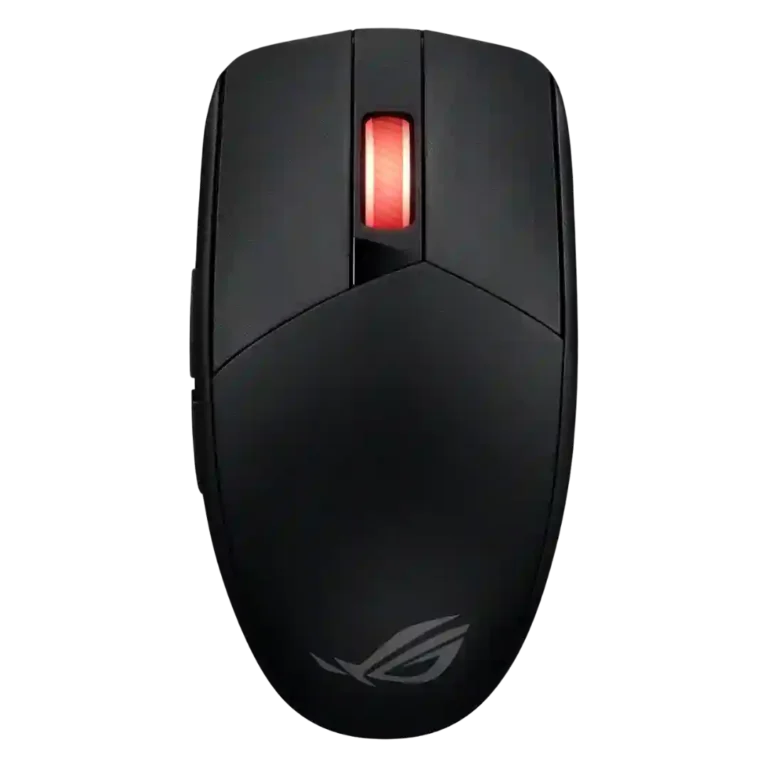
ASUS ROG Strix Impact III Wireless Review
Bottom Line
Choose this if you want a compact, precise wireless gaming mouse with long battery life and swappable switches. Skip it if you need wired use, rechargeable charging, or a fuller palm-support shape.
Best for fingertip or claw-grip users with small to medium hands who want precise wireless performance, long battery life, and replaceable switches without paying flagship-mouse prices.
Not ideal for users who want a rechargeable USB-C mouse, wired backup mode, extensive RGB, left-side thumb buttons for left-handed play, or a tall palm-filling shape.
The ASUS ROG Strix Impact III Wireless earns its praise through a very accurate AimPoint sensor, stable 2.4GHz wireless, Bluetooth support, long battery life, and replaceable switches. Reviewers repeatedly describe the clicks as precise and tactile, the build as sturdy for the weight, and the value as strong for a ROG wireless mouse. The tradeoff is that its compact, flat shell fits fingertip and claw users better than larger-hand palm grippers. Battery flexibility is useful because AA and AAA cells are easy to replace, but the lack of wired or rechargeable operation is a real limitation for users who dislike disposable or removable batteries.
Scored Features
Pros
-
The 100-36,000 DPI range is repeatedly documented and treated as a major precision advantage.
Evidence
Examples from reviews used for this score. Showing up to 3 quotes.
-
From:
ASUS ROG STRIX Impact III Wireless Review - Gadgets Middle East
DPI ranging from 100 to 36,000
-
From:
Tech I Actually Use : ROG Strix Impact III Wireless
sensitivity of up to 36,000 DPI
-
From:
ASUS ROG Strix Impact 3 iii Wireless P520 With Swappable Switches & Insane Battery Life
anything between 100 DPI all the way up
Quotes are examples; the score reflects all analyzed reviews for this feature.
-
From:
ASUS ROG STRIX Impact III Wireless Review - Gadgets Middle East
-
Tracking accuracy is repeatedly praised, with reviewers describing precise cursor translation, high accuracy, and clean performance without jitter or disruption.
Evidence
Examples from reviews used for this score. Showing up to 3 quotes.
-
From:
Tech I Actually Use : ROG Strix Impact III Wireless
one of the most precise mice
-
From:
ASUS ROG Strix Impact III Wireless review: jewellery precision with 36,000 DPI
excellent accuracy, stability, no disruption, jitter
-
From:
ASUS ROG Strix Impact 3 iii Wireless P520 With Swappable Switches & Insane Battery Life
extremely reliable extremely accurate
Quotes are examples; the score reflects all analyzed reviews for this feature.
-
From:
Tech I Actually Use : ROG Strix Impact III Wireless
-
Sensor performance is one of the strongest points, with the ROG AimPoint sensor repeatedly described as accurate, precise, and high performing.
Evidence
Examples from reviews used for this score. Showing up to 3 quotes.
-
From:
ASUS ROG Strix Impact III Wireless review: jewellery precision with 36,000 DPI
the sensor proved to be excellent
-
From:
ASUS ROG STRIX Impact III Wireless Review - Gadgets Middle East
ROG AimPoint optical sensor ensures pinpoint accuracy
-
From:
ASUS ROG Strix Impact 3 iii Wireless P520 With Swappable Switches & Insane Battery Life
giving you up to 36,000 DPI
Quotes are examples; the score reflects all analyzed reviews for this feature.
-
From:
ASUS ROG Strix Impact III Wireless review: jewellery precision with 36,000 DPI
-
Fingertip grip comfort receives clear praise, especially from reviewers who prefer the compact, low-profile shape.
Evidence
Examples from reviews used for this score. Showing up to 3 quotes.
-
From:
ASUS ROG Strix Impact III Wireless review: jewellery precision with 36,000 DPI
very comfortable to use with a finger grip
-
From:
Attention Required! | Cloudflare
very comfortable to hold it with my fingers
Quotes are examples; the score reflects all analyzed reviews for this feature.
-
From:
ASUS ROG Strix Impact III Wireless review: jewellery precision with 36,000 DPI
-
Battery life is a standout theme, with several reviewers citing 450-hour 2.4GHz claims, longer Bluetooth use, and little or no drain during testing.
Evidence
Examples from reviews used for this score. Showing up to 3 quotes.
-
From:
ASUS ROG Strix Impact 3 iii Wireless P520 With Swappable Switches & Insane Battery Life
up to 600 hours on Bluetooth mode
-
From:
Attention Required! | Cloudflare
Approximately 450 hours when connected via ROG SpeedNova
-
From:
Tech I Actually Use : ROG Strix Impact III Wireless
really long battery life
Quotes are examples; the score reflects all analyzed reviews for this feature.
-
From:
ASUS ROG Strix Impact 3 iii Wireless P520 With Swappable Switches & Insane Battery Life
-
Reviewers consistently cite dual wireless operation through 2.4GHz/ROG SpeedNova and Bluetooth, making the connection options a core strength.
Evidence
Examples from reviews used for this score. Showing up to 3 quotes.
-
From:
Attention Required! | Cloudflare
Connection: wireless (Bluetooth 5.1/RF 2.4 GHz)
-
From:
ASUS ROG Strix Impact III Wireless review: jewellery precision with 36,000 DPI
has 2.4 GHz and Bluetooth connectivity
-
From:
Tech I Actually Use : ROG Strix Impact III Wireless
2.4 GHz dongle over here
Quotes are examples; the score reflects all analyzed reviews for this feature.
-
From:
Attention Required! | Cloudflare
-
Connection stability is praised, with no dropouts or delay issues reported and multiple reviewers describing stable, responsive wireless behavior.
Evidence
Examples from reviews used for this score. Showing up to 3 quotes.
-
From:
ASUS ROG STRIX Impact III Wireless Review - Gadgets Middle East
no connectivity or delay issues
-
From:
ASUS ROG Strix Impact 3 iii Wireless P520 With Swappable Switches & Insane Battery Life
this gives you a fantastic strong signal
-
From:
ASUS ROG Strix Impact III Wireless review: jewellery precision with 36,000 DPI
The wireless signal is stable
Quotes are examples; the score reflects all analyzed reviews for this feature.
-
From:
ASUS ROG STRIX Impact III Wireless Review - Gadgets Middle East
-
Bluetooth support is well documented across reviews, often paired with 2.4GHz wireless and multi-device pairing convenience.
Evidence
Examples from reviews used for this score. Showing up to 3 quotes.
-
From:
Attention Required! | Cloudflare
Approximately 500 hours when connected via Bluetooth
-
From:
ASUS ROG Strix Impact III Wireless review: jewellery precision with 36,000 DPI
2.4 GHz and Bluetooth connectivity
-
From:
ROG Strix Impact III Wireless Mouse (Hardware) - Review | MKAU Gaming
Bluetooth (pair this device with up to 3 devices
Quotes are examples; the score reflects all analyzed reviews for this feature.
-
From:
Attention Required! | Cloudflare
-
Latency evidence is strong, with reviewers citing low-latency SpeedNova, near-zero click latency, and sub-1ms claims.
Evidence
Examples from reviews used for this score. Showing up to 3 quotes.
-
From:
ASUS ROG Strix Impact 3 iii Wireless P520 With Swappable Switches & Insane Battery Life
under 1 millisecond of latency
-
From:
Tech I Actually Use : ROG Strix Impact III Wireless
clicking with near zero latency
-
From:
Attention Required! | Cloudflare
reduces pre-travel, thereby minimizing delays between clicks
Quotes are examples; the score reflects all analyzed reviews for this feature.
-
From:
ASUS ROG Strix Impact 3 iii Wireless P520 With Swappable Switches & Insane Battery Life
-
Wireless latency is rated very highly, with reviewers saying it feels wired-like or citing very low-latency operation.
Evidence
Examples from reviews used for this score. Showing up to 3 quotes.
-
From:
ASUS ROG Strix Impact 3 iii Wireless P520 With Swappable Switches & Insane Battery Life
under 1 millisecond of latency
-
From:
Tech I Actually Use : ROG Strix Impact III Wireless
as responsive as being wired
-
From:
Attention Required! | Cloudflare
minimal latency and increased energy efficiency
Quotes are examples; the score reflects all analyzed reviews for this feature.
-
From:
ASUS ROG Strix Impact 3 iii Wireless P520 With Swappable Switches & Insane Battery Life
-
Motion consistency is strong, with reviewers reporting stable tracking, no jitter, no disruption, and precise movement translation.
Evidence
Examples from reviews used for this score. Showing up to 3 quotes.
-
From:
ASUS ROG Strix Impact III Wireless review: jewellery precision with 36,000 DPI
no disruption, jitter or any other problems
-
From:
Attention Required! | Cloudflare
maximum control, precise clicks, no glitches
-
From:
ASUS ROG STRIX Impact III Wireless Review - Gadgets Middle East
Offering precise tracking and sensitivity adjustments
Quotes are examples; the score reflects all analyzed reviews for this feature.
-
From:
ASUS ROG Strix Impact III Wireless review: jewellery precision with 36,000 DPI
-
Durability over time is helped by wear-resistant PBT buttons and replaceable switches that can extend the usable lifespan.
Evidence
Examples from reviews used for this score. Showing up to 3 quotes.
-
From:
Tech I Actually Use : ROG Strix Impact III Wireless
Everything can be done by yourself and it's easy
-
From:
ASUS ROG Strix Impact III Wireless review: jewellery precision with 36,000 DPI
easy to replace them in case of failure
-
From:
ASUS ROG STRIX Impact III Wireless Review - Gadgets Middle East
replace worn or broken switches
Quotes are examples; the score reflects all analyzed reviews for this feature.
-
From:
Tech I Actually Use : ROG Strix Impact III Wireless
-
Wireless performance is a clear strength, combining stable SpeedNova 2.4GHz behavior, Bluetooth flexibility, and no major delay complaints.
Evidence
Examples from reviews used for this score. Showing up to 3 quotes.
-
From:
Tech I Actually Use : ROG Strix Impact III Wireless
Speed Nova 2.4 GHz tech
-
From:
ASUS ROG Strix Impact 3 iii Wireless P520 With Swappable Switches & Insane Battery Life
this gives you a fantastic strong signal
-
From:
ASUS ROG Strix Impact III Wireless review: jewellery precision with 36,000 DPI
The wireless signal is stable
Quotes are examples; the score reflects all analyzed reviews for this feature.
-
From:
Tech I Actually Use : ROG Strix Impact III Wireless
-
Switch durability is strong, with repeated 70-million-click ratings and replaceable switch sockets.
Evidence
Examples from reviews used for this score. Showing up to 3 quotes.
-
From:
Tech I Actually Use : ROG Strix Impact III Wireless
70 million click lifespan
-
From:
ASUS ROG Strix Impact 3 iii Wireless P520 With Swappable Switches & Insane Battery Life
suitable for up to 70 million clicks
-
From:
Attention Required! | Cloudflare
durability of 70 million clicks
Quotes are examples; the score reflects all analyzed reviews for this feature.
-
From:
Tech I Actually Use : ROG Strix Impact III Wireless
-
Build quality is generally strong, with sturdy construction, tight fit, and minimal flex noted despite the lightweight shell.
Evidence
Examples from reviews used for this score. Showing up to 3 quotes.
-
From:
ASUS ROG Strix Impact 3 iii Wireless P520 With Swappable Switches & Insane Battery Life
literally no Creek or Flex
-
From:
Attention Required! | Cloudflare
The build quality of the mouse is very high
-
From:
ASUS ROG Strix Impact III Wireless review: jewellery precision with 36,000 DPI
All parts are perfectly fitted
Quotes are examples; the score reflects all analyzed reviews for this feature.
-
From:
ASUS ROG Strix Impact 3 iii Wireless P520 With Swappable Switches & Insane Battery Life
-
Left and right click quality is a major strength, with stable buttons, little wobble, crisp feel, and accurate actuation.
Evidence
Examples from reviews used for this score. Showing up to 3 quotes.
-
From:
Attention Required! | Cloudflare
buttons sit perfectly: they don’t wobble
-
From:
ASUS ROG Strix Impact III Wireless review: jewellery precision with 36,000 DPI
the buttons do not wobble or shake
-
From:
ASUS ROG STRIX Impact III Wireless Review - Gadgets Middle East
main buttons offering a light, crisp feel
Quotes are examples; the score reflects all analyzed reviews for this feature.
-
From:
Attention Required! | Cloudflare
-
Onboard memory is a useful feature, allowing profile settings to be saved directly to the mouse for use without software.
Evidence
Examples from reviews used for this score. Showing up to 3 quotes.
-
From:
Attention Required! | Cloudflare
built-in memory that can store up to 5 different profiles
-
From:
ROG Strix Impact III Wireless Mouse (Hardware) - Review | MKAU Gaming
onboard memory to calibrate and save preset mouse settings
-
From:
ASUS ROG STRIX Impact III Wireless Review - Gadgets Middle East
save personalized profiles to onboard memory
Quotes are examples; the score reflects all analyzed reviews for this feature.
-
From:
Attention Required! | Cloudflare
-
FPS suitability is strong because reviewers connect the mouse's speed, precision, low latency, and lightweight movement to shooters and fast-paced games.
Evidence
Examples from reviews used for this score. Showing up to 3 quotes.
-
From:
ASUS ROG Strix Impact 3 iii Wireless P520 With Swappable Switches & Insane Battery Life
gaming FPS games or whatever it is
-
From:
ROG Strix Impact III Wireless Review: Cut the Cord, Not the Performance
fast flick shots in fast-paced games such as FPS titles
-
From:
ASUS ROG STRIX Impact III Wireless Review - Gadgets Middle East
tailor-made for high-speed gaming experiences
Quotes are examples; the score reflects all analyzed reviews for this feature.
-
From:
ASUS ROG Strix Impact 3 iii Wireless P520 With Swappable Switches & Insane Battery Life
-
Click response is consistently positive, described as fast, precise, tactile, and reliable across gaming and work use.
Evidence
Examples from reviews used for this score. Showing up to 3 quotes.
-
From:
Attention Required! | Cloudflare
clicks are executed faster and more precisely compared to other mice
-
From:
Tech I Actually Use : ROG Strix Impact III Wireless
The clicking is also the clicking is also very, very fast
-
From:
ASUS ROG Strix Impact 3 iii Wireless P520 With Swappable Switches & Insane Battery Life
I find it to be extremely responsive
Quotes are examples; the score reflects all analyzed reviews for this feature.
-
From:
Attention Required! | Cloudflare
-
ROG ecosystem integration is strong through the Omni receiver and Aura/Armoury features, especially the ability to pair compatible ROG peripherals through one dongle.
Evidence
Examples from reviews used for this score. Showing up to 3 quotes.
-
From:
Tech I Actually Use : ROG Strix Impact III Wireless
use one USB port to connect to both
-
From:
ASUS ROG Strix Impact 3 iii Wireless P520 With Swappable Switches & Insane Battery Life
multiple devices connected on one dongle
-
From:
ROG Strix Impact III Wireless Review: Reasonably Good Ambidextrous RM299 Gaming Mouse
connect other ROG products wirelessly with the same receiver
Quotes are examples; the score reflects all analyzed reviews for this feature.
-
From:
Tech I Actually Use : ROG Strix Impact III Wireless
-
Profile switching is directly supported through onboard profiles and button/application switching.
Evidence
Examples from reviews used for this score. Showing up to 3 quotes.
-
From:
Attention Required! | Cloudflare
switch between profiles using the application
-
From:
ROG Strix Impact III Wireless Mouse (Hardware) - Review | MKAU Gaming
easily switch between profiles
Quotes are examples; the score reflects all analyzed reviews for this feature.
-
From:
Attention Required! | Cloudflare
-
Glide is consistently positive where tested, with PTFE feet described as smooth, seamless, or easy over hard surfaces and mouse pads.
Evidence
Examples from reviews used for this score. Showing up to 3 quotes.
-
From:
ASUS ROG STRIX Impact III Wireless Review - Gadgets Middle East
PTFE pads for seamless gliding
-
From:
ROG Strix Impact III Wireless Review: Reasonably Good Ambidextrous RM299 Gaming Mouse
offer a smooth, uninterrupted glide
-
From:
ASUS ROG Strix Impact 3 iii Wireless P520 With Swappable Switches & Insane Battery Life
does slide particular well Glides
Quotes are examples; the score reflects all analyzed reviews for this feature.
-
From:
ASUS ROG STRIX Impact III Wireless Review - Gadgets Middle East
-
Value is a consistent strength, especially where reviewers compare its sensor, wireless features, and replaceable switches to the asking price.
Evidence
Examples from reviews used for this score. Showing up to 3 quotes.
-
From:
Tech I Actually Use : ROG Strix Impact III Wireless
How is this not a great deal
-
From:
ASUS ROG Strix Impact 3 iii Wireless P520 With Swappable Switches & Insane Battery Life
absolutely fantastic at the price I paid
-
From:
ROG Strix Impact III Wireless Review: Reasonably Good Ambidextrous RM299 Gaming Mouse
offers great value for money
Quotes are examples; the score reflects all analyzed reviews for this feature.
-
From:
Tech I Actually Use : ROG Strix Impact III Wireless
-
Button customization is supported through Armoury Crate, with button remapping, function assignment, macros, and performance profiles mentioned.
Evidence
Examples from reviews used for this score. Showing up to 3 quotes.
-
From:
Attention Required! | Cloudflare
remap buttons, assign various functions, macros
-
From:
ROG Strix Impact III Wireless Review: Cut the Cord, Not the Performance
button mapping, macro creation, performance profiles
-
From:
ASUS ROG Strix Impact 3 iii Wireless P520 With Swappable Switches & Insane Battery Life
you can go in and you can change
Quotes are examples; the score reflects all analyzed reviews for this feature.
-
From:
Attention Required! | Cloudflare
-
Portability is a strength thanks to compact size, receiver storage, battery flexibility, and even a travel bag in one package.
Evidence
Examples from reviews used for this score. Showing up to 3 quotes.
-
From:
Tech I Actually Use : ROG Strix Impact III Wireless
ideal for travel and going
-
From:
Attention Required! | Cloudflare
it can be taken anywhere
-
From:
ASUS ROG Strix Impact III Wireless review: jewellery precision with 36,000 DPI
The mouse is focused mainly on mobile use
Quotes are examples; the score reflects all analyzed reviews for this feature.
-
From:
Tech I Actually Use : ROG Strix Impact III Wireless
-
Lift-off distance is configurable through Armoury Crate or button combinations, giving users a practical tuning option.
Evidence
Examples from reviews used for this score. Showing up to 3 quotes.
-
From:
ASUS ROG Strix Impact 3 iii Wireless P520 With Swappable Switches & Insane Battery Life
liftoff distance which is adjustable between low and high
-
From:
ASUS ROG Strix Impact III Wireless review: jewellery precision with 36,000 DPI
adjust the height of the lift off the surface
-
From:
Attention Required! | Cloudflare
you can also adjust the lift-off distance
Quotes are examples; the score reflects all analyzed reviews for this feature.
-
From:
ASUS ROG Strix Impact 3 iii Wireless P520 With Swappable Switches & Insane Battery Life
-
Materials quality is generally positive, with PBT buttons, practical plastics, and high-quality materials cited across reviews.
Evidence
Examples from reviews used for this score. Showing up to 3 quotes.
-
From:
ASUS ROG STRIX Impact III Wireless Review - Gadgets Middle East
PBT buttons offer exceptional durability and grip
-
From:
Attention Required! | Cloudflare
matte plastic feels pleasant to the touch
-
From:
ROG Strix Impact III Wireless Review: Cut the Cord, Not the Performance
use of high-quality materials
Quotes are examples; the score reflects all analyzed reviews for this feature.
-
From:
ASUS ROG STRIX Impact III Wireless Review - Gadgets Middle East
-
Cross-device use is supported by onboard settings and Bluetooth/receiver flexibility, though the evidence is more about device portability than full OS coverage.
Evidence
Examples from reviews used for this score. Showing up to 3 quotes.
-
From:
Attention Required! | Cloudflare
use these settings without the Armoury Crate software installed, even on other PCs
-
From:
ASUS ROG Strix Impact III Wireless review: jewellery precision with 36,000 DPI
connecting the mouse to different devices
Quotes are examples; the score reflects all analyzed reviews for this feature.
-
From:
Attention Required! | Cloudflare
-
Switch feel is praised as crisp, tactile, light, and customizable through replaceable mechanical switches.
Evidence
Examples from reviews used for this score. Showing up to 3 quotes.
-
From:
Attention Required! | Cloudflare
Clicks are soft and precise
-
From:
ASUS ROG Strix Impact III Wireless review: jewellery precision with 36,000 DPI
short, clear and very informative click
-
From:
ASUS ROG Strix Impact 3 iii Wireless P520 With Swappable Switches & Insane Battery Life
very nice tactile filter them
Quotes are examples; the score reflects all analyzed reviews for this feature.
-
From:
Attention Required! | Cloudflare
-
Premium feel is supported by sturdy construction and well-fitted materials, though this is still positioned as an affordable ROG mouse.
Evidence
Examples from reviews used for this score. Showing up to 3 quotes.
-
From:
ASUS ROG Strix Impact 3 iii Wireless P520 With Swappable Switches & Insane Battery Life
been made spectacularly well
-
From:
ASUS ROG Strix Impact III Wireless review: jewellery precision with 36,000 DPI
well built with quality materials
-
From:
Attention Required! | Cloudflare
premium gaming devices: high-quality, versatile
Quotes are examples; the score reflects all analyzed reviews for this feature.
-
From:
ASUS ROG Strix Impact 3 iii Wireless P520 With Swappable Switches & Insane Battery Life
-
Grip texture is a quiet strength, with textured sides and rougher surfaces helping prevent slipping without relying on rubber pads.
Evidence
Examples from reviews used for this score. Showing up to 3 quotes.
-
From:
ASUS ROG STRIX Impact III Wireless Review - Gadgets Middle East
textured surface ensures a secure grip
-
From:
ASUS ROG Strix Impact III Wireless review: jewellery precision with 36,000 DPI
rough surface of the sides copes with its task well
-
From:
ASUS ROG Strix Impact 3 iii Wireless P520 With Swappable Switches & Insane Battery Life
enough so that your hand doesn't slip
Quotes are examples; the score reflects all analyzed reviews for this feature.
-
From:
ASUS ROG STRIX Impact III Wireless Review - Gadgets Middle East
-
The scroll wheel is generally praised for clear steps, resistance, precision, and quiet or moderate sound.
Evidence
Examples from reviews used for this score. Showing up to 3 quotes.
-
From:
ASUS ROG Strix Impact 3 iii Wireless P520 With Swappable Switches & Insane Battery Life
really nice feel to it very nice clicks
-
From:
ASUS ROG STRIX Impact III Wireless Review - Gadgets Middle East
scroll wheel offers resistance and precise control
-
From:
ASUS ROG Strix Impact III Wireless review: jewellery precision with 36,000 DPI
scroll wheel is quiet at any speed
Quotes are examples; the score reflects all analyzed reviews for this feature.
-
From:
ASUS ROG Strix Impact 3 iii Wireless P520 With Swappable Switches & Insane Battery Life
-
Software usability is positive overall, with Armoury Crate described as familiar, intuitive, and rich in controls.
Evidence
Examples from reviews used for this score. Showing up to 3 quotes.
-
From:
ROG Strix Impact III Wireless Review: Cut the Cord, Not the Performance
The software is user-friendly and intuitive
-
From:
ASUS ROG Strix Impact 3 iii Wireless P520 With Swappable Switches & Insane Battery Life
lots of things you can control in there
-
From:
ASUS ROG Strix Impact III Wireless review: jewellery precision with 36,000 DPI
configure actions for each button, select four DPI levels
Quotes are examples; the score reflects all analyzed reviews for this feature.
-
From:
ROG Strix Impact III Wireless Review: Cut the Cord, Not the Performance
-
Macro support is present through Armoury Crate, where reviewers mention macro creation and assigning actions to controls.
Evidence
Examples from reviews used for this score. Showing up to 3 quotes.
-
From:
Attention Required! | Cloudflare
assign various functions, macros, Windows quick actions
-
From:
ROG Strix Impact III Wireless Review: Cut the Cord, Not the Performance
macro creation, performance profiles
-
From:
ASUS ROG Strix Impact 3 iii Wireless P520 With Swappable Switches & Insane Battery Life
choose to do a different Mouse function
Quotes are examples; the score reflects all analyzed reviews for this feature.
-
From:
Attention Required! | Cloudflare
-
Weight tuning is possible through AA versus AAA batteries, which changes total weight while also affecting battery life.
Evidence
Examples from reviews used for this score. Showing up to 3 quotes.
-
From:
Tech I Actually Use : ROG Strix Impact III Wireless
able to use both double A and AAA batteries
-
From:
Attention Required! | Cloudflare
Using micro batteries slightly reduces the weight
-
From:
ROG Strix Impact III Wireless Mouse (Hardware) - Review | MKAU Gaming
takes both AA and AAA batteries
Quotes are examples; the score reflects all analyzed reviews for this feature.
-
From:
Tech I Actually Use : ROG Strix Impact III Wireless
-
Surface compatibility is good on pads and ordinary desk surfaces, with glass noted as the main weak surface.
Evidence
Examples from reviews used for this score. Showing up to 3 quotes.
-
From:
ASUS ROG Strix Impact III Wireless review: jewellery precision with 36,000 DPI
calibrate the mouse depending on the surface used
-
From:
Attention Required! | Cloudflare
sensor handles all surfaces without any issues except for glass
-
From:
ASUS ROG Strix Impact 3 iii Wireless P520 With Swappable Switches & Insane Battery Life
plain melamine desk surface and that's absolutely fine
Quotes are examples; the score reflects all analyzed reviews for this feature.
-
From:
ASUS ROG Strix Impact III Wireless review: jewellery precision with 36,000 DPI
-
Claw comfort is supported mainly for smaller hands and users who like low, compact mice; larger-hand comfort is less certain.
Evidence
Examples from reviews used for this score. Showing up to 3 quotes.
-
From:
Attention Required! | Cloudflare
optimal grip type for this mouse would be claw or fingertip
-
From:
Tech I Actually Use : ROG Strix Impact III Wireless
looking for grip and partial claw styles
-
From:
ASUS ROG Strix Impact III Wireless review: jewellery precision with 36,000 DPI
The claw is for the most demanding users
Quotes are examples; the score reflects all analyzed reviews for this feature.
-
From:
Attention Required! | Cloudflare
-
Weight is light for a battery-powered wireless mouse, though several reviewers note the advertised 57g excludes the required battery.
Evidence
Examples from reviews used for this score. Showing up to 3 quotes.
-
From:
ROG Strix Impact III Wireless Mouse (Hardware) - Review | MKAU Gaming
extremely lightweight, weighing in at only 57 grams
-
From:
ASUS ROG Strix Impact 3 iii Wireless P520 With Swappable Switches & Insane Battery Life
under 70 G which is absolutely excellent
-
From:
Attention Required! | Cloudflare
68 g (with AAA battery); 72 g (with AA battery)
Quotes are examples; the score reflects all analyzed reviews for this feature.
-
From:
ROG Strix Impact III Wireless Mouse (Hardware) - Review | MKAU Gaming
-
The only direct weight-balance note says the mouse does not tilt with the included AA battery, so balance evidence is positive but limited.
Evidence
Examples from reviews used for this score. Showing up to 3 quotes.
-
From:
ASUS ROG Strix Impact III Wireless review: jewellery precision with 36,000 DPI
the weight distribution is quite normal
Quotes are examples; the score reflects all analyzed reviews for this feature.
-
From:
ASUS ROG Strix Impact III Wireless review: jewellery precision with 36,000 DPI
-
Polling-rate support reaches 1000Hz in 2.4GHz mode, though one reviewer notes Bluetooth polling is lower in practice.
Evidence
Examples from reviews used for this score. Showing up to 3 quotes.
-
From:
ASUS ROG STRIX Impact III Wireless Review - Gadgets Middle East
adjust CPI and polling rate
-
From:
Attention Required! | Cloudflare
Polling rate: 125, 250, 500, 1000 Hz
-
From:
ASUS ROG Strix Impact III Wireless review: jewellery precision with 36,000 DPI
change the sampling frequency
Quotes are examples; the score reflects all analyzed reviews for this feature.
-
From:
ASUS ROG STRIX Impact III Wireless Review - Gadgets Middle East
-
Programmable button support is adequate but not extensive, with five to seven buttons depending on how reviewers count controls.
Evidence
Examples from reviews used for this score. Showing up to 3 quotes.
-
From:
Attention Required! | Cloudflare
7 buttons (right click, left click, wheel button
-
From:
ASUS ROG STRIX Impact III Wireless Review - Gadgets Middle East
Equipped with 5 customizable buttons
-
From:
ASUS ROG Strix Impact 3 iii Wireless P520 With Swappable Switches & Insane Battery Life
five programmable buttons also it is a lightweight design
Quotes are examples; the score reflects all analyzed reviews for this feature.
-
From:
Attention Required! | Cloudflare
-
Click noise lands in a moderate range: reviewers call the clicks audible and crisp but also not very loud or minimal in noise.
Evidence
Examples from reviews used for this score. Showing up to 3 quotes.
-
From:
ASUS ROG Strix Impact III Wireless review: jewellery precision with 36,000 DPI
The sound is not very loud
-
From:
ASUS ROG STRIX Impact III Wireless Review - Gadgets Middle East
light, crisp feel and minimal noise
-
From:
Attention Required! | Cloudflare
In terms of volume, I would say it’s moderate
Quotes are examples; the score reflects all analyzed reviews for this feature.
-
From:
ASUS ROG Strix Impact III Wireless review: jewellery precision with 36,000 DPI
-
Side buttons are usable and configurable, though feedback ranges from clear and well positioned to slightly mushy.
Evidence
Examples from reviews used for this score. Showing up to 3 quotes.
-
From:
ASUS ROG Strix Impact III Wireless review: jewellery precision with 36,000 DPI
Additional buttons are also pressed clearly
-
From:
ASUS ROG STRIX Impact III Wireless Review - Gadgets Middle East
Side buttons are conveniently positioned
-
From:
Attention Required! | Cloudflare
pressed with minimal pre-travel
Quotes are examples; the score reflects all analyzed reviews for this feature.
-
From:
ASUS ROG Strix Impact III Wireless review: jewellery precision with 36,000 DPI
-
Handedness is mixed: the shape is symmetrical or semi-ambidextrous, but side buttons on the left favor right-handed use.
Evidence
Examples from reviews used for this score. Showing up to 3 quotes.
-
From:
Attention Required! | Cloudflare
suitable for both right and left-handed users
-
From:
ASUS ROG STRIX Impact III Wireless Review - Gadgets Middle East
Its ambidextrous design and PTFE feet
-
From:
Tech I Actually Use : ROG Strix Impact III Wireless
it left-handed or right-handed
Quotes are examples; the score reflects all analyzed reviews for this feature.
-
From:
Attention Required! | Cloudflare
-
Palm grip support is limited; one review says any grip is possible, but another says palm grip only works well with a very small hand.
Evidence
Examples from reviews used for this score. Showing up to 3 quotes.
-
From:
Attention Required! | Cloudflare
suitable for any grip style: claw, palm, or fingertip
Quotes are examples; the score reflects all analyzed reviews for this feature.
-
From:
Attention Required! | Cloudflare
-
Shape comfort is polarizing: some reviewers like the compact symmetrical shape, while others find it too flat or small.
Evidence
Examples from reviews used for this score. Showing up to 3 quotes.
-
From:
ASUS ROG Strix Impact 3 iii Wireless P520 With Swappable Switches & Insane Battery Life
very nice design it's actually quite compact
-
From:
Attention Required! | Cloudflare
There’s no pronounced hump
-
From:
ASUS ROG Strix Impact III Wireless review: jewellery precision with 36,000 DPI
fairly compact and lightweight gaming mouse with a classic symmetrical shape
Quotes are examples; the score reflects all analyzed reviews for this feature.
-
From:
ASUS ROG Strix Impact 3 iii Wireless P520 With Swappable Switches & Insane Battery Life
-
Ergonomic feedback is mixed: the mouse suits small hands and multiple grip styles, but some reviewers found the flat shape or limited support less comfortable.
Evidence
Examples from reviews used for this score. Showing up to 3 quotes.
-
From:
ROG Strix Impact III Wireless Mouse (Hardware) - Review | MKAU Gaming
fits comfortably in my smallish hands
-
From:
Attention Required! | Cloudflare
suitable for any grip style: claw, palm, or fingertip
-
From:
Tech I Actually Use : ROG Strix Impact III Wireless
pretty comfortable for, you know, the smaller hand gang
Quotes are examples; the score reflects all analyzed reviews for this feature.
-
From:
ROG Strix Impact III Wireless Mouse (Hardware) - Review | MKAU Gaming
Cons
-
RGB is limited and subdued, mainly centered on the scroll wheel, but it remains customizable through Armoury/Aura.
Evidence
Examples from reviews used for this score. Showing up to 3 quotes.
-
From:
ROG Strix Impact III Wireless Review: Cut the Cord, Not the Performance
subtle RGB lighting located on the ROG logo and scroll wheel
-
From:
Tech I Actually Use : ROG Strix Impact III Wireless
just this one scroll wheel right here
-
From:
Attention Required! | Cloudflare
only the scroll wheel is illuminated
Quotes are examples; the score reflects all analyzed reviews for this feature.
-
From:
ROG Strix Impact III Wireless Review: Cut the Cord, Not the Performance
-
Skate durability evidence is limited and mixed, with reviewers noting no spare feet and warning that rough use can wear glides faster.
Evidence
Examples from reviews used for this score. Showing up to 3 quotes.
-
From:
ROG Strix Impact III Wireless Review: Reasonably Good Ambidextrous RM299 Gaming Mouse
great if replacement feet are also bundled
-
From:
Attention Required! | Cloudflare
it will wear out the glides faster
Quotes are examples; the score reflects all analyzed reviews for this feature.
-
From:
ROG Strix Impact III Wireless Review: Reasonably Good Ambidextrous RM299 Gaming Mouse
-
Battery replacement is convenient for some users because AA/AAA cells are easy to find, but several reviewers view the lack of a rechargeable internal battery as a drawback.
Evidence
Examples from reviews used for this score. Showing up to 3 quotes.
-
From:
Tech I Actually Use : ROG Strix Impact III Wireless
big convenience for me because I can buy these batteries anywhere
-
From:
ASUS ROG STRIX Impact III Wireless Review - Gadgets Middle East
reliance on AA batteries is a minor drawback
-
From:
ASUS ROG Strix Impact III Wireless review: jewellery precision with 36,000 DPI
if you don't have a spare at home
Quotes are examples; the score reflects all analyzed reviews for this feature.
-
From:
Tech I Actually Use : ROG Strix Impact III Wireless
-
Long-session comfort is mixed because small-hand users found it comfortable, while larger-hand users reported cramping or limited ergonomic support.
Evidence
Examples from reviews used for this score. Showing up to 3 quotes.
-
From:
Attention Required! | Cloudflare
I found this mouse comfortable to use almost immediately
-
From:
ASUS ROG Strix Impact III Wireless review: jewellery precision with 36,000 DPI
palm grip is only possible with a very small hand
-
From:
ROG Strix Impact III Wireless Review: Cut the Cord, Not the Performance
larger hands might find it a bit cramped
Quotes are examples; the score reflects all analyzed reviews for this feature.
-
From:
Attention Required! | Cloudflare
Compared With Category Average
Compared with other Gaming Mouse, this product is above average in weight tuning, Bluetooth support, handedness options, below average in long-session comfort, charging convenience, ergonomic design.
| Attribute | This product | Category average | Difference |
|---|---|---|---|
| weight tuning | 4.2 | 2.5 | +1.7 |
| Bluetooth support | 4.6 | 3.3 | +1.3 |
| long-session comfort | 3.1 | 4.3 | -1.2 |
| handedness options | 3.8 | 2.8 | +1.0 |
| charging convenience | 3.2 | 4.1 | -1.0 |
| fingertip grip comfort | 4.7 | 3.7 | +0.9 |
| value for money | 4.4 | 3.7 | +0.7 |
| ergonomic design | 3.7 | 4.2 | -0.5 |
FAQ
Is the ASUS ROG Strix Impact III Wireless good for FPS gaming?
Yes. Reviewers repeatedly praised its precise AimPoint sensor, low-latency wireless feel, fast clicks, and suitability for fast shooters.
Does it work over both 2.4GHz and Bluetooth?
Yes. The reviews confirm 2.4GHz wireless through the ROG Omni receiver and Bluetooth support, with Bluetooth also helping battery life.
Can it be used while wired?
No. Reviewers note that it has no wired mode or front USB connector, so it relies on 2.4GHz wireless or Bluetooth.
How is the battery life?
Battery life is one of the strongest points. Reviews cite up to about 450 hours over 2.4GHz and longer Bluetooth use, with some testers seeing little drain over days or weeks.
Who will find the shape most comfortable?
The strongest fit is for fingertip and claw users, especially with small or medium hands. Larger-hand palm users may find the mouse too flat or cramped.
Are the switches replaceable?
Yes. Multiple reviews mention Push-Fit switch sockets and compatible 3-pin mechanical switches, making the main switches replaceable without soldering.
Is the RGB lighting extensive?
No. Reviewers generally describe the lighting as limited or subdued, mainly around the scroll wheel, though it is still configurable through ASUS software.
Expert Reviews We Analyzed
Video Reviews
Article Reviews
Consider This Instead
If you want better charging convenience
Choose SteelSeries Rival 3 Gen 2 Wired. It scores 5.0 vs 3.2 for charging convenience, with a 4.0 overall score.
If you want better long-session comfort
Choose Razer Cobra HyperSpeed. It scores 4.8 vs 3.1 for long-session comfort, with a 4.2 overall score.
If you want better handedness options
Choose Logitech G Pro 2 Lightspeed. It scores 5.0 vs 3.8 for handedness options, with a 4.0 overall score.
If you want better skate durability
Choose ASUS ROG Gladius III Wireless. It scores 4.6 vs 3.4 for skate durability, with a 4.3 overall score.
Overall Top Gaming Mouse Alternatives
Good if you want a light ergonomic wireless mouse with swappable batteries and strong gaming performance. Skip it if the high price, dock setup, or reduced battery life at high...
Pros: switch durability, DPI range
Cons: durability over time, firmware reliability
Best for ergonomic comfort, precise tracking, and feature-rich wireless control. Skip it if you want an ultralight FPS mouse or better value than the older Basilisk V3 Pro.
Pros: motion consistency, sensor performance
Cons: handedness options, value for money
Choose it if you want a compact, comfortable work-and-play mouse with strong wireless options and battery life. Skip it if you want true ultra-portability, quieter clicks, or better value.
Pros: switch durability, wireless performance
Cons: click noise, RGB features
Best for MMO control, swappable panels, and deep customization. Skip it if you need a light FPS mouse or won’t use its premium extras.
Pros: click latency, motion consistency
Cons: handedness options, weight