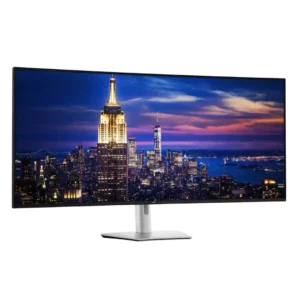
Dell UltraSharp 52 Thunderbolt Hub Monitor, U5226KW
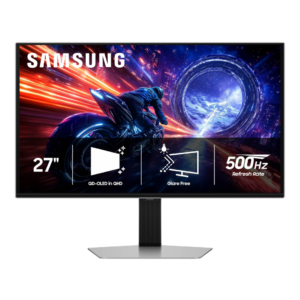
Samsung Odyssey OLED G6 G60SF
Average score
Dell UltraSharp 52 Thunderbolt Hub Monitor, U5226KW
4.3
Samsung Odyssey OLED G6 G60SF
4.3
overdrive tuning
Dell UltraSharp 52 Thunderbolt Hub Monitor, U5226KW
1.5
The fast overdrive setting is not recommended: it harms picture clarity without delivering a worthwhile gaming improvement. Normal mode is the safer choice.
Samsung Odyssey OLED G6 G60SF
5.0
OLED response remains consistent across refresh rates, so there is no need to retune overdrive as frame rate changes.
ghosting control
Dell UltraSharp 52 Thunderbolt Hub Monitor, U5226KW
2.0
Ghosting is a clear weakness, with motion tests showing substantially more smearing than Samsung mini-LED and LG OLED gaming displays. Fast mode does little to solve it.
Samsung Odyssey OLED G6 G60SF
5.0
Fast-moving objects show essentially no visible trailing or overshoot, one of the clearest advantages of the OLED response behavior.
competitive gaming suitability
Dell UltraSharp 52 Thunderbolt Hub Monitor, U5226KW
2.1
Competitive gamers should look elsewhere because response time, ghosting, 120Hz ceiling, and missing gaming features trail dedicated OLED and high-refresh models. The monitor is designed for work first and occasional play second.
Samsung Odyssey OLED G6 G60SF
5.0
Competitive gaming is the G6’s clearest strength: 500Hz motion, near-instant pixel response, and very low lag make fast shooters exceptionally clear and responsive. The benefit is greatest when a powerful PC can push very high frame rates.
HDR performance
Dell UltraSharp 52 Thunderbolt Hub Monitor, U5226KW
2.1
The monitor does not support HDR, a consistent drawback at this price. Its strong, accurate SDR image is still preferable to the weak pseudo-HDR often found on edge-lit IPS monitors.
Samsung Odyssey OLED G6 G60SF
4.5
HDR is a major strength thanks to per-pixel lighting, deep blacks, wide color, and bright highlights. Peak brightness can approach 1,000 nits in small highlights, though bright-scene dimming and configuration quirks keep it from being universally class-leading.
reliability over time
Dell UltraSharp 52 Thunderbolt Hub Monitor, U5226KW
4.8
Daily operation over weeks or months remained stable without notable bugs. The solid construction and Dell's professional-monitor track record also inspire confidence.
Samsung Odyssey OLED G6 G60SF
2.5
OLED remains vulnerable to permanent retention during long periods of static desktop use, so heavy all-day productivity carries more longevity risk than varied gaming and video use.
KVM switch performance
Dell UltraSharp 52 Thunderbolt Hub Monitor, U5226KW
4.4
The integrated KVM is a major advantage for multi-computer desks, especially when paired with picture-by-picture and Ethernet switching. Hardware and network switching can be excellent, but one detailed test found USB auto-KVM slow and buggy while network KVM worked flawlessly.
Samsung Odyssey OLED G6 G60SF
2.3
There is no KVM switch, a recurring omission that makes the G6 less convenient for sharing peripherals between multiple computers.
response time
Dell UltraSharp 52 Thunderbolt Hub Monitor, U5226KW
2.9
The 5–8ms response time is adequate for work and casual games but visibly slower than OLED and fast gaming panels. Switching from a 0.03ms display makes the extra blur immediately noticeable.
Samsung Odyssey OLED G6 G60SF
5.0
Pixel response is a unanimous strength, with OLED transitions described as exceptionally fast and effectively free of the sluggishness seen on LCDs.
DisplayPort connectivity
Dell UltraSharp 52 Thunderbolt Hub Monitor, U5226KW
5.0
Dual DisplayPort 1.4 inputs are especially useful for desktops, Linux systems, and full-resolution 6K operation. DisplayPort proved reliable across a wide range of graphics hardware.
Samsung Odyssey OLED G6 G60SF
3.0
DisplayPort 1.4 with DSC can drive the full 1440p/500Hz experience and was considered functionally adequate. Still, several testers wanted DisplayPort 2.1 at this premium price.
cable management
Dell UltraSharp 52 Thunderbolt Hub Monitor, U5226KW
4.4
One-cable operation and stand routing can make a complex workstation much cleaner than a multi-monitor setup. The huge number of possible connections can still create visible clutter, and the stand does not fully conceal wiring.
Samsung Odyssey OLED G6 G60SF
2.5
The large external power brick makes minimalist desk setups harder to keep tidy and complicates cable management.
ultrawide gaming experience
Dell UltraSharp 52 Thunderbolt Hub Monitor, U5226KW
4.3
Supported ultrawide games feel expansive and can eliminate side bars, making strategy, racing, and cinematic play impressive. Not every title handles the aspect ratio properly, and the shallow curve is less enveloping than gaming-first ultrawides.
Samsung Odyssey OLED G6 G60SF
2.5
The 27-inch flat screen cannot deliver the scale or wraparound immersion of an ultrawide, so buyers focused on cinematic field of view have stronger alternatives.
picture-in-picture and picture-by-picture
Dell UltraSharp 52 Thunderbolt Hub Monitor, U5226KW
4.7
Picture-in-picture, picture-by-picture, and true screen partitioning are defining strengths, letting the panel behave like several displays or accept multiple systems at once. The many layouts are flexible, though certain Mac and console combinations have limitations.
Samsung Odyssey OLED G6 G60SF
3.0
Picture-in-picture is absent, but one tester considered that a minor limitation on a 27-inch display where split-screen use is less valuable.
curved screen immersion
Dell UltraSharp 52 Thunderbolt Hub Monitor, U5226KW
3.7
The gentle curve usually keeps the giant screen comfortable without visibly warping office content. Its subtlety suits office work, though a deeper curve would pull in the edges, reduce reflections, and improve immersion.
Samsung Odyssey OLED G6 G60SF
2.0
The flat 27-inch format cannot match the wraparound immersion of a large curved display, making it less compelling for buyers prioritizing cinematic scale.
screen uniformity
Dell UltraSharp 52 Thunderbolt Hub Monitor, U5226KW
3.4
Uniformity varies by sample and measurement method. Several units were reasonably consistent for such a huge panel, while one showed a pronounced brightness difference and others had weaker corners.
Samsung Odyssey OLED G6 G60SF
5.0
The tested panel showed very even full-white and dark-gray fields with no dirty-screen effect, reinforcing QD-OLED’s strong uniformity.
port selection
Dell UltraSharp 52 Thunderbolt Hub Monitor, U5226KW
4.9
Connectivity is exceptionally comprehensive, with Thunderbolt 4, dual HDMI, dual DisplayPort, numerous USB-A and USB-C ports, Ethernet, and easy-access front connections. It functions as a true connectivity powerhouse.
Samsung Odyssey OLED G6 G60SF
3.5
The core gaming ports are practical and easy to reach, with HDMI 2.1, DisplayPort, USB-A, and audio covered. Missing USB-C, KVM, and DisplayPort 2.1 keep the selection from feeling fully flagship-grade.
built-in speakers
Dell UltraSharp 52 Thunderbolt Hub Monitor, U5226KW
3.6
The dual 9W speakers are louder and fuller than many monitor speakers and work well for meetings or temporary setups. Opinions split sharply for entertainment, with some users satisfied and others recommending even basic external speakers.
Samsung Odyssey OLED G6 G60SF
2.3
There are no built-in speakers, and testers considered that a missed convenience for buyers without room for separate audio.
burn-in protection
Dell UltraSharp 52 Thunderbolt Hub Monitor, U5226KW
5.0
Because it uses IPS Black rather than OLED, static professional interfaces do not carry the same burn-in risk. That makes it especially attractive for dashboards, spreadsheets, and other all-day fixed content.
Samsung Odyssey OLED G6 G60SF
3.7
Dynamic cooling and automatic dimming help reduce OLED burn-in risk, but Samsung’s OLED-care controls are less customizable than some rivals.
setup ease
Dell UltraSharp 52 Thunderbolt Hub Monitor, U5226KW
3.7
Connections and software setup are usually quick, but physically unboxing and positioning the 52-inch panel is inconsistent: some managed alone, while others struggled or strongly recommend two people. Arm mounting requires particular care and suitably heavy-duty hardware.
Samsung Odyssey OLED G6 G60SF
5.0
Assembly is consistently simple and tool-free, with stand pieces clipping or twisting securely into place.
adaptive sync performance
Dell UltraSharp 52 Thunderbolt Hub Monitor, U5226KW
3.0
One test system detected variable-refresh behavior even without clear official adaptive-sync certification. Compatibility appears workable but not guaranteed across every GPU or platform.
Samsung Odyssey OLED G6 G60SF
4.3
Adaptive sync is usually smooth and tear-free across Nvidia and AMD GPUs, but one test found conspicuous VRR flicker in dark and mid-tone scenes. Samsung’s VRR Control can help, though it may add a little latency.
Resolution
Dell UltraSharp 52 Thunderbolt Hub Monitor, U5226KW
4.8
The 6144×2560 canvas fits enormous amounts of work while keeping text usable. At 129 PPI, it is less dense than smaller 4K or 5K displays and can look softer at close range.
Samsung Odyssey OLED G6 G60SF
3.6
1440p is a sensible match for very high frame rates and looks crisp in games at 27 inches, but it is noticeably less dense than 4K. Buyers prioritizing fine text or maximum detail may find the resolution modest for the price.
sharpness
Dell UltraSharp 52 Thunderbolt Hub Monitor, U5226KW
4.7
Text, UI elements, photos, and timelines look crisp at normal working distance, including at 100% scaling. Users coming from Retina-class or smaller 5K screens can still see the lower pixel density.
Samsung Odyssey OLED G6 G60SF
3.7
Gaming sharpness is generally good at 27-inch 1440p, but text and fine desktop detail lag behind 4K and same-resolution LCDs because of pixel density and QD-OLED’s subpixel layout.
USB hub functionality
Dell UltraSharp 52 Thunderbolt Hub Monitor, U5226KW
4.9
The built-in Thunderbolt and USB hub is one of the monitor's greatest strengths, often replacing a separate dock. High-speed rear ports, front pop-out connections, charging, Ethernet, and laptop power make one-cable desks practical.
Samsung Odyssey OLED G6 G60SF
3.8
The two-port USB hub is useful for peripherals and hard-to-reach PCs, but it is a basic hub rather than a high-end docking solution.
software support
Dell UltraSharp 52 Thunderbolt Hub Monitor, U5226KW
4.3
Dell Display and Peripheral Manager adds useful window layouts, firmware updates, profiles, KVM controls, and screen management. Mac support, daisy-chain expectations, and some KVM functions are less consistent than the strong Windows experience.
Samsung Odyssey OLED G6 G60SF
3.3
Firmware can be updated and Samsung offers some display-management tools, but desktop software control is less complete than several rivals. Buyers who frequently switch color or gaming settings may miss a fuller Windows app.
productivity versatility
Dell UltraSharp 52 Thunderbolt Hub Monitor, U5226KW
4.8
Productivity is the overwhelming consensus strength: one seamless 6K canvas can replace multiple displays, reduce window switching, and keep dense workflows visible at once. It is especially effective for trading, coding, research, editing, analytics, and multi-system work.
Samsung Odyssey OLED G6 G60SF
3.9
The G6 can handle office and creative work well thanks to strong color and usable 1440p sharpness, but opinions are split for all-day productivity. Text fringing, burn-in risk, missing USB-C, and limited smart/software features make it less ideal as a one-monitor-for-everything setup.
viewing angles
Dell UltraSharp 52 Thunderbolt Hub Monitor, U5226KW
4.2
Viewing angles are generally strong, with limited color or contrast loss from the side. The mild curve can leave the far edges less comfortable, but off-axis image quality usually holds up well.
Samsung Odyssey OLED G6 G60SF
5.0
Viewing angles are excellent, with little visible image degradation from off-center positions.
eye comfort features
Dell UltraSharp 52 Thunderbolt Hub Monitor, U5226KW
4.8
Hardware low-blue-light filtering, flicker-free operation, and ambient sensing make long work sessions unusually comfortable without the yellow cast of software filters. Extended use caused little or no added eye strain.
Samsung Odyssey OLED G6 G60SF
4.0
Eye-comfort options include glare reduction and settings aimed at reducing fatigue, plus a color-vision accessibility mode. The matte surface is especially helpful when bright reflections would otherwise be distracting.
stand adjustability
Dell UltraSharp 52 Thunderbolt Hub Monitor, U5226KW
4.0
Height, tilt, swivel, and slight slant adjustments are generally smooth and useful for positioning the enormous panel. The range is limited by size, there is no pivot, and one tested stand would not keep the screen perfectly level.
Samsung Odyssey OLED G6 G60SF
4.8
The stand is one of the most consistent strengths, with height, tilt, swivel, and pivot adjustment plus a compact flat base. Movement is generally smooth and stable, though one tester found it somewhat stiff.
PC gaming compatibility
Dell UltraSharp 52 Thunderbolt Hub Monitor, U5226KW
3.6
PC gaming can look spectacular at this scale, and 120Hz keeps casual play smooth. The 6K load, slower response, absent gaming extras, and platform-specific quirks make it secondary to productivity rather than a true gaming-monitor replacement.
Samsung Odyssey OLED G6 G60SF
4.4
The G6 is excellent with a powerful gaming PC, especially in esports titles that can reach several hundred frames per second. Midrange systems can leave much of the 500Hz capability unused.
aspect ratio
Dell UltraSharp 52 Thunderbolt Hub Monitor, U5226KW
3.8
The tall ultrawide shape preserves more vertical room than super-ultrawides, which editors and multitaskers value. Some users still prefer standard 16:9 or wider 32:9 layouts, and the extreme width can feel awkward in certain apps.
Samsung Odyssey OLED G6 G60SF
4.5
The familiar 16:9 layout was described as an easy, comfortable transition from typical gaming monitors.
VRR compatibility
Dell UltraSharp 52 Thunderbolt Hub Monitor, U5226KW
4.3
VRR helps maintain smoother motion when frame rates vary and is a welcome addition to the 120Hz panel. Certification and behavior may still depend on the connected system.
Samsung Odyssey OLED G6 G60SF
5.0
VRR support covers both AMD FreeSync Premium Pro and Nvidia G-Sync compatibility, giving broad GPU flexibility.
screen size
Dell UltraSharp 52 Thunderbolt Hub Monitor, U5226KW
3.9
The 52-inch panel can replace several monitors and feels transformative once users adapt. Its four-foot width, weight, and viewing-distance demands make a large, deep desk essential.
Samsung Odyssey OLED G6 G60SF
3.3
The 27-inch size is ideal for close-up competitive play and smaller desks, but it can feel modest for the price and lacks the cinematic scale of larger displays.
warranty and support service
Dell UltraSharp 52 Thunderbolt Hub Monitor, U5226KW
4.9
Dell's three-year premium-panel and advanced-exchange coverage reassures buyers spending nearly $3,000. Rapid replacement promises and stronger support expectations than some competitors add meaningful peace of mind.
Samsung Odyssey OLED G6 G60SF
4.3
The three-year burn-in warranty is a meaningful safety net and matches the stronger coverage offered by other premium 500Hz OLEDs.
brightness
Dell UltraSharp 52 Thunderbolt Hub Monitor, U5226KW
3.6
Brightness is comfortable for most offices and home studios, generally landing in the mid-300-nit range. It can struggle in very bright rooms, and the automatic adjustment may feel too aggressive.
Samsung Odyssey OLED G6 G60SF
4.3
Brightness is notably stronger than earlier QD-OLED generations, with roughly 300-nit full-screen SDR and high HDR peaks. It still trails the brightest LCD and newer tandem OLED options in some bright scenes.
contrast
Dell UltraSharp 52 Thunderbolt Hub Monitor, U5226KW
4.1
IPS Black delivers strong contrast for an IPS display, giving darker interfaces and mixed content more depth. Dark-room use still reveals IPS glow, and OLED or mini-LED alternatives remain more dramatic.
Samsung Odyssey OLED G6 G60SF
4.7
OLED contrast is effectively infinite in controlled lighting, with excellent shadow separation and no blooming. The matte QD-OLED surface can reduce perceived contrast when strong ambient light raises black levels.
HDMI 2.1 support
Dell UltraSharp 52 Thunderbolt Hub Monitor, U5226KW
4.5
The two HDMI 2.1 inputs add modern multi-device flexibility and worked well in tested PC setups. They are less dependable for consoles because of the screen's uncommon resolutions and proportions.
Samsung Odyssey OLED G6 G60SF
4.0
The two full HDMI 2.1 inputs are a welcome part of the connectivity package and can support the monitor’s high-refresh gaming modes.
heat management
Dell UltraSharp 52 Thunderbolt Hub Monitor, U5226KW
4.5
Despite its enormous illuminated surface, the monitor stayed surprisingly cool in testing and ran cooler than some competing ultrawides.
Samsung Odyssey OLED G6 G60SF
5.0
Samsung’s passive heat-pipe and graphite-based cooling is repeatedly praised for keeping the OLED panel under control without active fan noise. The thermal system also supports burn-in prevention and longevity.
value for money
Dell UltraSharp 52 Thunderbolt Hub Monitor, U5226KW
3.1
The roughly $2,900 price is the most repeated objection and is difficult to justify for ordinary users or gaming alone. Professionals who can replace several displays, a dock, and a high-end KVM may find the integrated package reasonable.
Samsung Odyssey OLED G6 G60SF
2.7
Value is the G6’s biggest weakness: multiple outlets found it expensive versus similar 500Hz QD-OLED rivals or cheaper lower-refresh OLEDs. A few lower street prices improved the equation, so discounts matter a lot.
console gaming compatibility
Dell UltraSharp 52 Thunderbolt Hub Monitor, U5226KW
2.3
Console support is compromised by unusual aspect ratios and inconsistent resolution or refresh options. Some consoles may stretch the image or fail to recognize available 4K modes correctly.
Samsung Odyssey OLED G6 G60SF
2.8
Current consoles work with VRR and high-refresh gaming, but they cannot exploit the 500Hz ceiling. For console-first setups, the G6 was repeatedly viewed as overkill.
panel type
Dell UltraSharp 52 Thunderbolt Hub Monitor, U5226KW
4.6
IPS Black is widely viewed as the right panel technology for long professional sessions, combining dependable color and brightness with better contrast than ordinary IPS. It does not match OLED for deep blacks or instantaneous motion.
Samsung Odyssey OLED G6 G60SF
5.0
The QD-OLED panel is praised for combining rich color, deep blacks, instant response, and higher brightness than earlier 1440p OLED generations.
motion clarity
Dell UltraSharp 52 Thunderbolt Hub Monitor, U5226KW
4.6
Desktop motion looks fluid and comfortable at 120Hz, even when several inputs run at different refresh rates. The panel handles scrolling and everyday animation far better than conventional office displays.
Samsung Odyssey OLED G6 G60SF
4.9
Motion clarity is the standout feature. At very high frame rates, fast objects and text stay exceptionally clear, with multiple testers describing the 500Hz presentation as among the best they have seen.
refresh rate
Dell UltraSharp 52 Thunderbolt Hub Monitor, U5226KW
4.6
The 120Hz refresh rate is one of the most celebrated upgrades over typical 60Hz office monitors, making scrolling, cursor movement, and window handling feel noticeably smoother. It also supports enjoyable casual gaming, though gaming specialists may want 240Hz.
Samsung Odyssey OLED G6 G60SF
4.4
The 500Hz refresh delivers extraordinary smoothness when games can feed it enough frames, and several testers noticed a meaningful jump over 240Hz or 360Hz. Others saw diminishing returns and questioned whether most players need it.
overall satisfaction
Dell UltraSharp 52 Thunderbolt Hub Monitor, U5226KW
4.6
Overall satisfaction is very high for productivity-focused users, and the screen often becomes a preferred daily work monitor. It fares worse when desk space, scaling preferences, workflow, or budget do not suit such an extreme single display.
Samsung Odyssey OLED G6 G60SF
4.4
Overall sentiment is strongly positive when the G6 is judged as a specialist high-end gaming monitor. The main reservations are price, limited all-round features, and whether a buyer can actually use 500Hz.
black levels
Dell UltraSharp 52 Thunderbolt Hub Monitor, U5226KW
4.3
Blacks look deeper and less gray than on standard IPS panels, helping dark interfaces and high-contrast work. They still lack the near-perfect depth of OLED, and matte coating can reduce perceived punch.
Samsung Odyssey OLED G6 G60SF
4.5
Deep, inky blacks are a major strength in darker rooms and games. Bright ambient light can lift QD-OLED blacks toward gray or purple, especially with the matte coating.
build quality
Dell UltraSharp 52 Thunderbolt Hub Monitor, U5226KW
4.8
The chassis feels rigid, substantial, and built like a professional tool rather than a flimsy oversized display. Long-term Dell users expect it to hold up well, though handling such a large panel always requires care.
Samsung Odyssey OLED G6 G60SF
4.6
The metal-heavy chassis feels sturdy and flagship-grade, and several testers ranked its construction above competing 500Hz models. A few units showed flex around the rear port area.
premium feel
Dell UltraSharp 52 Thunderbolt Hub Monitor, U5226KW
4.8
Its sheer scale, refined construction, sharp 6K canvas, and integrated workstation features make it feel like a flagship command center. The experience is luxurious, spectacular, and distinctly unlike an ordinary monitor.
Samsung Odyssey OLED G6 G60SF
5.0
Metal construction, refined silver finishes, and a slim chassis give the G6 a consistently premium look and feel.
single-player cinematic gaming suitability
Dell UltraSharp 52 Thunderbolt Hub Monitor, U5226KW
3.8
Large-scale strategy, simulation, and cinematic games can be deeply enjoyable on the 52-inch canvas. Dark-room contrast and slower motion keep it behind OLED alternatives for movie-like gaming.
Samsung Odyssey OLED G6 G60SF
4.0
Single-player games still benefit from OLED blacks, color, HDR, and fluid motion, and several testers loved the cinematic image. The small flat 27-inch format and 500Hz price premium make it less compelling if slower cinematic games are the main use.
VESA mount compatibility
Dell UltraSharp 52 Thunderbolt Hub Monitor, U5226KW
4.7
Multiple VESA patterns make heavy-duty arm or wall mounting feasible, and robust monitor arms can support it successfully. Buyers still need hardware rated for the panel's unusual size and weight.
Samsung Odyssey OLED G6 G60SF
4.5
Standard 100x100 VESA support makes it easy to move the display onto a third-party arm or wall mount when the included stand is not ideal.
overall picture quality
Dell UltraSharp 52 Thunderbolt Hub Monitor, U5226KW
4.7
The SDR picture is widely praised as sharp, colorful, accurate, and unusually strong for professional work. Weak HDR capability, IPS glow, sample uniformity variation, and lower perceived contrast than glossy or OLED screens are the main caveats.
Samsung Odyssey OLED G6 G60SF
4.8
Picture quality is consistently praised for vibrant color, deep blacks, strong contrast, and crisp gaming presentation. The matte coating and 1440p pixel density introduce tradeoffs, but the overall image remains excellent.
color accuracy
Dell UltraSharp 52 Thunderbolt Hub Monitor, U5226KW
4.6
Color accuracy is a major strength, with professional modes and factory calibration earning frequent praise. Default or wide-gamut settings may need adjustment for strict sRGB work, but calibrated modes perform very well.
Samsung Odyssey OLED G6 G60SF
4.5
Color accuracy is generally excellent, with strong measured results and good factory calibration. One outlet found the SDR defaults too warm and oversaturated, while other tests found only minor tuning was needed.
on-screen display usability
Dell UltraSharp 52 Thunderbolt Hub Monitor, U5226KW
4.5
Dell's joystick-driven OSD is fast, intuitive, and packed with useful controls, shortcuts, diagnostics, and partition options. Minor complaints include physical reach around the giant panel, loud clicks, and a fixed menu position.
Samsung Odyssey OLED G6 G60SF
4.3
The joystick-driven OSD is generally fast, clear, and easy to navigate, with sensibly organized menus. Placement can be awkward, and some important HDR controls are buried deeper than beginners may expect.
design and aesthetics
Dell UltraSharp 52 Thunderbolt Hub Monitor, U5226KW
4.7
The restrained silver-and-black design, slim bezels, and clean rear styling receive near-universal praise. It looks professional and premium without the aggressive styling common to gaming displays.
Samsung Odyssey OLED G6 G60SF
4.8
The slim silver chassis, restrained styling, and rear RGB ring give the G6 a polished, modern look. Its design was repeatedly called sleek, classy, and more refined than many gaming-monitor rivals.
reflection handling
Dell UltraSharp 52 Thunderbolt Hub Monitor, U5226KW
4.3
The matte anti-glare surface usually keeps overhead lights and windows under control without heavily softening the image. A lighter coating and shallow curve can still leave distracting reflections at certain angles.
Samsung Odyssey OLED G6 G60SF
4.4
The matte coating is highly effective at diffusing direct reflections and is especially useful near bright windows. The tradeoff is slightly reduced punch, occasional grain, and lifted QD-OLED blacks under strong ambient light.
color gamut
Dell UltraSharp 52 Thunderbolt Hub Monitor, U5226KW
4.8
The display covers essentially all sRGB and nearly all DCI-P3, producing vivid color suitable for editing, design, and mixed professional use. Adobe RGB coverage is broad but not class-leading for specialized print workflows.
Samsung Odyssey OLED G6 G60SF
4.8
QD-OLED delivers a very wide gamut with strong DCI-P3 and Adobe RGB coverage, giving games and creative work rich, saturated color. Out-of-box saturation can run hot until sRGB or color management is enabled.
backlight bleed control
Dell UltraSharp 52 Thunderbolt Hub Monitor, U5226KW
5.0
Backlight bleed stayed unobtrusive even in dark scenes on the tested panel. That is an impressive result for a screen this large.
Samsung Odyssey OLED G6 G60SF
5.0
OLED’s self-emissive pixels eliminate the backlight-bleed look seen on LCDs, producing pitch-black edges and dark scenes.
input lag
Dell UltraSharp 52 Thunderbolt Hub Monitor, U5226KW
5.0
Measured input latency was exceptionally low at roughly a few milliseconds, making interactions feel immediate despite the monitor's productivity focus.
Samsung Odyssey OLED G6 G60SF
5.0
Input lag is consistently described as effectively imperceptible or extremely low, helping the G6 feel immediate in reaction-heavy games.
delivery condition
Dell UltraSharp 52 Thunderbolt Hub Monitor, U5226KW
5.0
The oversized packaging is extremely protective, with structured compartments and ample cushioning intended to prevent shipping damage. The box itself is enormous, but the protection was praised.
Samsung Odyssey OLED G6 G60SFNo score yet
gaming image presets
Dell UltraSharp 52 Thunderbolt Hub Monitor, U5226KWNo score yet
Samsung Odyssey OLED G6 G60SF
3.5
Samsung provides useful picture controls and flexible sRGB/HDR adjustment, but the preset selection is thinner than some competitors and certain advanced settings are not very explicit.
local dimming performance
Dell UltraSharp 52 Thunderbolt Hub Monitor, U5226KWNo score yet
Samsung Odyssey OLED G6 G60SF
5.0
Per-pixel OLED dimming gives precise control with minimal blooming and clean separation between bright highlights and dark objects.
sleep and wake behavior
Dell UltraSharp 52 Thunderbolt Hub Monitor, U5226KW
5.0
Sleep mode drops power use to only a few watts, while Power Sync can start a closed-lid compatible laptop from the monitor's power button. Both behaviors were viewed as convenient and efficient.
Samsung Odyssey OLED G6 G60SFNo score yet