If you want better reliability over time
Choose Dell UltraSharp 52 Thunderbolt Hub Monitor, U5226KW. It scores 4.8 vs 2.5 for reliability over time, with a 4.3 overall score.
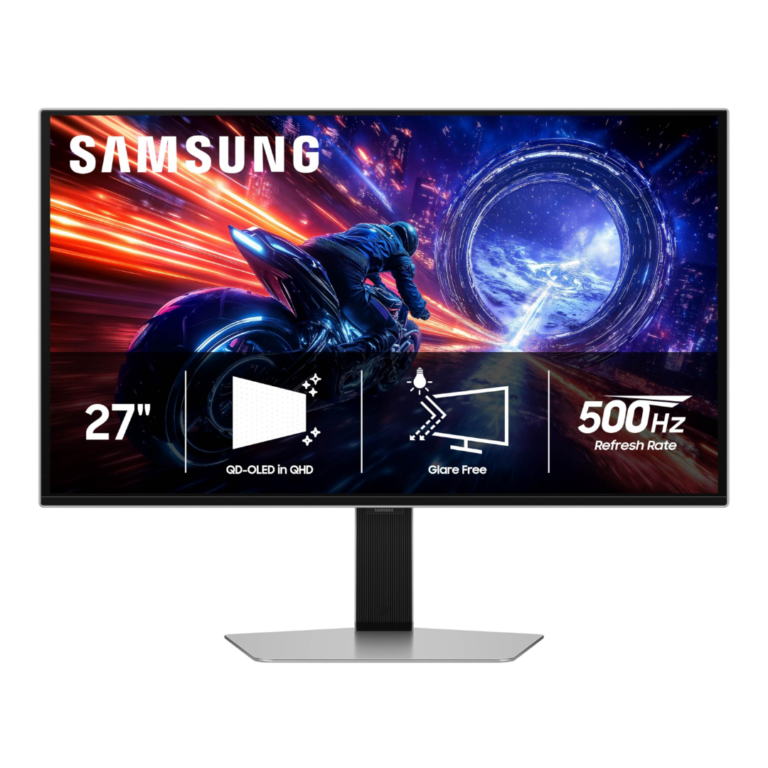
Choose it for elite 500Hz esports motion, OLED contrast, and strong matte glare control. Skip it if you want 4K sharpness, USB-C/KVM convenience, or better value from a lower-refresh or cheaper 500Hz OLED.
Competitive PC gamers with powerful hardware who can push very high frame rates benefit most from the exceptionally clear 500Hz motion, low lag, and fast OLED response. It also suits buyers who value strong glare control without giving up deep OLED contrast and wide color.
Skip it as a primary choice for console-only gaming, all-day static productivity, or buyers prioritizing 4K detail and cinematic screen size. It is also difficult to justify if USB-C/KVM convenience or maximum value matters more than 500Hz speed.
The Odyssey OLED G6 G60SF is a specialist gaming monitor that excels where speed matters most. Across the strongest hands-on tests, its 500Hz refresh, near-instant OLED response, and extremely low lag produce exceptional motion clarity for competitive play, while QD-OLED color, deep blacks, and strong HDR keep image quality well above typical esports displays. Samsung’s premium metal design, flexible stand, and matte glare control add polish. The tradeoffs are equally consistent: 1440p is less sharp than similarly priced 4K options, USB-C and KVM conveniences are missing, and several reviewers found the price difficult to justify against cheaper 500Hz or lower-refresh OLED rivals. Its value depends heavily on whether your PC and games can actually exploit several hundred frames per second.
Compared with other Monitors, this product is above average in competitive gaming suitability, HDR performance, heat management, near average in design and aesthetics, stand adjustability, below average in console gaming compatibility, reliability over time, screen size.
| Attribute | This product | Category average | Difference |
|---|---|---|---|
| competitive gaming suitability | 4.9 | 3.6 | +1.4 |
| HDR performance | 4.5 | 3.2 | +1.3 |
| console gaming compatibility | 2.8 | 4.3 | -1.5 |
| reliability over time | 2.5 | 4.0 | -1.5 |
| screen size | 3.3 | 4.6 | -1.3 |
| KVM switch performance | 2.3 | 3.7 | -1.4 |
| port selection | 3.5 | 4.5 | -1.1 |
| ultrawide gaming experience | 2.5 | 3.9 | -1.4 |
Choose Dell UltraSharp 52 Thunderbolt Hub Monitor, U5226KW. It scores 4.8 vs 2.5 for reliability over time, with a 4.3 overall score.
Choose MSI MPG 341CQR QD-OLED X36. It scores 4.7 vs 2.0 for curved screen immersion, with a 4.4 overall score.
Choose Gigabyte MO27U2 Gaming Monitor. It scores 4.8 vs 3.7 for sharpness, with a 4.1 overall score.
Choose MSI MPG 322UR QD-OLED X24. It scores 5.0 vs 3.5 for port selection, with a 4.4 overall score.
Products reviewers directly compared with this model, grouped into quick takeaways.
In fast competitive games at very high frame rates, several testers saw clearer motion and better responsiveness than 240Hz or 360Hz. Others found the gain modest, so the benefit depends heavily on the game, system, and player.
HDR is generally strong, with deep per-pixel blacks, wide color, and bright small highlights. Some testing found bright-scene dimming or tone-mapping quirks, so it is excellent overall rather than universally class-leading.
It is very effective at diffusing direct reflections and works well near bright windows. The tradeoff is slightly less perceived contrast or punch, plus lifted QD-OLED blacks under strong ambient light.
It can handle office and creative work, and color performance is strong. For all-day desktop use, 1440p text clarity, OLED burn-in risk, and the lack of USB-C make it less ideal than a more productivity-focused monitor.
Modern consoles can use the display for high-refresh gaming and VRR, but they cannot take advantage of the 500Hz ceiling. Reviewers generally considered it overkill for a console-first setup.
The answer depends strongly on street price. Many reviewers thought its launch pricing was hard to justify against cheaper 500Hz QD-OLEDs or lower-refresh OLEDs, while discounts made the value much more competitive.
These are a few of the reviews included in our analysis.

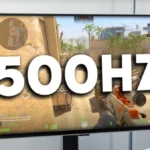
27 inches and 500Hz of outrageous OLED speed comes at a price
After 30 days of testing, we reveal the truth about the Samsung 27-inch Odyssey OLED G6. From 500Hz gaming to daily productivity and text...
The Samsung Odyssey OLED G6 G60SF is a fantastic 1440p OLED gaming monitor with its 500Hz refresh rate providing the best motion handling...
Switching from VA to the Samsung 27-inch Odyssey OLED G6 (G60SF). Read our first impressions on the 500Hz refresh rate, QD-OLED contrast, and...
Samsung brings maximum performance to one of its most colorful monitors with the Odyssey OLED G6 S27FG60.
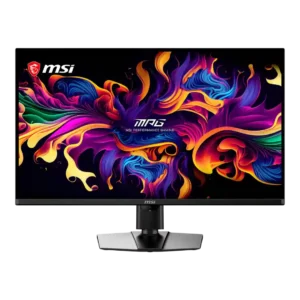
Best for exceptional 4K HDR, accurate color, fast 240Hz gaming, and strong work connectivity. Skip it if you need built-in speakers, ultrawide immersion, television-level HDR brightness, or a budget-friendly upgrade.
Pros: panel type, response time
Cons: built-in speakers, curved screen immersion
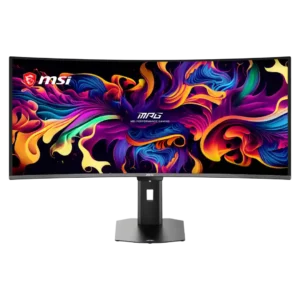
Best for class-leading 360Hz ultrawide motion, spectacular HDR, deep blacks, and unusually strong work-and-play connectivity. Skip it if you want 4K-like text sharpness, a matte screen, or the best value...
Pros: screen size, panel type
Cons: Resolution, cable management
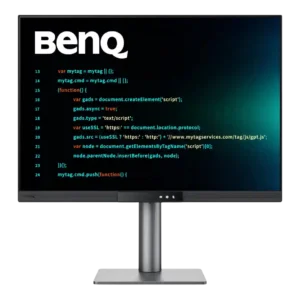
Choose the RD280UG for coding, trading, writing, or creative work that benefits from a tall, sharp 3:2 screen and strong eye-care features. Skip it for serious HDR, color-critical creation, esports,...
Pros: VESA mount compatibility, productivity versatility
Cons: HDR performance, local dimming performance
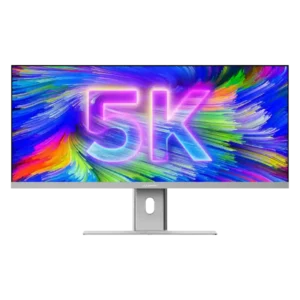
Best for a single, expansive Mac-friendly workspace with excellent color, sharp 5K2K detail, and one-cable docking. Skip it if you need strong HDR, competitive-gaming response, powerful speakers, or a stand...
Pros: productivity versatility, aspect ratio
Cons: HDR performance, HDMI 2.1 support