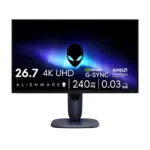
Alienware 27 4K Gaming Monitor AW2725Q Feature Scores
Explore all 47 feature scores for Alienware 27 4K Gaming Monitor AW2725Q, organized into pros and cons.
Scores by Feature
Summary
47 reviewed features-
Very positive 4.5-5.026 (55%)
-
Positive 3.5-4.413 (28%)
-
Neutral 2.5-3.46 (13%)
-
Negative 1.5-2.42 (4%)
Pros
Sort
-
Sharpness was one of the clearest areas of agreement, with many reviewers calling the 27-inch 4K image and text exceptionally crisp.
-
Motion clarity was one of the strongest points, with reviewers repeatedly noting smoothness, minimal blur, and reactive performance.
-
Response time was described as essentially instant, with reviewers tying it to sharp motion and excellent gaming feel.
-
Design and aesthetics were broadly praised for the new blue AW30 look, compact stand, and cleaner desk presence.
-
HDR performance was widely liked for OLED contrast, rich highlights, and cinematic depth, though brightness limits kept it from being flawless.
-
Black levels were a major strength in darker rooms, though some reviewers noted raised blacks in brighter environments.
-
Input lag was consistently praised as low or immediate, making the monitor feel responsive in gaming.
-
The QD-OLED/OLED panel drew broad praise for vivid image quality and was treated as the core strength of the monitor.
-
Color gamut and saturation were repeatedly praised, especially for gaming, HDR, and vivid media.
-
Contrast was universally praised, with reviewers emphasizing OLED’s deep range and strong visual depth.
-
Adaptive sync and G-Sync/FreeSync support were praised for smoothing frames and reducing tearing.
-
Reviewers consistently praised the 4K resolution for making the 27-inch screen exceptionally crisp and detailed.
-
The 240Hz refresh rate was considered smooth and future-proof for most users, even if faster esports-focused OLEDs exist.
-
Color accuracy was generally strong out of the box, but calibration and mode-specific caveats appeared in more technical reviews.
-
PC gaming compatibility was strong when paired with capable hardware, though reviewers stressed that 4K/240Hz needs a powerful system.
-
Console compatibility was praised thanks to HDMI support and strong PS5/Xbox signal handling, despite the panel exceeding console frame-rate needs.
-
Stand adjustability was praised for stability, small footprint, and full ergonomic movement.
-
Value was broadly positive relative to competing 27-inch 4K OLEDs, but reviewers still stressed that the monitor is expensive.
-
VRR compatibility was strong overall, with broad format support and smooth results, despite one review noting OLED VRR flicker in some dark scenes.
-
Ghosting control was excellent, with reviewers reporting no ghosting, tearing, or inverse ghosting in use.
-
Cable management was consistently viewed positively, from the stand channel to the integrated power supply and tidier setup.
-
The 27-inch size was seen as compact and desk-friendly, though some reviewers preferred larger 32-inch displays for immersion.
-
Port selection was generally adequate to good, but reviewers often framed it as trimmed versus pricier rivals.
-
OSD usability was mostly positive, though one reviewer still found the on-screen display awkward.
-
Competitive gaming suitability was strong for 4K/240Hz responsiveness, though hardcore esports players may still prefer faster lower-resolution panels.
-
Screen uniformity was rated positively, with reviewers noting good uniformity and strong color consistency.
-
Single-player cinematic gaming was a clear strength because the monitor combines high resolution, HDR, deep blacks, and fast response.
-
Premium feel was strong, with reviewers calling the stand premium and the finish above typical gaming displays.
-
Build quality was mostly strong, with stable construction and premium materials, though one review warned the finish marks or scratches easily.
-
HDMI 2.1 support was praised as enough to get the best out of current consoles and support the monitor’s main gaming features.
-
Local dimming was treated as a strength because OLED’s per-pixel control minimized blooming in high-contrast scenes.
-
Overdrive behavior was effectively excellent because OLED response consistency created a single-overdrive-style experience.
-
Viewing angles received strong praise in the technical review that evaluated them directly.
-
Gaming presets and visibility modes were useful but not central, with reviewers noting practical modes for different genres and visibility needs.
-
Heat management was viewed positively, with the active fan described as inaudible in normal use.
-
Reflection handling was mixed: glare control could be good, but glossy QD-OLED behavior and bright rooms could raise blacks or reflections.
-
VESA compatibility was positively assessed in the review that used it on a monitor arm without problems.
-
Reliability evidence was mixed: one reviewer had a wake bug, while a six-month update reported no burn-in or image retention.
-
Black-equalizer-like visibility tools were considered useful for games with poor visibility or reticle settings.
Cons
Sort
-
Built-in speaker support was poor because multiple reviewers noted there are no integrated speakers, sometimes alongside no headphone jack.
-
Software support was criticized by one reviewer, mainly for Alienware Command Center nags and poor layout.
-
USB hub functionality was mixed to weak: convenient ports helped, but 15W USB-C, no USB-C display input, and no KVM were recurring limits.
-
DisplayPort connectivity was a weakness because reviewers repeatedly criticized the lack of DisplayPort 2.1.
-
Eye comfort was a caveat because one reviewer warned PWM-sensitive users could still experience fatigue or headaches.
-
PiP/PbP support exists, but one reviewer framed it as less useful than full KVM functionality.
-
Brightness was the most mixed display trait: some reviewers found HDR or perceived brightness strong, but SDR and bright-room use were repeated concerns.
-
Productivity versatility was mixed: excellent text clarity helped, but burn-in risk, no KVM, and weak USB-C limited work setups.