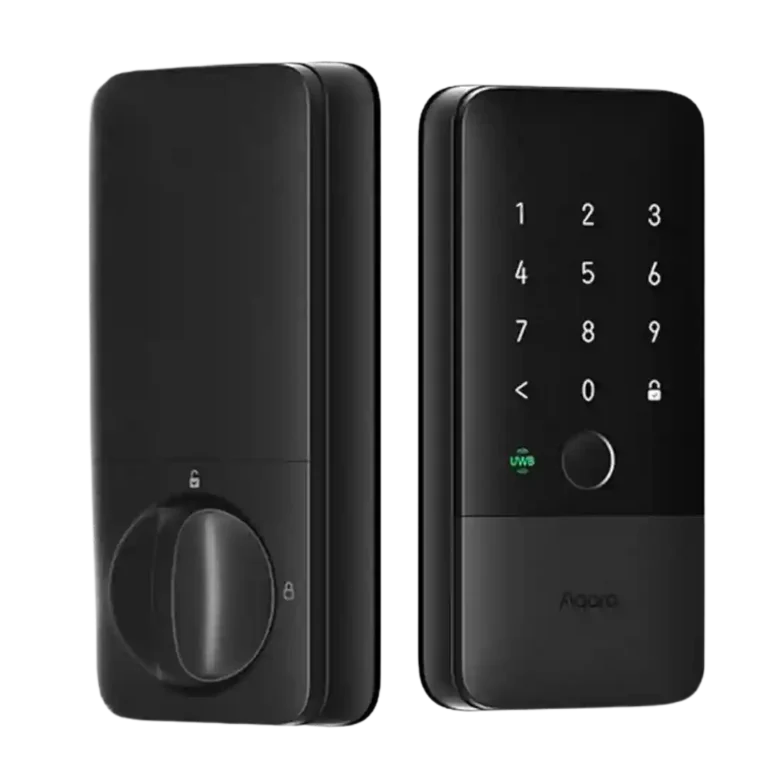
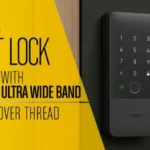
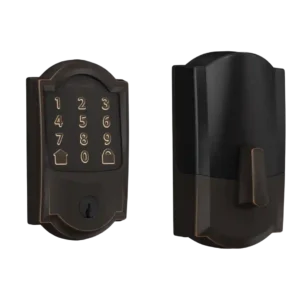
- Older model: design The reviewer says the U400 replaced a U50 and looks more modern with its rounded, cleaner design.
Aqara UWB Smart Lock U400 Review
Bottom Line
Choose the U400 if you want hands-free Apple Home unlocking with strong fallback access methods. Skip it if you need a compact lock, higher BHMA rating, no hub requirements, or non-Apple UWB today.
Best for Apple Home households that carry compatible iPhones or Apple Watches and want UWB hands-free entry backed by fingerprint, PIN, NFC, app, voice, and physical-key options.
Not for buyers who need the smallest or most invisible lock, higher than BHMA Grade 3 physical-security certification, or full UWB benefits outside Apple Home right now.
The Aqara U400 stands out because reviewers repeatedly found UWB unlock-on-approach fast, precise, and reliable enough to change daily use. It also backs that headline feature with fingerprint, PIN, NFC, Home Key, app, voice, and physical-key access, plus Matter over Thread and a rechargeable USB-C battery. The tradeoff is that its best experience is still heavily Apple-centered and usually depends on a Thread border router, while Aqara remote features may need a hub. Reviewers also flagged bulkier styling, occasional keypad wake quirks, Grade 3 physical-security certification, and uncertainty around spare batteries. Overall, the evidence points to a highly convenient smart lock whose appeal is strongest when UWB and Apple Home are central to the setup.
Compared in Reviews
Products reviewers directly compared with this model, grouped into quick takeaways.
Level Lock Pro
- Similar: market position The reviewer puts the U400 and Level Lock Pro together as current high-end smart-lock benchmarks.
- Alternative: door aesthetics The Level Lock Pro is framed as a more invisible-looking alternative, while the U400 is more blocky and functional.
- Better: physical attack rating The reviewer notes the U400's Grade 3 certification trails Level Lock Pro's Grade 1 rating.
Aqara U100
- Similar: installation and hardware layout The reviewer says installation feels similar to the prior Aqara U100, with an added cable and small screw-hole annoyance.
- Worse: overall refinement The reviewer says the U400 is at least as good as the U100 and has a noticeably improved design.
Feature Scorecards
Pros
-
Unlock speed was one of the strongest themes: reviewers repeatedly described UWB and fingerprint unlocking as fast, seamless, or ready before reaching the door.
-
Smart-home integration was a core strength, with Matter over Thread plus Apple Home, Alexa, Google Home, SmartThings, Home Assistant, and Siri support.
-
Geofencing evidence was mostly comparative: reviewers framed UWB as more precise and less dependent on unreliable Bluetooth/geofence workflows.
-
Locking reliability was strongly supported across reviews, especially for UWB unlock-on-approach and Thread responsiveness, with only isolated caveats.
-
Security-feature evidence focused on UWB's precise distance/direction awareness, reduced Bluetooth-style risks, and encryption-related comments.
-
Auto-lock received broad support through Apple Home timing options, Aqara lock-on-close behavior, and reviewers reporting reliable day-to-day operation.
-
Weather resistance was consistently supported by IP65 outdoor ratings and real-world exposure to rain, snow, ice, and temperature swings.
-
Door-sense evidence came from the lock detecting open/closed state, using a gyroscope or built-in close detection, and enabling lock-on-close behavior.
-
Access logs were directly supported by Aqara app evidence showing lock/unlock events and alerts.
-
Battery feedback was strong: reviewers liked the removable rechargeable pack, USB-C charging, outside emergency power, and roughly six-month estimates.
-
User access management was strong, with evidence for multiple users, roles, fingerprints, passwords, NFC devices, and time-limited access.
-
Backset and bore compatibility received direct support through adjustable backset comments and cross-bore adapter coverage.
-
Fingerprint performance was consistently praised as fast, accurate, convenient, and a strong fallback when UWB or Home Key was not used.
-
Guest codes and access were widely supported through PINs, one-time passwords, Apple Home access sharing, NFC fobs, and temporary-user options.
-
App support was generally positive, with Aqara exposing advanced settings and Apple Home covering daily controls, though Aqara customization can take learning.
-
Bluetooth was usually discussed as inferior to UWB or as a fallback/local setup path; reviewers favored Thread/UWB for precision and responsiveness.
-
Physical key backup was consistently confirmed as a reliable fallback alongside UWB, NFC, fingerprint, keypad, and app access.
-
Installation was repeatedly described as straightforward for a standard deadbolt, though a few reviewers noted tight wiring, small screws, or door-prep caveats.
-
Notifications and alerts were supported through Apple Home unlock alerts, Apple Watch/iPhone notifications, and Aqara low-battery or lock-state alerts.
-
Reviewers found standard deadbolt and door fit generally workable, with useful adapters, but full-replacement hardware and some door layouts can matter.
-
Camera and doorbell integration was practical but secondary, with Aqara cameras, doorbells, and live-video unlock workflows mentioned in several reviews.
-
Value and price were favorable but not universal: reviewers praised the UWB convenience and overall capability while noting price increases and battery-sourcing concerns.
-
Remote access was supported through Apple Home, Aqara hub/app workflows, and reviewer tests showing reliable remote unlocking where configured.
-
The keypad was broadly functional and often hidden for a cleaner look, though several reviewers noted occasional wake or touch responsiveness quirks.
-
Voice control was supported through Siri, Alexa or Echo mentions, and Apple Home integration for lock commands.
-
Wi-Fi was mostly relevant by absence: reviewers highlighted Thread as avoiding Wi-Fi load or Wi-Fi power draw rather than praising built-in Wi-Fi.
-
Keyway quality evidence centered on rekeyability, a usable physical cylinder, and hidden keyhole access rather than high-security keyway claims.
-
Feature-update evidence included firmware updates, Apple Home updates, Matter/Aliro readiness, and futureproofing claims.
-
Build quality was mostly positive, with solid construction and improved design, though some reviewers still called out bulk, plastic feel, or ordinary styling.
-
Finish feedback was limited but generally favorable for fingerprint resistance and clean looks, with one reviewer still noting the plastic appearance.
-
Touchscreen feedback was mostly positive for hidden keypad usability, but some reviewers reported that it sometimes needed extra taps to wake.
-
Existing-hardware reuse is mixed: the lock replaces the whole deadbolt assembly, but some reviewers noted no extra drilling or strike-plate reuse in their installs.
-
Jam detection evidence was limited to Aqara automation conditions such as Not Fully Locked, which one reviewer interpreted as open or possibly jammed.
-
Locking motor evidence was minimal, limited to a reviewer observing the motor actuating during hands-on setup.
Cons
-
Hub requirements are a recurring caveat: most smart functionality needs a Thread border router, and Aqara-app remote control may require an Aqara hub.
-
Physical attack resistance is only moderate: reviewers confirmed BHMA Grade 3 certification and noted it is the lowest BHMA level.
Compared With Category Average
Compared with other Smart Locks, this product is above average in Geofencing, Door-sense, Smart-home integration (Alexa, Google, Siri, HomeKit, Matter, Thread), below average in Physical attack resistance, Hub requirement.
| Attribute | This product | Category average | Difference |
|---|---|---|---|
| Geofencing | 4.8 | 2.9 | +1.9 |
| Door-sense | 4.6 | 3.0 | +1.6 |
| Smart-home integration (Alexa, Google, Siri, HomeKit, Matter, Thread) | 4.8 | 3.7 | +1.1 |
| Physical attack resistance | 3.0 | 4.1 | -1.1 |
| Fingerprint | 4.4 | 3.7 | +0.6 |
| Battery | 4.4 | 3.9 | +0.5 |
| Hub requirement | 3.4 | 4.0 | -0.5 |
| Lock/unlock speed | 4.9 | 4.3 | +0.5 |
FAQ
Does the Aqara U400 unlock reliably with UWB?
Yes, reviewers repeatedly described UWB unlock-on-approach as fast, precise, and reliable. A few caveats appeared around occasional delays, storm-door effects, or needing a compatible Apple device close enough.
Do I need Apple Home or a hub?
For the best reviewed experience, you need Apple Home with a Thread border router such as a HomePod or Apple TV. Some Aqara app remote-control features may also require an Aqara hub.
What happens if the battery dies?
Reviews noted a removable rechargeable battery, USB-C charging, and an exterior USB-C emergency power option. Physical keys also remain a fallback.
What unlock methods are supported?
Reviewers cited UWB, Apple Home Key, NFC, fingerprint, PIN/passcode, app control, voice control, and a physical key. This broad fallback list was one of the most repeated strengths.
Is the U400 good for guests or temporary access?
Yes. Reviews described PIN codes, one-time passwords, temporary users, Home Key sharing, NFC fobs, and user-management controls through Aqara or Apple Home.
Is it weather resistant and physically secure?
The exterior is repeatedly described as IP65 rated, with one reviewer reporting rain, snow, ice, and temperature swings without issues. Physical security is more modest because reviewers noted BHMA Grade 3 certification.
What are the main drawbacks?
The biggest caveats are Apple-centered UWB support today, Thread border router or Aqara hub requirements for some features, bulkier styling, Grade 3 certification, occasional keypad wake quirks, and some battery-spare uncertainty.
Consider This Instead
If you want better Hub requirement
Choose Wyze Auto-Lock Bolt v2 Smart Lock. It scores 5.0 vs 3.4 for Hub requirement, with a 4.2 overall score.
If you want better Physical attack resistance
Choose Schlage Encode Smart Lock. It scores 4.8 vs 3.0 for Physical attack resistance, with a 4.1 overall score.
If you want better Existing hardware reuse
Choose Yale August Smart Lock. It scores 5.0 vs 3.8 for Existing hardware reuse, with a 4.2 overall score.
If you want better Guest Codes and Access
Choose ULTRALOQ Bolt Fingerprint Smart Lock. It scores 4.7 vs 4.3 for Guest Codes and Access, with a 4.1 overall score.
Overall Top Smart Locks Alternatives
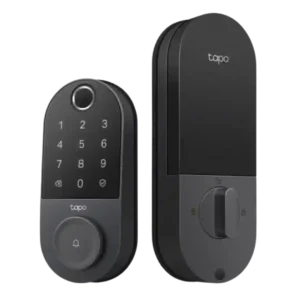
Choose the Tapo DL110 for fast fingerprint entry and solid Wi-Fi remote control at a budget price. Skip it if your door/strike alignment is finicky or if you need deep...
Pros: Value and Price, Lock/unlock speed
Cons: Geofencing
Choose the FamiLock S3 Max if you want a single lock + doorbell with an indoor screen and fast palm unlock; Skip it if you need full-featured Matter/HomeKit control or...
Pros: Physical attack resistance, Weather resistance
Cons: Value and Price
Choose the U400 if you want hands-free Apple Home unlocking with strong fallback access methods. Skip it if you need a compact lock, higher BHMA rating, no hub requirements, or...
Pros: Lock/unlock speed, Smart-home integration (Alexa
Cons: Physical attack resistance, Hub requirement
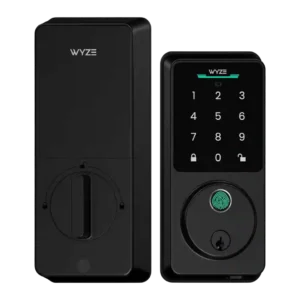
Choose Wyze Lock Bolt v2 for remote control plus fingerprint entry at a budget price. Skip it if you need door-ajar sensing or wide ecosystems like HomeKit or Matter.
Pros: Hub requirement, Value and Price
Cons: Door-sense