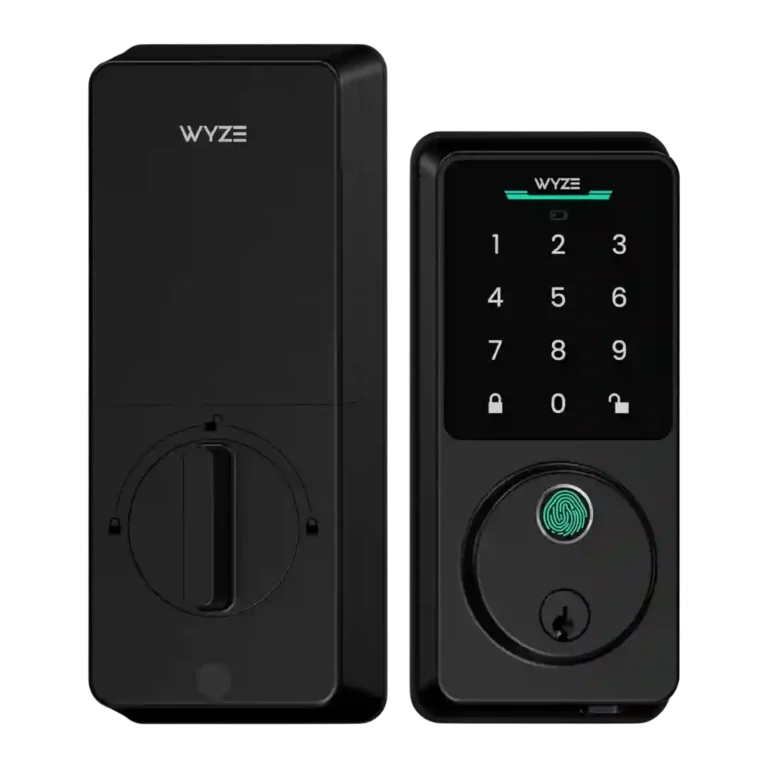
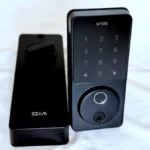
Wyze Auto-Lock Bolt v2 Smart Lock

Wyze Auto-Lock Bolt v2 Smart Lock Review

Brand: Wyze
Updated: 3 days ago
4.2
Consolidated expert score
157
Review insights
37
Scored features
8
Expert reviews

Bottom Line

Choose the Wyze Lock Bolt v2 if you want an affordable Wi-Fi deadbolt with fast fingerprint entry, app control, guest codes, and key backup. Skip it if you need Matter/HomeKit, Grade 1 hardware, or dislike AA-battery tradeoffs.

Best for

Best for budget-minded households that want remote Wi-Fi control, quick fingerprint entry, keypad and guest codes, and simple Wyze/Alexa/Google automations without a hub.

Not for

Not for buyers who require Matter or HomeKit, commercial Grade 1 hardware, unusually strong weather protection, or a rechargeable-battery design.

Verdict

The Wyze Lock Bolt v2 stands out in the reviews for bringing built-in Wi-Fi, remote app control, fingerprint entry, keypad codes, key backup, and Alexa/Google support into a sub-$100 lock. Reviewers repeatedly praised its value, quick fingerprint unlocking, guest access tools, and straightforward installation, with one reviewer finding the lock functional from nearby or hundreds of miles away. The tradeoff is that Wyze keeps the feature set practical rather than premium: Matter and HomeKit are missing, IP53 weather protection is adequate rather than exceptional, and one reviewer disliked the move to eight AA batteries versus rechargeable options. Overall, the evidence points to a capable budget smart lock with some ecosystem and hardware compromises.

Reviewer Consensus

Strong agreement: Reviewers most consistently agree that the lock delivers unusually strong value by combining low pricing, built-in Wi-Fi, and fast fingerprint entry.

Mixed opinions: Battery design, door-sense behavior, and physical-security certification confidence are more context-dependent across the reviews.

Common concern: The most repeated caveat is ecosystem limitation, especially the absence of Matter/HomeKit and reliance on Alexa, Google, or Wyze integrations.

Evidence coverage
  • 8 expert reviews
  • 33 of 37 scored features show reviewer agreement
  • 3 scored features have limited or less conclusive evidence
  • 1 scored feature shows reviewer disagreement or mixed evidence
  1. Limited review data
  2. Mixed evidence
  3. Moderate consensus
  4. Strong consensus

Compared in Reviews

Products reviewers directly compared with this model, grouped into quick takeaways.

  • Compared: helper device requirement Built-in Wi-Fi means the v2 no longer needs the Wyze Video Doorbell as a helper device for remote access.

original Lock Bolt

  • Older model: remote access The v2 improves on the original Lock Bolt by moving beyond Bluetooth-only access.

Palm Lock

  • More expensive: price and feature tradeoff The v2 is much cheaper than the Palm Lock, but the reviewer notes missing rechargeable batteries and some premium features.

Feature Scorecards

Pros

  • 4.7
    based on 3 reviews
    Hub requirement: 4.7, based on 3 reviews
    Built-in Wi-Fi removes the need for a hub or Wyze doorbell helper for remote access, a clear upgrade over the original model.
  • 4.7
    based on 7 reviews
    Value and Price: 4.7, based on 7 reviews
    Value is one of the strongest themes: reviewers repeatedly emphasize sub-$100 pricing, low-cost Wi-Fi, and strong features for the price.
  • 4.6
    based on 7 reviews
    Wi-Fi: 4.6, based on 7 reviews
    Wi-Fi is the central upgrade over the original Lock Bolt, enabling remote control, alerts, monitoring, and app access without extra helper hardware.
  • 4.6
    based on 6 reviews
    Remote access: 4.6, based on 6 reviews
    Remote access is a major upgrade, with reviewers repeatedly describing locking, unlocking, monitoring, and access management from anywhere.
  • 4.6
    based on 2 reviews
    Lock/unlock speed: 4.6, based on 2 reviews
    Unlocking speed is strong, especially through fingerprint entry, with reviewers calling it speedy, seamless, or around half a second.
  • 4.6
    based on 8 reviews
    Fingerprint: 4.6, based on 8 reviews
    Fingerprint access is one of the most consistently praised features, with reviews citing fast half-second unlocking, AI/self-learning behavior, local storage, and strong accuracy.
  • 4.6
    based on 5 reviews
    User access management: 4.6, based on 5 reviews
    User access management is a strength, with intuitive user controls, access sharing, remote code management, and up to 50 users or people supported.
  • 4.5
    based on 3 reviews
    Access logs: 4.5, based on 3 reviews
    Activity history is a real strength: reviewers describe logs or event history that show who locked or unlocked the door and which method was used.
  • 4.5
    based on 6 reviews
    Guest Codes and Access: 4.5, based on 6 reviews
    Guest access is robust in the reviews, with temporary, recurring, one-time, and scheduled code support plus high PIN/fingerprint capacity.
  • 4.5
    based on 6 reviews
    Security features (encryption): 4.5, based on 6 reviews
    Security evidence focuses on local biometric storage, anti-peep PIN protection, and secure handling of fingerprint data rather than documented encryption specifics.
  • 4.5
    based on 2 reviews
    Locking reliability: 4.5, based on 2 reviews
    Locking reliability has less coverage than access methods, but the available review evidence says the lock works great and is built for everyday reliability.
  • 4.4
    based on 1 review
    Geofencing: 4.4, based on 1 review
    Geofencing is supported in the app automation demo, where the lock can lock or unlock based on arriving at or leaving a location.
  • 4.4
    based on 8 reviews
    Keypad: 4.4, based on 8 reviews
    The keypad is well covered across reviews, with PINs, backlighting, tempered-glass touch controls, anti-peep entry, and up to 50 codes.
  • 4.4
    based on 2 reviews
    Jam detection: 4.4, based on 2 reviews
    Jam detection is supported by reviews describing an alarm or warning when the deadbolt cannot close properly.
  • 4.3
    based on 4 reviews
    Touchscreen: 4.3, based on 4 reviews
    The touchscreen/touchpad upgrade is praised through illuminated glass, tempered-glass keypad design, and smudge-resistant touch controls.
  • 4.3
    based on 4 reviews
    Notifications: 4.3, based on 4 reviews
    Notifications are supported for lock/unlock activity, alerts, tampering, and incorrect-entry attempts, especially through app and Wi-Fi features.
  • 4.3
    based on 5 reviews
    Finish durability: 4.3, based on 5 reviews
    Finish durability is supported by anti-glare tempered glass, scratch/smudge resistance, and reviewer observations that fingerprints are less visible.
  • 4.2
    based on 5 reviews
    Build quality and durability: 4.2, based on 5 reviews
    Build quality is generally viewed positively thanks to tempered glass, stronger materials, a gasketed exterior, and a durable feel, with budget positioning still evident.
  • 4.2
    based on 5 reviews
    Key override reliability: 4.2, based on 5 reviews
    Key backup is consistently supported, with reviewers noting a traditional key or physical key slot for backup entry, especially if batteries die.
  • 4.2
    based on 6 reviews
    Installation and Setup: 4.2, based on 6 reviews
    Installation is generally described as DIY-friendly and quick, with included hardware, though one reviewer had a screwdriver-fit issue and initial calibration retries.
  • 4.2
    based on 2 reviews
    Backset compatibility: 4.2, based on 2 reviews
    The adjustable latch/backset mechanism is directly shown in installation demos, with reviewers noting that the bolt can twist or adjust to fit the door’s backset.
  • 4.2
    based on 3 reviews
    Tamper detection sensitivity: 4.2, based on 3 reviews
    Tamper handling is supported through tamper alarms and notifications, including activity or tampering alerts and failed-fingerprint warnings.
  • App
    4.1
    based on 4 reviews
    App: 4.1, based on 4 reviews
    The app supports setup, lock/unlock control, users, codes, notifications, and automations, though one reviewer found Wyze’s device-selection flow overloaded and hit onboarding retries.
  • 4.1
    based on 6 reviews
    Auto-lock: 4.1, based on 6 reviews
    Auto-lock is widely supported with configurable timing and after-hours scheduling, but door-state behavior is mixed because one review says no open/close sensor while another cites door-closed auto-lock.
  • 4.0
    based on 5 reviews
    Camera and doorbell performance: 4.0, based on 5 reviews
    The lock has no built-in camera, but Wyze camera and doorbell integration is repeatedly cited for livestream unlocking and door-activity monitoring.
  • 4.0
    based on 2 reviews
    Door compatibility (deadbolt fit): 4.0, based on 2 reviews
    Door fit evidence centers on standard U.S. deadbolt compatibility and installation adjustments for door depth or thickness.
  • 3.9
    based on 3 reviews
    Auto-relock after failed attempts: 3.9, based on 3 reviews
    Repeated failed entries trigger alarm or lockout-style behavior in the reviews; the evidence supports protection after failed attempts more than a distinct relock mechanism.
  • 3.9
    based on 5 reviews
    Physical attack resistance: 3.9, based on 5 reviews
    Physical security evidence is mostly positive through ANSI Level 2 or BHMA2 references, though one reviewer questioned Wyze’s BHMA listing.
  • 3.9
    based on 7 reviews
    Battery: 3.9, based on 7 reviews
    Most reviews cite up to eight months of life from eight AA batteries plus USB-C emergency power, while one reviewer called the AA setup a step back versus rechargeable designs.
  • 3.9
    based on 2 reviews
    Locking motor: 3.9, based on 2 reviews
    Motor feedback is mixed but acceptable: one reviewer found the motor quiet despite chimes, while another simply noted the motor is audible.
  • 3.8
    based on 2 reviews
    Alarm/siren loudness (if included): 3.8, based on 2 reviews
    The reviews confirm alarm sounds and adjustable alarm/operation volume, but they do not measure siren loudness; alarms are tied to jams or failed entries.
  • 3.8
    based on 1 review
    Existing hardware reuse: 3.8, based on 1 review
    Existing hardware reuse is lightly supported by one installation demo where the reviewer kept the existing strike plate.
  • 3.8
    based on 7 reviews
    Smart-home integration (Alexa, Google, Siri, HomeKit, Matter, Thread): 3.8, based on 7 reviews
    Smart-home integration is useful but not universal: Alexa, Google, and Wyze ecosystem automations are supported, while Matter/HomeKit gaps remain a limitation.
  • 3.8
    based on 6 reviews
    Weather resistance: 3.8, based on 6 reviews
    Weather resistance is adequate for many residential entries with IP53 protection, though one reviewer notes it is less impressive than typical market ratings.
  • 3.6
    based on 4 reviews
    Voice control: 3.6, based on 4 reviews
    Voice control works mainly through Alexa or Google Assistant routines and hands-free control, with voice unlocking caveats noted for security reasons.
  • 3.5
    based on 1 review
    Warranty and support: 3.5, based on 1 review
    Support evidence is sparse, limited to the app exposing support contact information and restart/delete device options.

Cons

  • 3.0
    based on 2 reviews
    Door-sense: 3.0, based on 2 reviews
    Door-sense evidence is mixed: one review says there is no open/close detection, while another says auto-lock can depend on the door being detected closed.

Compared With Category Average

Compared with other Smart Locks, this product is above average in Geofencing, Fingerprint, Value and Price.

Attribute This product Category average Difference
Geofencing 4.4 3.1 +1.3
Fingerprint 4.6 3.5 +1.1
Value and Price 4.7 3.9 +0.8
Wi-Fi 4.6 3.8 +0.8
Hub requirement 4.7 3.9 +0.8
Jam detection 4.4 3.5 +0.8
Touchscreen 4.3 3.8 +0.6
Tamper detection sensitivity 4.2 3.6 +0.6

FAQ

Does the Wyze Lock Bolt v2 have Wi-Fi?

Yes. Reviewers consistently identify built-in Wi-Fi as the biggest upgrade because it enables remote locking, unlocking, monitoring, alerts, and access management without a hub or doorbell helper.

How good is the fingerprint reader?

The fingerprint reader is one of the strongest points in the reviews. It is described as fast, around half a second, self-learning over time, and locally stored rather than cloud-based.

What backup entry methods are available?

Reviews mention PIN codes, the app, a physical key or key slot, one-time guest codes, and USB-C emergency power if the batteries die.

Can I give temporary access to guests?

Yes. Reviewers describe one-time, temporary, recurring, and scheduled codes, with support for up to 50 PINs and 50 fingerprints in some coverage.

Does it work with Alexa, Google, HomeKit, or Matter?

Review evidence supports Alexa, Google Assistant, and Wyze ecosystem automations. It also notes that Matter and HomeKit are not supported, and voice unlocking may be limited for security reasons.

What are the main drawbacks?

The repeated caveats are limited ecosystem support beyond Alexa/Google/Wyze, no Matter/HomeKit, IP53 weather protection rather than a stronger rating, and mixed reactions to the eight-AA battery design.

Is installation beginner-friendly?

Mostly yes. Reviews describe a typical DIY install around 10 to 20 minutes with included hardware, though one reviewer had a screwdriver-fit issue and initial onboarding/calibration retries.

Consider This Instead

If you want better Smart-home integration (Alexa, Google, Siri, HomeKit, Matter, Thread)

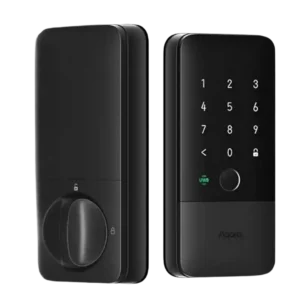
Choose Aqara UWB Smart Lock U400. It scores 4.8 vs 3.8 for Smart-home integration (Alexa, Google, Siri, HomeKit, Matter, Thread), with a 4.2 overall score.

Compare

If you want better Physical attack resistance

Choose Yale August Smart Lock. It scores 5.0 vs 3.9 for Physical attack resistance, with a 4.2 overall score.

Compare

Overall Top Smart Locks Alternatives

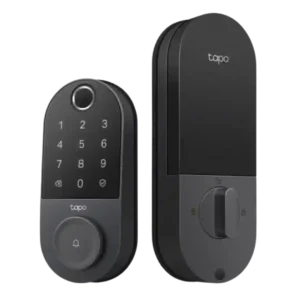
#1 Tapo Smart Door Lock DL110
4.3
12 reviews

Choose the Tapo DL110 for fast fingerprint access, strong battery life, guest codes, and app control under premium-lock prices. Skip it if your door alignment is tricky or you need...

Pros: Keyway quality, Battery

Cons: Existing hardware reuse

#2 ULTRALOQ U-Bolt Pro Smart Lock
4.3
19 reviews

Choose the ULTRALOQ U-Bolt Pro if you want fast fingerprint entry, flexible codes, logs, and remote control. Skip it if you need HomeKit, Amazon Key, true 2FA, or dislike 2.4GHz/app...

Pros: Lock/unlock speed, Fingerprint

Cons: Two-factor authentication availability, Jam detection

#3 Aqara UWB Smart Lock U400
4.2
13 reviews

Choose the U400 if you want hands-free Apple Home unlocking with strong fallback access methods. Skip it if you need a compact lock, higher BHMA rating, no hub requirements, or...

Pros: Lock/unlock speed, Smart-home integration (Alexa

Cons: Physical attack resistance, Hub requirement

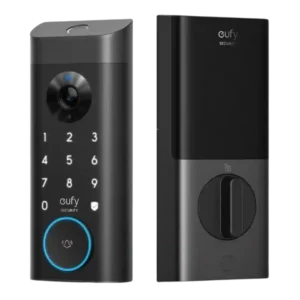
#4 eufy FamiLock S3 Max Smart Lock
4.2
18 reviews

Best for an all-in-one lock, video doorbell, and palm unlock setup. Skip it if you need cheaper hardware, full Matter camera features, or better low-light video.

Pros: Lock/unlock speed, Locking reliability

Cons: Fingerprint, Jam detection