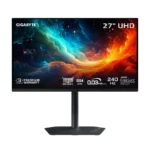
Gigabyte MO27U2 Gaming Monitor Feature Scores
Explore all 50 feature scores for Gigabyte MO27U2 Gaming Monitor, organized into pros and cons.
Scores by Feature
Summary
50 reviewed features-
Very positive 4.5-5.021 (42%)
-
Positive 3.5-4.420 (40%)
-
Neutral 2.5-3.49 (18%)
Pros
Sort
-
Motion is one of the monitor’s strongest traits, combining 240Hz refresh with near-instant OLED response. Black-frame insertion can sharpen 120Hz play further when available.
-
The 4K 240Hz panel, G-Sync support, low latency, and DisplayPort connection make it an excellent PC gaming display.
-
The 4K resolution looks exceptionally crisp at 27 inches, with high pixel density that improves games, text, and multitasking.
-
Pixel response is essentially instantaneous, with no meaningful slowdown at lower refresh rates. Fast motion stays clean and responsive.
-
The glossy 4K panel looks exceptionally sharp, with minimal text fringing and no matte-coating grain. Fine detail and desktop text are both clear.
-
The thin screen, metal stand, and compact base feel sturdy and well made. The stand is repeatedly singled out as a major strength.
-
Extremely low latency, 240Hz refresh, clean motion, and tactical aspect-ratio modes make it excellent for competitive gaming. Only the most demanding esports players may want an even higher refresh rate.
-
Per-pixel OLED control produces excellent contrast and clean separation between bright highlights and dark backgrounds. Ambient light reduces that advantage.
-
The 240Hz refresh rate makes movement exceptionally fluid and easy to track. Its OLED clarity can resemble much faster LCD gaming monitors.
-
The compact stand offers height, tilt, swivel, and pivot adjustment while taking up little desk space. Its flat base also leaves room for accessories.
-
Because every OLED pixel controls its own light, conventional backlight bleed is effectively absent and dark scenes remain clean.
-
Processing delay is extremely low in both SDR and HDR, making controls feel immediate and competitive play highly responsive.
-
Per-pixel lighting eliminates zone transitions and sharply limits blooming around bright objects. High-contrast scenes look cleaner than on zone-lit LCDs.
-
Viewing angles are essentially perfect, with the image staying strong even from extreme off-axis positions.
-
The understated black-and-gray design looks clean, modern, and premium without excessive RGB. Its compact metal base is especially attractive.
-
Two full-bandwidth HDMI 2.1 ports provide strong support for high-refresh 4K sources and current consoles.
-
G-Sync and VRR generally prevent tearing and preserve response consistency across refresh rates. Low, unstable frame rates can still produce OLED flicker.
-
Blacks look nearly perfect in dim rooms. Direct room light can lift them toward gray or magenta.
-
The monitor delivers sharp 4K detail, vibrant color, deep blacks, and outstanding motion. Uneven calibration, bright-room behavior, and HDR processing keep it from being class-leading.
-
The tandem QD-OLED panel delivers elite speed, contrast, color, and clarity in controlled lighting. Burn-in risk and limited bright-scene output remain familiar OLED compromises.
-
The 27-inch format is a strong match for 4K, delivering dense detail without requiring a huge desk. A selectable 24-inch mode adds flexibility for esports.
-
Variable refresh operation is generally smooth and tear-free, with stable OLED response across refresh rates. Flicker can appear when frame rates become low and inconsistent.
-
The three-year warranty includes burn-in coverage, providing useful protection for an OLED monitor. Software support is less reassuring than the hardware warranty.
-
OLED Care tools, automatic maintenance, and burn-in warranty coverage provide solid safeguards. Static desktop use can still cause permanent wear over time.
-
The QD-OLED panel covers a wide range of DCI-P3 and Adobe RGB colors. Coverage is strong, though one test measured slightly less than expected.
-
The metal stand and refined exterior look and feel premium. Image-processing and software shortcomings keep the total experience from feeling equally polished.
-
DisplayPort 1.4 with DSC handles the monitor’s 4K 240Hz output without a meaningful real-world penalty. The lack of DisplayPort 2.1 is mostly academic.
-
Dual HDMI 2.1 inputs and 120Hz VRR support make the monitor well suited to modern consoles. VRR anti-flicker support may depend on firmware.
-
Fast OLED response produces clean motion without the overshoot artifacts commonly seen on aggressive LCD overdrive modes.
-
OLED response needs only one overdrive behavior across the refresh range, so there is no need to retune it for different frame rates.
-
The tested panel showed excellent uniformity across white and dark-gray screens, with no noticeable dirty-screen effect.
-
The joystick-driven OSD is usually fast and intuitive, but certain changes can reset the monitor or force Windows reconfiguration.
-
High pixel density, clear text, low reflections, and a compact stand make everyday work comfortable. Static desktop use and imperfect color accuracy limit professional productivity roles.
-
The monitor covers the major gaming and productivity connections, including dual HDMI 2.1, DisplayPort, USB-C, USB hub ports, and audio. DisplayPort 2.1 is the main omission.
-
Deep blacks, vivid color, and precise highlights make darker cinematic games look excellent. Bright daytime HDR scenes lack the punch of stronger televisions and some LCD monitors.
-
Tactical Switch can quickly move from 16:9 to 4:3 or 5:4 and a 24-inch view, which is especially useful for competitive shooters.
-
Assembly is straightforward, with the stand clipping into the display and fastening to the base with a single thumbscrew.
-
The core 4K 240Hz QD-OLED experience is highly enjoyable, but overall enthusiasm varies. Strong picture and gaming performance are offset by software, HDR tuning, and price concerns.
-
The glossy coating preserves clarity and manages mirror-like reflections reasonably well. QD-OLED blacks still lift noticeably when ambient light reaches the screen.
-
AI Black Equalizer successfully reveals enemies hidden in dark areas. It is useful for competitive play, though more specialized than essential.
-
USB-C, upstream USB-B, and downstream USB-A ports provide practical hub connectivity. USB-C power delivery is limited to 18W.
Cons
Sort
-
Factory accuracy is a consistent weakness, with red tinting, white-balance errors, and problematic HDR modes. Calibration can help, but it is not ideal for critical color work.
-
Software is a major weakness: Gigabyte Control Center can fail to detect or sync with the monitor, and advertised firmware features were unavailable in testing. One unit’s basic firmware behavior was otherwise stable.
-
The monitor offers many gaming and HDR presets, but tuning them can be frustrating. Some settings introduce artifacts, reset the display, or trade accuracy for brightness.
-
Value depends heavily on price. Two sources considered the $1,000 launch price uncompetitive beside cheaper rivals, while one considered it fair for the specifications and warranty.
-
The 5W speakers can get loud and punchy enough for casual videos, but sound quality is divisive and not a substitute for dedicated audio.
-
HDR is impressive in dark, high-contrast scenes but inconsistent overall. Bright-area highlights can clip, full-screen brightness is limited, and the boosted 1,000-nit mode is poorly calibrated.
-
The newer multi-layer OLED design may improve durability, and burn-in warranty coverage helps. Long periods of static content still carry permanent burn-in risk.
-
Small HDR highlights can reach roughly 1,000 nits, but sustained bright scenes and full-screen images are much dimmer. The monitor performs best in a controlled room.
-
Anti-flicker controls may help with VRR flicker, but availability appears firmware-dependent. A small minority may still notice eye strain from OLED refresh pulsing.