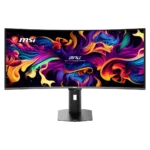
MSI MPG 341CQR QD-OLED X36 Feature Scores
Explore all 57 feature scores for MSI MPG 341CQR QD-OLED X36, organized into pros and cons.
Scores by Feature
Summary
57 reviewed features-
Very positive 4.5-5.037 (65%)
-
Positive 3.5-4.418 (32%)
-
Neutral 2.5-3.42 (4%)
Pros
Sort
-
The consensus is overwhelmingly positive, with many calling it the best or most complete 34-inch QD-OLED ultrawide yet. Price, pixel density, and a few firmware quirks keep it from perfection.
-
The 360Hz refresh rate is a landmark for 34-inch ultrawide OLEDs, delivering exceptionally fluid gaming and desktop motion. Reaching its full benefit requires a powerful PC or lighter competitive games.
-
Motion clarity is outstanding at 360Hz, keeping small moving objects and fast camera pans unusually legible. The improvement over 240Hz is visible, though smaller than the jump from 120Hz.
-
Near-instant OLED pixel response produces exceptionally clean transitions with virtually no perceptible delay, ghosting, or overshoot.
-
Factory accuracy is excellent in the better modes, and sRGB calibration frequently measures near professional-grade levels. Some default wide-gamut presets oversaturate SDR content.
-
The 34-inch 21:9 presentation is highly immersive and adds useful peripheral vision in supported games. Its combination of OLED contrast and 360Hz speed makes the format unusually versatile.
-
The RGB stripe subpixel layout nearly eliminates the colored text fringing of earlier QD-OLED panels. Fine detail is much cleaner, but 110-PPI density still cannot match a 4K monitor.
-
Deep blacks, vibrant wide-gamut color, strong HDR, and improved text rendering create one of the best-looking ultrawide OLED images available.
-
OLED Care 3.0 provides extensive pixel shifting, static-element dimming, panel refresh, and presence-sensing protection. Most features stay unobtrusive, though scheduled refreshes and sensor behavior can occasionally interrupt use.
-
Two HDMI 2.1 ports, DisplayPort, 98W USB-C, USB-A, USB-B, audio out, and KVM support form an unusually complete connection package.
-
The 360Hz refresh, near-instant response, and low latency make it unusually capable for competitive play. Dedicated esports players may still prefer a smaller 16:9 display.
-
Tool-free stand attachment and accessible connections make assembly and initial setup quick, often taking only a few minutes.
-
The wide 21:9 canvas, perfect blacks, vivid HDR, and rich color make story-driven, racing, and open-world games especially cinematic.
-
The wide desktop, USB-C charging, KVM, accurate color, and improved RGB-stripe text make it far more practical for work than earlier QD-OLED ultrawides. Low pixel density still limits fine text sharpness.
-
HDR is a major highlight, combining deep blacks, vivid color, and peaks up to roughly 1,300 nits. EOTF Boost is often the best-balanced mode, though firmware behavior and large bright scenes are not always perfect.
-
The gentle 1800R curve fills peripheral vision without feeling overly aggressive. It works especially well for racing, open-world, and first-person games.
-
The compact stand offers good height, tilt, swivel, and limited pivot adjustment while occupying less desk space. It cannot rotate fully into portrait orientation.
-
QD-OLED color coverage is exceptionally wide, reaching nearly all of DCI-P3 and strong Adobe RGB coverage for vivid games and capable creative work.
-
True OLED blacks are a defining strength, with no glow and substantially better ambient-light performance than earlier QD-OLED generations.
-
Brightness, color, and contrast remain stable from very wide angles, with the curve becoming a larger limitation than the OLED panel itself.
-
DarkArmor substantially reduces the purple-gray haze and mirror-like reflections of older QD-OLED panels. The glossy surface can still struggle with strong direct sunlight or very bright rooms.
-
The upgraded 3H DarkArmor surface is tougher and more scratch resistant than previous QD-OLED coatings, though it still deserves careful handling.
-
The panel is effectively flicker-free in normal use, and the low-blue-light and monochrome options reduce eye strain without an excessively yellow image.
-
Extensive care features, a tougher panel, and months-long heavy use inspire confidence for daily PC duty. Long-term burn-in risk is reduced rather than eliminated.
-
The joystick-driven OSD is well labeled, responsive, and packed with useful image, HDR, KVM, and OLED Care controls. The sheer number of options can require careful setup.
-
Most units show excellent color consistency and clean OLED uniformity, but a few samples measured dimmer outer edges or unexplained luminance variation.
-
The chassis and stand feel sturdy, well engineered, and more refined than earlier MSI ultrawides, with a compact metal base adding stability.
-
The three-year warranty includes OLED burn-in coverage, providing valuable protection for an expensive monitor. Firmware support has been active, though early behavior needed refinement.
-
Presence sensing can dim, lock, sleep, and wake the display automatically, reducing wear and protecting privacy. Some units wake slowly or adjust brightness too aggressively until settings are tuned.
-
The self-emissive OLED panel has no traditional backlight bleed, IPS glow, or VA glow, giving dark scenes a cleaner appearance.
-
Per-pixel lighting delivers effectively infinite contrast, giving games and movies exceptional depth without blooming around bright objects.
-
DisplayPort provides enough bandwidth for the native 3440×1440 resolution at 360Hz, and included high-bandwidth cabling simplifies setup.
-
Fast movement remains clean with no visible ghosting or conventional OLED trailing at 360Hz.
-
OLED response requires no aggressive overdrive, and transitions remain free of visible overshoot or slow trailing across refresh rates.
-
The metal base, solid construction, and polished OLED image feel premium, though the conservative plastic-heavy styling and cable routing fall short of the very best luxury designs.
-
VRR works across Nvidia, AMD, HDMI 2.1 consoles, and a broad 48–360Hz range. Dark-scene brightness flicker remains the main limitation.
-
Measured latency is extremely low at 360Hz, making control inputs feel immediate in fast games.
-
Console Mode accepts 4K HDR signals and adds HDMI 2.1, VRR, ALLM, and CEC support. The ultrawide panel may still display consoles in a 16:9 area.
-
The two-port USB hub and KVM switch make it easy to share peripherals between a desktop and USB-C laptop, though the 5Gbps ports can limit fast external storage.
-
Full-screen SDR brightness around 300 nits is a useful improvement and adequate for most indoor rooms. Bright scenes still look dimmer than top LCD or newer high-brightness OLED alternatives.
-
The monitor delivers flagship ultrawide OLED performance and a rich feature set at a competitive premium price. Cheaper 240Hz OLEDs remain better value for buyers who do not need 360Hz or the newest panel improvements.
-
Gaming Intelligence and remote controls provide useful OSD access, profiles, shortcuts, and firmware updates. Early samples required updates, and app polish or availability was inconsistent.
-
Adaptive Sync works smoothly across Nvidia and AMD graphics cards, keeping gameplay tear-free. OLED VRR flicker can still appear in dark scenes with unstable frame rates.
-
The monitor is packed securely in layered foam with the panel well protected, reducing the chance of shipping damage.
-
Dual HDMI 2.1 inputs handle the monitor’s full resolution and refresh capabilities while also supporting modern console features.
-
Per-pixel OLED lighting is more precise than even full-array local dimming, eliminating blooming and preserving tiny bright details against black backgrounds.
-
The fifth-generation QD-OLED panel meaningfully improves brightness, ambient-light black depth, text rendering, and durability over earlier generations.
-
High-bandwidth inputs, broad VRR support, 360Hz operation, and a manageable 3440×1440 workload make it an excellent match for high-end gaming PCs.
-
The 34-inch panel provides enough horizontal space to reveal more of supported games and replace a dual-monitor layout without becoming excessively tall.
-
The 21:9 format adds useful horizontal space and strong immersion while remaining easier to drive than 4K. Some games and 16:9 video still produce pillarboxing.
-
The slim black chassis and compact stand look clean and professional, but the restrained styling does not always feel as luxurious as similarly priced Asus or Samsung models.
-
Dark-scene visibility is excellent, revealing faint enemies and shadow detail without sacrificing the panel’s deep blacks.
-
PiP and PbP modes let multiple systems share the ultrawide workspace, adding useful flexibility for multitasking and mixed-device setups.
-
Standard 100×100mm VESA support makes it easy to replace the included stand with an arm and reclaim additional desk space.
-
The monitor offers many genre and professional presets with extensive customization. Some gaming presets are visibly inaccurate, so User or sRGB modes are usually better starting points.
Cons
-
The 3440×1440 resolution balances immersion, performance, and usable detail for games, but roughly 110 PPI looks soft beside 4K monitors during text-heavy work.
-
The compact stand improves desk space, but cable routing is inconsistent. Its small opening and lack of clips or a routing shelf can leave a fully connected setup looking cluttered.