If you want better media playback
Choose RayNeo Air 4 Pro. It scores 4.6 vs 4.0 for media playback, with a 3.7 overall score.
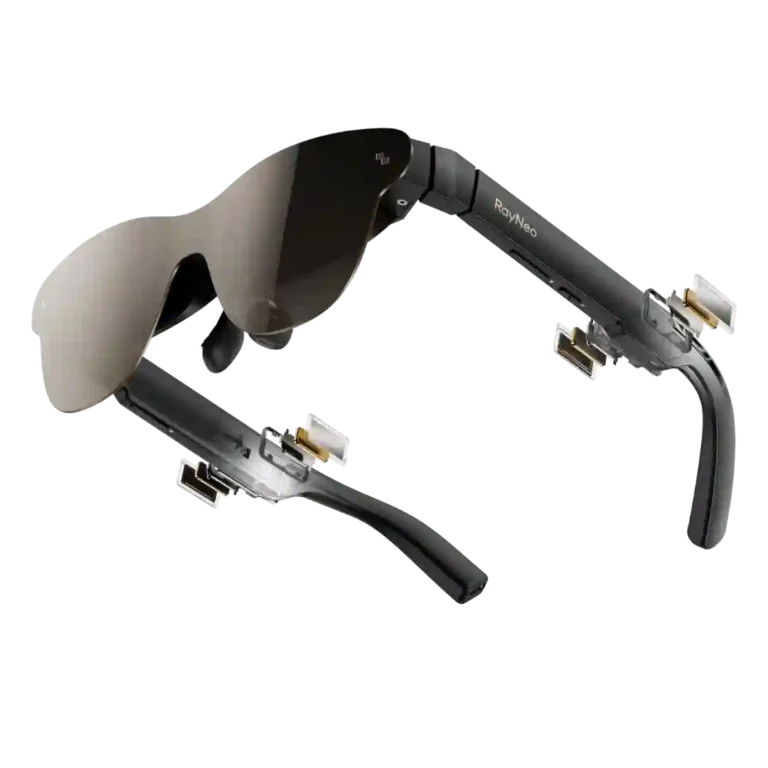
Choose the Air 3s Pro for a bright, sharp, affordable private screen for movies and handheld gaming. Skip it if you need screen anchoring, reliable edge-to-edge visibility for work, or a fit that accommodates every face.
Travelers, handheld gamers, and movie watchers who want a bright private screen without carrying a monitor or bulky headset. It suits buyers who value simple USB-C operation more than advanced spatial features.
Skip it for serious text-heavy productivity, true spatial AR, or if you need IPD/diopter adjustment and guaranteed edge-to-edge visibility. Motion-sensitive users and people with difficult face fit should be especially cautious.
The RayNeo Air 3s Pro succeeds most convincingly as a portable personal display rather than a full AR platform. Its bright Micro-OLED picture, vivid color, strong contrast, simple USB-C setup, light weight, and aggressive price make movies and handheld gaming unusually compelling. Built-in audio is better than the form factor suggests, and Whisper mode adds useful privacy. The tradeoffs are equally consistent: the screen follows your head, the field of view can clip corners, outdoor glare remains an issue, and fit varies enough that some users report blur, eye strain, or motion sickness. The companion software and productivity experience also lag the core media experience. For buyers who want an affordable private theater and can get a clean fit, the value is excellent.
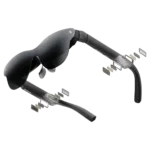
Compared with other Smart Glasses, this product is above average in low-light visibility, reliability, connection stability, near average in weight, fit, below average in prescription lens compatibility, media playback, all-day wearability.
| Attribute | This product | Category average | Difference |
|---|---|---|---|
| low-light visibility | 4.0 | 1.3 | +2.7 |
| reliability | 4.3 | 2.1 | +2.2 |
| connection stability | 3.8 | 2.2 | +1.5 |
| audio leakage | 3.9 | 2.8 | +1.1 |
| bass performance | 3.9 | 2.8 | +1.1 |
| prescription lens compatibility | 3.1 | 3.9 | -0.9 |
| value for money | 4.6 | 3.9 | +0.7 |
| media playback | 4.0 | 4.7 | -0.7 |
Choose RayNeo Air 4 Pro. It scores 4.6 vs 4.0 for media playback, with a 3.7 overall score.
Choose Rokid Ai Glasses Style. It scores 4.1 vs 2.7 for volume level, with a 3.9 overall score.
Choose Ray-Ban Meta Gen 2 Review. It scores 4.4 vs 3.4 for comfort, with a 3.6 overall score.
Products reviewers directly compared with this model, grouped into quick takeaways.
Brightness is a major strength and is noticeably improved over earlier models, but direct sunlight and glare can still wash out the image. A darker environment or light-blocking shade gives the best result.
Yes. The bright Micro-OLED image, 120Hz option, low perceived latency, and large private screen are repeatedly praised for handheld and couch gaming, though corner visibility can depend on fit.
For some users it works well as a second screen, but text-heavy productivity is much less consistent. Edge blur, fixed screen positioning, and limited workspace make spreadsheets and small text difficult for many people.
Custom prescription inserts can produce excellent clarity, but wearing normal glasses underneath is often awkward. The lack of built-in diopter and IPD adjustment adds extra cost and setup friction for some buyers.
They are surprisingly clear for open speakers and Whisper mode can keep leakage low at moderate volume. In noisy places, maximum volume and bass are often not strong enough to replace good earbuds.
Compatible USB-C devices with DisplayPort video output are usually plug-and-play. Recent USB-C iPhones, many Android phones, laptops, and handhelds work well, while some iPhones and consoles need adapters or lack direct support.
These are a few of the reviews included in our analysis.
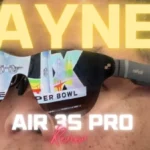

Go to GamingNexus.com for news and reviews on video games, consoles, and PCs.
RayNeo's Air 3s Pro glasses are cute, affordable and super-bright. They are a great option for a no-frills immersive XR use.
RayNeo Air 3s Pro delivers a massive 201-inch OLED screen right on the bridge of your nose. We have tested the hyped TV glasses!
Several PC case reviews have been published, including Tom's Hardware's review of the RayNeo Air 3s Pro AR glasses, which noted an...
The Air 3s Pro glasses get a usability boost with a 1,200 nits maximum brightness.
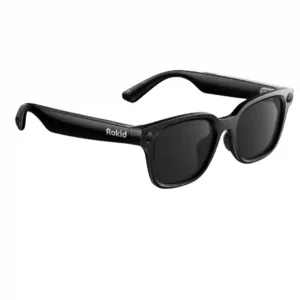
Choose these for flexible POV recording, broad AI and translation tools, and lightweight all-day wear. Skip them if you want premium frames, an included charging case, consistent software, or stronger...
Pros: prescription lens compatibility, temple comfort
Cons: outdoor visibility, camera privacy
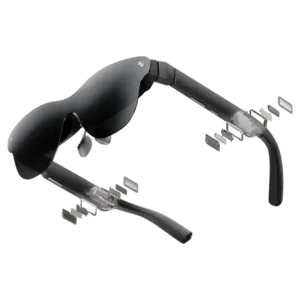
Choose the Air 4 Pro for bright, sharp, plug-and-play movies and gaming at a standout price. Skip it if you need anchored screens, reliable productivity software, loud open-ear audio, or...
Pros: heads-up display, charging method
Cons: low-light visibility, Bluetooth connectivity
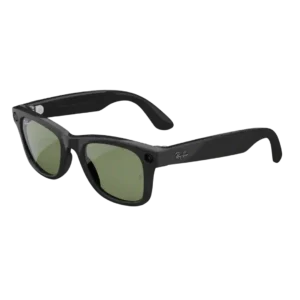
Choose these for stylish hands-free photos, social video, calls, and improved battery life. Skip them if Meta privacy, app clutter, open-ear leakage, or a modest Gen 1 upgrade outweigh the...
Pros: media playback, lens clarity
Cons: low-light visibility, heads-up display