RayNeo Air 3s Pro Feature Scores
Explore all 68 feature scores for RayNeo Air 3s Pro, organized into pros and cons.
Scores by Feature
Summary
68 reviewed features-
Very positive 4.5-5.010 (15%)
-
Positive 3.5-4.427 (40%)
-
Neutral 2.5-3.422 (32%)
-
Negative 1.5-2.49 (13%)
Pros
Sort
-
Value is one of the strongest points across the set. The display and audio often compete well with pricier glasses while the $249-$299 range keeps the compromises easier to accept.
-
Brightness is one of the clearest strengths. The 1,200-nit ceiling makes the Pro visibly stronger than earlier models and very effective indoors, though sunlight can still overpower it.
-
The Micro-OLED image is the product's biggest selling point, with strong praise for sharpness, color, brightness, and cinematic impact across movies and games.
-
Color is a major strength: vivid, rich output is repeatedly praised, with professional and movie-oriented modes adding useful flexibility without obvious crushing or dullness.
-
1080p per eye looks sharper than the number suggests for media and gaming. Text-heavy desktop work exposes the resolution limits more readily.
-
Overall satisfaction is high, especially for media, travel, and handheld gaming. Most negative outcomes come from face fit, motion sensitivity, or expecting advanced AR and productivity features.
-
Movies, streaming video, and gaming are where the Air 3s Pro is most consistently loved. The large private screen, bright OLED image, and easy connection make it especially strong for travel and couch use.
-
The private visual display is a strong practical benefit for planes, shared rooms, and public work. People nearby generally cannot see the content on the virtual screen.
-
Core setup is one of the strongest usability wins: compatible USB-C devices are usually plug-and-play with little or no configuration.
-
The built-in speakers are surprisingly capable for movies and games in quiet rooms, with clear dialogue and decent fullness. Opinions drop in noisy spaces or when compared with good earbuds.
-
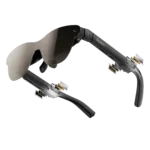
At roughly 76 grams, the glasses are consistently viewed as light for the category and much easier to tolerate than bulky VR headsets.
-
The frame is usually described as solid and sturdy despite its plastic construction. A minority find the plastics cheap-feeling, so the build impresses more for rigidity than premium materials.
-
Center clarity is often excellent and can look remarkably crisp, but edge blur and corner visibility are recurring fit-dependent weaknesses, especially for desktop text and HUD elements.
-
The perceived screen can feel impressively theater-like, but the 201-inch claim is highly perspective-dependent. Some users see a giant cinema image while others perceive something closer to a large nearby monitor.
-
Deep blacks and strong OLED contrast are repeatedly praised and contribute heavily to the cinematic look.
-
The adjustable nose pads help many users find a comfortable position, but some still report pressure or marks after long sessions.
-
The frame is relatively sleek for display glasses and more understated than a headset, but the thick temples and obvious tech profile keep it from passing as ordinary eyewear.
-
High-refresh-rate motion is a strength, with smooth gaming and little visible stutter or latency in most testing.
-
Whisper mode usually keeps sound impressively private at moderate volume, which works well for travel and shared rooms. Leakage becomes more noticeable as volume rises.
-
Video looks bright, colorful, and smooth, especially for movies and gaming content. The experience is strongest when ambient light is controlled.
-
The Pro's brighter display is the meaningful upgrade and makes it the better buy for newcomers. Existing Air 3s owners may find the improvement too incremental to justify replacing a working pair.
-
The simple on-screen menu is easy to learn and keeps picture, refresh-rate, and audio adjustments accessible without much friction.
-
Most direct-use experiences are dependable once compatibility is sorted, with plug-and-play operation holding up well. A few isolated connection or software issues keep it from being uniformly trouble-free.
-
Bass is surprisingly respectable for tiny open speakers, and several sources noticed warmer or fuller tuning. Others still find the low end light compared with proper headphones.
-
Fit can make or break the experience. Adjustable temples and nose pads help many users, yet others cannot get every corner visible or comfortably align the display.
-
Dark rooms are an ideal environment for these glasses, where the OLED image looks vivid and immersive without fighting ambient light.
-
The small number of direct battery-life comments were positive, describing endurance as good or better than expected.
-
Eye-protection and low-blue-light features are generally viewed as useful for longer sessions, especially alongside the adjustable brightness and eye-care modes.
-
Direct USB-C use is usually stable and immediate on compatible hardware, though a few device-specific connection and handshake problems appear.
-
Being able to use the glasses without an internet connection is a meaningful plus for users who prefer simple, self-contained hardware.
-
The ability to use the core display without accounts, cloud services, or a required app is a welcome part of the simple plug-and-play experience.
-
Dedicated brightness and volume rockers are easy to understand and faster than digging through menus, while the on-glasses menu remains simple.
-
Weight balance is generally good and helps reduce nose strain, though comfort still depends heavily on individual fit.
-
Phone support is broad only when the handset can output DisplayPort video over USB-C, so checking the exact device matters before buying.
-
The tactile on-glasses buttons make quick adjustments feel direct and dependable.
-
The open-ear speakers perform better than expected for casual viewing while preserving awareness of the room.
-
Alternative software can fill some gaps better than RayNeo's own app, particularly for specialized playback or virtual-screen functions.
Cons
Sort
-
Display head tracking is the standout missing capability. The screen generally follows head movement instead of staying fixed in the room, which limits spatial use and can trigger motion discomfort.
-
The virtual screen stays tied to your gaze instead of remaining anchored in space. That is fine for still viewing, but movement can feel disorienting and makes serious desktop use harder.
-
These are much stronger as wearable display glasses than as true AR hardware. The lack of screen anchoring and richer spatial interaction repeatedly limits the augmented-reality experience.
-
The companion software is one of the least convincing parts of the package. Mirror Studio and other app features are described as limited, unstable, or not worth buying the glasses for.
-
The software ecosystem is a weak point, with limited first-party app depth and little that meaningfully expands the glasses beyond their core display role.
-
Host-device battery drain is a real travel concern. Long streaming or gaming sessions often require a charging adapter, power bank, or nearby outlet.
-
Attempts to stabilize or virtualize the screen through software can introduce drift or shakiness, while the native display itself remains rigidly head-locked.
-
Heat is not universal, but it can become noticeable in longer sessions; one source found the face-contact areas especially hot.
-
Maximum volume is the audio system's biggest weakness. It is usually fine in quiet rooms but can be too soft on planes, in cars, or in other noisy environments.
-
The included extras are functional, but the felt case and basic cable draw repeated criticism. Several owners prefer the older hard case or wish a light-blocking cover came standard.
-
Ambient reflections and light bleed can intrude on the image, especially in bright environments. A shade or darker room improves immersion substantially.
-
The companion app adds some extra functions, but it is much less compelling than the core plug-and-play display experience and is notably limited on iPhone.
-
Built-in Bluetooth is a missed convenience for users who want wireless audio or fewer cable-related workarounds.
-
The brighter Pro display handles ambient light better than earlier models, but direct sunlight, glare, and the lack of built-in dimming or a standard blackout cover still limit outdoor use.
-
The roughly mid-40-degree field of view is a recurring compromise. It feels large enough for movies, but corner clipping and a more constrained view than premium rivals are common complaints.
-
Prescription support is workable through custom inserts and partner services, yet the extra cost, ordering delay, and lack of built-in diopter adjustment add friction.
-
The plastics keep weight down and can feel solid in use, but some sources explicitly describe the finish as cheap or less premium than higher-priced rivals.
-
Gaming response is usually quick, but isolated reports of input lag or software-induced motion problems show that latency can vary by setup.
-
The glasses themselves generally feel sturdy enough for regular use, but the overall protection story is weakened by the softer carrying case and non-rugged construction.
-
Prescription inserts can transform clarity for nearsighted users, but wearing normal glasses underneath is often awkward and can worsen fit.
-
The look is relatively understated for XR hardware, though the thicker temples and sunglass-like front still make it obvious these are tech glasses.
-
Recent USB-C iPhones with video output work well, but compatibility is model-dependent. Older Lightning iPhones and the iPhone 16e require workarounds or simply lack direct video support.
-
Android can be excellent when the device supports USB-C video, with Samsung DeX getting especially positive comments. The RayNeo app experience on Android is much less polished and may require extra installation steps.
-
Flexible temples help with fit, but thicker arms, warmth, and the rear cable can create pressure or awkwardness during long sessions or when reclining.
-
A single basic frame size works for many people but can be restrictive for very large heads or unusual eye spacing.
-
Long-session comfort varies sharply by face and sensitivity. Some users wear them for hours without fatigue, while others report eye strain, warmth, or pressure much sooner.
-
Productivity is highly mixed. Some people successfully use the glasses as a second screen, but edge blur, fixed positioning, and limited workspace make spreadsheets and text-heavy work a poor fit for others.
-
Drawing power from the connected device keeps the glasses light and avoids another battery to charge, but the required cable and adapters can complicate charging while using them.
-
Subtitles and centered text can look sharp, but small desktop text and content near the edges are much less dependable because of blur and fit limitations.
-
Brightness and picture controls are flexible, but physical viewing adjustment is much more constrained. Missing IPD, diopter, screen-size, and repositioning controls can make the fit unforgiving.
-
Comfort is highly personal. Many people find the 76-gram frame easy to wear for long sessions, but poor fit can cause nose pressure, eye strain, headaches, or motion sickness.