If you want better Equalizer customization
Choose Fractal Design Scape Headset. It scores 4.7 vs 3.3 for Equalizer customization, with a 4.0 overall score.
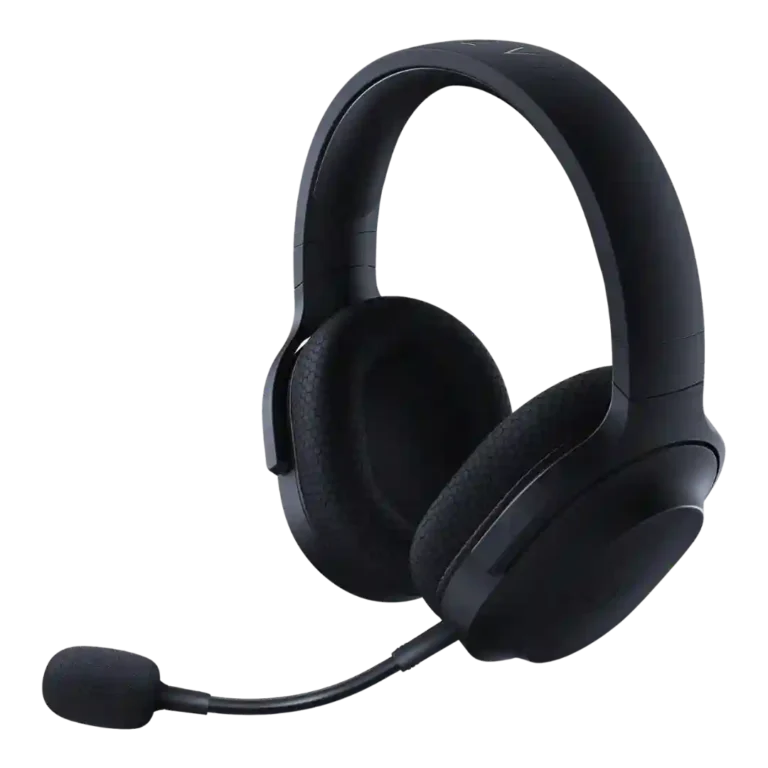
Choose it for light comfort, strong value, flexible multi-platform audio, and long battery life. Skip it if you need native Xbox wireless, ANC, pristine mic quality, or dislike dongle/app compromises.
Best for budget-conscious gamers who want one comfortable headset for PC, PlayStation, Switch, Android/mobile, and everyday listening. It especially suits buyers who value light weight, long battery life, and flexible wireless/wired use over premium ANC or audiophile tuning.
Not for users who need native Xbox wireless, active noise cancellation, the cleanest possible microphone, or a no-app/no-dongle setup. It is also less ideal for buyers who prioritize wide soundstage or premium music fidelity.
Across the supplied reviews, the Razer Barracuda X family earns its reputation as a flexible, comfortable, high-value gaming headset. Reviewers most often praised the light weight, understated design, long-session comfort, broadly compatible USB-C or dual-wireless connectivity, and sound that works well for games, music, and chat at the price. The tradeoff is that convenience varies by version: older models lack Bluetooth, Chroma and 2022 models lean more on apps, the dongle can block ports, and Xbox wireless support is repeatedly absent. Microphone feedback is also split, ranging from excellent Chroma and boom-mic results to passable or poor integrated/older impressions. The overall evidence supports a strong everyday gaming headset, not a premium audiophile or ANC-focused option.
Compared with other Headsets, this product is above average in Sound leakage, Cable quality, Hinge durability, near average in Sound quality, Multi-platform compatibility, below average in Codec support, Ear cup swivel/rotation range, Integrated microphone.
| Attribute | This product | Category average | Difference |
|---|---|---|---|
| Sound leakage | 4.5 | 2.7 | +1.8 |
| Cable quality | 5.0 | 3.3 | +1.7 |
| Codec support | 2.0 | 3.5 | -1.5 |
| Hinge durability | 5.0 | 3.5 | +1.5 |
| Ear cup swivel/rotation range | 2.5 | 3.8 | -1.3 |
| Value for money | 4.6 | 3.9 | +0.7 |
| Integrated microphone | 2.5 | 3.6 | -1.0 |
| Weight comfort | 4.6 | 4.1 | +0.5 |
Choose Fractal Design Scape Headset. It scores 4.7 vs 3.3 for Equalizer customization, with a 4.0 overall score.
Choose HyperX Cloud III. It scores 4.8 vs 4.2 for Battery, with a 3.8 overall score.
Choose SteelSeries Arctis Nova 3 Gaming Headset. It scores 4.5 vs 2.6 for Xbox compatibility, with a 4.2 overall score.
Choose EKSA E1000 Gaming Headset. It scores 4.3 vs 3.8 for Software/setup simplicity, with a 3.8 overall score.
Products reviewers directly compared with this model, grouped into quick takeaways.
Yes. Comfort is one of the clearest positives, with reviewers repeatedly praising the low weight, soft padding, breathable ear cups, and multi-hour wearability.
Most reviewers found the sound good to excellent for the price, especially for gaming. Bass, clarity, and positional detail were praised, though some reviewers said the soundstage or bass depth was not premium-level.
It depends on the version and setup. Several reviews praised the detachable boom or Chroma mic, but others found older or integrated mic performance passable, quiet, or not ideal for content creation.
Reviewers repeatedly noted that Xbox wireless support is the main limitation. Xbox use generally requires the 3.5mm cable rather than native wireless.
Newer versions with Bluetooth were praised for convenience and SmartSwitch, but one long-term 2022 review reported frustrating reconnection issues where Bluetooth interfered with 2.4GHz use.
The most repeated caveats are Xbox wireless limitations, the wide USB-C dongle blocking ports, inconsistent app/software convenience, and mixed microphone impressions.
These are a few of the reviews included in our analysis.

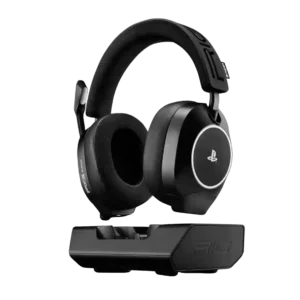
Best for sharp gaming audio, long battery life, an excellent dock, and strong value. Skip it if you need ANC, a detachable mic, maximum console volume, or seamless PS5/Xbox switching.
Pros: Spatial audio, Positional audio accuracy
Cons: Carry case quality, Detachable microphone convenience
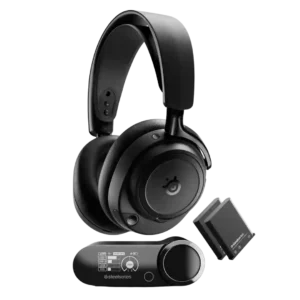
Choose the Arctis Nova Elite if you want top-tier wireless sound, ANC, hot-swap batteries, and multi-device mixing. Skip it if $600 feels excessive, you game on one console, or tight/heavy...
Pros: Maximum volume clarity, Multipoint connectivity reliability
Cons: Portability/foldability, USB-C
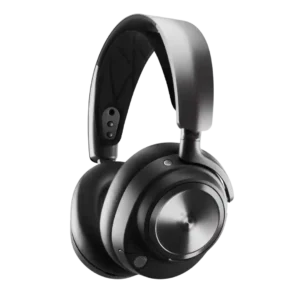
Choose the Arctis Nova Pro Wireless for premium gaming audio, hot-swappable batteries, broad device support, and deep EQ control. Skip it if the high price, mixed mic quality, or uneven...
Pros: Charging, Spatial audio
Cons: Hinge durability, Smudge resistance
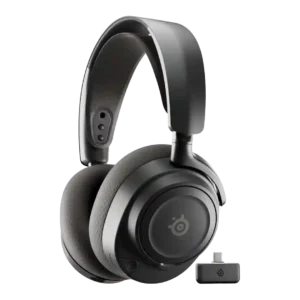
Best for long sessions, strong battery, customizable EQ, and easy dual-device gaming. Skip it if you need ANC, a slimmer dongle, premium mic fidelity, or the best value outside a...
Pros: Connectivity versatility, Multi-platform compatibility
Cons: Transparency mode quality, Active noise cancellation