Best for learning curve
Logitech G29
4.5 feature score
Highest scored product for this feature based on supporting review evidence.
Highest scored product for this feature based on supporting review evidence.
Balances feature score, supporting reviews, and overall product strength.
Has the broadest review evidence for this feature.
Strongest overall product among items with scored evidence for this feature.
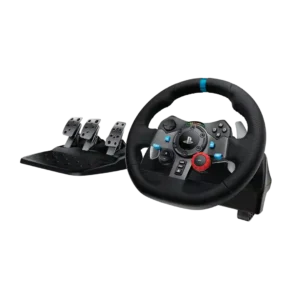
New users usually adapt quickly, though the two-stage brake and slower self-centering require some practice. Once adjusted, drivers can become comfortable within a few sessions.
Pros: ergonomics, programmable button support
Cons: hand fatigue over long sessions, wheel noise

Basic play is intuitive, while sensitive sticks, mode switching, and touch mapping can take time to learn. Most users become comfortable after calibration or a short adjustment period.
Pros: weight balance, face button responsiveness
Cons: firmware update support, customer support
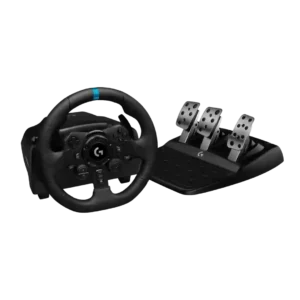
The wheel is approachable for first-time sim racers and helps translate real driving instincts into games. New users without driving experience may still need time to coordinate steering and three...
Pros: wired performance, accessibility features
Cons: cable length and quality, shifter and handbrake support

Learning curve was mostly manageable, though one reviewer warned customization could feel overwhelming.
Pros: grip texture, analog stick smoothness
Cons: compatibility with Nintendo Switch, platformer control precision
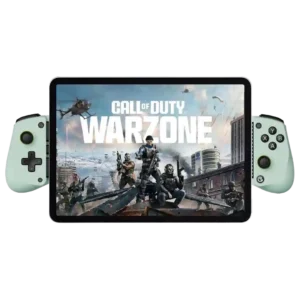
The basic controller is easy once configured, but instructions, mode switching, and remapping can confuse some users.
Pros: trigger smoothness, connection reliability
Cons: firmware update support, analog trigger precision

Most users adapt quickly, but the lighter sticks, extra buttons, software options, and unusually fast response can require a short adjustment period.
Pros: hand fatigue over long sessions, charging speed
Cons: compatibility with Xbox, compatibility with PlayStation

The extra controls and aggressive competitive layout can take time to learn. Once adapted, reviewers often found the controller faster and more efficient.
Pros: input lag, consistency across sessions
Cons: charging dock support, 2.4GHz dongle performance

Learning curve was a real caveat, mostly around obtuse onboard controls and memorized mode combinations.
Pros: hand fatigue over long sessions, macro support
Cons: compatibility with Xbox, compatibility with PlayStation

Frequent platform switching requires memorizing many button combinations and often keeping the manual nearby.
Pros: d-pad accuracy, analog stick precision
Cons: gyro aiming performance, brand software support
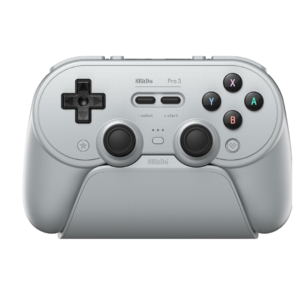
Core play is simple, but modes, profiles, button layouts, macros, and platform differences take time to understand. The physical selector helps, yet the full feature set can overwhelm new users.
Pros: Hall effect stick performance, analog stick smoothness
Cons: cloud gaming compatibility, audio jack quality
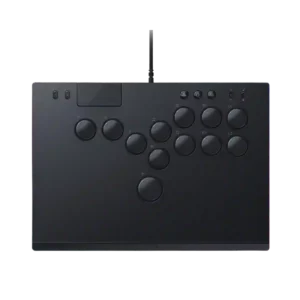
The learning curve was a repeated drawback, especially for players coming from sticks or standard controllers.
Pros: ease of setup, compatibility with PC
Cons: included accessories, programmable button support

The learning curve is real for newcomers. People comfortable with emulators and controller settings had better results than reviewers who expected the app to guide them clearly.
Pros: travel friendliness, portability
Cons: brand software support, consistency across sessions