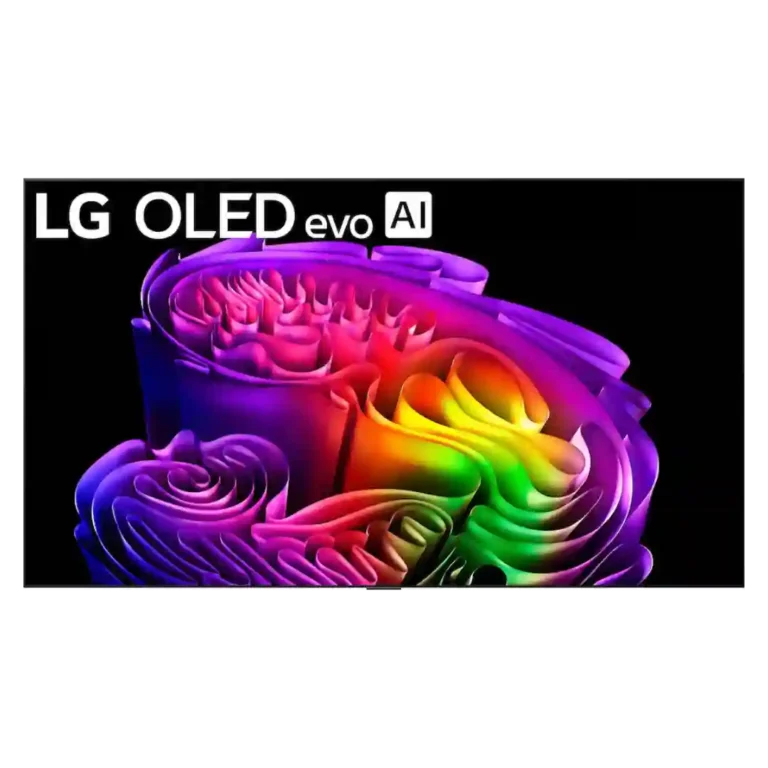
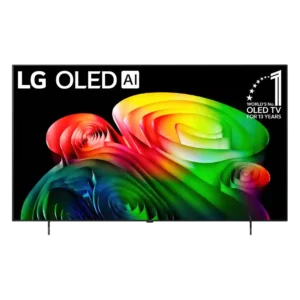
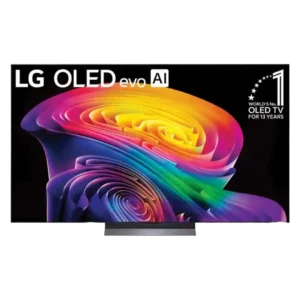
Choose the G6 for class-leading bright-room OLED picture, rich color, deep blacks and elite gaming. Skip it if you want strong built-in audio, polished launch firmware, no account sign-in, or the best value.
Best for
Best for movie and gaming enthusiasts who want deep OLED blacks without giving up daytime brightness, plus PC players who can use 165Hz and four HDMI 2.1 ports.
Not for
Skip it if value, strong built-in audio, DTS support, account-free streaming or perfectly stable launch firmware matter more than peak OLED performance.
Verdict
The LG G6 is a flagship OLED built around an exceptional core picture. Its glossy anti-reflection coating, unusually high full-screen brightness, deep blacks, broad color and refined HDR10 gradients make it equally convincing for daytime sports and dark-room movies. Gaming is another major strength, with four full-bandwidth HDMI 2.1 ports, 4K/120 console support, up to 165Hz for PCs, broad VRR compatibility and extremely low input lag. The tradeoffs are meaningful: launch firmware produced inconsistent HDR and Dolby Vision results, webOS adds large ads and mandatory account sign-in, and the built-in speakers do not match the picture. It is also expensive while the G5, C6 and C6H can deliver much of the experience for less. Later updates improve the case considerably, but value still depends on pricing.
The G6 reaches exceptional OLED peaks, often around 2500–3100 nits and higher in tiny highlights. Measurements vary by mode and firmware, but brightness is a major strength.
High full-screen brightness and excellent anti-reflection treatment make this one of the strongest OLEDs for bright living rooms without sacrificing deep blacks.
Complex color transitions are exceptionally smooth and among the best seen on OLED. Only heavily compressed or Dolby Vision material occasionally reveals residual issues.
Across movies, sports, games, SDR, and HDR, the G6 delivers a brilliant, cinematic image with deep blacks, rich color, and strong detail. Most criticism centers on firmware-specific flaws rather than the core panel.
Reflections are greatly reduced without using a matte finish, so the screen keeps glossy depth and strong black retention. A faint magenta tint can appear in reflected light.
design and appearance: 4.8, 13 reviews, strong consensus
The slim, understated Gallery design looks premium and especially elegant when flush-mounted. Its familiar appearance has changed little, which some consider overdue for a refresh.
PC gaming reaches up to 165Hz, while consoles are exceptionally well served at 120Hz. The maximum 165Hz mode can trade some gradation and chroma quality for speed.
The new processing pipeline produces exceptionally smooth HDR10 gradients and greatly reduces the G5’s banding. Very dark compressed material and some Dolby Vision scenes can still expose artifacts.
smart TV platform: 4.8, 8 reviews, strong consensus
webOS 26 remains a fast, customizable, app-rich platform with useful Quick Cards and settings. Ads, account requirements, and uneven AI features are its main drawbacks.
GeForce Now can reach 4K/120Hz, and the portal includes several major cloud services. Low-latency controller support makes the feature unusually capable for a TV.
Uniformity is very good overall, with clean gray fields and strong sports performance. One sample showed minor edge tint and faint dark vertical streaks.
The combination of bright highlights, deep blacks, broad color, and fine detail creates spectacular HDR. Firmware and Dolby Vision inconsistencies prevent completely uniform results.
The panel covers virtually all DCI-P3 and a strong portion of Rec.2020, producing broad HDR color. A few comparisons found slightly less high-brightness coverage than rival QD-OLEDs.
4K at 120 Hz support: 4.7, 5 reviews, strong consensus
Console gaming is exceptionally well covered at 4K/120Hz, including Dolby Vision on compatible systems. Image fidelity is generally strongest at 120Hz rather than pushing the optional 165Hz mode.
DVD and HD material often gains crisp texture and careful detail, especially from cleaner sources. The weakest compressed broadcasts can still expose overprocessing.
color accuracy: 4.5, 17 reviews, moderate consensus
Color is usually natural, vivid, and highly accurate out of the box, particularly in Filmmaker Mode. Some samples showed green tint, warm magenta, or firmware-related saturation errors.
Small highlights are intensely bright and full-screen HDR output is substantially stronger than before. Some firmware versions undertracked real scenes despite excellent test-pattern results.
Filmmaker Mode can look natural and reference-like, especially after firmware fixes. Sample-to-sample tint and changing HDR tracking caused some inconsistent early results.
Dark-scene texture is often excellent and preserved without raising blacks. A few firmware versions and challenging scenes showed mild crush or required a small Near Black adjustment.
Filmmaker Mode and Calman support can deliver reference-grade accuracy with extensive adjustment. One firmware version’s broken HDR color controls created a notable exception.
Speech is generally clear, natural, and separated from background effects, though the warmer tuning can make some male voices sound slightly bass-heavy.
Firmware has already corrected major HDR and Dolby Vision problems, and LG promises years of webOS updates. The messy launch showed how dependent performance can be on software version.
The Alpha 11 Gen 3 processor improves gradation, clarity, and detail, but low-quality sources can trigger ringing or aggressive smoothing that erases fine texture.
Dolby Vision can look excellent and improved substantially after firmware updates, but early units showed serious near-black artifacts. Dolby Vision 2 is also absent.
AI Sound Pro adds noticeably more bass punch and warmth than the G5. The low end can still turn soft, tubby, or underpowered in demanding movie soundtracks.
The sturdy, height-adjustable pedestal works well with soundbars where included. Several wall-mount variants omit a stand entirely, creating extra cost for tabletop users.
Rear channels and clips can keep wiring tidy, but the permanently attached power cord and cable-length requirements complicate concealed installations.
Near-instant OLED response makes 24p stutter visible, especially on larger screens; light TruMotion can smooth it at the risk of some soap-opera effect.
The hardware is widely regarded as excellent, but launch firmware varied across units and introduced inconsistent HDR, Dolby Vision, and processing behavior. Later updates fixed many of those problems.
Built-in sound is fuller and bassier than the G5 and adequate for everyday TV, but it falls well short of the picture quality and usually deserves a soundbar.
The revised layout is cleaner for some users, yet missing backlighting, charging, and a straightforward source button keeps it from feeling fully premium.
value for money: 2.9, 14 reviews, strong consensus
Performance is genuinely flagship-level, but launch pricing is difficult to justify while the discounted G5 and cheaper C6/C6H deliver much of the experience.
Dynamic tone mapping can reveal shadows and add punch, but several tests found it overbrightened, washed out, or reduced highlight and color nuance. Accuracy is usually best with it disabled.
Streaming apps being locked behind an LG account is one of webOS 26’s most disliked changes, with added concern over required data consent.
Compared With Category Average
Compared with other TVs, this product is above average in reflection handling, glare resistance, response time, near average in contrast ratio, gaming performance, below average in value for money, voice control accuracy, remote control quality.
Summary
90 compared features
Above average0.4+ pts higher
32(36%)
Same as averagewithin 0.3 pts
42(47%)
Below average0.4+ pts lower
16(18%)
Largest category differences
Attribute
This product
Category average
Difference
reflection handling
4.8
3.0
+1.8
glare resistance
4.8
3.1
+1.8
response time
5.0
3.4
+1.6
motion clarity
4.9
3.3
+1.6
value for money
2.9
4.2
-1.3
Dolby Atmos support
4.5
2.9
+1.6
sustained brightness
4.7
3.4
+1.3
G-SYNC compatibility
5.0
3.7
+1.3
Consider This Instead
If you want better overall image accuracy
Choose LG C6. It scores 4.8 vs 4.3 for overall image accuracy, with a 4.1 overall score.
Products reviewers directly compared with this model, grouped into quick takeaways.
G5
Cheaper: valueThe G6 improves the picture, but the discounted G5 is the stronger value.
Older model: reflection handlingThe G6 reflects much less light than last year’s G5.
Older model: banding and ditheringThe reviewer prefers the G6 because its gradient and dithering improvements are meaningful.
Samsung S95F
Worse: natural sharpnessThe LG looked more natural and sharper in side-by-side viewing.
Worse: bright-room viewingThe G6 preserves blacks better while controlling reflections in bright rooms.
Samsung S99H
Better: overall picture qualitySamsung currently offers cleaner near-black handling and more impactful HDR.
Better: color realismSamsung looks slightly warmer and more lifelike in a difficult dark scene.
FAQ
Is the LG G6 good for bright rooms?
Yes. High full-screen brightness and excellent glossy anti-reflection treatment make it one of the strongest bright-room OLEDs, while blacks stay deep.
How good is it for gaming?
It is elite for gaming, with four HDMI 2.1 ports, 4K/120 console support, up to 165Hz for PCs, FreeSync, G-Sync, VRR and very low input lag. Some firmware versions showed HGiG or color issues in Game Optimizer.
Does it need a soundbar?
For casual viewing, the fuller and bassier built-in audio is serviceable. Movies benefit greatly from a soundbar because the speakers can sound contained, soft in the bass and short on volume.
Is it worth upgrading from the G5?
Usually not at full price. The G6 improves reflections, full-screen brightness, gradients and near-black processing, but the discounted G5 offers similar core picture and gaming performance for less.
Were the firmware problems fixed?
Later firmware corrected major HDR tracking and Dolby Vision issues in several tests. Results still varied by software version, so the launch experience was less consistent than the hardware deserved.
Which HDR and audio formats are missing?
It supports Dolby Vision, HDR10, HLG and Dolby Atmos, but not HDR10+, Dolby Vision 2 or DTS decoding and passthrough.
Do streaming apps require an LG account?
Yes, multiple tests found that webOS 26 requires an LG account before opening major streaming apps, which was a recurring complaint.
Sample Expert Reviews We Analyzed
These are a few of the reviews included in our analysis.
Choose the QM8L for a big, brilliantly bright TV with vivid HDR, deep mini-LED blacks, low input lag, and four HDMI 2.1 ports. Skip it if you need OLED-clean motion,...
Best for excellent OLED gaming, deep blacks, and a polished smart platform. Skip it at full launch pricing if the cheaper B5 remains available, or if you need strong bright-room...
Choose the C6 for outstanding OLED picture quality, four-port gaming support, and fast webOS. Skip it at full launch price if a discounted C5 is available, or if bright-room reflections...
Choose the QM7L for bright-room HDR, vivid color, low input lag, and big-screen value. Skip it if you are sensitive to motion smearing, need wide seating angles, or expect OLED-like...