![iRobot Roomba Combo i5 (Mop & Vacuum) Carpet and Hardwood [Room Mapping] Full Review](https://servicedig.com/wp-content/uploads/2026/01/maxresdefault-160-150x150.jpg "iRobot Roomba Combo i5 (Mop & Vacuum) Carpet and Hardwood [Room Mapping] Full Review")
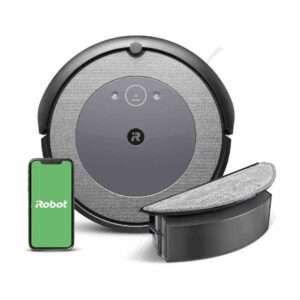
Review: iRobot Roomba Combo i5 Robot Vacuum
Updated: 3 months ago
3.9
Based on methodology below
120
Insights analyzed
38
Grouped by key features
10
From expert reviews
Scores below reflect consolidated expert coverage across these features.
Bottom Line
Choose Roomba Combo i5 if you want dependable row-by-row vacuuming with a simple mop add-on; Skip if you need hands-off auto-emptying and advanced obstacle avoidance/no-go zones.
Best for
Apartment to mid-size homes that want scheduled maintenance vacuuming (including pet hair) and occasionally freshen hard floors with a simple mop pad, without paying for a premium self-washing mop dock.
Not for
Anyone who needs advanced obstacle avoidance for cords/pet accidents, software no-go zones, or a mop pad that lifts itself over rugs; also a poor fit if you want truly hands-free emptying unless you buy the Plus auto-empty base.
Verdict
Across the reviews, the Combo i5 is praised for dependable cleaning on hard floors and carpets, especially pet hair, and for its systematic, map-based navigation that supports room targeting, schedules, and voice assistants. Its low profile helps it reach under furniture, and most reviewers report it reliably returns to the dock to recharge and continue. The tradeoff is that avoidance and customization are more limited than camera-equipped Roombas: no built-in no-go zones, and mopping is a basic damp-pad wipe that can leave streaks and requires bin/pad swaps, particularly in homes with rugs.
Pros
-
4.6based on 1 reviewBuild quality and durability: 4.6, based on 1 reviewBuild quality impressions are strong, including comments about minimal scuffing after a month and solid fit/feel of the bin and modules.
-
4.6based on 1 reviewUnder-Furniture Pickup: 4.6, based on 1 reviewMultiple reviews highlight its ability to clean under beds and other low-clearance furniture where manual vacuums struggle.
-
4.6based on 2 reviewsChild lock: 4.6, based on 2 reviewsChild lock is called out as a useful feature to prevent accidental button presses and allow app/voice-only control.
-
4.5based on 2 reviewsHard Floor — Fine Dust Pickup: 4.5, based on 2 reviewsLab-style commentary and hands-on reviews indicate strong bare-floor pickup, including fine dust, helped by consistent pathing and the rubber rollers.
-
4.5based on 1 reviewLow-profile design: 4.5, based on 1 reviewIts slim height is repeatedly cited as a benefit for reaching under furniture compared with taller lidar-turret designs.
-
4.5based on 2 reviewsHair‑Wrap / Tangle Resistance: 4.5, based on 2 reviewsDual rubber rollers are repeatedly praised for resisting tangles and making hair removal easy, though long strands can still occasionally wrap and need checking.
-
4.4based on 1 reviewAesthetic design and finish: 4.4, based on 1 reviewSeveral reviewers describe the robot and dock as sleek and good-looking, with a finish that stays presentable after weeks of use.
-
4.3based on 3 reviewsCarpet — Medium-Pile Pickup: 4.3, based on 3 reviewsCarpet performance is repeatedly described as strong for day-to-day upkeep, including visible straight-line cleaning patterns and effective pickup. Reviews frame it more as maintenance than heavy-duty deep extraction.
-
4.3based on 10 reviewsOverall opinion: 4.3, based on 10 reviewsOverall sentiment is positive, highlighting dependable navigation and cleaning with a basic mop add-on. Recurring critiques focus on limited avoidance/no-go features and the simple, pad-based mopping.
-
4.3based on 2 reviewsEdge and Baseboard Cleaning (Hard Floors): 4.3, based on 2 reviewsEdge coverage is frequently described as thorough, including tracing along walls and navigating around chair legs during systematic cleaning passes.
-
4.3based on 8 reviewsMap and Path Efficiency (Robot Vacuums): 4.3, based on 8 reviewsMapping and pathing are standout strengths: after an initial run, it typically cleans in orderly rows, supports room-by-room jobs, and finishes faster than random-path Roombas according to comparative commentary.
-
4.3based on 2 reviewsHard Floor — Large Debris Intake: 4.3, based on 2 reviewsReviews describe effective pickup of larger debris such as crumbs and mixed household messes, including positive spot-cleaning results.
-
4.3based on 2 reviewsSuction and Airflow: 4.3, based on 2 reviewsEven with reported airflow/CFM metrics below some competitors in one review, reviewers and test commentary describe strong real-world pickup helped by the dual rubber rollers and multi-stage cleaning system.
-
4.2based on 7 reviewsVersatility: 4.2, based on 7 reviewsWorks as a vacuum-only robot or as a vacuum+mop once you swap in the combo bin and attach the pad, making it flexible for maintenance cleaning across surfaces.
-
4.2based on 1 reviewDocking and Auto-Empty Reliability (Robot): 4.2, based on 1 reviewDocking behavior is usually reported as reliable, including returning home and resuming after recharging. Auto-emptying is only available with the Plus base, not the standard dock.
-
4.2based on 6 reviewsPrice and Value: 4.2, based on 6 reviewsOften positioned as a strong value within iRobot's lineup, especially on sale and versus cheaper random-navigation models. Some reviewers still suggest paying more for the Plus auto-empty base or stepping up to a J-series for additional features.
-
4.1based on 1 reviewAccessories and Tools: 4.1, based on 1 reviewComes with the charging base, drip tray, combo mop bin, and a washable microfiber pad. Reviews note virtual wall beacons can be useful, but they are not always included in the box.
-
4.1based on 1 reviewSoftware-update support / feature longevity: 4.1, based on 1 reviewOne reviewer emphasizes iRobot's strategy of improving capability via ongoing software updates. Concrete examples of major new features arriving via updates are not consistently documented across the reviews.
-
4.1based on 6 reviewsEase of use: 4.1, based on 6 reviewsDay-to-day operation is generally seen as easy thanks to straightforward app controls, quick bin removal, and washable pads. The biggest friction points are swapping bins/pads and pre-clearing clutter due to limited avoidance.
-
4.0based on 9 reviewsAI, Smart, App and Automation: 4.0, based on 9 reviewsThe app supports scheduling, room targeting, cleaning history, and voice assistants in multiple reviews, with some automation options mentioned. Feature depth is still described as more basic than higher-end iRobot models (limited zone controls and fewer advanced settings).
-
4.0based on 3 reviewsAssembly and Setup: 4.0, based on 3 reviewsSetup is usually described as straightforward (unbox, place dock, app pairing/QR setup). A couple of reviewers note the onboarding can feel slow and that dock placement needs a clear approach path.
-
4.0based on 5 reviewsBin and Bag: 4.0, based on 5 reviewsThe standard dust bin is easy to remove and empty, and a separate combo bin swaps in for mopping. Filters are replaceable, and at least one review mentions an extra filter included.
-
4.0based on 4 reviewsPet-Ready Features: 4.0, based on 4 reviewsGenerally effective for pet households due to strong pet-hair pickup and the rubber roller design, but it lacks advanced pet accident detection and higher-end avoidance found on camera-based models.
-
4.0based on 2 reviewsStuck resistance: 4.0, based on 2 reviewsSeveral reviews report it avoids common snag points like rug tassels, but users still recommend pre-picking up cords and clutter because object detection is limited compared with camera-based models.
-
3.9based on 4 reviewsEmptying and Mess Control: 3.9, based on 4 reviewsThe standard version requires manual emptying, but reviewers often describe it as quick and easy. For a more hands-off experience, several recommend the Plus auto-empty setup.
-
3.8based on 2 reviewsSolution / Liquid system: 3.8, based on 2 reviewsReviews mention mopping with water or approved cleaning solutions, and one review notes that using unauthorized solutions may risk warranty coverage. Owners manually fill and empty the combo bin.
-
3.7based on 2 reviewsControls and UI: 3.7, based on 2 reviewsOn-robot controls are simple (clean/spot/home), with most features in the app. Some reviews mention limited tuning (for example, cleaning passes instead of granular suction control) and one notes missing battery percentage in the app.
-
3.5based on 2 reviewsArea Rug Handling: 3.5, based on 2 reviewsVacuuming on rugs is generally described as solid, including tassel rugs, but the robot can mop rugs unless you remove them or avoid using mopping mode in mixed-floor areas.
-
3.5based on 2 reviewsMaintenance requirements: 3.5, based on 2 reviewsMaintenance commonly includes filter cleaning/replacement, washing the mop pad, and occasional sensor/roller checks. Most reviewers consider upkeep manageable, though one mentions unclear sensor-clean prompts.
Cons
-
3.4based on 4 reviewsWater tank: 3.4, based on 4 reviewsThe combo bin water capacity is described as modest (one measured review cites a low-200 ml range), which suits light maintenance mopping but may require attention for larger areas.
-
3.4based on 2 reviewsRuntime: 3.4, based on 2 reviewsReported runtimes often land around 70 to 90 minutes per charge, with noticeably faster drain when running extra passes. Reviews note it can dock, recharge, and resume for larger spaces.
-
3.3based on 6 reviewsMopping performance: 3.3, based on 6 reviewsMopping is mostly described as light maintenance similar to a damp pad/Swiffer, not a deep scrub, and it may leave streaks. It is still viewed as useful for frequent quick refreshes of hard floors.
-
3.3based on 4 reviewsNoise level: 3.3, based on 4 reviewsNoise feedback is mixed: some commentary places it around typical robovac loudness, while multiple hands-on reviewers call it very loud on hard floors (roller noise and bumping), leading many to run it when away.
-
2.9based on 1 reviewStreaking / Residue: 2.9, based on 1 reviewAt least one hands-on review reports streaking during mopping, suggesting results depend on pad wetness, floor type, and solution choice.
-
2.8based on 4 reviewsObstacle Avoidance (Robot): 2.8, based on 4 reviewsObstacle avoidance is repeatedly described as basic due to no front-facing camera/AI in these reviews, often involving bumper contact. Several reviews also note missing software no-go zones, so clutter and cords still need to be managed.
-
2.8based on 1 reviewSuitability for heavy-duty use: 2.8, based on 1 reviewMultiple reviewers frame it as a maintenance cleaner rather than a solution for heavy messes or deep mopping, especially compared with higher-end systems.
-
2.5based on 1 reviewCord management: 2.5, based on 1 reviewOne review criticizes dock cable routing because the cord exits from a single side and there is no easy built-in way to tidy the cable.
-
2.1based on 3 reviewsMop lifting system: 2.1, based on 3 reviewsThe mop pad does not automatically retract or lift, so users frequently swap bins and remove rugs or avoid mopping in mixed-surface areas.
FAQ
Can the Roomba Combo i5 vacuum and mop at the same time?
Several reviews describe it vacuuming while mopping when the combo bin and pad are installed. You still have to swap bins and attach the pad when you want to mop.
Does it support no-go zones or advanced obstacle avoidance?
Multiple reviews say it lacks built-in no-go zones and does not have a front-facing camera/AI detection, so it relies more on bump-based navigation. Some users use physical virtual wall accessories to block off areas.
How is it for pet hair and tangles?
Reviews repeatedly highlight the dual rubber roller system as strong for pet hair and easier to de-tangle than bristle brushes. Long strands can still occasionally wrap, so periodic checks are still needed.
How good is the mopping function in real use?
The consensus is that it is best for light maintenance, more like a damp pad wipe than a deep scrub. At least one review notes streaking, and it does not self-clean or lift the pad over rugs.
Do you have to empty the bin yourself?
Yes for the standard version: several reviews mention manual emptying, though they also say it is quick and easy. For hands-free emptying, reviewers often recommend the Plus version with the auto-empty base.
What is this analysis based on?
It is based only on the supplied reviews.json file containing the full transcripts for this product.
Reviews we analyzed
Video Reviews


Article Reviews
Consumer Reports
Best Robotic Vacuums
#1
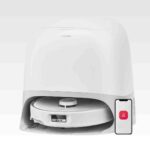
4.5
Choose the Roborock Qrevo Curv for a low-touch vacuum+mop that cleans edges/corners well and clears thresholds better than most. Skip if you have...
Pros: Hard Floor — Fine Dust Pickup, Hard Floor — Large Debris Intake, Hair Pickup — Hard Floors, Battery & Charging, Docking & Auto-Empty...
Cons: None
#2
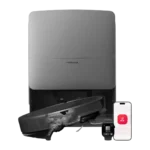
4.4
Choose it for standout suction, threshold climbing, and low-babysitting navigation. Skip it if top-tier mopping consistency or a lower price matters more.
Pros: Controls and UI, Versatility, Heating element, Overall cleaning convenience, Large debris handling, Hard Floor — Large Debris Intake, Under-Furniture Pickup
Cons: Dock noise, Streaking / Residue, Storage footprint and upright-stand stability
#3
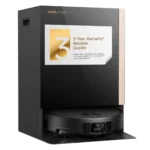
4.4
Choose it for exceptional vacuuming, obstacle avoidance, and true hands-off mop swapping. Skip it if you want longer battery life, a smaller dock,...
Pros: Hair‑Wrap / Tangle Resistance, Adaptive chassis lift, Innovation compared to competitors, Hard Floor — Fine Dust Pickup, Suction and Airflow, Pet-Ready Features, Tool-change...
Cons: Dirty water sensor, Suitability for small spaces, Storage footprint and upright-stand stability, Streaking / Residue, Battery and Charging, Runtime
#4
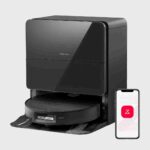
4.3
Choose Saros 10 if you want a slim, premium robot that vacuums hard, climbs thresholds, and runs a truly hands-off dock. Skip it...
Pros: Pet-Ready Features, Low-profile design, Suction & Airflow, Mop lifting system, Aesthetic design & finish, Hair‑Wrap / Tangle Resistance, Adaptive chassis lift
Cons: Streaking / Residue, Stuck resistance