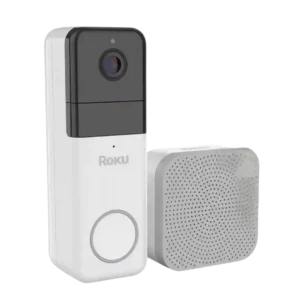
Review: Roku Wireless Video Doorbell
Updated: 2 months ago
3.7
Based on methodology below
90
Insights analyzed
34
Grouped by key features
5
From expert reviews
Scores below reflect consolidated expert coverage across these features.
Bottom Line
Choose the Roku Wireless Video Doorbell for easy setup, sharp 1440p video, and handy Roku TV alerts. Skip it if you want local storage or dislike subscription-locked smart alerts.
Best for
Roku TV households and smart-home beginners who want a wire-free doorbell with wide 1440p video, simple setup, and on-TV notifications, and who are OK paying for cloud clips and smart alerts.
Not for
Anyone who needs local recording, wants Apple HomeKit/IFTTT-style automation, or strongly prefers a one-time purchase with no ongoing subscription costs.
Verdict
Roku’s wireless doorbell nails the basics: clear 1440p video with a wide, head-to-toe view, loud adjustable chime, and an app that makes setup and settings feel plug-and-play. Roku households also get standout TV integration, with pop-up snapshots and quick access to live view. The tradeoff is that cloud clips and most smart detections (people, packages, pets, vehicles) sit behind a subscription, and there’s no local storage fallback. Battery life is rated in the 3–6 month range, but charging is micro-USB and long-term capacity may fade. Source reviews:
Pros
-
4.5based on 1 reviewWeather and temperature tolerance: 4.5, based on 1 reviewWeather resistance is specifically noted with an IP65 rating, positioning it as suitable for typical outdoor conditions.
-
4.4based on 2 reviewsInstallation and Mounting: 4.4, based on 2 reviews
-
4.4based on 5 reviewsSecurity ecosystem integration: 4.4, based on 5 reviewsRoku ecosystem integration is a standout differentiator: reviews show on-TV notifications with a snapshot, the Roku Cameras TV app for live viewing, and tight compatibility with other Roku smart home products.
-
4.4based on 4 reviewsField of view and framing: 4.4, based on 4 reviewsCoverage is a strong point: reviews call out an ultrawide, head-to-toe style view, a 1:1 framing approach, and a broad 150-degree field of view on the wireless model.
-
4.4based on 2 reviewsPersonalization options: 4.4, based on 2 reviewsPersonalization is a strength: reviewers and demos mention chime tone/volume options, notification choices, overlays like timestamp/logo, WDR toggles, and night-vision settings.
-
4.3based on 3 reviewsChime: 4.3, based on 3 reviewsThe chime is repeatedly described as loud and easy to customize (volume and tones). One demo highlights many selectable chime sounds and quick pairing.
-
4.2based on 4 reviewsVideo resolution and detail: 4.2, based on 4 reviewsThe wireless Roku doorbell is repeatedly described as 1440p and produces clear, detailed footage in real-world demo shots (shade, sun, and night).
-
4.2based on 1 reviewComplete kit in box: 4.2, based on 1 reviewUnboxing content shows a straightforward bundle that includes the doorbell, chime, mounting accessories, adhesive/tape, tools, and a charging cable, supporting a quick start experience.
-
4.1based on 2 reviewsPrice and value: 4.1, based on 2 reviewsReviews frame Roku’s doorbells as competitively priced and a strong value for Roku households, with the main value caveat being that key features are paywalled behind the subscription.
-
4.1based on 4 reviewsApp, software and firmware: 4.1, based on 4 reviewsThe Roku Smart Home app is described as guided and easy for setup, with clear access to live view, events, and many settings. One review notes some setup guides miss minor details, but overall usability is praised.
-
4.0based on 3 reviewsAudio: 4.0, based on 3 reviewsTwo-way audio is described as clear in hands-on use, and demos show easy muting/unmuting and basic audio controls across app/TV experiences.
-
4.0based on 2 reviewsControls and indicators: 4.0, based on 2 reviewsControls and indicators show up across app/TV: battery percentage, quality/bitrate indicators, a chime status light, and TV remote options for muting and managing camera settings/lists.
-
4.0based on 2 reviewsMotion detection: 4.0, based on 2 reviewsMotion and sound detection are described as working reliably in demos and written testing, but event handling can feel restricted without a subscription due to cooldown/delay behaviors. Customization options include sensitivity levels, choosing all motion vs smart detection categories, recording cooldown behavior, and maximum clip-length controls.
-
4.0based on 1 reviewQuiet-time / do-not-disturb scheduling: 4.0, based on 1 review
-
3.9based on 3 reviewsAI features: 3.9, based on 3 reviewsAI-style smart alerts are repeatedly referenced (people, packages, pets, vehicles). Reviews generally frame these as subscription features rather than fully available for free.
-
3.9based on 3 reviewsDelivery package monitoring: 3.9, based on 3 reviewsPackage detection/alerts are repeatedly mentioned as available smart alerts, but largely positioned as subscription features rather than free-tier basics.
-
3.9based on 3 reviewsObject and person detection: 3.9, based on 3 reviewsSmart detections (people and other object categories) are repeatedly referenced as available, but typically tied to the Roku Smart Home subscription rather than the free tier.
-
3.9based on 3 reviewsPower Options and Compatibility: 3.9, based on 3 reviewsPower flexibility is highlighted via separate wired vs wireless models, and demos note the wireless model can run on battery or be connected to existing doorbell wiring depending on the install path.
-
3.9based on 4 reviewsLow-light and Night vision: 3.9, based on 4 reviewsNight vision is consistently included (IR and, in one review, color night vision). Performance is described as usable at night with ambient lighting, though one review notes a tiny built-in LED is not very helpful for lighting visitors.
-
3.8based on 1 reviewData-usage efficiency (bandwidth): 3.8, based on 1 reviewA setup demo shows bitrate/bytes-per-second indicators and HD vs SD options, implying some user control over streaming quality and bandwidth tradeoffs, but also notes the system relies on a solid internet connection.
-
3.8based on 2 reviewsSize and form factor: 3.8, based on 2 reviewsSize is discussed as a practical consideration: the wireless unit is described as larger than the wired model, while another review calls the wireless design compact and easy to place.
-
3.7based on 3 reviewsSnapshot capture: 3.7, based on 3 reviewsSnapshot behavior shows up in two ways: written coverage notes snapshots-only without a subscription, and TV alerts/demos show a quick image preview accompanying doorbell notifications.
-
3.6based on 5 reviewsNotifications: 3.6, based on 5 reviewsNotifications are available on phone and Roku TV, including a TV pop-up with a quick image. Multiple reviews mention delays/cooldowns without a subscription and better immediacy when subscribed.
-
3.6based on 3 reviewsBattery and Charging: 3.6, based on 3 reviewsBattery life is commonly stated as roughly 3–6 months depending on use, with at least one hands-on report showing minimal drain in the first week. Charging is shown as micro USB, and one written review warns the battery is non-removable and may degrade over time.
-
3.5based on 3 reviewsSmart-home integration (Alexa, Google, Siri, HomeKit, Matter, Thread): 3.5, based on 3 reviewsAlexa and Google Assistant support are mentioned across reviews, while Apple HomeKit support is explicitly called out as missing.
-
3.5based on 2 reviewsWi-Fi range and stability: 3.5, based on 2 reviewsConnectivity is described as 2.4 GHz Wi-Fi for both models, with the wireless version also supporting 5 GHz in one review. Placement guidance (keeping chime and doorbell relatively close) is emphasized in a setup demo.
-
3.5based on 1 reviewLens distortion handling: 3.5, based on 1 reviewA fisheye/wider-angle view mode is shown as an option to capture more on the sides, trading a more distorted wide-angle look for extra coverage.
Cons
-
3.2based on 4 reviewsRecording: 3.2, based on 4 reviewsRecording is described as cloud-clip based, often short-duration clips with retention windows tied to subscription. Without a subscription, reviews note snapshot-only behavior and delays that reduce the usefulness of event history.
-
2.7based on 2 reviewsOngoing ownership costs: 2.7, based on 2 reviewsOngoing costs are driven by Roku Smart Home subscription pricing, with reviews citing monthly/annual plans and an expanded tier for many cameras, which can change the total cost of ownership meaningfully.
-
2.6based on 4 reviewsSubscription: 2.6, based on 4 reviewsA subscription is repeatedly described as necessary to unlock cloud recording and smart alerts/detections, with free trials included but a real paywall once trials end.
-
2.5based on 2 reviewslag): 2.5, based on 2 reviewsEvent delay is a recurring theme: reviews note that subscription access can remove delays, while the free tier can involve meaningful delays/cooldowns between events.
-
2.2based on 1 reviewAutomation flexibility: 2.2, based on 1 reviewAutomation flexibility is limited outside major assistants: reviews highlight no IFTTT compatibility and no HomeKit support, even though Alexa/Google voice support is present.
-
2.1based on 4 reviewsStorage: 2.1, based on 4 reviewsLocal storage is consistently described as unavailable; event recordings live in the cloud with stated retention windows and manual downloading as the only way to keep long-term backups.
FAQ
Do I need a subscription to use it?
You can use live view plus basic motion and sound alerts without a subscription, but saved clips and smart alerts (people, packages, pets, vehicles) are paywalled. Several reviews also note delays/cooldowns and snapshot-only event views without the plan.
Does it support local storage like an SD card?
No. The reviews describe the Roku doorbells as cloud-only for event recordings, with no local storage ports or onboard storage, so you’d need to manually download clips if you want to keep copies.
How long does the battery last and how do you charge it?
Roku’s estimates cited in reviews are about 3–6 months for the wireless model, depending on usage. Charging is via micro USB, and one review cautions the battery is non-removable and may degrade over time.
Will it show doorbell alerts on my Roku TV?
Yes. Multiple reviews show Roku TV integration with pop-up notifications (including a quick image) and the ability to open the Roku Cameras app on the TV to view the live feed.
Does it work with Alexa or Google Assistant?
Yes, the reviews mention Alexa and Google Assistant support. They also note it does not support Apple HomeKit, and one review highlights it is not compatible with IFTTT.
Reviews we analyzed
Video Reviews

Article Reviews
Best Video Doorbells
#1
4.2
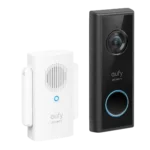
Choose the Eufy C210 if you want subscription-free local recording and solid day/night video; Skip if you need hardwired power or Apple HomeKit,...
Pros: Ongoing ownership costs, Subscription, Theft & Tamper, Storage, Field of view & framing, Complete kit in box, Privacy
Cons: None
#2
4.2
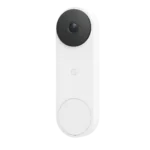
Choose it for sharp 2K video, wide porch coverage, and strong Google integration. Skip it if you want cheap long-term ownership or local...
Pros: Installation and Mounting, Motion detection, Object and person detection, Complete kit in box, lag), Design aesthetics, Peace of mind
Cons: Storage, Ongoing ownership costs, Subscription, Price and value
#3
4.2
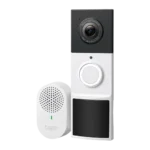
Choose the Tapo D210 if you want a low-cost battery doorbell with strong basics, local storage, and no mandatory subscription. Skip it if...
Pros: Ongoing ownership costs, Price and value, Phone call integration, Complete kit in box, Automation flexibility, Peace of mind, Chime
Cons: Pre-roll buffer, Power Options and Compatibility, Snapshot capture, Delivery package monitoring
#4
4.2
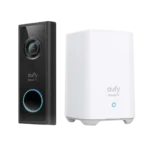
Choose S220 for a wire-free 2K doorbell that records to an indoor hub without forcing a monthly plan. Skip it if you need...
Pros: Subscription, Chime, Peace of mind, Privacy, Power Options & Compatibility, Zones & activity areas, Quiet-time / do-not-disturb scheduling
Cons: Theft & Tamper