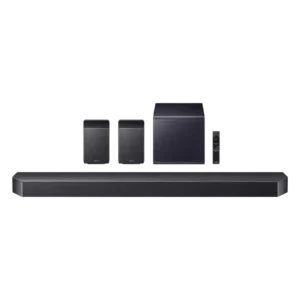
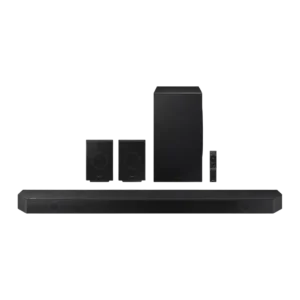
- Better: overall comparison The comparison declares the Gen 2 the overall winner.
- More expensive: price The original Beam is favored on price versus the more expensive Gen 2.
- Better: feature upgrades The Gen 2 is described as a significant upgrade over the original Beam.
Sonos Beam (Gen 1) Review
Bottom Line
Choose the Sonos Beam Gen 1 for compact TV upgrades with clear dialogue, wide sound, Sonos streaming, and voice control. Skip it if you need deep sub-bass, full Dolby Atmos, Bluetooth, or the simplest non-ARC setup.
Best for people with small to mid-sized rooms who want a compact TV speaker that also works as a Sonos music and smart-home hub. It especially suits buyers who value dialogue clarity, AirPlay/Wi-Fi streaming, and a clean setup over huge bass.
Not for buyers who want room-shaking bass, native Bluetooth convenience, broad HDMI passthrough, or a full Atmos-style theater experience from one box. Large-room users may also want a bigger bar, Sub, or surrounds.
The Sonos Beam Gen 1 lands as a compact soundbar with unusually strong fundamentals for its size. Reviewers repeatedly praise its stylish build, clear dialogue, wide presentation, and Sonos ecosystem features, with HDMI ARC, AirPlay, Alexa/Google support, and room calibration adding practical flexibility. The tradeoff is that the small body cannot supply true sub-bass impact, and several reviews point to missing Dolby Atmos/DTS support, limited physical inputs, no Bluetooth, and occasional app or non-ARC setup friction. It works best as a simple TV-and-music upgrade for small to mid-sized rooms rather than a full cinema replacement, especially unless the buyer is willing to add Sonos surrounds or a Sub.
Compared in Reviews
Products reviewers directly compared with this model, grouped into quick takeaways.
sonos arc
- More expensive: price The Beam is presented as the more affordable option because the Arc costs almost twice as much.
- Better: best Sonos soundbar The Sonos Arc is recommended when someone wants the best Sonos soundbar.
- Compared: size The reviewer notes the Beam is much shorter than the Sonos Arc.
Playbase
- Better: low-end rumble The Playbase is said to produce more low-end rumble than the Beam.
- Better: overall audio quality The reviewer says Beam may not wow listeners used to the Playbase's sound quality.
Feature Scorecards
Summary
46 reviewed features- Very positive 4.5-5.0 20% 9 features
- Positive 3.5-4.4 65% 30 features
- Neutral 2.5-3.4 15% 7 features
- Negative 1.5-2.4 0% 0 features
- Very negative below 1.5 0% 0 features
Pros
-
Dynamic headroom had limited but very positive evidence, with one review praising the Beam's scale, dynamics, detail, and punch.
-
On-device controls received limited but strong praise, with one review calling the top touch controls a joy to use.
-
Dialogue clarity was a major consensus strength, with reviewers praising crisp, clear speech and the usefulness of speech enhancement for TV and movie viewing.
-
Cohesive presentation was one of the Beam's strongest areas, with reviewers describing rich, balanced, impressive sound that dramatically improves TV audio.
-
Design and aesthetics were highly praised: reviewers repeatedly called the Beam stylish, understated, minimal, sleek, or easy to blend into a room.
-
Smart features were a consistent strength, with reviewers praising the large service ecosystem, assistant flexibility, and smart-home hub role.
-
Soundstage height had limited but positive evidence, with one reviewer noting a surprisingly tall delivery for the Beam's size.
-
Status indicator design received one positive note for keeping lights hidden and unobtrusive during viewing.
-
Value sentiment was strong: reviewers often called the Beam affordable or excellent for the price, while noting that adding a Sub or surrounds raises total cost.
-
Music vocals and voice-forward content were generally praised as warm, clear, or natural, though voice presence was not the main strength in every mix.
-
Stereo width was one of the most consistent strengths: reviewers repeatedly described a surprisingly wide, spacious stage for such a compact bar.
-
The Beam's compact, lightweight body was widely praised for easy placement, although one reviewer felt it looked odd under a very large TV.
-
Build quality was generally strong, with reviewers calling the Beam well made, robust, and high quality, while fabric durability concerns appeared in one review.
-
The microphone array was generally praised for hearing commands across the room and over playback, with one reviewer offering only a light, unextended test.
-
Remote usability was positive overall because TV remotes could pair or work automatically, despite the absence of a dedicated Sonos remote.
-
Wi-Fi streaming was mostly praised as seamless and dropout-free, though one review disliked the extra app setup required compared with a quick Bluetooth handoff.
-
Detail retrieval was mostly strong, with repeated praise for clarity, effects, and precision; the main caveat was some complex sounds being glossed over.
-
Voice recognition was generally strong, with far-field microphones often hearing commands across rooms or over playback, though not every command was caught perfectly.
-
Google Assistant support was praised where tested, mainly because it broadened assistant choice and worked well for basic commands or music control.
-
HDMI ARC was a major usability win because it simplified setup, TV remote control, and voice TV control, though it depends on compatible TVs.
-
Voice-assistant integration was broadly useful and flexible, especially for music, TV volume, and smart-home control, but reviewers also described limits and occasional awkwardness.
-
Setup was usually easy and fast, especially over HDMI ARC, but non-ARC TVs and app connection attempts caused notable friction for some reviewers.
-
AirPlay 2 was treated as a useful flexibility feature for Apple users, although one reviewer still found it less convenient than Bluetooth.
-
The tonal balance was usually described as clear and well balanced, with caveats around slightly murky bass, brightness, or low-bass limits in some testing.
-
Trueplay room calibration was usually praised for improving room fit and sound, though reviewers noted the effect can be modest and iOS-only.
-
Home theater integration was good for compact rooms and expandable Sonos setups, but reviewers warned it is not a full cinematic system without additions.
-
Reviewers generally found the Beam loud enough for living rooms and action scenes, though several noted it does not have the punch or room-filling power of larger soundbars.
-
Most high-volume comments were positive, with reviewers hearing little or no distortion, but one review reported crackle/distortion when pushed to maximum volume.
-
EQ and sound modes were useful for bass, treble, speech, and night listening, but one reviewer wanted more granular control.
-
Inter-speaker connectivity was praised as easy within the Sonos ecosystem, though surround results could depend on source format and setup.
-
Touch controls were considered useful and straightforward, with reviewers noting practical top-panel volume and playback actions.
-
Spotify-related control was supported by one positive review that described the handoff into the Sonos app as mostly seamless.
-
Voice responsiveness was useful for music and TV control, but reviewers noted limits such as lag, reduced feature parity, or incomplete hands-free control.
-
Low-volume tools such as Night Sound and speech enhancement were useful, but one reviewer did not find very quiet listening a meaningful TV-speaker upgrade.
-
App reliability and usability were mixed: several reviewers called the app intuitive or fluid, while others hit setup retries, configuration friction, or frustrating system changes.
-
Surround impressions were mixed: the Beam can sound spacious and becomes stronger with rear speakers, but reviewers stressed it is not a true surround replacement on its own.
-
Multi-speaker expansion was viewed as a key Sonos advantage, but one reviewer found moving/removing surround speakers in the app slow and frustrating.
-
TV connection stability was mixed: one reviewer was pleased by automatic Roku remote behavior, while another reported a Roku mute/unmute problem.
-
Privacy evidence was limited to one reviewer who raised Alexa privacy concerns while noting microphone muting in the surrounding discussion.
Cons
-
Bass impressed some reviewers for the Beam's size, but the most repeated caveat was limited low-end rumble unless a separate Sonos Sub is added.
-
Optical support was treated as a useful fallback, but one reviewer clearly disliked optical setup and called the connector fragile.
-
Audio format support was a recurring limitation because reviews criticized missing DTS or Atmos support, despite one included review praising Atmos content.
-
Wired inputs were repeatedly described as minimal, with reviewers noting the lack of extra analog inputs and the reliance on HDMI/optical paths.
-
Dolby Atmos evidence was mostly a limitation for Gen 1, with several reviews pointing to missing height/3D support; one included review praised Atmos handling more positively.
-
Bluetooth connectivity was a repeated weakness, with reviewers missing Bluetooth as a quick fallback despite Sonos' Wi-Fi and AirPlay alternatives.
-
Video passthrough support was weak, with one comparison noting disappointment that HDMI passthrough was still absent.
Compared With Category Average
Compared with other Sound Bars, this product is above average in Google, On-device controls, Status indicators, below average in Wired input, Multi-speaker pairing reliability, Dolby Atmos height effects.
Summary
8 compared features- Above average 0.4+ pts higher 50% 4 features
- Same as average within 0.3 pts 0% 0 features
- Below average 0.4+ pts lower 50% 4 features
| Attribute | This product | Category average | Difference |
|---|---|---|---|
| 4.3 | 2.6 | +1.7 | |
| On-device controls | 5.0 | 3.6 | +1.4 |
| Wired input | 2.8 | 4.1 | -1.2 |
| Status indicators | 4.5 | 3.3 | +1.2 |
| Smart assistant integration (Alexa | 4.2 | 3.4 | +0.8 |
| Multi-speaker pairing reliability | 3.5 | 4.5 | -1.0 |
| Dolby Atmos height effects | 2.6 | 3.5 | -0.9 |
| Subwoofer | 3.4 | 3.9 | -0.5 |
FAQ
Is the Sonos Beam Gen 1 good for dialogue?
Yes. Reviewers repeatedly praised crisp, clear dialogue, and several found Speech Enhancement useful for making voices easier to follow.
Does it have strong bass without a Sub?
It has more bass than many reviewers expected for its size, but deep rumble is the most common limitation. Several reviews say a Sonos Sub is needed for a bigger low-end experience.
Is setup easy?
Usually, especially with HDMI ARC. The main complaints came from non-ARC TV setup, app retries, or more complex Sonos speaker management.
Does it support Bluetooth?
No. Reviewers repeatedly missed Bluetooth as a quick backup, though Wi-Fi streaming, AirPlay 2, Spotify-style handoff, and the Sonos app were treated as useful alternatives.
How immersive is the surround effect?
The Beam sounds wide and spacious for its size, but reviewers generally did not treat it as true surround on its own. Adding Sonos rears or a Sub improves the home-theater experience but increases cost.
Is Dolby Atmos a strength here?
No for most Gen 1-focused evidence. Several reviews treat missing Atmos or height support as a limitation, even though one included review described Atmos content positively.
Consider This Instead
If you want better Dolby Atmos height effects
Choose Sonos Arc Soundbar. It scores 4.9 vs 2.6 for Dolby Atmos height effects, with a 4.1 overall score.
If you want better Audio format support
Choose JBL Bar 1300X Soundbar. It scores 5.0 vs 2.9 for Audio format support, with a 3.9 overall score.
If you want better Wired input
Choose Samsung HW-B650 Soundbar. It scores 4.6 vs 2.8 for Wired input, with a 4.0 overall score.
If you want better Surround sound simulation
Choose Samsung HW-Q990D Soundbar. It scores 5.0 vs 3.6 for Surround sound simulation, with a 4.1 overall score.
Overall Top Sound Bars Alternatives
Choose the Samsung HW-Q990F if you want a premium, easy Atmos system with huge surround, strong bass, and Samsung TV perks. Skip it if price, a four-piece setup, music purity,...
Pros: Multi-speaker pairing reliability, Gaming HDMI passthrough
Cons: Google, Cabinet construction / bracing
Choose the Sonos Beam Gen 2 for compact, stylish TV sound with excellent dialogue, easy setup, and upgradeable Sonos surround. Skip it if you need true overhead Atmos, built-in Bluetooth,...
Pros: Multi-speaker pairing reliability, Voice recognition accuracy
Cons: Bluetooth connectivity, Video passthrough support
Choose the Sonos Arc if you want immersive Atmos, easy Sonos setup, and a soundbar you can expand with Sub and surrounds. Skip it if price, HDMI passthrough, Bluetooth, or...
Pros: Multi-speaker pairing reliability, Spotify Connect reliability
Cons: Gaming HDMI passthrough, Video passthrough support
Choose the JBL Bar 500 MK2 if you want a compact soundbar with strong bass, clear dialogue, simple setup, and convincing surround for small to medium rooms. Skip it if...
Pros: Spotify Connect reliability, Setup simplicity
Cons: On-device controls, HDMI 2.1 gaming