Best for On-device controls
Sonos Beam (Gen 1)
4.5 feature score
Highest scored product for this feature based on supporting review evidence.
Highest scored product for this feature based on supporting review evidence.
Balances feature score, supporting reviews, and overall product strength.
Has the broadest review evidence for this feature.
Strongest overall product among items with scored evidence for this feature.
Showing Sound Bars only. Switch back to all Speakers anytime.

The top-panel touch controls are a consistent convenience for basic playback, volume, and mic mute functions.
Pros: Multi-speaker pairing reliability, Wi-Fi streaming reliability
Cons: Bluetooth range, Dolby Atmos height effects

On-device controls are simple but effective, with touch inputs on the bar covering the core playback, volume, and microphone functions.
Pros: AirPlay compatibility, Spotify Connect reliability
Cons: Bluetooth codec support, Gaming HDMI passthrough
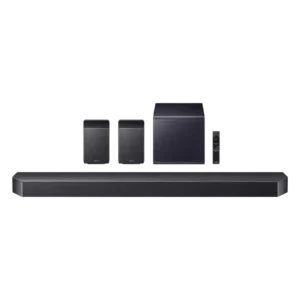
On-device controls (buttons and mic mute) add convenience, though deep settings navigation is easier via SmartThings than via the bar’s small front display.
Pros: Audio format support, Cohesive presentation
Cons: none
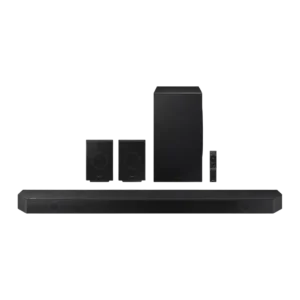
On-bar controls are simple but handy when a remote isn’t nearby; most interaction still happens through the app, especially for deeper tuning.
Pros: Multi-speaker pairing reliability, Audio format support
Cons: Status indicators

Touch and on-device controls are generally well-liked for quick volume and playback adjustments, complemented by app control.
Pros: Inter-speaker connectivity, Loudness / maximum volume
Cons: Bluetooth codec support, Video passthrough support
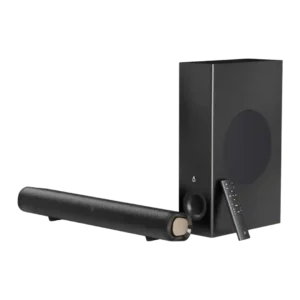
Top-mounted controls for power, volume, input, and SuperWide are convenient for desktop use and provide a fallback if the remote is unavailable.
Pros: Value for money, Setup simplicity
Cons: Wi-Fi streaming reliability, App reliability

The top-panel buttons are described as simple, easy to read, and straightforward for basic input and volume changes.
Pros: Loudness / maximum volume, Detail retrieval
Cons: HDMI 2.1 gaming, Cabinet construction / bracing
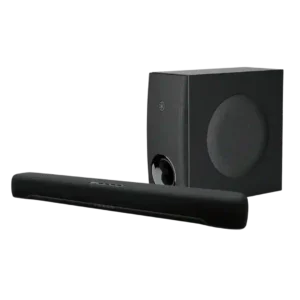
On-device controls (top-panel touch/capacitive buttons) are noted as available and convenient for basics like power, input, and volume.
Pros: Wired input availability, Low-volume performance
Cons: Wi-Fi streaming reliability, AirPlay compatibility
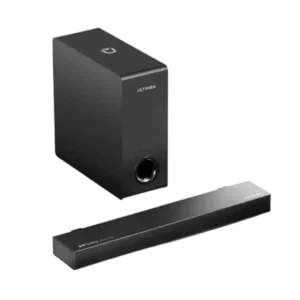
The bar includes usable side-mounted controls, which help for quick adjustments. Still, most reviewers interacted with it primarily through the remote rather than the buttons on the unit.
Pros: Setup simplicity, Wired input availability
Cons: Smart features, Low-volume performance

On-device touch controls and indicators are functional but minimal; some find the status lights less informative than a display.
Pros: Wired input availability, Dialogue clarity (for TV/soundbar use)
Cons: Chromecast compatibility, EQ customization
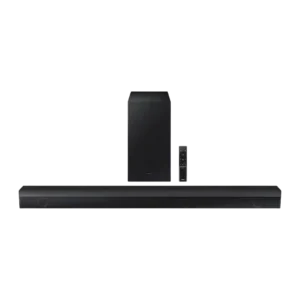
One review notes basic onboard controls for power, volume, and source selection.
Pros: Setup simplicity, Value for money
Cons: Wi-Fi streaming reliability, AirPlay compatibility

On-bar controls are intentionally minimal (typically volume and source). Some users appreciate the simplicity, while one reviewer disliked certain button behavior and preferred using the remote/app instead.
Pros: Spotify Connect reliability, Frequency response balance
Cons: Smart assistant integration (Alexa

On-device controls are sparse and focused mostly on microphone or assistant actions, so most owners will rely on the app or remote instead.
Pros: Weight convenience, Setup simplicity
Cons: Gaming HDMI passthrough, HDMI 2.1 gaming

The soundbar includes on-device touch controls, but usability is only fair because the on-bar inputs are less convenient than the remote.
Pros: Setup simplicity, Dialogue clarity (for TV/soundbar use)
Cons: Wi-Fi streaming reliability, Smart assistant integration (Alexa