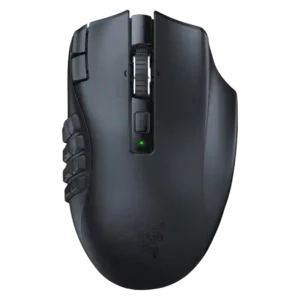
Tilt controls were praised as quick, easy, comfortable shortcuts on the scroll wheel.
Pros: Accuracy and tracking precision, sensor performance
Cons: handedness options, fingertip grip comfort
Tilt controls were praised as quick, easy, comfortable shortcuts on the scroll wheel.
Pros: Accuracy and tracking precision, sensor performance
Cons: handedness options, fingertip grip comfort

Tilt controls were positively received as useful extra inputs, especially for spreadsheet navigation or in-game shortcuts.
Pros: sensor performance, click latency
Cons: software stability, Bluetooth support

Tilt gesture controls had limited but positive evidence as extra left-right scroll-wheel actions and keybind functionality.
Pros: click latency, motion consistency
Cons: software stability, cross-platform compatibility

Tilt gesture controls were mixed: some reviewers liked the extra inputs, while others found the wheel too low or hard to use.
Pros: motion consistency, surface compatibility
Cons: onboard memory, handedness options

Tilt/flick gesture controls were widely criticized as stiff, awkward, or hard to use under pressure despite occasional novelty value.
Pros: motion consistency, connection stability
Cons: weight tuning, fingertip grip comfort

Tilt gesture controls were mixed-negative overall, with several reviewers finding 4D tilt stiff, awkward, or hard to use despite some functional praise.
Pros: click latency, motion consistency
Cons: firmware reliability, weight tuning

Tilt controls were criticized because side-scrolling could require extra force or cause accidental scroll-wheel side inputs.
Pros: Accuracy and tracking precision, motion consistency
Cons: handedness options, lift-off distance