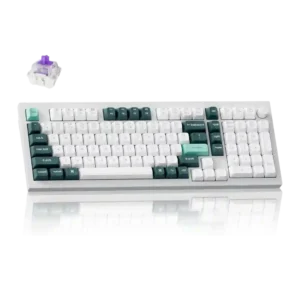
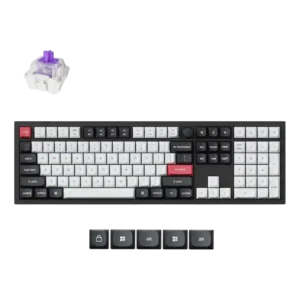
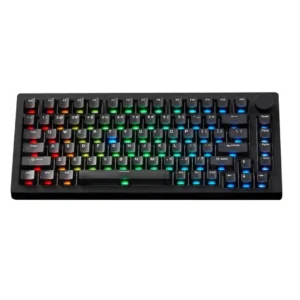
- Worse: TKL layout and key separation The Q3 HE is favored over the K2 HE-style compact layout because it keeps a more separated TKL arrangement.
- Better: polling rate and price The Q3 HE is criticized because cheaper boards such as the K2 HE offer 8,000Hz polling.
Keychron Q3 HE Review
Bottom Line
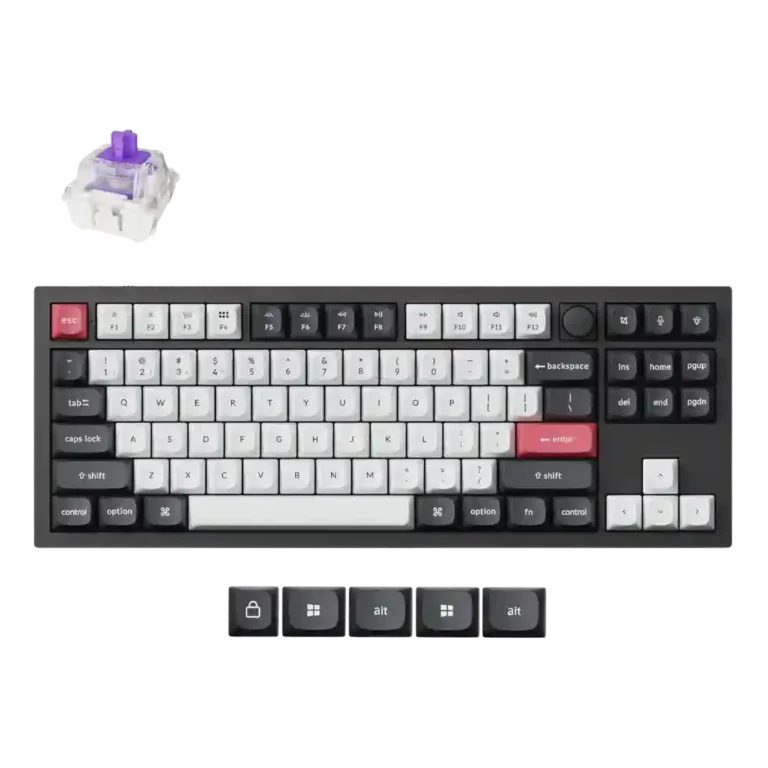
Choose the Keychron Q3 HE for a premium, quiet Hall Effect TKL with strong wireless, software, and gaming features. Skip it if price, switch flexibility, USB passthrough, or an included wrist rest matter most.
Best for users who want one premium TKL keyboard for both work and gaming, especially if they value quiet typing, Mac/Windows support, wireless modes, and Hall Effect customization.
Not for buyers who want the cheapest Hall Effect board, 8,000Hz polling, broad magnetic switch compatibility, a numpad, USB passthrough, or an included wrist rest.
Across the reviews, the Keychron Q3 HE comes through as a premium Hall Effect TKL that balances gaming speed with everyday productivity better than most. Reviewers repeatedly praised the aluminum build, quiet and refined sound, comfortable typing feel, useful knob, strong Mac/Windows compatibility, and web-based customization for actuation, macros, lighting, Rapid Trigger, and profiles. The main tradeoff is that its high price buys polish and flexibility, but not the broadest switch ecosystem or the 8,000Hz polling found on some cheaper rivals. Wireless performance was generally praised, though one reviewer noted occasional Bluetooth reconnection hiccups. It is strongest as a polished work-and-play keyboard rather than a pure value or enthusiast-switch platform.
Compared in Reviews
Products reviewers directly compared with this model, grouped into quick takeaways.
Wooting 80HE
- Worse: build quality and usability The Q3 HE is described as stronger than Wooting in build quality and overall usability.
- Better: customization and switch flexibility Wooting is described as more flexible, while the Q3 HE is stronger in build and usability.
- Cheaper: value for money The Wooting 80HE is grouped with cheaper alternatives that may offer better value.
Keychron K10 Max
- Worse: workspace fit and daily use The reviewer found the Q3 HE better than the K10 Max for their workspace.
Feature Scorecards
Pros
-
Rapid Trigger support was repeatedly highlighted as a core gaming advantage for fast reset and rapid repeated inputs.
-
Materials quality was consistently praised, especially the aluminum body and premium-feeling construction.
-
Typing feel was praised as highly enjoyable, with the board producing strong typing scores and a satisfying daily typing experience.
-
Key responsiveness was praised across reviews, especially the Hall Effect switches, short actuation, rapid triggering, and light-press detection.
-
Connectivity was widely praised because the board supports wired, Bluetooth, and 2.4GHz wireless modes, often across multiple devices.
-
Gaming extras were a major strength, especially Rapid Trigger, Snap Tap, multi-action actuation, and rapid-fire style input behavior.
-
Volume control was a clear strength, with the dedicated knob repeatedly praised for convenience and feel.
-
Build quality was one of the strongest points, with repeated praise for the heavy aluminum construction and premium feel.
-
Durability was supported by the aluminum body and PBT keycaps, with reviewers describing the materials as built to last.
-
Compatibility was a clear strength, with reviewers noting Mac and Windows modes, alternate keycaps, and cross-device use.
-
Customization is extensive, covering actuation, key layers, key mapping, lighting, macros, and deep per-key behavior through the web tool.
-
Frame rigidity was repeatedly praised through descriptions of the sturdy aluminum body, heavy weight, and lack of desk movement.
-
Noise level was a strength, with reviewers calling it quiet, subtle, office-friendly, and free from harsh echo.
-
Switch feel was praised as tactile or smooth, bouncy, and satisfying, with Hall Effect switches giving a distinctive response.
-
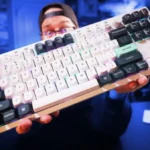
Keycap quality was praised for PBT material, OSA profile, crisp legends, and a non-cheap feel.
-
Typing comfort was consistently strong, with reviewers reporting soft keycaps, little fatigue, and comfortable typing after adjustment.
-
The Hall Effect implementation earned strong marks for adjustable actuation, fine sensitivity, and detectable light presses across gaming and typing use.
-
Sound dampening was well supported by gasket construction, padding, foam, and low resonance.
-
Media controls were a clear plus because reviewers liked the dedicated knob and clickable mute behavior.
-
Software quality was a standout, with reviewers praising the web-based Keychron Launcher as easy, slick, and improved.
-
Gaming performance was strong in reviewer testing, with responsive inputs, useful Hall Effect behavior, and fast actuation for shooters and rapid actions.
-
Key stability was positive in everyday use thanks to weight and stabilizers, though not every large key was flawless.
-
Onboard memory support was confirmed through the ability to save up to three profiles.
-
Profile management is supported, with internal memory able to save three profiles for games or work.
-
Reviewers consistently described the Q3 HE as unusually refined for a mechanical keyboard, with quiet, satisfying, or brilliant sound rather than harsh clickiness.
-
Macro customization is well supported through the web software and multi-actuation key behavior.
-
Key spacing and separation were treated as advantages of the full TKL layout, especially compared with more compressed layouts.
-
Stabilizer quality was mostly strong, with smooth, rattle-free stabilizers praised, though one review noted some spacebar wobble.
-
Wireless performance was mostly positive, especially the accurate 2.4GHz experience, though Bluetooth had minor hiccups in one review.
-
Legend visibility was generally adequate, with crisp legends and visible keys noted despite non-shine-through caps.
-
RGB lighting quality was generally liked for its gorgeous or aesthetically pleasing look, even when not extremely bright.
-
Latency impressions were positive in testing, especially over wired and 2.4GHz modes, with no input lag noted by one reviewer.
-
Battery feedback was positive overall, including long claimed runtime and one reviewer reporting only occasional charging, though RGB wireless use can drain it faster.
-
The 80%/TKL form factor was seen as a useful middle ground that keeps arrows and navigation keys without a numpad.
-
Desk efficiency was mixed: reviewers liked the compact TKL footprint, but one noted it still takes more mouse space than smaller layouts.
-
Layout feedback favored the TKL/80% format for retaining arrows and navigation keys while omitting the numpad.
-
The included cable was described positively in the hands-on reviews, with braided USB-C cabling and adapters noted.
-
RGB customization was positively received through numerous effects and praised Pixel Rain lighting, though one review noted a preset limit.
-
Value was mixed: reviewers respected the premium execution, but several noted that the high price faces cheaper rivals with stronger specs.
-
Hot-swappable magnetic switches were noted, but the benefit is narrowed by compatibility limits.
-
Reliability looked generally good, especially software support and daily use, though one reviewer reported rare Bluetooth reconnection issues.
-
Ergonomics were mostly positive for comfort, though one reviewer found the fixed angle made a palm rest necessary.
-
Backlighting is present and usable, but reviewers described it as subtle rather than extremely bright.
-
Polling rate was mixed: 1,000Hz was described as responsive, but reviewers criticized the lack of 8,000Hz found on rivals.
-
Per-key lighting hardware was noted through per-key RGB and south-facing LEDs, though detailed per-key lighting control was less emphasized.
-
Analog-style control is supported indirectly through variable Hall Effect travel, with one reviewer highlighting steering-style partial input behavior.
-
Switch replacement is possible for compatible magnetic switches, but reviewers repeatedly stressed that traditional or non-Keychron/Gateron options are limited.
Cons
-
Portability was mixed because the compact layout can fit in a backpack, but the heavy metal body makes it a poor travel board.
-
Switch options were the most repeated limitation, since reviewers noted proprietary or Gateron-only magnetic switch compatibility.
Compared With Category Average
Compared with other Gaming Keyboard, this product is above average in rapid trigger support, wireless performance, software quality.
| Attribute | This product | Category average | Difference |
|---|---|---|---|
| rapid trigger support | 4.8 | 3.4 | +1.4 |
| wireless performance | 4.5 | 3.3 | +1.2 |
| software quality | 4.6 | 3.7 | +0.9 |
| noise level | 4.7 | 3.8 | +0.8 |
| connectivity | 4.8 | 3.9 | +0.9 |
| volume control | 4.8 | 3.8 | +0.9 |
| media controls | 4.6 | 3.8 | +0.8 |
| compatibility | 4.7 | 4.0 | +0.7 |
FAQ
Is the Keychron Q3 HE good for gaming?
Yes. Reviewers praised the Hall Effect switches, Rapid Trigger, Snap Tap, fast actuation, and responsive wireless or wired input for gaming.
Is it comfortable for typing?
Yes. Reviewers described the typing experience as comfortable, smooth, soft, and fatigue-free, with a quiet sound profile that works well for offices.
Does it work with both Mac and Windows?
Yes. Reviews noted Mac and Windows modes, included alternate keycaps, and easy switching across platforms.
What are the biggest drawbacks?
The most repeated drawbacks are the high price, limited magnetic switch compatibility, and lack of 8,000Hz polling compared with some cheaper rivals.
How is the wireless performance?
Reviewers generally found 2.4GHz wireless accurate and responsive, while one reviewer reported rare Bluetooth reconnection hiccups.
Can you customize actuation and macros?
Yes. Reviewers used Keychron Launcher for actuation points, multi-action key presses, key remapping, macros, lighting, and profiles.
Consider This Instead
If you want better switch options
Choose MonsGeek M1 V5 HE. It scores 4.9 vs 2.9 for switch options, with a 4.3 overall score.
If you want better portability
Choose Epomaker G84 HE. It scores 4.5 vs 3.2 for portability, with a 4.2 overall score.
If you want better polling rate
Choose Keychron Q3 HE 8K. It scores 5.0 vs 3.9 for polling rate, with a 4.5 overall score.
If you want better ease of switch replacement
Choose Glorious GMMK 3 HE. It scores 4.9 vs 3.8 for ease of switch replacement, with a 4.1 overall score.
Overall Top Gaming Keyboard Alternatives
Best for 8K polling, magnetic-switch gaming control, premium build, and deep web customization. Skip it if you need broad switch compatibility, USB passthrough, a wrist rest, or a portable keyboard.
Pros: latency, polling rate
Cons: portability, switch options
Good if you want a premium full-size Hall Effect keyboard with smooth switches, strong gaming controls, and quiet acoustics. Skip it if you need a portable, budget, or broadly switch-compatible...
Pros: key stability, frame rigidity
Cons: portability, switch options
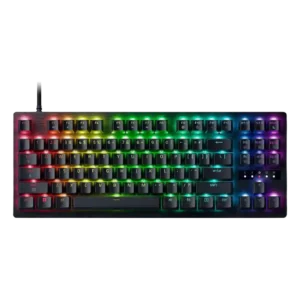
Best for a premium, quiet Hall Effect TKL with strong wireless, software, and gaming features. Skip it if price, switch flexibility, USB passthrough, or an included wrist rest matter most.
Pros: rapid trigger support, typing feel
Cons: switch options, portability
Best for a premium 96% metal keyboard with Hall Effect tuning, strong wireless, and excellent typing feel. Skip it for travel, bargain pricing, or maximum esports specs.
Pros: build quality, frame rigidity
Cons: portability, switch options