If you want better Keypad
Choose ULTRALOQ Bolt Fingerprint Smart Lock. It scores 4.7 vs 1.8 for Keypad, with a 4.2 overall score.
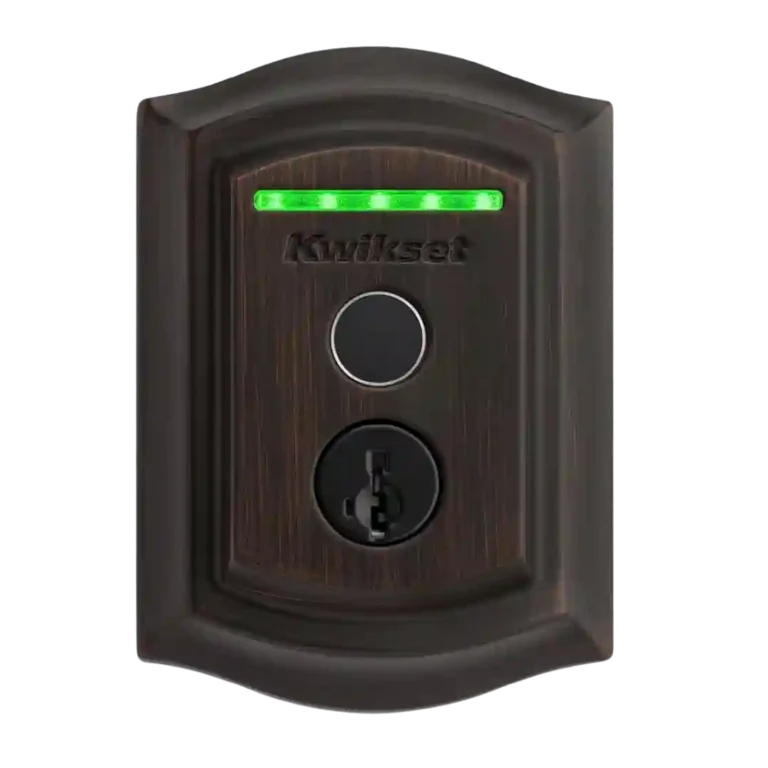
Choose the Kwikset Halo Touch if fingerprint entry, sturdy deadbolt hardware, and no-hub Wi-Fi matter most. Skip it if you need deep smart-home integrations, reliable failed-attempt alerts, geofencing, or safe auto-lock behavior without a door sensor.
Best for households that want fast fingerprint entry, traditional key backup, sturdy Kwikset deadbolt hardware, and no-hub Wi-Fi control without building a complex smart-home setup. It also suits families or small offices that can enroll users in person.
Not for users who need HomeKit, IFTTT, security-system or doorbell integrations, geofencing, keypad/PIN guest codes, or reliable failed-attempt alerts. It is also a poor fit for doors that do not meet the reviewers’ fit warnings.
Reviewers generally found the Kwikset Halo Touch strongest as a physical lock with modern convenience layered on top: fingerprint entry was repeatedly described as fast, accurate, and easy, while installation, sturdy hardware, key backup, and no-hub Wi-Fi earned broad praise. The tradeoff is that its smart side does not feel as complete as its lock side. Several reviewers criticized the app for lag, limited controls, missed or missing notifications, weak smart-home/security-system integrations, and the lack of a door sensor that makes auto-lock risky. It fits households that value quick biometric access and familiar Kwikset hardware more than advanced automation, but the evidence is less flattering for users expecting polished app behavior, rich integrations, or remote guest setup without someone present at the lock.
Compared with other Smart Locks, this product is above average in Pick/drill resistance (if rated), Fingerprint, Warranty and support, near average in App, Key override reliability, below average in Auto-relock after failed attempts, Keypad, Guest Codes and Access.
| Attribute | This product | Category average | Difference |
|---|---|---|---|
| Auto-relock after failed attempts | 1.3 | 4.1 | -2.8 |
| Keypad | 1.8 | 4.1 | -2.4 |
| Guest Codes and Access | 2.5 | 4.4 | -1.9 |
| Door compatibility (deadbolt fit) | 1.8 | 3.6 | -1.8 |
| Pick/drill resistance (if rated) | 4.8 | 3.6 | +1.2 |
| Fingerprint | 4.6 | 3.8 | +0.8 |
| Notifications | 3.2 | 4.1 | -1.0 |
| Warranty and support | 4.5 | 3.4 | +1.1 |
Choose ULTRALOQ Bolt Fingerprint Smart Lock. It scores 4.7 vs 1.8 for Keypad, with a 4.2 overall score.
Choose Yale Assure Lock 2 Smart Lock. It scores 4.6 vs 2.5 for Guest Codes and Access, with a 3.9 overall score.
Choose Aqara U50 Smart Lock. It scores 4.2 vs 2.7 for Smart-home integration (Alexa, Google, Siri, HomeKit, Matter, Thread), with a 4.2 overall score.
Choose ULTRALOQ U-Bolt Pro Smart Lock. It scores 4.4 vs 2.2 for Door-sense, with a 4.2 overall score.
Products reviewers directly compared with this model, grouped into quick takeaways.
Yes, reviewers were broadly positive. Multiple reviews described fingerprint entry as quick, accurate, convenient, or never failing, though a few noted limits around wet fingers, enrollment smoothness, or only two fingerprints per person.
No. Reviewers repeatedly treated built-in Wi-Fi and no-hub operation as a plus, with remote access available through the Kwikset app when Wi-Fi is working.
The app drew mixed reactions. Some reviewers found it simple and easy to use, while others criticized lag, limited controls, long firmware updates, or the need to factory reset the lock to change Wi-Fi information.
Voice control generally worked, and reviewers liked the extra PIN requirement for unlocking. However, integrations were limited overall, with complaints about HomeKit, IFTTT, security-system, and doorbell gaps.
It depends on the reviewer. Some liked auto-lock as a useful backup when you forget to lock the door, but others warned it can throw the bolt while the door is open because the lock lacks a door sensor.
User schedules and multiple users were praised, but guest setup is less flexible than PIN-code locks. Because access relies on fingerprints, guests often need to be physically present at the lock to enroll.
Reviewers split on value. Some felt the fingerprint access, strong hardware, no-hub Wi-Fi, and multiple entry methods justified the price, while others thought the app and integration limits made it too expensive.
These are a few of the reviews included in our analysis.

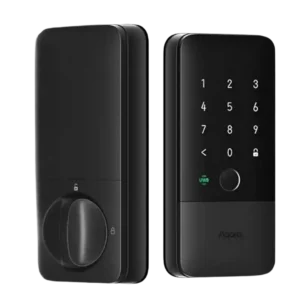
Choose the Aqara U400 if you want hands-free UWB unlocking, strong Apple Home integration, and many backup entry methods. Skip it if you dislike bulky smart-lock hardware or need a...
Pros: Locking reliability, Lock/unlock speed
Cons: Bluetooth, Physical attack resistance
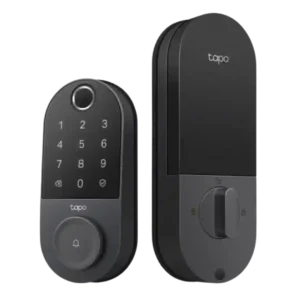
Choose the Tapo DL110 if you want fast fingerprint entry, strong app control, long battery life, and premium features under a lower price. Skip it if your door/strike alignment is...
Pros: Value and Price, Lock/unlock speed
Cons: Existing hardware reuse, Door compatibility (deadbolt fit)
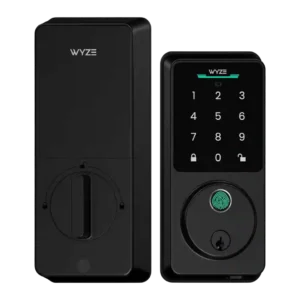
Choose the Wyze Lock Bolt v2 for low-cost Wi-Fi, fast fingerprint entry, and flexible codes. Skip it if you need Matter/HomeKit support, rechargeable batteries, or stronger door-sense behavior.
Pros: Lock/unlock speed, Keypad
Cons: Door-sense, Battery
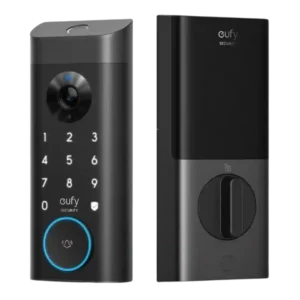
Good if you want one polished lock, camera, and doorbell with excellent fingerprint access. Skip it if short battery life, screen/storm doors, or a narrow camera view would frustrate you.
Pros: Lock/unlock speed, Security features (encryption)
Cons: Door-sense, Keyway quality