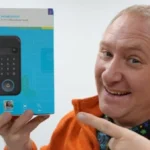
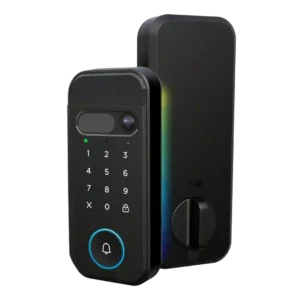
Review: myQ Secure View 3-in-1 Smart Lock
Updated: 1 month ago
3.8
Based on methodology below
82
Insights analyzed
28
Grouped by key features
7
From expert reviews
Scores below reflect consolidated expert coverage across these features.
Bottom Line
Choose myQ Secure View if you want a fast all-in-one lock plus 2K doorbell camera with face/fingerprint entry; Skip it if you need Alexa/Google/HomeKit-style integrations or you dislike subscriptions for premium video and AI features.
Best for
Homeowners who want a single, modern front-door device that combines smart locking with doorbell video and fast face/fingerprint entry, especially if they already use myQ products.
Not for
Anyone who relies on Apple Home/HomeKit, Alexa, or Google Home automations, or buyers who do not want to pay ongoing fees to unlock premium video and AI notification features.
Verdict
Chamberlain’s myQ Secure View aims at people who want one front-door device that does everything: a deadbolt, doorbell video, and hands-free biometrics. It stands out for very quick unlocking, flexible entry methods, and a rechargeable battery with emergency options for low power. The tradeoff is ecosystem and ongoing cost: deeper smart-home compatibility is limited outside myQ partners, and several camera/AI conveniences can sit behind a monthly plan. If you already live in myQ (garage + app) and value reducing hardware clutter, it’s a strong premium pick; if you prioritize open integrations or lowest total cost, alternatives will fit better.
Pros
-
4.5based on 5 reviewsLock/unlock speed: 4.5, based on 5 reviewsMultiple reviews repeat Chamberlain’s two-second unlock claim and hands-on videos describe face/fingerprint unlock as very quick in real use.
-
4.5based on 1 reviewBackset compatibility: 4.5, based on 1 reviewInstallation guidance explicitly supports common backsets (2-3/8 and 2-3/4), with the latch adjustable to match standard door prep.
-
4.4based on 2 reviewsBuild quality and durability: 4.4, based on 2 reviewsUnboxing and install videos describe the exterior unit as dense/heavy with solid materials and good fit, suggesting strong build quality for a first-gen lock.
-
4.4based on 2 reviewsKey override reliability: 4.4, based on 2 reviewsA physical key is available (often hidden under a cover), and multiple videos highlight an emergency 9V contact method to power the lock long enough to get inside if the main battery is drained.
-
4.4based on 2 reviewsWeather resistance: 4.4, based on 2 reviewsHardware is presented as built for outdoor use with wide operating temperatures and good sealing/gasketing to help keep moisture out.
-
4.3based on 1 reviewDoor-sense: 4.3, based on 1 reviewA door-position sensor (magnet) can report door-ajar vs closed status and is used during calibration; installation can be adhesive or a more permanent drilled mount.
-
4.2based on 6 reviewsBattery: 4.2, based on 6 reviewsMost sources cite roughly 4–6+ months per charge and like the rechargeable pack; charging can take several hours, and a swap/spare battery option is mentioned for avoiding downtime.
-
4.2based on 3 reviewsGuest Codes and Access: 4.2, based on 3 reviewsGuest access is handled via PINs and temporary passes in the app, aimed at deliveries, pet sitters, and short-term visitors without sharing a physical key.
-
4.2based on 1 reviewSecurity features (encryption): 4.2, based on 1 reviewOne walkthrough emphasizes that facial data stays on-device and references network protection settings, pointing to a privacy/security-first approach for biometrics.
-
4.2based on 7 reviewsFingerprint: 4.2, based on 7 reviewsFingerprint access is widely described as fast and reliable after setup, with support for enrolling multiple family members.
-
4.1based on 2 reviewsLocking reliability: 4.1, based on 2 reviewsLocking works reliably after calibration, but one install notes initial tightness/alignment issues that required strike/door prep adjustments—typical of deadbolt installs.
-
4.1based on 1 reviewUser access management: 4.1, based on 1 reviewUser and credential management (adding users, quick/temporary passes, PINs, faces, fingerprints) is a core strength highlighted in setup walkthroughs.
-
4.1based on 5 reviewsRemote access: 4.1, based on 5 reviewsRemote lock/unlock from the myQ app is described as straightforward and responsive, making it practical for letting in guests or service providers when you are away.
-
4.1based on 5 reviewsInstallation and Setup: 4.1, based on 5 reviewsDIY installation is considered doable with clear instructions, but some doors may require drilling or extra strike/fitment work; careful alignment and cable connections matter.
-
4.0based on 2 reviewsAuto-lock: 4.0, based on 2 reviewsAuto-lock can be enabled and timed in-app (example: ~90 seconds), providing set-and-forget security once the door is closed. Hands-free face access and other biometric/PIN methods make entry convenient, but at least one outlet notes face-based automations can require a paid plan, reducing the value of the feature.
-
4.0based on 1 reviewAccess logs: 4.0, based on 1 reviewPINs can be assigned per person and activity/history views are referenced, enabling basic visibility into who accessed the door.
-
4.0based on 4 reviewsWi-Fi: 4.0, based on 4 reviewsWi-Fi setup is app-driven and generally smooth, but one install walkthrough highlights 2.4GHz-only pairing and a firmware update step during onboarding.
-
3.9based on 2 reviewsKeypad: 3.9, based on 2 reviewsThe touch keypad is easy to use and supports PIN entry for guests; one reviewer prefers physical buttons, so tactile feedback may not suit everyone.
-
3.8based on 6 reviewsApp: 3.8, based on 6 reviewsReviews consistently praise the myQ app for guiding setup, managing PINs/biometrics, and providing remote control; however, multiple reviewers warn that key camera/AI conveniences may be gated by a subscription or altered over time.
-
3.8based on 1 reviewBluetooth: 3.8, based on 1 reviewBluetooth is mentioned as part of the internal module/antenna during installation, but Wi-Fi remains the primary path for remote control and camera features.
-
3.8based on 1 reviewTouchscreen: 3.8, based on 1 reviewThe touchscreen/touch surface looks modern and responsive, but some users may still prefer traditional button keypads for feel and certainty.
-
3.7based on 5 reviewsNotifications: 3.7, based on 5 reviewsYou will get basic lock and motion notifications, but richer, context-aware alerts (what triggered motion) and video-related conveniences may require a subscription.
Cons
-
3.2based on 2 reviewsValue and Price: 3.2, based on 2 reviewsAt roughly $279.99 plus potential monthly fees for premium camera/AI features, reviewers frame it as a premium-priced option where total cost depends on whether you subscribe.
-
3.0based on 2 reviewsFeature additions via updates: 3.0, based on 2 reviewsAt least one reviewer notes an initial firmware update during setup; other coverage raises concerns that Chamberlain has historically changed features or added paywalls post-launch.
-
2.7based on 1 reviewWarranty and support: 2.7, based on 1 reviewMedia coverage flags broader trust/support concerns based on Chamberlain’s past platform decisions, even though hands-on reviewers do not report direct support failures yet.
-
2.3based on 3 reviewsSmart-home integration (Alexa, Google, Siri, HomeKit, Matter, Thread): 2.3, based on 3 reviewsCoverage repeatedly notes limited integration with major platforms (Apple Home/HomeKit, Alexa, Google) and stronger ties to the myQ ecosystem and select security partners.
-
1.3based on 2 reviewsVoice control: 1.3, based on 2 reviewsVoice control via mainstream assistants is called out as missing/limited, so hands-free voice unlocking routines are not a focus here.
FAQ
Does it work with Apple Home, Alexa, or Google Home?
Most coverage says major smart-home platforms are not supported; the lock focuses on the myQ ecosystem and a few security-service partners instead.
Do I need a subscription?
Basic locking, motion, and access notifications work without a plan, but several camera/AI perks like video history and richer alert details can require a monthly myQ subscription.
How is it powered, and what happens if the battery dies?
It uses a rechargeable battery pack rated for about 4–6+ months. Reviewers also mention emergency 9V contacts and a physical key as backup entry options.
Is installation DIY-friendly?
Yes for many doors, with guided in-app steps and included templates, but some installs may require drilling and careful deadbolt/strike alignment for smooth locking.
Reviews we analyzed
Video Reviews

Article Reviews
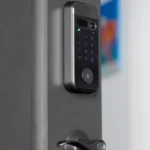
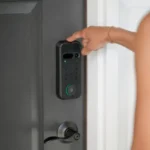
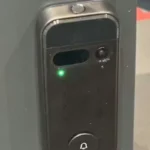
Best Smart Locks
#1
4.3
Choose the Tapo DL110 for fast fingerprint entry and solid Wi-Fi remote control at a budget price. Skip it if your door/strike alignment...
Pros: Value and Price, Lock/unlock speed, Keyway quality, Hub requirement, Battery, User access management, Key override reliability
Cons: Geofencing
#2
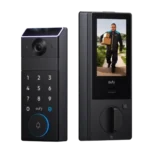
4.2
Choose the FamiLock S3 Max if you want a single lock + doorbell with an indoor screen and fast palm unlock; Skip it...
Pros: Physical attack resistance, Weather resistance, User access management, Build quality and durability, Guest Codes and Access, Lock/unlock speed, Locking motor
Cons: Value and Price
#3
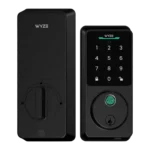
4.2
Choose Wyze Lock Bolt v2 for remote control plus fingerprint entry at a budget price. Skip it if you need door-ajar sensing or...
Pros: Hub requirement, Value and Price, Lock/unlock speed, Wi-Fi, User access management, Remote access, Backset compatibility
Cons: Door-sense
#4
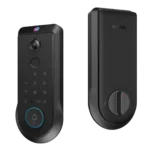
4.2
Choose the Lockin Veno Pro if you want touchless palm access and a built-in video doorbell in one device. Skip it if you...
Pros: Door-sense, Key override reliability, Auto-lock, Weather resistance, Voice control, Keyway quality, Lock/unlock speed
Cons: Geofencing