Review: Yale Approach Smart lock
Updated: 1 month ago
3.6
Based on methodology below
204
Insights analyzed
33
Grouped by key features
12
From expert reviews
Scores below reflect consolidated expert coverage across these features.
Bottom Line
Choose Yale Approach if you want an affordable retrofit lock with strong auto-unlock and a clean app experience. Skip it if you need HomeKit/Matter today or don’t want to deal with a separate Wi-Fi bridge and occasional reliability quirks.
Best for
Renters or homeowners who must keep their existing deadbolt and want auto-unlock plus remote control at a budget-friendly price.
Not for
Apple-first households that need HomeKit today, or anyone with a tight/misaligned deadbolt or low tolerance for bridge setup, calibration, and intermittent glitches.
Verdict
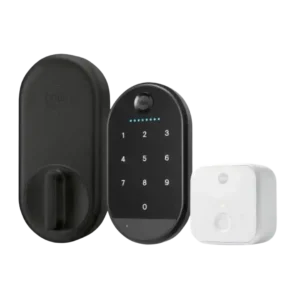
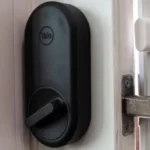
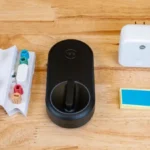
Yale’s Approach is a renter-friendly retrofit that keeps your existing exterior hardware and keys while adding app control, remote access (with the included bridge), DoorSense door-status checks, and a generally excellent auto-unlock experience. It also offers solid access logs, guest access features, and voice control support for popular ecosystems. The big tradeoff is complexity and consistency: the external Wi-Fi bridge needs a nearby outlet and good Bluetooth range, and several reviewers report calibration bugs, occasional unresponsiveness, or a motor that struggles with sticky or misaligned deadbolts. If your door hardware turns smoothly and you keep a backup key handy, it can be a high-value upgrade.
Pros
-
5.0based on 12 reviewsExisting hardware reuse: 5.0, based on 12 reviewsAcross reviews, the standout benefit is true retrofit design: the lock keeps the exterior hardware unchanged and preserves your existing key access, which is especially appealing for renters and anyone avoiding re-keying.
-
4.2based on 9 reviewsValue and Price: 4.2, based on 9 reviewsAt roughly $129 for the lock (and more for keypad bundles), most reviewers consider it strong value for a retrofit smart lock, especially versus pricier alternatives. The value case weakens if you factor in the bridge outlet requirement, installation complexity, or a higher risk of setup and reliability hiccups.
-
4.2based on 6 reviewsAccess logs: 4.2, based on 6 reviewsActivity history is repeatedly described as comprehensive, showing timestamps and the method of entry (app, code, manual). This is highlighted as especially useful for parents, hosts, or anyone tracking comings and goings.
-
4.1based on 6 reviewsNotifications: 4.1, based on 6 reviewsNotifications are generally timely and helpful, covering events like lock/unlock actions, door-ajar status, and low-battery warnings. Some setups also allow alerts for bridge status, which helps catch connectivity issues.
-
4.1based on 8 reviewsDoor-sense: 4.1, based on 8 reviewsDoorSense door-status detection adds useful reassurance for remote locking and alerts for a door left ajar. Surface mounting is quick, but some reviewers note flush mounting can be tricky and may require drilling or creative fitting, which may be less renter-friendly.
-
4.0based on 6 reviewsVoice control: 4.0, based on 6 reviewsVoice control is generally supported through Alexa and Google Assistant when the Wi-Fi bridge is set up. Reviews mention added security steps such as requiring a voice PIN to unlock, and the lock can be used in routines and automations.
-
4.0based on 1 reviewFinish durability: 4.0, based on 1 reviewFinish impressions are generally positive, with a slim, minimalist interior module and keypad materials described as modern and low-profile. One source specifically touts resistance to fingerprints and abrasion on the keypad surface, though long-term wear is not deeply tested.
-
4.0based on 1 reviewTwo-factor authentication availability: 4.0, based on 1 reviewThe app includes optional verified access that requires phone biometrics or a passcode before operating the lock, adding a practical extra layer of protection against unauthorized use of an unlocked phone.
-
4.0based on 1 reviewWeather resistance: 4.0, based on 1 reviewWeather resistance discussion centers on the optional keypad, which is described as suitable for outdoor use and rated to handle rain. Several reviews still caution that mounting surface and placement affect real-world durability.
-
4.0based on 10 reviewsGuest Codes and Access: 4.0, based on 10 reviewsGuest access is a major strength when paired with the keypad: reviews mention temporary, scheduled, and one-time code options and the ability to invite others to use the app as digital keys. A recurring minor gripe is that code creation can be tucked away in the app UI.
-
3.8based on 9 reviewsAuto-lock: 3.8, based on 9 reviewsAuto-lock timing is flexible (seconds to minutes) and often works reliably once configured. A few reviewers report it becoming inconsistent until a reset, and several note there is no geofence-based auto-lock when you leave, only timer-based relocking.
-
3.8based on 6 reviewsUser access management: 3.8, based on 6 reviewsUser management supports inviting additional users and assigning access levels, with options to revoke or schedule access. Most reviews find it capable, though one YouTube review describes the flow as clunky and not always obvious.
-
3.8based on 11 reviewsApp: 3.8, based on 11 reviewsMost reviewers praise the Yale Access app for clear UI, guided setup, and straightforward lock control. Common strengths include activity history and guest management, while recurring complaints include some clunky code workflows, occasional command delay, and missing battery percentage for the lock in the UI.
-
3.8based on 7 reviewsGeofencing: 3.8, based on 7 reviewsGeofencing behavior depends on phone location and how far you travel before returning; it can feel magical when it works, but some users find it finicky for short trips or unreliable in real-world use. Multiple reviews also wish for a true lock-when-leaving option.
-
3.8based on 12 reviewsRemote access: 3.8, based on 12 reviewsRemote lock/unlock is a strong feature when the bridge is properly placed and paired. However, reviews highlight that remote reliability is only as good as the bridge setup and Bluetooth range, and troubleshooting sometimes includes resets or recalibration.
-
3.7based on 9 reviewsSmart-home integration (Alexa, Google, Siri, HomeKit, Matter, Thread): 3.7, based on 9 reviewsSmart-home platform support is commonly reported for Alexa, Google Home, SmartThings, and Hue integrations, but multiple reviews emphasize the lack of HomeKit at the time of testing. Matter and Thread are frequently referenced as planned for the future rather than enabled today.
-
3.7based on 5 reviewsDoor compatibility (deadbolt fit): 3.7, based on 5 reviewsReviews say it fits most standard single-cylinder deadbolts, but compatibility is not universal. Some call out non-supported lock types and edge cases (such as uncommon tailpiece designs), and multiple reviewers note the motor is sensitive to tight or misaligned door hardware.
-
3.7based on 3 reviewsKey override reliability: 3.7, based on 3 reviewsKeeping the original key is repeatedly framed as an important safety net. Given reports of occasional unresponsiveness or motor limitations, multiple reviews imply you should keep a backup key accessible even if you plan to go mostly keyless.
-
3.6based on 4 reviewsLock/unlock speed: 3.6, based on 4 reviewsDay-to-day responsiveness is usually described as quick, with auto-unlock times around a couple of seconds in testing and prompt app control. Voice commands can take a few seconds to process, and a few reviewers report needing repeated taps or experiencing noticeable delay.
-
3.5based on 12 reviewsInstallation and Setup: 3.5, based on 12 reviewsPhysical installation is often described as quick and beginner-friendly with in-app videos, but the overall setup can be longer due to calibration, DoorSense placement, and pairing the Wi-Fi bridge and keypad. Several reviewers report repeated errors or buggy calibration during onboarding.
-
3.5based on 7 reviewsWi-Fi: 3.5, based on 7 reviewsWi-Fi connectivity is delivered through the bridge (typically on 2.4GHz networks). Once connected, many reviewers find remote control dependable, but multiple accounts describe initial pairing friction or placement constraints that can affect stability.
Cons
-
3.3based on 5 reviewsBattery: 3.3, based on 5 reviewsThe lock uses four AA batteries with widely cited claims of roughly 12 months of life, while keypad battery life is often quoted around several months. Downsides include no battery percentage meter for the lock in the app and at least one report of unusually fast keypad drain or loose batteries during installation.
-
3.3based on 4 reviewsLocking motor: 3.3, based on 4 reviewsSeveral reviews describe the motor as quiet and pleasant in operation, but others call it comparatively weak and prone to struggling if the deadbolt is sticky or the door/strike plate alignment is off.
-
3.3based on 2 reviewsWarranty and support: 3.3, based on 2 reviewsSupport experiences are mixed. Some reviewers received responses or replacements after defects, while others describe time-consuming troubleshooting and backend account/device cleanup during setup.
-
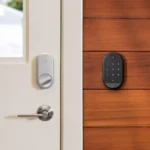
3.2based on 7 reviewsKeypad: 3.2, based on 7 reviewsKeypad opinions are split. Some reviewers like the readability, one-touch locking, and convenience for kids or guests, while others report unresponsive inputs, confusing status feedback, fragile construction, and the need for a flat surface or screws for secure mounting.
-
3.2based on 5 reviewsBluetooth: 3.2, based on 5 reviewsBluetooth is central for local control and for linking the lock to the Wi-Fi bridge and keypad. Some reviewers report limited range or scenarios where Bluetooth is required for certain settings, even when the lock is otherwise connected via Wi-Fi through the bridge.
-
3.2based on 5 reviewsTouchscreen: 3.2, based on 5 reviewsTouch controls and visibility vary by keypad version and environment. Several reviews mention sunlight readability issues or missed taps, while others highlight backlighting and adaptive brightness as positives.
-
3.1based on 5 reviewsFeature additions via updates: 3.1, based on 5 reviewsMultiple sources reference future feature enablement (notably Matter/Thread), but several hands-on reviews report firmware update friction or calibration bugs, suggesting software maturity and updates meaningfully affect the experience.
-
3.1based on 6 reviewsLocking reliability: 3.1, based on 6 reviewsReliability feedback is mixed: many testers report stable operation after setup, but there are notable reports of the lock becoming unresponsive (while the app falsely shows success) and needing a battery pull/reset. Motor strength and door alignment are recurring factors in reliability concerns.
-
3.1based on 9 reviewsHub requirement: 3.1, based on 9 reviewsRemote access and voice features rely on a separate Wi-Fi bridge rather than built-in Wi-Fi. Reviews consistently call this a convenience and reliability tradeoff because it needs an outlet near the door and stable bridge-to-lock Bluetooth connectivity.
-
2.5based on 2 reviewsFingerprint: 2.5, based on 2 reviewsMost reviews of the standard package describe fingerprint unlocking as missing, which limits advanced keyless options compared with some competitors. One setup/demo review covers a keypad touch variant that adds fingerprint enrollment and use.
-
2.5based on 1 reviewBuild quality and durability: 2.5, based on 1 reviewBuild impressions are mixed: the interior lock module is often described as sleek and sturdy, but multiple reviews criticize accessory quality (especially keypad construction) or report hardware quirks that undermine confidence.
FAQ
Does the Yale Approach keep my existing keys and exterior lock?
Yes. It replaces the interior thumb-turn portion, so the outside hardware stays the same and you can still use your original key as a backup.
Can I use it without the Wi-Fi bridge?
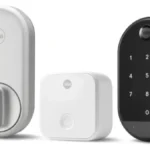
Yes, but only for local control over Bluetooth. The bridge is needed for true remote access away from home and for voice-assistant control.
Does it support Apple HomeKit or Matter today?
Multiple reviews note HomeKit is not available at the time of testing, and Matter support is described as planned via a future update rather than active now.
Will it work with any deadbolt?
It is intended for most standard single-cylinder deadbolts, but reviewers call out exceptions and recommend checking tailpiece compatibility and avoiding mortise or rotary lock types.
How do I reduce the risk of motor or calibration problems?
Make sure the deadbolt turns smoothly by hand, align the strike plate so the bolt is not rubbing, and keep the bridge within Bluetooth range; if it ever becomes unresponsive, a battery pull/reset is a reported fix.
Reviews we analyzed
Video Reviews
Article Reviews

Best Smart Locks
#1
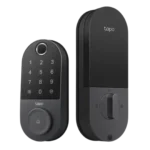
4.3
Choose the Tapo DL110 for fast fingerprint entry and solid Wi-Fi remote control at a budget price. Skip it if your door/strike alignment...
Pros: Value and Price, Lock/unlock speed, Keyway quality, Hub requirement, Battery, User access management, Key override reliability
Cons: Geofencing
#2
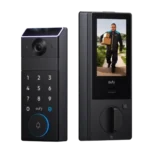
4.2
Choose the FamiLock S3 Max if you want a single lock + doorbell with an indoor screen and fast palm unlock; Skip it...
Pros: Physical attack resistance, Weather resistance, User access management, Build quality and durability, Guest Codes and Access, Lock/unlock speed, Locking motor
Cons: Value and Price
#3
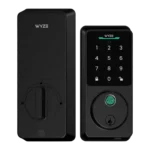
4.2
Choose Wyze Lock Bolt v2 for remote control plus fingerprint entry at a budget price. Skip it if you need door-ajar sensing or...
Pros: Hub requirement, Value and Price, Lock/unlock speed, Wi-Fi, User access management, Remote access, Backset compatibility
Cons: Door-sense
#4
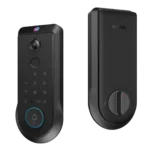
4.2
Choose the Lockin Veno Pro if you want touchless palm access and a built-in video doorbell in one device. Skip it if you...
Pros: Door-sense, Key override reliability, Auto-lock, Weather resistance, Voice control, Keyway quality, Lock/unlock speed
Cons: Geofencing