If you want better Locking motor
Choose Yale August Smart Lock. It scores 5.0 vs 2.7 for Locking motor, with a 3.8 overall score.
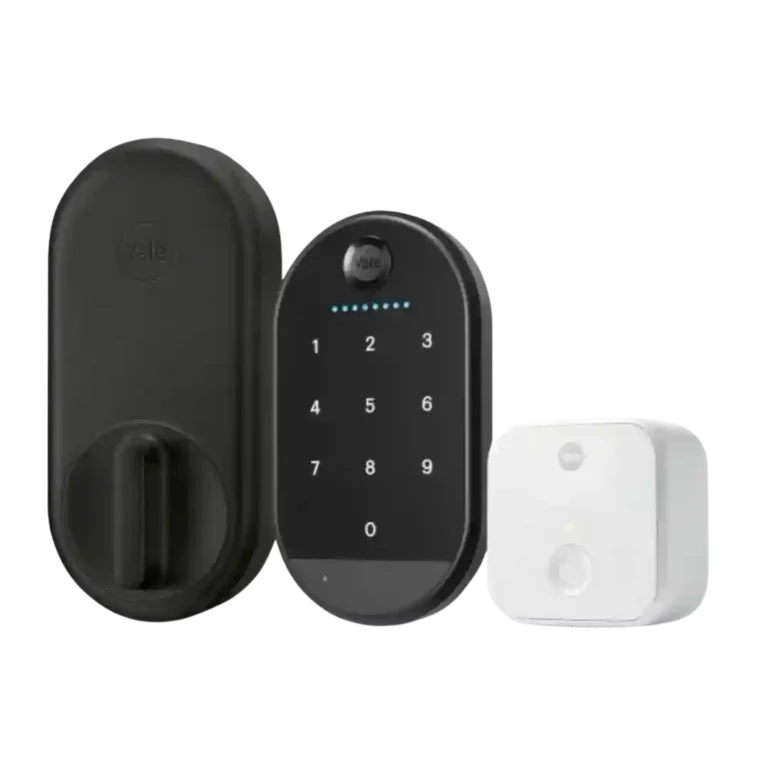
Choose the Yale Approach if you want an affordable retrofit lock with strong app controls and renter-friendly hardware reuse. Skip it if lock reliability, native Wi-Fi, HomeKit/Matter support, or a consistently responsive keypad matter most.
Best for renters or homeowners who want to keep their existing deadbolt and keys while adding app control, guest codes, access logs, and auto-unlock. It fits best on a smooth, well-aligned door with an outlet close enough for the bridge.
Not for buyers who need the most trusted primary-door lock, native Wi-Fi, current HomeKit/Matter support, or a built-in advanced keypad. It is also a poor fit for sticky deadbolts, unusual tailpieces, or users unwilling to keep a backup key.
Reviewers treat the Yale Approach as a genuinely appealing retrofit smart lock when the priority is keeping existing exterior hardware, original keys, and a renter-friendly install. The app, access logs, guest-code tools, remote control, and auto-unlock drew repeated praise, and several reviewers liked the price compared with fuller replacement locks. The tradeoff is that the retrofit design depends heavily on clean deadbolt alignment, a separate Wi-Fi bridge, and optional keypad accessories that were inconsistent across reviews. Some units worked smoothly and quickly, while others suffered calibration bugs, weak motor behavior, short keypad battery life, app delays, or complete unresponsiveness. The result is a product with strong everyday convenience on good doors, but weaker peace-of-mind evidence than its feature list suggests.
Compared with other Smart Locks, this product is above average in Geofencing, Door-sense, Existing hardware reuse, near average in Guest Codes and Access, Notifications, below average in Warranty and support, Locking reliability, Wi-Fi.
| Attribute | This product | Category average | Difference |
|---|---|---|---|
| Warranty and support | 1.5 | 3.7 | -2.2 |
| Locking reliability | 2.6 | 4.5 | -1.9 |
| Wi-Fi | 2.3 | 3.8 | -1.5 |
| Locking motor | 2.7 | 4.0 | -1.3 |
| Bluetooth | 2.2 | 3.5 | -1.4 |
| Auto-lock | 3.0 | 4.2 | -1.2 |
| Door compatibility (deadbolt fit) | 2.3 | 3.5 | -1.3 |
| Build quality and durability | 3.3 | 4.5 | -1.2 |
Choose Yale August Smart Lock. It scores 5.0 vs 2.7 for Locking motor, with a 3.8 overall score.
Choose Google Nest x Yale Smart Lock. It scores 4.4 vs 2.6 for Locking reliability, with a 3.8 overall score.
Choose Aqara Smart Lock U100. It scores 4.0 vs 2.2 for Bluetooth, with a 4.0 overall score.
Choose Yale Assure Lock 2 Smart Lock. It scores 4.0 vs 2.7 for Hub requirement, with a 3.9 overall score.
Products reviewers directly compared with this model, grouped into quick takeaways.
Yes. Reviewers repeatedly liked that it keeps the exterior deadbolt and original keys, making it renter-friendly, though accessory mounting and bridge placement can still create friction.
Yes for remote access and voice-control features. Reviews praised remote control when it worked, but the separate bridge drew repeated complaints about pairing, Bluetooth range, and occupying an outlet.
The evidence is mixed. Some reviewers said it worked smoothly or flawlessly, while others reported complete unresponsiveness, motor struggles, calibration bugs, or marginal effectiveness.
It depends on whether you need code access. Reviewers liked it for kids, visitors, rentals, and one-touch locking, but others criticized finicky input, basic features, awkward placement, flimsy construction, or battery drain.
Several reviewers found auto-unlock snappy, accurate, smooth, or useful when arriving home. One long-term YouTube review found geofencing worked only about a third of the time.
Reviewers praised Alexa, Google, SmartThings, and Hue support, but repeatedly noted missing HomeKit and Matter support at the time of review. Matter/Thread was discussed as a future update with uncertain timing.
These are a few of the reviews included in our analysis.
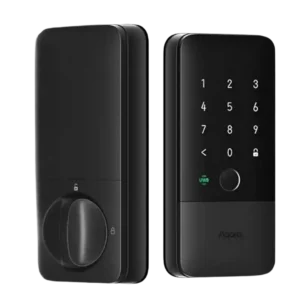
Choose the Aqara U400 if you want hands-free UWB unlocking, strong Apple Home integration, and many backup entry methods. Skip it if you dislike bulky smart-lock hardware or need a...
Pros: Locking reliability, Lock/unlock speed
Cons: Bluetooth, Physical attack resistance
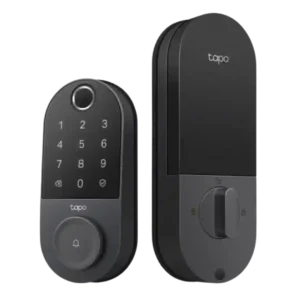
Choose the Tapo DL110 if you want fast fingerprint entry, strong app control, long battery life, and premium features under a lower price. Skip it if your door/strike alignment is...
Pros: Value and Price, Lock/unlock speed
Cons: Existing hardware reuse, Door compatibility (deadbolt fit)
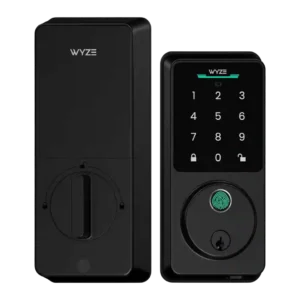
Choose the Wyze Lock Bolt v2 for low-cost Wi-Fi, fast fingerprint entry, and flexible codes. Skip it if you need Matter/HomeKit support, rechargeable batteries, or stronger door-sense behavior.
Pros: Lock/unlock speed, Keypad
Cons: Door-sense, Battery
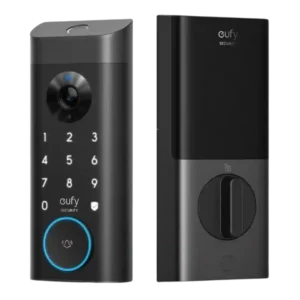
Good if you want one polished lock, camera, and doorbell with excellent fingerprint access. Skip it if short battery life, screen/storm doors, or a narrow camera view would frustrate you.
Pros: Lock/unlock speed, Security features (encryption)
Cons: Door-sense, Keyway quality