Best for button customization
Razer Cobra HyperSpeed
4.8 feature score
Highest scored product for this feature based on supporting review evidence.
Highest scored product for this feature based on supporting review evidence.
Balances feature score, supporting reviews, and overall product strength.
Has the broadest review evidence for this feature.
Strongest overall product among items with scored evidence for this feature.
Showing Razer only. Switch back to all brands anytime.

Button customization was viewed positively, especially through Razer Synapse remapping and broad command assignment.
Pros: 2.4GHz connectivity, surface compatibility
Cons: click noise, software stability

Customization was one of the clearest strengths, with swappable plates and extensive button options praised across nearly every review.
Pros: sensor performance, click latency
Cons: software stability, Bluetooth support

Customization was a major strength, with extensive remapping, HyperShift, and button control through Synapse.
Pros: lift-off distance, motion consistency
Cons: cross-platform compatibility, handedness options

Button customization was a clear strength, with Synapse remapping, profiles, and extra functions repeatedly praised as useful.
Pros: motion consistency, sensor performance
Cons: software stability, MMO gaming suitability
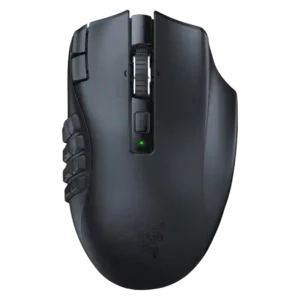
Button customization was a major strength, with reviewers mapping many commands, although one productivity-focused review found deeper sequences limited.
Pros: Accuracy and tracking precision, sensor performance
Cons: handedness options, fingertip grip comfort

Button customization was praised through Synapse and Hypershift options, especially for users willing to configure the mouse.
Pros: Accuracy and tracking precision, sensor performance
Cons: onboard memory, handedness options

Customization was a clear strength, with remapping, HyperShift, macros, and workflow personalization praised across several reviews.
Pros: ecosystem integration, sensor performance
Cons: AI Prompt Master, durability over time

Button customization was consistently treated as flexible and easy through Synapse or Synapse Web.
Pros: balance and weight distribution, build quality
Cons: dock compatibility, Bluetooth support

Button remapping and customization were praised through Synapse, though one first-impression review was less enthusiastic overall.
Pros: Accuracy and tracking precision, motion consistency
Cons: click noise, onboard memory

Button customization through Synapse was seen as useful and accessible, including remapping and DPI-related controls.
Pros: motion consistency, wireless latency
Cons: handedness options, onboard memory

Button customization was positive overall through Synapse remapping and Hypershift, but reviewers still considered overall customization limited.
Pros: Accuracy and tracking precision, sensor performance
Cons: handedness options, tilt gesture controls

Button customization and rebinding were useful through Synapse, although most of the praise was tied to practical remapping rather than a large button count.
Pros: click latency, motion consistency
Cons: handedness options, Bluetooth support

Button customization was considered strong because Synapse supports remapping, HyperShift layers, and profile-specific setup.
Pros: click latency, balance and weight distribution
Cons: 2.4GHz connectivity, software stability