- Worse: Smart-Reel scroll mode The Razer's electronic Smart-Reel feature is considered an advantage over the Logitech.
- Similar: ergonomic feature set The reviewer says the Basilisk and Logitech G502 X Plus pursue similar all-purpose mouse roles.
- Better: MMO/MOBA button count The Logitech G502 X Plus is suggested for users wanting more side buttons.
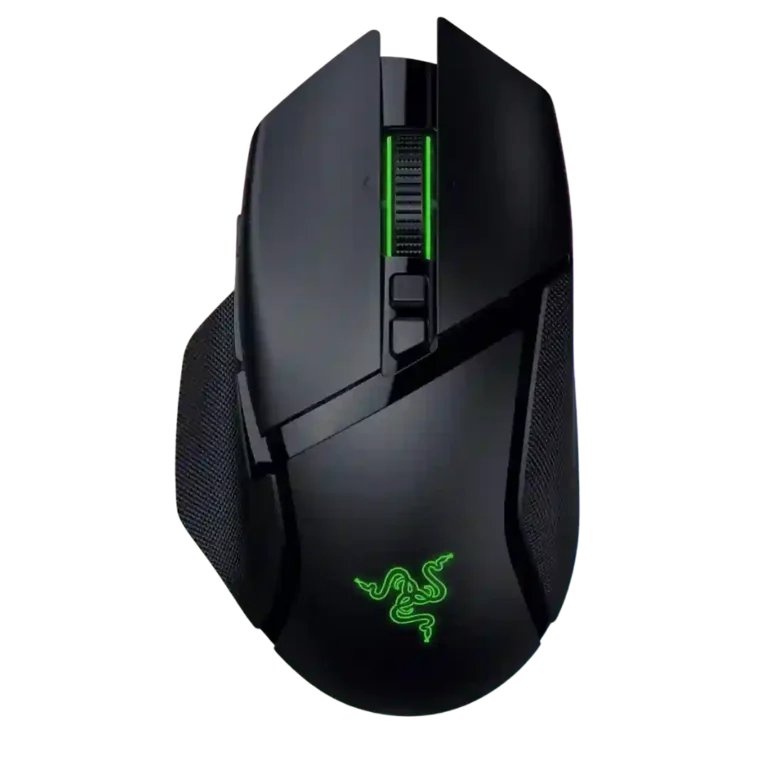
Razer Basilisk V3 Pro 35K Review
Bottom Line
Choose it for ergonomic comfort, strong battery life, deep customization, and a premium all-purpose setup. Skip it if you need a lightweight FPS mouse or already own a cheaper Basilisk V3 Pro.
Best for right-handed palm-grip users who want one premium mouse for gaming, productivity, macros, RGB, and long wireless use. It especially suits players who value control and extra inputs more than ultralight speed.
Not for left-handed users, budget-focused buyers, or competitive FPS players who prioritize low weight and fast flicks. It is also less compelling for current Basilisk V3 Pro owners unless they specifically want the battery and sensor refresh.
Reviewers broadly see the Razer Basilisk V3 Pro 35K as a polished, feature-rich wireless mouse built around comfort, precision, and versatility. Its strongest evidence centers on ergonomic palm support, a high-performing sensor, extensive button customization, RGB, and long battery life. The main tradeoff is that the same heft and feature density that make it useful for work, MMOs, MOBAs, and mixed gaming also make it less agile for competitive FPS play. Value is the other recurring caveat: several reviewers liked the mouse but questioned paying extra when older Basilisk models deliver much of the same experience for less.
Compared in Reviews
Products reviewers directly compared with this model, grouped into quick takeaways.
- Better: weight and drag The Razer Viper V3 Pro is presented as the lighter, less draggy option.
- Compared: sensor The reviewer notes the 35K shares its sensor with Razer's Viper V3 Pro.
- Better: Bluetooth battery life The Turtle Beach Kone II Air is noted as offering longer Bluetooth battery life in some conditions.
- Compared: four-way scroll wheel The Basilisk's tilt wheel is compared to the Turtle Beach Kone II Air.
Feature Scorecards
Summary
54 reviewed features- Very positive 4.5-5.0 50% 27 features
- Positive 3.5-4.4 35% 19 features
- Neutral 2.5-3.4 11% 6 features
- Negative 1.5-2.4 4% 2 features
- Very negative below 1.5 0% 0 features
Pros
-
Evidence was positive where reviewers tested unwanted acceleration or jitter control, with one review reporting clean acceleration behavior.
-
Motion consistency was highly praised, with reviewers describing consistent tracking and precise input translation.
-
Lift-off distance control received strong marks where reviewers evaluated its adjustability and consistency across surfaces.
-
Palm grip comfort was one of the strongest fit cases, with several reviewers saying the shape felt fantastic or exceptionally comfortable.
-
Macro support was a strength through Synapse, HyperShift, and extra programmable controls.
-
Latency-related feedback was strong, with reviewers praising fast response, low latency, and near-zero debounce delay.
-
Build quality was repeatedly praised as solid, tank-like, or nearly flawless.
-
Ergonomics were one of the strongest themes, especially for right-handed users and palm-focused comfort.
-
Materials were viewed as premium, grippy, and visually polished, especially on the Phantom White version.
-
MOBA suitability was positive where reviewers cited extra buttons, reliable commands, and precise tracking.
-
Profile switching was useful where reviewers could store or cycle profiles without constantly returning to Synapse.
-
Long-session comfort was repeatedly praised thanks to the thumb rest, ergonomic shape, and reduced hand strain.
-
Sensor performance was one of the highest-scoring areas, with reviewers praising accuracy, flawless tracking, and high-end specs.
-
Tilt controls were useful for horizontal scrolling, extra inputs, lean functions, and productivity workflows.
-
Glide was usually praised as smooth or buttery, though surface choice affected the feel.
-
Customization was a major strength, with extensive remapping, HyperShift, and button control through Synapse.
-
Premium feel was strong, with reviewers praising the look, hardware polish, and feature-packed construction.
-
Most reviewers praised precision and tracking, though one noted slight jitter at very high DPI settings.
-
Reviewers liked the included HyperSpeed or 2.4GHz path for low-latency wireless use, with multi-device dongle convenience also mentioned.
-
Grip texture was consistently praised for control, fingerprint resistance, and rubberized side support.
-
Bluetooth was valued for work, travel, and multi-device flexibility, though not always ideal for esports latency.
-
Razer ecosystem integration was liked for Chroma synchronization and multi-device setup polish.
-
Wireless latency was praised as effectively indistinguishable from wired by one reviewer and low-latency through HyperSpeed by another.
-
Button responsiveness was consistently positive, with clean actuation, clear pressure points, and minimal response delay.
-
Programmable buttons were a major advantage, providing enough controls for productivity, MMOs, MOBAs, and general gaming.
-
Switch feel was broadly positive, described as snappy, tactile, clean, or satisfying.
-
Wireless performance was generally strong, with rock-solid HyperSpeed and reliable 2.4GHz performance in most reviews.
-
Side buttons were generally praised for placement, tactility, and accessibility without many accidental presses.
-
Onboard memory was useful for profile storage and for reducing dependence on Synapse after setup.
-
Click noise was mixed, with some reviewers calling it quiet and others noting sharper or louder clicks.
-
Software stability was mostly improved or reliable, though Synapse still drew occasional criticism.
-
Battery life was a consistent strength, but RGB and high polling rates could reduce endurance substantially.
-
RGB was usually praised for underglow and zone effects, though some noted hand coverage and battery drain.
-
The scroll wheel was a standout feature, though Smart-Reel behavior and occasional noise or responsiveness quirks created mixed notes.
-
MMO suitability was generally positive because of extra buttons and macros, but it was not seen as a full dedicated MMO mouse.
-
Charging convenience ranged from excellent with the dock to frustrating when relying on quick wired top-ups.
-
Balance was generally viewed as controlled and stable, though one reviewer found the mouse somewhat front-heavy.
-
Connectivity was mostly stable, though one review had temporary dropouts until relocating the dongle.
-
Shape comfort was mostly positive for ergonomic use, though some reviewers found it too thin or grip-specific.
-
Software usability was powerful but mixed: reviewers liked the depth of controls, while some found Synapse annoying or overwhelming.
-
Dock support was praised for convenience and higher polling, but reviewers often noted extra cost or availability issues.
-
Main click quality was mostly good but mixed by one reviewer who found the clicks somewhat squishy or easy to mispress.
-
Portability was acceptable for multi-PC or Bluetooth use, but weight made it less ideal as a travel-first mouse.
-
Surface compatibility was strong on pads and even glass in some tests, but harder or shiny surfaces created caveats.
-
Polling rate feedback was mixed: high rates were valued, but accessories and battery penalties limited their practical appeal.
-
The 35K DPI ceiling was viewed as technically impressive but often overkill or not worth paying extra for.
Cons
-
Cable feedback was mixed: one review found it stiff, another praised it as lightweight and smooth, and another found it slightly stiff.
-
Claw grip worked for some reviewers but was less comfortable for others because of the weight and shape.
-
Value was the most common concern because the mouse is expensive and often only a modest upgrade over cheaper predecessors.
-
Fingertip comfort was mixed to weak because the mouse is heavy and shaped more for palm or claw grips.
-
FPS suitability was mixed: the sensor could keep up, but the weight reduced flick speed and competitive agility.
-
Weight was the biggest tradeoff: some liked the controlled heft, but many found it heavy for fast competitive play.
-
Handedness was a clear limitation because reviewers repeatedly described it as right-handed only.
-
Cross-platform support was a weakness for Linux users because Synapse is not officially available there.
Compared With Category Average
Compared with other Gaming Mice, this product is above average in tilt gesture controls, software stability, lift-off distance, below average in weight, cross-platform compatibility, FPS gaming suitability.
Summary
8 compared features- Above average 0.4+ pts higher 63% 5 features
- Same as average within 0.3 pts 0% 0 features
- Below average 0.4+ pts lower 38% 3 features
| Attribute | This product | Category average | Difference |
|---|---|---|---|
| weight | 2.7 | 4.1 | -1.4 |
| cross-platform compatibility | 2.2 | 3.9 | -1.7 |
| tilt gesture controls | 4.7 | 3.1 | +1.6 |
| software stability | 4.4 | 3.0 | +1.4 |
| FPS gaming suitability | 3.0 | 4.2 | -1.1 |
| lift-off distance | 5.0 | 3.8 | +1.2 |
| palm grip comfort | 4.9 | 3.8 | +1.1 |
| Bluetooth support | 4.5 | 3.5 | +1.0 |
FAQ
Is the Razer Basilisk V3 Pro 35K good for FPS games?
It can handle FPS games accurately, but multiple reviewers said its weight makes fast flicks and competitive play less ideal than lighter FPS-focused mice.
Is the 35K sensor a noticeable upgrade?
Reviewers generally praised the sensor, but several said the jump from earlier high-DPI Basilisk sensors is not a major real-world upgrade for most players.
How is the battery life?
Battery life was a strength across reviews, with several reviewers reporting long use between charges. RGB lighting and high polling rates can reduce that advantage.
Is the scroll wheel useful?
Yes, reviewers often highlighted the HyperScroll tilt wheel as useful for productivity and extra inputs, though Smart-Reel behavior was sometimes described as distracting or inconsistent.
Who is the shape best suited for?
The strongest fit is right-handed palm grip, with good long-session comfort. Fingertip and some claw users may find the mouse too heavy or shape-specific.
Is Synapse required?
Synapse is used for deep customization, macros, lighting, DPI, and scroll settings. Reviews found it powerful, but some also called it annoying, overwhelming, or limited on Linux.
Sample Expert Reviews We Analyzed
These are a few of the reviews included in our analysis.
Video Reviews
- Review score
- 4.3/5
- Review score
- 4.3/5
Article Reviews
- Review score
- 4.6/5
- Review score
- 4.4/5
Consider This Instead
If you want better weight
Choose ASUS ROG Keris II Ace. It scores 4.9 vs 2.7 for weight, with a 4.2 overall score.
If you want better cross-platform compatibility
Choose Corsair Scimitar Elite Wireless SE. It scores 5.0 vs 2.2 for cross-platform compatibility, with a 4.2 overall score.
If you want better value for money
Choose Glorious Model O Eternal. It scores 4.9 vs 3.1 for value for money, with a 4.1 overall score.
If you want better FPS gaming suitability
Choose Razer DeathAdder V4 Pro. It scores 4.9 vs 3.0 for FPS gaming suitability, with a 4.0 overall score.
Overall Top Gaming Mice Alternatives
Choose the ROG Harpe II Ace for ultralight FPS play, precise tracking, smooth glide, and web-based tuning. Skip it if you need palm-grip support, MMO buttons, onboard profiles, or long...
Pros: acceleration control, wireless latency
Cons: onboard memory, MMO gaming suitability

Best for MMO/MOBA control, swappable panels, strong wireless performance, and long battery life. Skip it if you want a light FPS mouse, low price, or no Synapse quirks.
Pros: sensor performance, click latency
Cons: software stability, Bluetooth support
Choose the Aerox 3 Wireless Gen 2 if you want a light, fast wireless FPS mouse with strong software and battery life. Skip it if you dislike honeycomb shells, need...
Pros: click latency, motion consistency
Cons: palm grip comfort, fingertip grip comfort
Choose the Kone II if you want a large, ergonomic mouse with deep customization and strong sensor performance. Skip it if you have small hands, need an ambidextrous mouse, or...
Pros: click latency, motion consistency
Cons: handedness options, portability